
Subscription apps can be rejected even when the product works. The issue is often the payment route, paywall wording, restore flow, metadata, or free-access experience. This guide gives you a practical review-ready workflow so you can catch common issues before Apple or Google does.
In-App Purchases and Subscriptions: The Complete Publishing Guide goes deeper on the ideas above and adds concrete next steps.
Early proof: the predictable rejection map
Subscription review problems tend to cluster around a few checkpoints. This is directional, not a claimed rejection rate, but it reflects the areas emphasized in the Apple App Store Review Guidelines, Google Play subscription policies, and Play Billing documentation.
| Review checkpoint | Typical risk | Practical prevention |
|---|---|---|
| External checkout | Digital access uses Stripe, web checkout, or payment links inside the app | Use Apple In-App Purchase on iOS and Google Play Billing on Android |
| Hidden paywall terms | Price, billing period, renewal, or trial conversion is unclear | Show core terms before purchase confirmation |
| Missing restore purchases | iOS users and reviewers cannot recover paid access | Add and test a visible Restore Purchases option |
| Hard paywall mismatch | Listing implies free value, but the app blocks every meaningful action | Add limited free value or position the app clearly as paid access |
| Inaccurate metadata | Store copy, screenshots, products, and app behavior do not match | Align product setup, paywall copy, and subscriber access |
The interpretation is simple: subscription compliance is a system, not one screen. Payment setup, product records, paywall copy, backend entitlements, and store metadata all need to tell the same story.
The business impact is real. A billing or metadata mistake can add days to launch, especially if you need engineering time, pricing changes, or a new build. Platform billing also affects margins, so confirm the current fee model for your account, category, and region before finalizing pricing.
When you move from outline to execution, Subscriptions That Pass Review: Trials, Restore, Pricing helps close common gaps teams hit here.
Why do subscription apps fail app review?
Apple and Google support subscriptions for digital products, but they usually expect platform billing when the subscription unlocks app-delivered digital value. That can include AI features, media, courses, templates, workouts, storage, analytics, community features, or premium app tools.
There are exceptions, especially around physical goods, real-world services, and some reader-type apps. Still, if the user buys digital access inside the mobile app, assume platform billing is required unless current platform policy clearly says otherwise.
In practice, reviewers check whether the app experience and store setup are consistent. If one screen says "free", another immediately demands payment, and the subscription product uses vague benefits, the app can look unfinished or misleading.
A complementary angle worth comparing lives in The Last Step AI App Builders Don't Solve: Publishing.
What subscription flow do app reviewers expect?
A review-ready subscription flow should be boring in the best way. The reviewer can install the app, understand what is free, see the subscription terms, purchase through the approved billing system, restore access where relevant, and verify that the listing matches the product.
Budget real time for this. A simple app may need a day or two to align copy, products, and test purchases. Apps with a custom backend, multiple plans, usage limits, or AI credits may need several more days because entitlement logic and edge cases take longer to validate.
Prepare these inputs before submission:
- User-friendly subscription name, such as "Pro Monthly"
- Billing period and price for each launch market
- Included features, limits, and exclusions
- Free trial duration, if any
- Post-trial price and renewal period
- Free-tier value, or clear paid-access positioning
- Confirmation that no outside checkout path exists for digital access
The free tier does not need to be generous, but it should be honest. If the listing describes a useful free app and users can only pay after opening it, review risk and user frustration both increase.
For tradeoffs, checklists, and edge cases, What Happens When Your App Gets Rejected - and How to Respond rounds out this section.
Submission workflow for subscription compliance
Configure products before submitting the binary
Create subscription products in App Store Connect and Play Console before review. Use accurate names, descriptions, prices, billing periods, and groups.
Make paywall terms visible before purchase
Show the price, billing period, benefits, renewal or charge language, cancellation path, and free trial conversion price if there is a trial.
Test purchase, restore, and entitlement access
Run a sandbox or test purchase exactly as a reviewer would. On iOS, include Restore Purchases in a visible place, then confirm the backend unlocks access after purchase and restore.
Entitlement logic is a common hidden dependency. If the purchase succeeds but your backend does not unlock access, the reviewer sees a broken subscription app, not a small server issue.
We Analyzed App Launch Delays: Why Mobile Apps Don’t Go Live on Time reframes the same problem with a slightly different lens - useful before you finalize.
Fix the rejection patterns that repeat
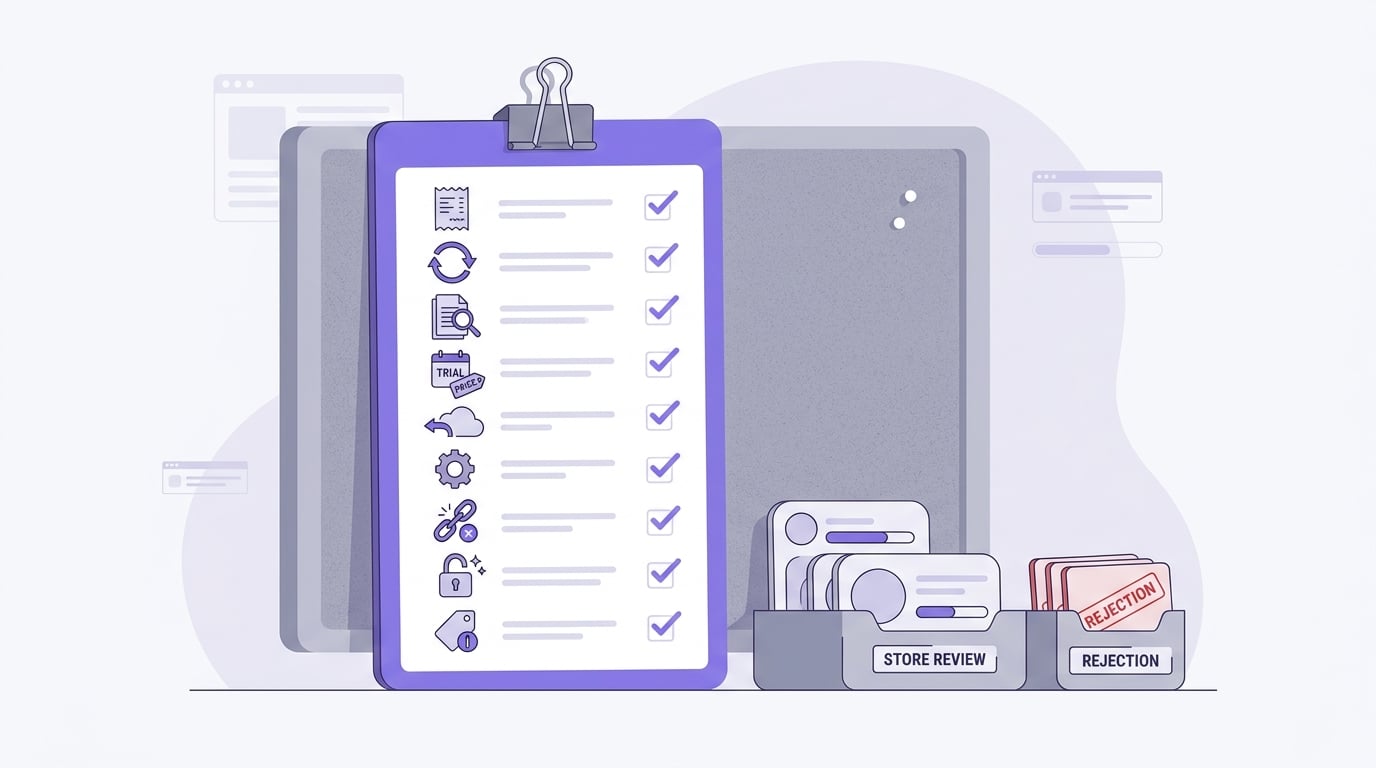
A checklist block for final subscription app review preparation covering Apple In-App Purchase, Google Play Billing, visible terms, trial conversion price, iOS Restore Purchases, Manage Subscription access, no external digital checkout links, free-tier value, and accurate store metadata.
Most subscription rejections come from incomplete purchase paths, vague copy, or store records that do not match the app.
| Pattern | What to check | Fix |
|---|---|---|
| Hidden terms | Paywall says "Start Now" without price, period, or renewal terms | Place terms near the purchase action |
| Vague trial | Trial does not show duration or post-trial price | State what happens when the trial ends |
| External checkout leak | App links to Stripe, web checkout, upgrade pages, or support-based purchase flows | Remove those paths from the mobile app |
| Missing restore | iOS users cannot recover access | Add and test Restore Purchases |
| Listing mismatch | Screenshots or copy imply free access to locked features | Adjust the listing or add limited free value |
The practical takeaway is to audit the app from a new user's point of view. If someone cannot tell what they are buying, how much it costs, when it renews, or how to regain access, the flow is not ready.
How should store metadata match subscription access?
Product setup is the second layer of review. Store records, screenshots, onboarding, paywall copy, and actual app behavior should describe the same subscription benefits.
Check these before submission:
- App Store Connect subscription name, description, price, and group match the app.
- Play Console subscription products use clear benefit language.
- Screenshots do not imply unpaid access to subscriber-only features unless clearly labeled.
- Listing copy does not overpromise free functionality.
- Support language does not imply that deleting the app or account cancels billing.
This matters after approval too. Users who want to cancel app subscription billing usually need Apple or Google account-level settings, not an internal account toggle. Your app can guide them, but it should not imply that uninstalling cancels the subscription.
Final pre-submit checklist
Use this after the build is complete. If an item fails, fix it before review rather than hoping the reviewer misses it.
- Apple In-App Purchase is active for iOS digital subscriptions.
- Google Play Billing is active for Android digital subscriptions.
- Subscription terms are visible before purchase confirmation.
- Free trial duration and conversion price are clear.
- Restore Purchases is visible and working on iOS.
- No external digital checkout links appear inside the app.
- Free-tier value is clear, or paid access is honestly positioned.
- Store metadata matches the actual subscriber benefits.
- Listing copy does not overpromise free access.
Plan one final validation pass before submitting. Clean install the app, reach the paywall, complete a test purchase, restore access, and compare the experience against the product metadata. This will not guarantee approval, but it catches many avoidable delays.


