
Subscription review problems rarely start with the billing API. They usually start when a reviewer cannot quickly understand the trial, price, renewal cadence, cancellation route, restore option, or data disclosures. Use this compact pre-submit audit to align product, QA, design, growth, legal, and publishing before App Store or Google Play review.
How Subscription Apps Get Rejected - and How to Prevent It goes deeper on the ideas above and adds concrete next steps.
Early proof: why subscription review fails even when billing works

A process diagram mapping subscription claims across the in-app paywall, onboarding, settings restore entry point, App Store product page, Google Play listing, App Privacy answers, Google Play Data Safety form, and reviewer notes.
Category: Review speed
Statistic: <1 min
Label: Terms found without hunting
Context: Directional benchmark: the commercial promise should be clear on a normal device screen
Category: Team effort
Statistic: 2-4 hrs
Label: Focused pre-submit review
Context: Typical effort when app access, store console access, privacy forms, and reviewer notes are ready
Category: Checklist
Statistic: 5
Label: Reviewer-visible subscription checks
Context: Verify trial length, post-trial price, renewal cadence, cancellation path, and restore access
This is a practical review benchmark, not an official rejection-rate study. It is based on Apple App Review Guidelines, Apple's auto-renewable subscription guidance, and Google Play subscription policy guidance. These sources describe platform expectations, but they do not publish a full dataset of subscription rejection causes.
The practical interpretation is simple: a reviewer should be able to verify the commercial promise in seconds on a normal device screen. If trial terms, price, renewal period, restore access, cancellation wording, or privacy claims require hunting across screens, review risk increases.
| Subscription element | Lower-risk signal | Risky signal | Business impact |
|---|---|---|---|
| Free trial | "7 days free, then $9.99/month unless canceled" near the CTA | "Start free trial" with price hidden below | Reduces ambiguity before purchase |
| Pricing | Local price and renewal period on each plan | Price shown without cadence | Helps users and reviewers compare plans |
| Restore | Visible restore action on paywall or settings | Restore only through support | Lowers review and support risk |
| Cancellation | Store account cancellation path is clear | "Cancel anytime" with no path | Avoids trapped-user concern |
| Metadata | App, listing, privacy, and notes match | Trial or feature claims differ by surface | Prevents avoidable review cycles |
Expected effort is usually 2-4 hours for a focused team with app access, store console access, privacy forms, and reviewer notes. Larger apps with many markets, experiments, or server-side entitlements may need longer because more surfaces can drift.
The user impact is commercial as much as compliance-related. Clear subscription terms can improve trust, reduce refund pressure, and reduce the chance that launch timing depends on last-minute review corrections.
When you move from outline to execution, In-App Purchases and Subscriptions: The Complete Publishing Guide helps close common gaps teams hit here.
How should a subscription paywall show trials and pricing?
Put the full trial promise near the purchase CTA. Plain copy such as "7 days free, then $9.99/month unless canceled" is stronger than "Start free trial" alone because it explains both the benefit and the obligation.
Show the local price and renewal period on every plan card. If you show annual savings, calculate it from the real monthly product price, not from an artificial anchor.
Keep introductory offers separate from standard recurring prices. If only some users qualify for a trial, avoid making the trial the entire value proposition. Returning users still need to understand the paid plan.
Check small screens and key localizations before submission. Translated strings often push price, renewal, or cancellation copy below the fold, which can make a reasonable design look unclear in review.
A complementary angle worth comparing lives in Publishing at Every Stage: How App Store Strategy Changes as You Grow.
Subscription audit prerequisites and expected outcome
Before starting, collect these inputs:
- Current paywall screenshots from real devices
- App Store Connect and Google Play Console product setup
- Store listing copy, screenshots, and promotional text
- App Privacy and Google Play Data Safety answers
- Reviewer notes, test credentials, and gated access steps
- Sandbox or test accounts for purchase and restore checks
The expected outcome is not a longer paywall. It is a consistent subscription promise across the app, store metadata, privacy declarations, entitlement behavior, and reviewer instructions.
Where should users restore purchases and cancel?
Restore purchases should be visible without a support ticket. For subscription apps, place a "Restore Purchases" action on the paywall and another entry in settings or account management when practical.
The restore button must work in test conditions. QA should use a sandbox or test account, confirm entitlement unlocks, and verify the message shown when no purchase is found.
Cancellation wording should point to the store account flow. "Cancel anytime in your App Store account settings" or "Manage or cancel in Google Play subscriptions" is clearer than a vague "Cancel anytime" line.
Entitlement QA should cover these states:
| State | What to verify | Risk if missed |
|---|---|---|
| New subscriber | Premium access unlocks quickly | Broken first paid experience |
| Restored subscriber | Access returns without support | Review friction and tickets |
| Expired subscriber | Access downgrades correctly | Revenue leakage or confusion |
| Billing issue | User sees a clear access state | Churn and support burden |
| Plan switch | Active tier is applied | Wrong benefits or complaints |
The tradeoff is time. A full lifecycle test can take longer than a normal smoke test, but it is usually less costly than a rejected build or a broken launch campaign.
How do you keep subscription claims consistent?
Your paywall, onboarding, App Store page, Google Play listing, screenshots, and promotional text should describe the same subscription. If the app says "7-day trial" and the listing says "free first month," the reviewer has to decide which claim is true.
Create a simple claim map before submission. Track price, trial duration, renewal cadence, premium features, cancellation wording, restore access, and eligibility limits by surface. Then compare each claim with the configured store products.
Privacy and data safety metadata also need subscription context. Even when Apple or Google processes payment, the app may collect account identifiers, usage data, diagnostics, attribution data, or support information tied to subscription access.
Reviewer notes should be short but useful. Include test credentials, paywall location, restore path, eligibility limits, gated onboarding steps, and any region-specific behavior.
A 2-4 hour pre-submit workflow
Capture the surfaces
Save paywall, onboarding, settings, store listing, privacy form, and reviewer-note content. Audit what reviewers will see, not what the team intended.
Compare claims to configuration
Match plan names, prices, trial periods, introductory offers, renewal cadence, and product availability against App Store Connect and Google Play Console.
Run device-level QA
Test purchase, restore, cancellation guidance, entitlement changes, and small-screen layout. Include key localizations if the app launches in multiple markets.
Assign fixes by owner
Route layout issues to design, entitlement issues to engineering, pricing copy to growth, metadata to publishing, and help content to support or legal.
Submit with clean reviewer notes
Provide credentials, navigation steps, and known constraints. Keep the note practical and specific.
Common pitfalls and edge cases
Hardcoded prices create mismatch risk after territory updates, store-side price changes, or experiments. Use store-provided localized pricing where practical, or verify custom price text before every submission.
Introductory offers can confuse returning users if eligibility is not clear. If the store determines eligibility at purchase time, avoid broad copy that promises every user a trial.
Server-side entitlements can fail even when billing succeeds. Reviewers judge the full access experience, so monitor purchase callbacks, receipt validation, account linking, and fallback messaging.
The practical takeaway: subscription review is a cross-functional release gate. Billing, design, metadata, privacy, and reviewer access all need to tell the same story.
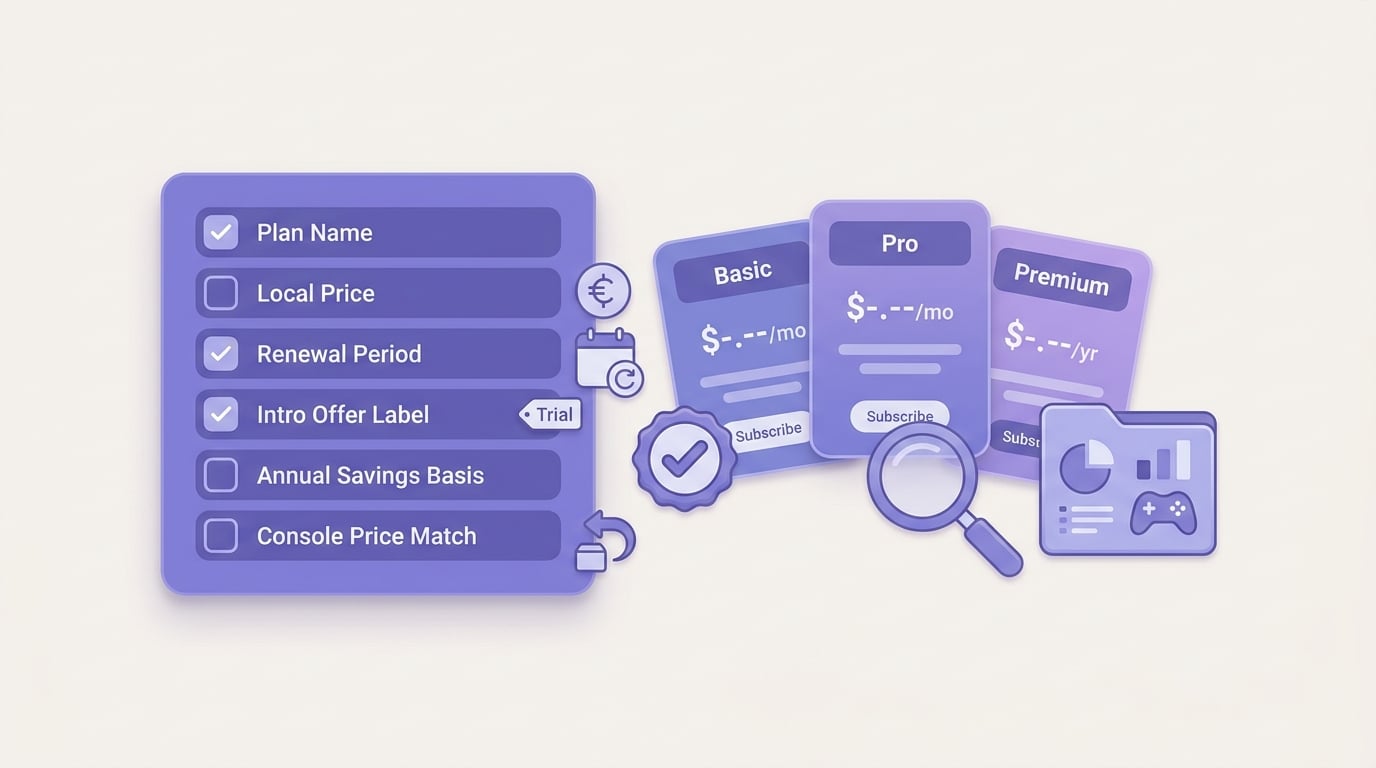
A checklist-style visual for subscription paywall compliance with rows for plan name, local price, renewal period, introductory offer label, annual savings basis, and App Store Connect or Google Play Console price match.


