
Short answer: AI prototypes speed initial development, but stores require non-code work - signing, compliance entries, and a reviewer-friendly demo - that you must plan for before pressing Publish. This guide lists the exact gaps, a compact checklist, and a 30-90 minute pre-flight you can run before submission.
Why Publishing Requires Structured Execution, Not Guesswork goes deeper on the ideas above and adds concrete next steps.
What do AI builders provide versus what app stores require?
AI builders often output source or preview builds, while stores expect signed release binaries, complete compliance entries, and reviewer-ready credentials. The gap is real and closing it depends on CI, platform experience, and third-party SDKs; inexperienced teams may spend several hours troubleshooting signing and SDK issues.
| What AI builders usually produce | Risk level | Exact store requirement you must deliver |
|---|---|---|
| Source project or preview binary (simulator or web preview) | High | Signed release binary - iOS .xcarchive/.ipa or Android .aab ready for upload |
| Generic or no signing instructions | High | Apple Developer account, App ID, certificates, provisioning profiles; Google package name and signing key |
| Placeholder privacy text and permission prompts | High | Public privacy policy URL, accurate Data Safety answers, and clear permission usage descriptions |
| Demo screenshots or generic images | Medium | Screenshots and video that match the submitted binary and primary user flows |
| No reviewer account or demo path | High | Test credentials or a documented reviewer path and feature toggles to reproduce key flows |
Explanation: the table highlights where AI output speeds code but not the release checklist. Practical interpretation: expect most final effort to be non-code work that reviewers evaluate. Business impact: missing items typically add days of back-and-forth and can block launch until fixed.
Side-by-side: short interpretation
AI output = fast prototype. Store submission = production-grade release bundle plus compliance and a reviewer experience. Expect the latter to take additional time and manual checks.
Practical launch timing: simple vs complex AI-built apps
Simple apps - 2 to 4 hours if signing and accounts are already configured.
Medium apps - 1 to 3 business days, including privacy and Data Safety work.
Complex apps - 3 to 10+ days for payments, sensitive data handling, or extended policy review.
One thing worth noting: these ranges assume an experienced developer; inexperienced teams or apps with problematic SDKs should plan extra troubleshooting time and possible policy back-and-forth.
When you move from outline to execution, Top 5 Privacy Policy Generators for Mobile Apps helps close common gaps teams hit here.
How do I convert an AI-built prototype into a store-ready app?

A linear process diagram illustrating the five numbered steps for this article: 1) Export release build (iOS .ipa/.xcarchive or Android .aab), 2) Test like reviewer (fresh device + demo creds), 3) Configure signing/identity (bundle ID, certs), 4) Complete compliance (Data Safety, permissions), 5) Upload listing and submit. Each step includes one example action (e.g., 'Add privacy policy URL').
Follow these five ordered steps to convert an AI prototype into a review-ready release while accounting for platform traps and policy checks. Each step can reveal platform-specific issues, so budget an extra 1-3 hours for signing or Data Safety debugging if you lack prior experience.
Prerequisites: what to gather before you open App Store Connect or Play Console
- Release build: signed Android .aab or iOS .xcarchive/.ipa that installs on a real device.
- Accounts and legal: active Apple Developer and Google Play Console accounts, public privacy policy URL, and support email.
- Assets and notes: final app name, icons in required sizes, screenshots from the release build, demo credentials, a short reviewer path, and a list of SDKs and permission purposes.
One practical takeaway: collecting these items first typically saves 30-90 minutes during submission; missing them creates unpredictable delays.
Five numbered submission steps (exact actions to take)
Export and sign the release build
Build a production binary and sign it: upload an .aab for Android or an .xcarchive/.ipa via Xcode/Transporter for iOS. Confirm the build installs and runs on a physical device from a fresh state.
Test like a reviewer
Install the release build on a clean device and follow a minimal reviewer path: signup, core feature, and any payment or sharing flows. Fix crashes and blockers before upload.
Configure identity and store metadata
Create App ID, bundle ID/package name, provisioning profiles, and upload icons. For Google, register the app, set a stable package name, and store the signing key securely.
Complete compliance and permissions entries
Publish a privacy policy URL, fill Data Safety answers for Play Console, and justify sensitive permissions with clear purpose strings in the UI and submission notes.
Prepare listing assets and submit for review
Upload screenshots taken from the release binary, paste reviewer steps and demo credentials into the notes, set pricing/regions, then submit. Expect to respond to reviewer questions within 24-48 hours in many cases.
In practice, most teams spend the bulk of time on signing issues, privacy/Data Safety, and reproducing reviewer paths. Plan for rejections to be possible and allocate time for fixes.
A complementary angle worth comparing lives in How to Publish Your Bolt-Generated Mobile App.
What common mistakes cause review rejections and how do I pre-flight?
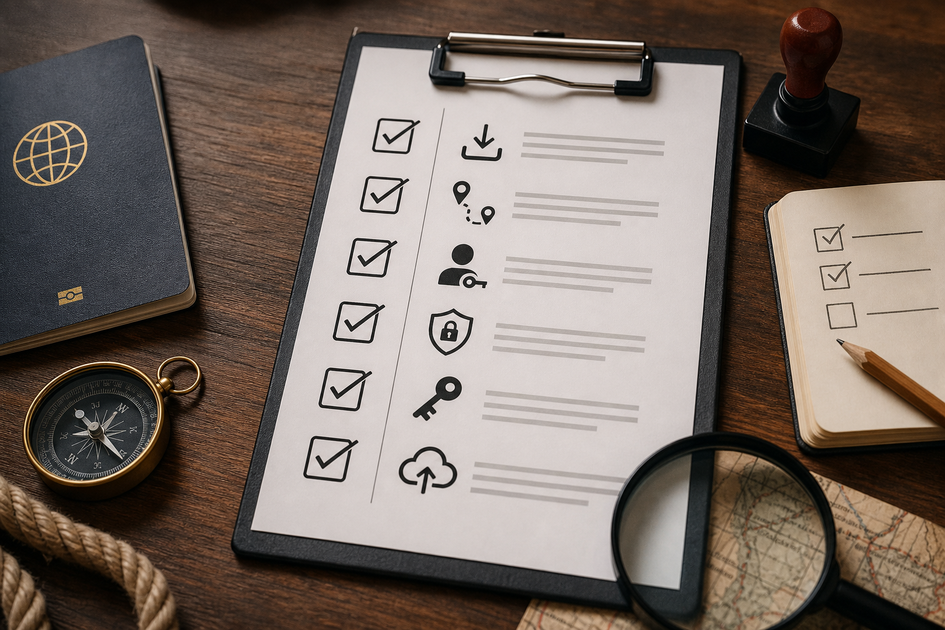
A compact, printable checklist block tailored to AI-built apps: install release build, run reviewer path, prepare demo credentials, verify Data Safety entries, confirm signing keys, upload matching screenshots, check subscription restore and account deletion flows.
Run a short pre-flight checklist to catch common mistakes; this reduces rejections but does not eliminate subjective policy decisions or edge cases. Plan time to fix anything the checklist uncovers.
Top review failures we see from AI-built apps (actionable anti-patterns)
- Missing demo credentials or unclear reviewer path - Provide stable test accounts or a demo mode toggle and a short, numbered reviewer script.
- Unjustified permissions - Replace generic prompts with app-specific purpose strings and document them in submission notes and the privacy policy.
- Mismatched listing assets - Ensure screenshots and descriptions reflect the exact binary; reviewers reject features not present.
Document issues plainly and include reproduction steps in reviewer notes to speed resolution.
Pre-flight checklist you can run in 30 - 90 minutes
- Install the signed release on a clean device and complete the main user flow.
- Prepare demo credentials and a one-minute, numbered reviewer script showing core flows and account deletion.
- Complete privacy and Data Safety entries: list each SDK, data type collected, and where data is sent.
- Verify permission prompts show clear, app-specific reasons.
- Upload screenshots taken from the release build and confirm icon and name match the binary.
Run this checklist immediately before submission; it catches most preventable rejections but not every policy edge case or subjective reviewer preference.
For tradeoffs, checklists, and edge cases, Privacy Made Simple: Map Your App Data Flows in 30 Minutes rounds out this section.


