
Your app is built, but your first submission can still stall when App Store Connect and Google Play Console ask for a precise, testable story about what data you collect, where it goes, and how reviewers can reach key features. For first-time founders, those answers are usually scattered across SDK docs, dashboards, backend logs, and half-remembered implementation details. A practical fix is a release map: one living doc that inventories real data flows and turns them into store-ready disclosures, reviewer notes, and a rollout plan you can execute with fewer surprises.
Privacy Made Simple: Map Your App Data Flows in 30 Minutes goes deeper on the ideas above and adds concrete next steps.
How can one release map cover both stores?
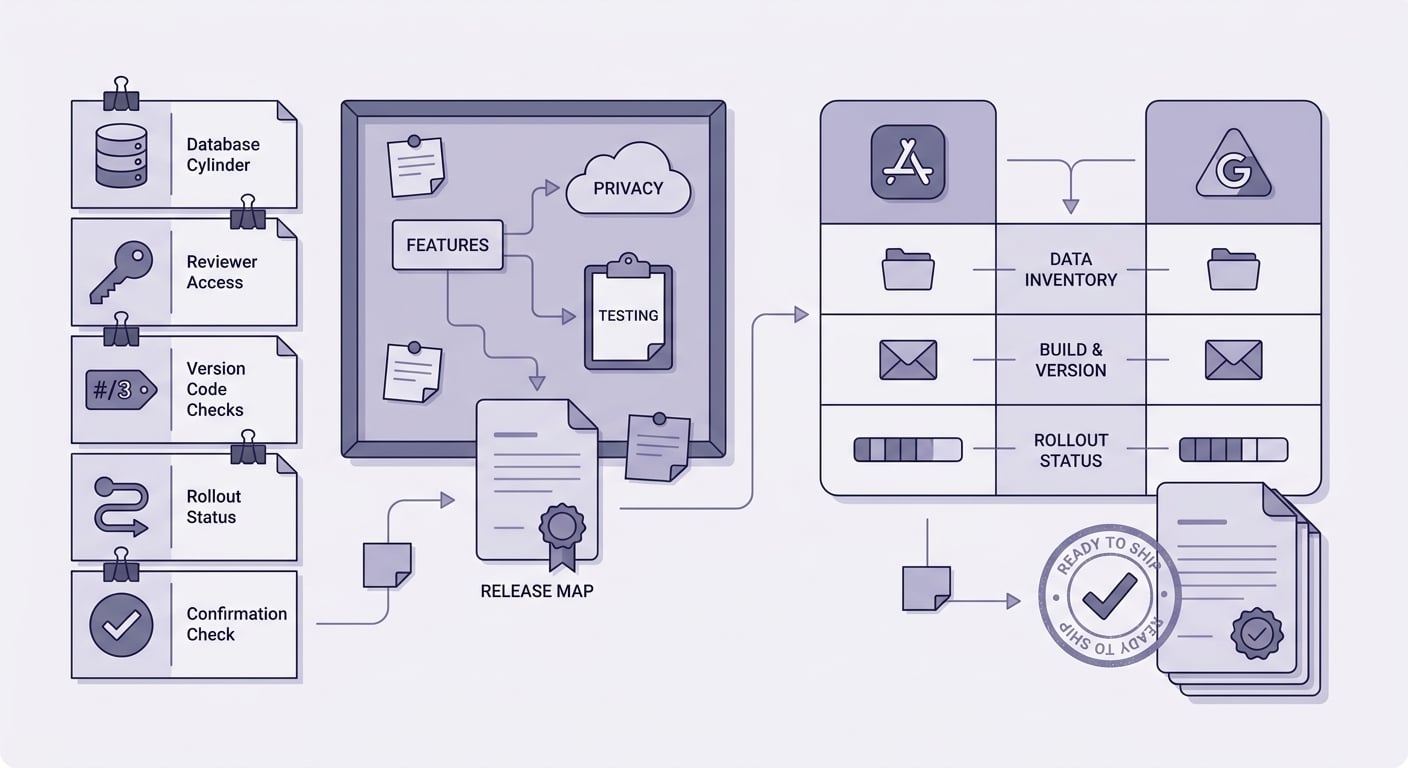
A checklist block for first-time founders covering data inventory validation, reviewer access testing, version code checks, rollout status, and final form consistency before pressing submit.
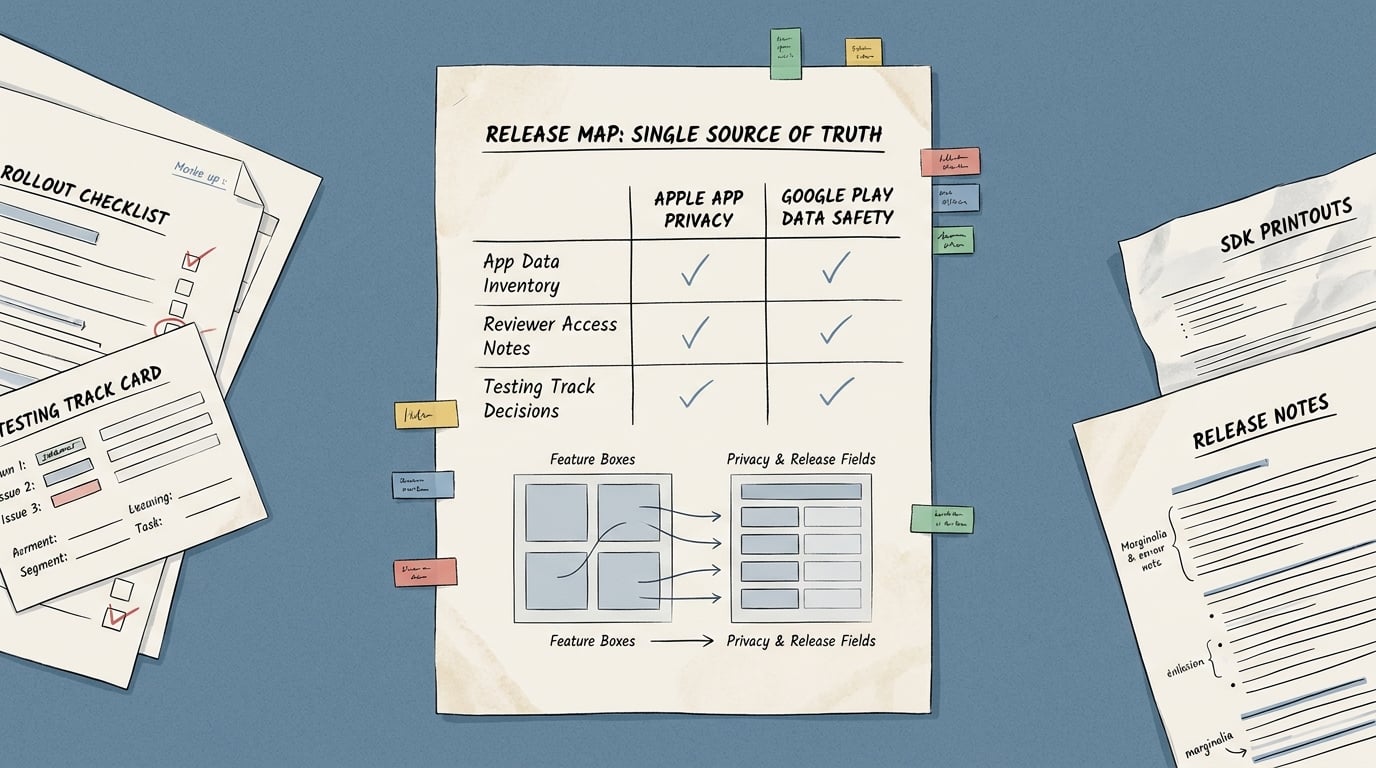
A comparison table visual showing App Store App Privacy details, Google Play Data safety, reviewer access notes, and testing track decisions, with each row explaining what the founder must document once in a source-of-truth release map.
Cross-store mapping snapshot
| One release map input (write once) | Apple surface you must fill | Google surface you must fill | Plain-English meaning |
|---|---|---|---|
| Data inventory by feature: what data, where it goes, why | App Privacy details | Data safety | If you cannot trace it in the shipped build and SDK config, the forms force you to guess. Both stores expect consistent claims about collection, use, and sharing. (Apple) |
| Third parties and sharing: ad/analytics/attribution vendors, endpoints, purposes | App Privacy details | Data safety | Disclose what leaves the app, and whether it is linked to the user or used for tracking. SDK defaults and server-side enrichment can create mismatches unless you verify. (Newly) |
| Reviewer access notes: login required, paywalls, feature flags, test data | App Review notes | App access (and related flows) | Reviewers need a reliable path to the core experience. Missing credentials, 2FA friction, or region gating commonly cause delays. (Anything) |
| Version identifiers: build number, version code, environment toggles | Build metadata | Release artifact | The binary under review must match your disclosures. If staging differs from production, document the delta and confirm what reviewers will see. |
| Rollout plan: internal test, closed test, staged rollout, kill switch | Phased release strategy | Testing tracks and staged rollout | Your rollout should match your monitoring and support capacity, not an ideal plan. |
Explanation: this table is an input-output map. Each row is one release map line item, and the store surfaces it supports.
Interpretation: you can treat the release map as a reconciliation checklist: if you cannot answer a row from the shipped build plus live configuration, you are likely to guess in the consoles and create contradictions across stores.
Reader impact: teams that maintain a release map often spend less time re-answering the same questions, re-exporting builds, or re-opening testing tracks due to access issues. It is not an approval guarantee: policy interpretation varies by reviewer and app category, and SDK and network behavior can be opaque enough that you may need extra validation work.
Operational verification example (illustrative, not a benchmark): a 20-30 minute network capture on a clean install (for example, using a proxy tool) can produce a list of third-party domains and key endpoints observed during first launch, signup, purchase, and background resume. That artifact gives you a concrete way to sanity check your SDK list, consent timing, and "sharing" claims without relying only on vendor docs.
When you move from outline to execution, What Founders Should Know Before Their First Submission helps close common gaps teams hit here.
Why do first submissions stall on privacy and testing?
The binary is ready, but the store forms are not
Many first-time founders hit a wall after the app runs end to end. The build is stable, the UI looks right, and basic tests pass. Then Apple and Google ask questions that are not about code quality, but about describing real behavior: collection, sharing, retention, purpose, and reviewer access.
The mismatch is common because analytics, crash reporting, ads, attribution, login, and payments each have their own dashboards and defaults. Your backend may also log more than you expect. Apple’s App Privacy details and Google’s Data Safety form both expect claims that match the shipped build and configuration, not a best guess assembled the night before submission (Apple Developer).
What the stores need before they will review the app
- Disclosures that match shipped behavior: privacy answers must align with actual data flows and SDK behavior, not intent. (Apple Developer)
- A reviewer path that works on a fresh device: access notes, demo accounts, and clear steps to reach core features without back-and-forth. (Newly checklist)
- An unambiguous build and track: reviewers see the artifact attached to the release, so versioning, track status, and notes must point to the same build.
Effort expectations (so this does not become a scramble)
Budget time for verification, not just form filling. The main cost is cross-checking SDK settings, consent behavior, backend logging, and reviewer access.
- Simple app (few SDKs, no ads or attribution): ~2-4 hours
- Typical startup app (analytics + crash + auth + payments): ~0.5-1 working day
- Ads or attribution, multiple environments, complex backend: ~1-2 working days (sometimes longer if you need legal input or vendor clarification)
One thing worth noting: reviewer outcomes still vary, so you are optimizing for clarity and testability, not certainty.
What should you map before opening App Store Connect?
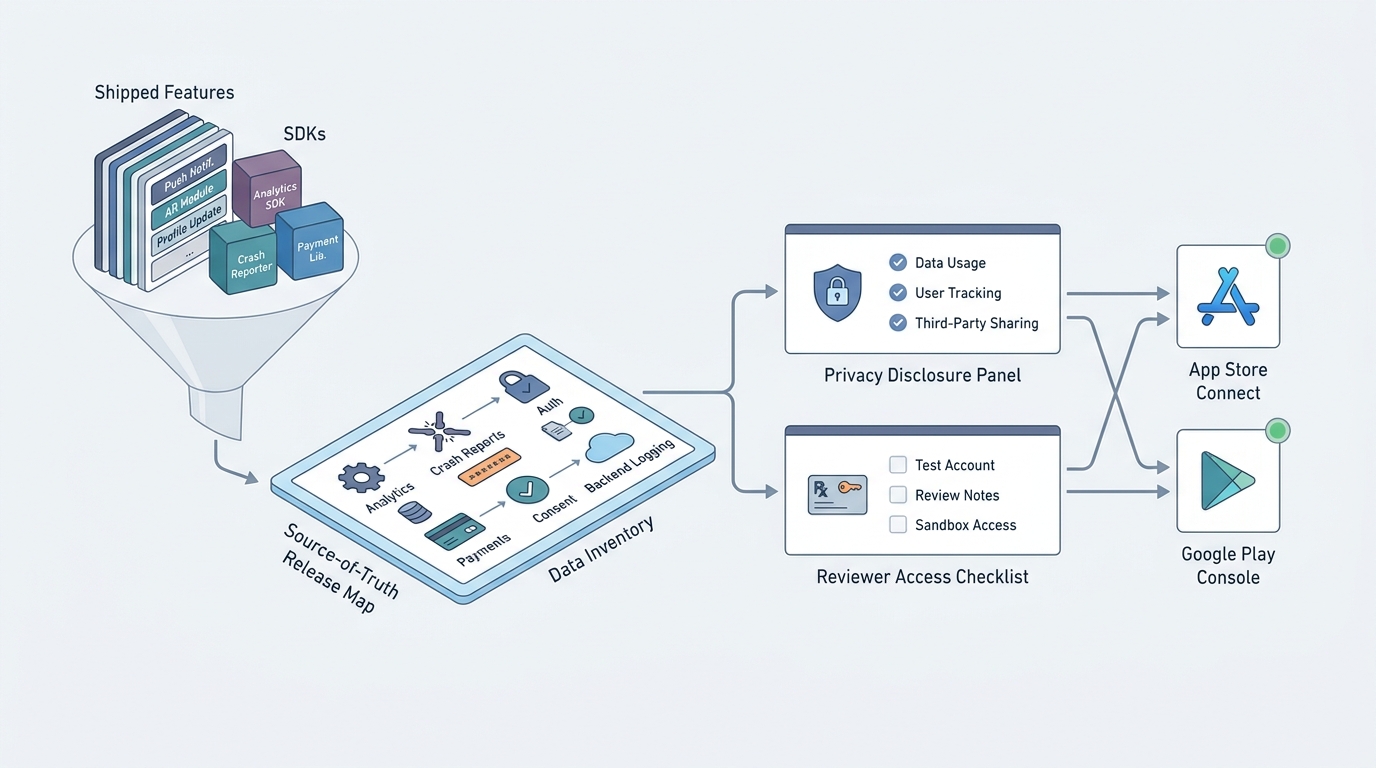
A process diagram that starts with shipped app features and SDKs, then flows into data inventory, privacy disclosures, reviewer notes, and final submission for App Store Connect and Google Play Console.
Inventory every user-facing flow and every SDK that touches data
Walk the shipped build, screen by screen
Start from the exact binary you plan to submit. List each user-facing flow: signup/login, onboarding, payments/subscriptions, support, account deletion, and any sensitive permissions (location, contacts, photos). Plan 60-120 minutes for a small app, longer if you have multiple roles, regions, or feature flags.
Capture data types and linkage in plain language
For each flow, note what data is collected and whether it is linked to a person/account/device. Examples: email (account), purchase history (account), advertising ID (device), precise location (person). Include background events like push token registration and analytics pings, since those can fire before a user reaches your main UI.
List vendors and destinations, including server-side sharing
Create one row per integration and where data goes: Firebase, Segment, Mixpanel, AppsFlyer/Adjust, Intercom/Zendesk, Crashlytics/Sentry, Stripe, and any internal endpoints. Include triggers (app open, purchase, login), environments (prod vs staging), and key settings that change behavior (consent mode, IP anonymization, ad personalization).
Expect coordination time with backend and marketing if you do server-side enrichment or attribution configuration. In practice, the delays come from "who owns this setting" more than from the spreadsheet itself.
Make it operational, not aspirational
A release map works when it is tied to real artifacts and owners, and when it is updated when dependencies change.
- Assign an owner (often product or engineering) to keep it updated per release.
- Link to evidence: SDK settings screenshots, config files, and the release artifact ID in each console.
- Record open questions (for example, "does SDK X send device identifiers before consent?") and how you validated them (docs, vendor support, or observed network traffic).
Tradeoff: adding this rigor is overhead. The payoff is fewer last-minute decisions and fewer contradictions across stores, but you will still need occasional deep dives when a vendor changes behavior or a policy definition is interpreted differently.
For tradeoffs, checklists, and edge cases, Publishing at Every Stage: How App Store Strategy Changes as You Grow rounds out this section.
Avoid the mistakes that cause first submission delays
Guessing from memory instead of checking the shipped build
Answering privacy and data forms based on intent is a common failure mode. Reviewers may see behavior you did not document, such as an SDK collecting identifiers by default or events firing before consent is captured. Apple’s privacy details are expected to reflect what ships, not plans or old drafts (Apple Developer).
Practical prevention steps:
- Verify against the shipped build plus live configuration (enabled SDK toggles, consent mode behavior, analytics events, push token registration).
- Check server-side behavior that can change "sharing" and "linked" status (user IDs in logs, device IDs forwarded to vendors, enrichment pipelines).
- If you cannot fully resolve uncertainty before submission, document it, choose conservative disclosures where appropriate, and schedule a follow-up verification after release.
Two realistic failure modes to plan for (with mitigations):
- Consent timing mismatch: an SDK makes network calls on first launch, before your consent prompt is shown or saved.
- Mitigation: test a clean install with consent not granted; delay SDK initialization where possible; validate with a short network capture and confirm what requests fire pre-consent.
- Tracking and linkage classification drift: a vendor markets itself as "analytics," but your configuration (user ID forwarding, ad ID use, cross-app measurement) can move you closer to "tracking" or "linked" interpretations.
- Mitigation: document which identifiers you send, when they are set, and whether they persist across sessions; review vendor settings that enable ad personalization or cross-context measurement; be prepared for store questions and keep screenshots of your settings.
These are not hypothetical edge cases. They show up most often when teams add attribution, enable login-based analytics, or ship background tasks that trigger SDK calls.
Leaving reviewer access trapped behind auth, paywalls, or region logic
Reviewers need a reliable path to the core experience. If your product requires SMS, hardware, paid access, or a specific region, you may not be able to provide full access, but you can usually provide a credible demo path.
- Provide demo accounts and exact steps, including how 2FA is handled (pre-configured test numbers, backup codes, or a review-only flow where allowed).
- If you use invite codes, feature flags, or staged entitlements, whitelist reviewers and keep flag state stable during the review window.
- Assume reviewers may have a fresh device, a different account state, and a different region.
- Add clear fallback paths for restore purchases, support contact, and account deletion.
Tradeoff to acknowledge: creating a reviewer-friendly path can take a few hours to a day if your auth or paywall logic is strict. It is still often cheaper than a rejection followed by another build and review cycle, but it may require coordination across engineering, support, and whoever controls entitlement systems.
Submitting one build while documenting another
This is a quiet but common operational failure: the console points to one artifact while your notes and test instructions assume another.
- Confirm the exact version name + build number (iOS) or version name + version code (Android) attached to the submission.
- Ensure reviewer notes, demo credentials, and access steps are attached to that same release entry.
- If you have staging vs production differences, state them plainly and verify what reviewers will actually see.
A practical risk: access can depend on external systems (SMS delivery, email deliverability, identity provider uptime, feature flag service availability). Note these dependencies in reviewer notes and provide a fallback where possible.
Build a release map for your next submission
Want a lightweight template that fits in one doc? Start with a release map that lists data types, SDKs, reviewer access, and the exact build/track under review. Expect to spend 2-4 hours the first time, then 15-30 minutes per update if you keep it current.
Get the release map template
The Founder's Complete App Publishing Checklist reframes the same problem with a slightly different lens - useful before you finalize.
Release and rollout checks for the chosen build
A rollout plan is not just a marketing moment. It is a risk decision based on how fast you can detect issues, how quickly you can fix them, and how much user impact you can tolerate.
Here is a compact pre-submit checklist that teams can usually run in under an hour once the release map exists. If it is your first time, budget longer for the first pass because you will be collecting evidence links as you go.
| Quick check | Pass condition | Who usually owns it |
|---|---|---|
| Privacy forms | Answers match shipped build, SDK list, and server-side sharing | Product + engineering |
| Reviewer path | Works from clean install with provided credentials and steps | Engineering + support |
| Build under review | Artifact IDs, versioning, and release notes all match | Release manager or engineer |
| Consent and prompts | Consent flow behaves as documented; prompts are not blocked by flags | Engineering |
| Rollout readiness | Monitoring and support coverage match planned rollout speed | Ops + engineering |
Dependencies and caveats worth noting:
- If you ship region-based experiences, expect extra back-and-forth unless reviewer notes are explicit and tested with a region-mismatched device.
- If you rely on third-party SDK dashboards as the source of truth, budget time to verify defaults; documentation can lag behavior.
- Your release map will go stale after SDK updates, new events, or backend logging changes. Update it when dependencies change, not just when features change.
Keep the release map current
Maintain one release map and update it on every SDK change, privacy tweak, or new feature so future submissions are mostly verification and form filling, not a scramble.
Keep the release map


