
Shipping an app today means shipping your disclosures. If you treat your privacy policy as a last minute legal paste job, App Store and Google Play submission can turn into review delays, rejection loops, and rushed edits. The goal is simple: publish a policy that matches what your app and SDKs actually do, and align it with your store disclosures so review is boring.
Early proof (what reviewers actually flag)
| Review trigger reviewers often flag | What it looks like in practice | Likely impact on launch |
|---|---|---|
| Missing or inaccessible privacy policy URL | No policy link in store metadata, broken link, geo blocked page, or requires login | Submission blocked until fixed |
| Vague or generic language | "We may collect information" without clear categories and purposes | Reviewer questions and back and forth |
| Mismatch with SDK behavior | Policy says no tracking or sharing, but identifiers or third-party calls show up in the build | Rejection risk and resubmission cycle |
Explanation: This reflects common review patterns across iOS and Android submissions, not a guarantee. Reviewers tend to sanity check consistency across three places: your shipped build, your policy text, and your store questionnaires.
Interpretation: Most "privacy policy issues" are really "mismatch issues." Tightening the triangle lowers the odds of surprises, but reviewer interpretation and SDK behavior can still vary by configuration and app category.
Reader impact: Budgeting a couple hours up front often saves days of back and forth during launch week, especially if you recently added attribution, ads, or a new analytics stack.
Writing a Privacy Policy That Actually Passes App Store Review goes deeper on the ideas above and adds concrete next steps.
Why is a privacy policy generator useful before submission?
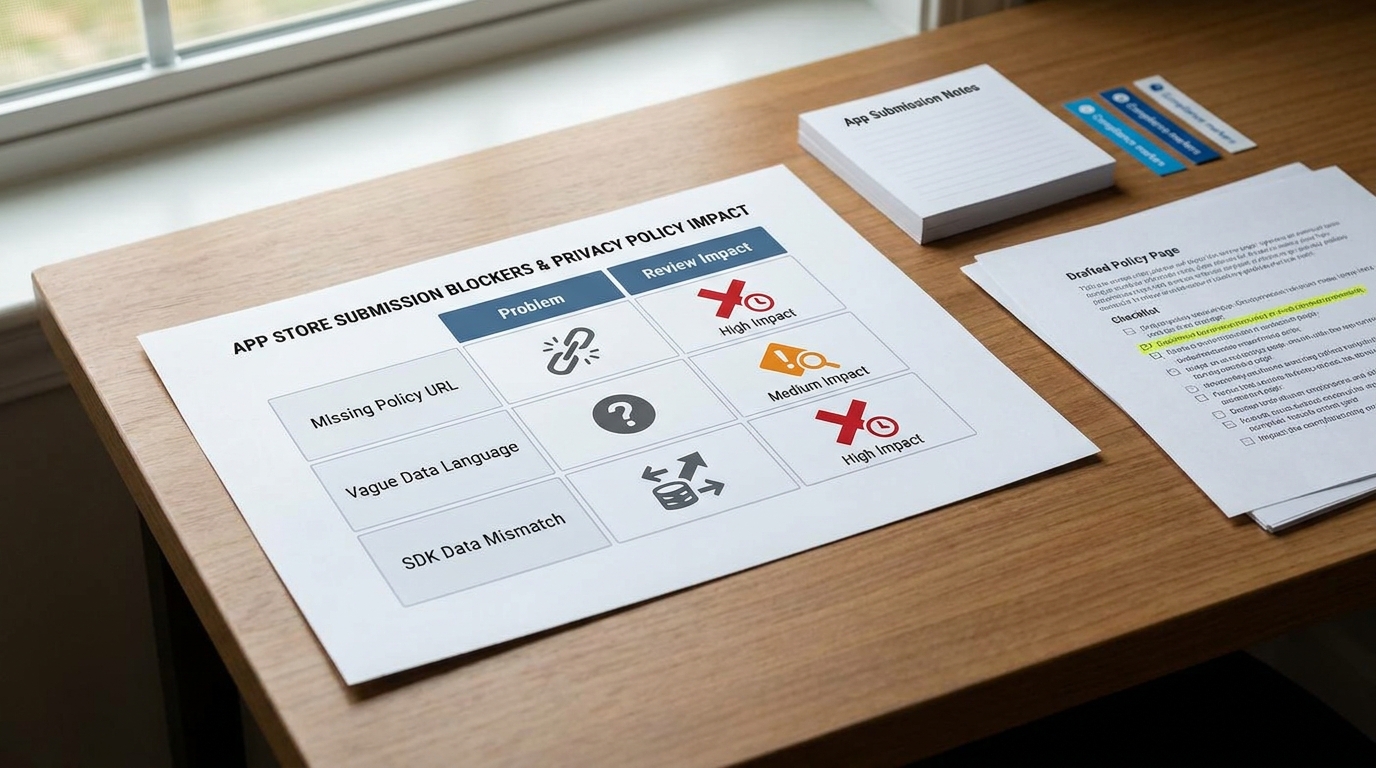
A compact comparison table showing common app submission blockers such as missing policy URL, generic data language, and mismatch between declared and actual SDK data collection, with a final column on likely review impact.
For public App Store and Google Play submissions, you need a publicly accessible privacy policy that matches your actual practices. A generator is not required by Apple or Google, but it is a practical way to draft something structured quickly and keep it consistent as the product changes.
Apple ties review readiness to accurate App Privacy Details and broader compliance with the App Review Guidelines. Google requires a completed Data safety section that matches your practices and your policy (Data safety overview, how to provide info).
One thing worth noting: edge cases exist (internal testing tracks, enterprise distribution, some webview-first apps), but if you are submitting a public store listing, assume reviewers will look for a working policy URL and consistent disclosures.
What this will cost you (effort, dependencies, pitfalls)
Plan for this as real work, not a quick copy/paste.
- Time: 2-6 hours for a simple app; 1-2 days if you have multiple SDKs, ads, or complex user flows. Add 1-3 days if you need legal review or security sign-off.
- Dependencies: an accurate SDK inventory, access to a current build, and someone who can answer "what data leaves the device and why."
- Tradeoff: over-disclosing can hurt conversion and trust; under-disclosing can increase rejection and compliance risk. The target is accurate and readable.
- Common failure modes: SDK updates change behavior; dev logging ships to prod; the policy drifts after a feature launch; iOS and Android builds are not actually equivalent.
A quick failure story I have seen more than once: a team shipped an "analytics only" release, then got stuck in review because an attribution toggle was enabled in one build flavor. The policy and store forms were honest for the other flavor, but reviewers only see what you submit, so it turned into a multi-day scramble and an emergency hotfix.
Also: combinations like Firebase Analytics plus an attribution or ads setup can change what you need to disclose depending on identifiers used and whether data is linked for advertising. Treat this as "often" not "always," and verify on your actual build and configuration.
When you move from outline to execution, The Privacy Policy URL Trap: What It Must Include to Pass Review helps close common gaps teams hit here.
What must your privacy policy match before review?
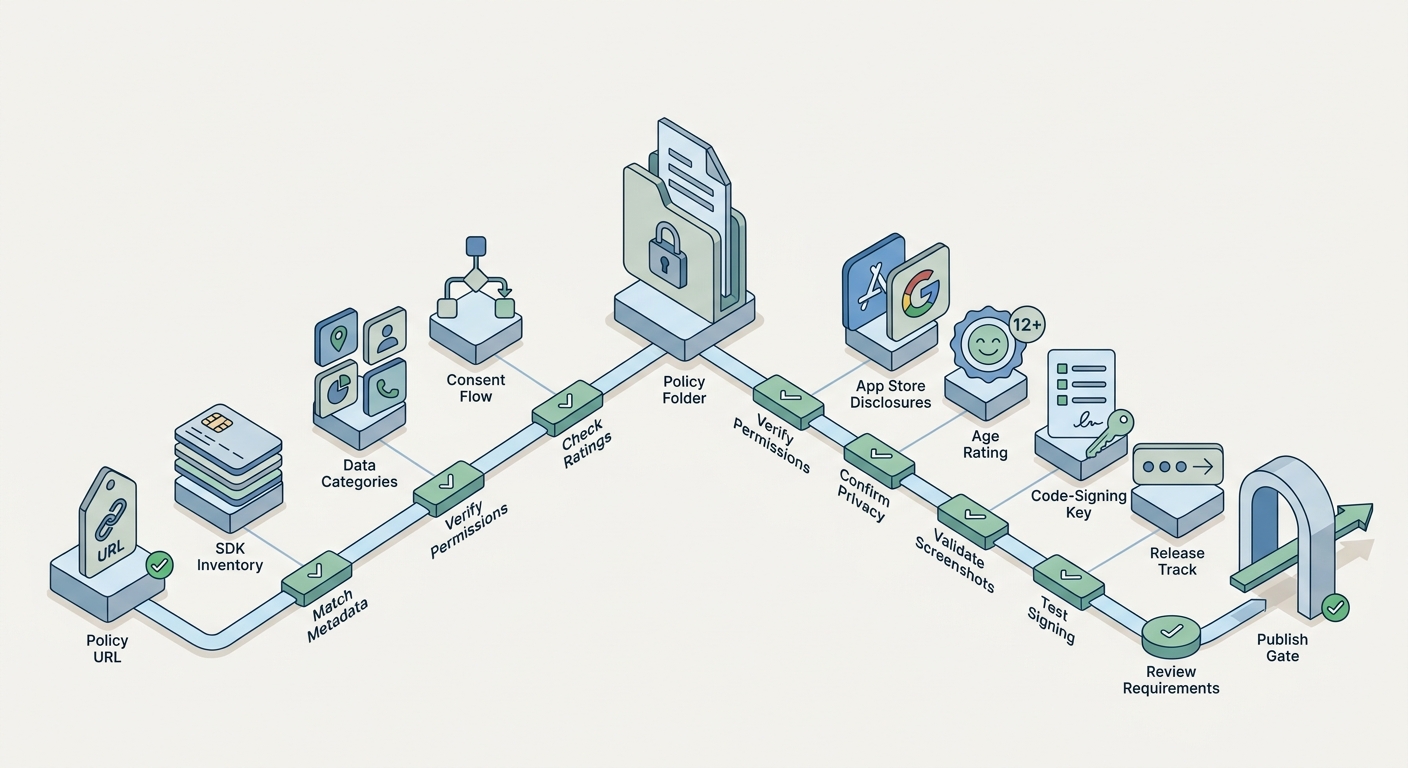
Use this checklist to align product details, permissions, ratings, privacy, and release settings with both App Store and Google Play requirements before submission.
A generator only helps if you feed it accurate inputs. Reviewers do not need a novel, but they do expect your policy to reflect real app behavior and align with what you submit in App Privacy Details and Google Play Data safety (how to provide info).
Map data collection to real app behavior
Start from features, SDKs, and user flows, then translate into plain language categories. Here is a practical mapping you can use while you fill out your policy and store forms:
| Data category | Common trigger in the app or SDK | Touchpoint to align |
|---|---|---|
| Account and profile | Signup, login, profile fields | Policy + store forms |
| Analytics and diagnostics | Event analytics, crash reporting, performance traces | Policy + store forms |
| Identifiers | Device IDs, advertising ID, internal user ID, push token | Store "tracking" questions + policy |
| Location | Foreground or background location features | Permission prompts + policy + store forms |
| Contacts and media | Address book access, photo library, uploads | In-app UI + policy + store forms |
| Payments and transactions | Subscriptions, purchases, receipts | Policy + store forms |
The risk climbs when your policy is less specific than your SDK stack, especially around identifiers, tracking, and third-party sharing. If you are unsure, validate on a build and document the assumption you are making.
Treat store listing disclosures as part of the policy system
Your privacy policy is one part of a disclosure system: the website policy URL, the in-app link, and the store questionnaires. If one of those drifts, reviewers notice.
In practice, this means adding a small "privacy check" to your release routine. It is usually 30-60 minutes when nothing changed, and a few hours when you swapped SDKs, changed attribution settings, or added a new permission.
A complementary angle worth comparing lives in The Privacy Policy Page That Prevents Rejections.
How do you use a generator without review-time risk?
Generators are fine, but the workflow matters more than the tool. Treat the generator as a structured first draft, then run a short validation loop so the final text matches what you are shipping.
Step 1: inventory the app's actual data paths
List product features and user flows
Write down what happens in onboarding, logged-in usage, payments, support, and referrals. Expect 30-60 minutes for a small app, or 2-3 hours if you need input from multiple owners.
Inventory third-party SDKs and services (using real artifacts)
Pull iOS dependencies from your Podfile or Swift Package Manager list, and Android dependencies from Gradle. Budget 30-90 minutes, plus extra time if you have multiple flavors or environments.
Validate what leaves the device
Spot check network calls with Proxyman or Charles on a test build to confirm endpoints and whether identifiers like IDFA (iOS) or AAID (Android) are used. This is usually 30-60 minutes once you have a reproducible test flow, and longer if you are debugging a flaky login or paywall.
The output you want is a current, checkable data map. It does not need to cover every hypothetical edge case, but it should reflect what is in the build you are submitting.
Step 2: generate, then edit for clarity and platform fit
Generate a first draft from your real inputs
Use the generator for structure, then assume you will edit. Budget 15-30 minutes for a simple app.
Replace vague language with specific categories and purposes
Swap "we may collect information" for clear statements that match your map (analytics events, crash logs, device IDs, location, account data). Keep it readable, and avoid claiming you do less than your SDKs actually do.
Validate tracking, ads, and sharing statements
This is where contradictions happen. "Tracking" can depend on identifiers, linking, and configuration, so confirm the settings you shipped and make your wording reflect that reality.
Step 3: align policy, store forms, and the app entry points
Use this as a preflight pass before you upload:
| What to lock before submit | Why it matters in review and ops |
|---|---|
| Policy URL loads publicly (no login, paywall, geo blocks) | Reviewers must access it reliably; broken access is an easy block |
| In-app link exists (settings, help, or about) | Reduces reviewer friction and user support tickets |
| App Privacy Details and Play Data safety match the policy | Mismatches drive questions, rejections, or follow-ups |
| Re-check after SDK swaps, attribution changes, or new permissions | The same SDK can require different disclosures depending on config |
If you have legal counsel, ask for a targeted review when you introduce sensitive categories (health, kids, precise location) or when you start sharing data with partners. Even a lightweight pass can catch risky wording.
Final position: the best generators support submission, they do not replace ownership
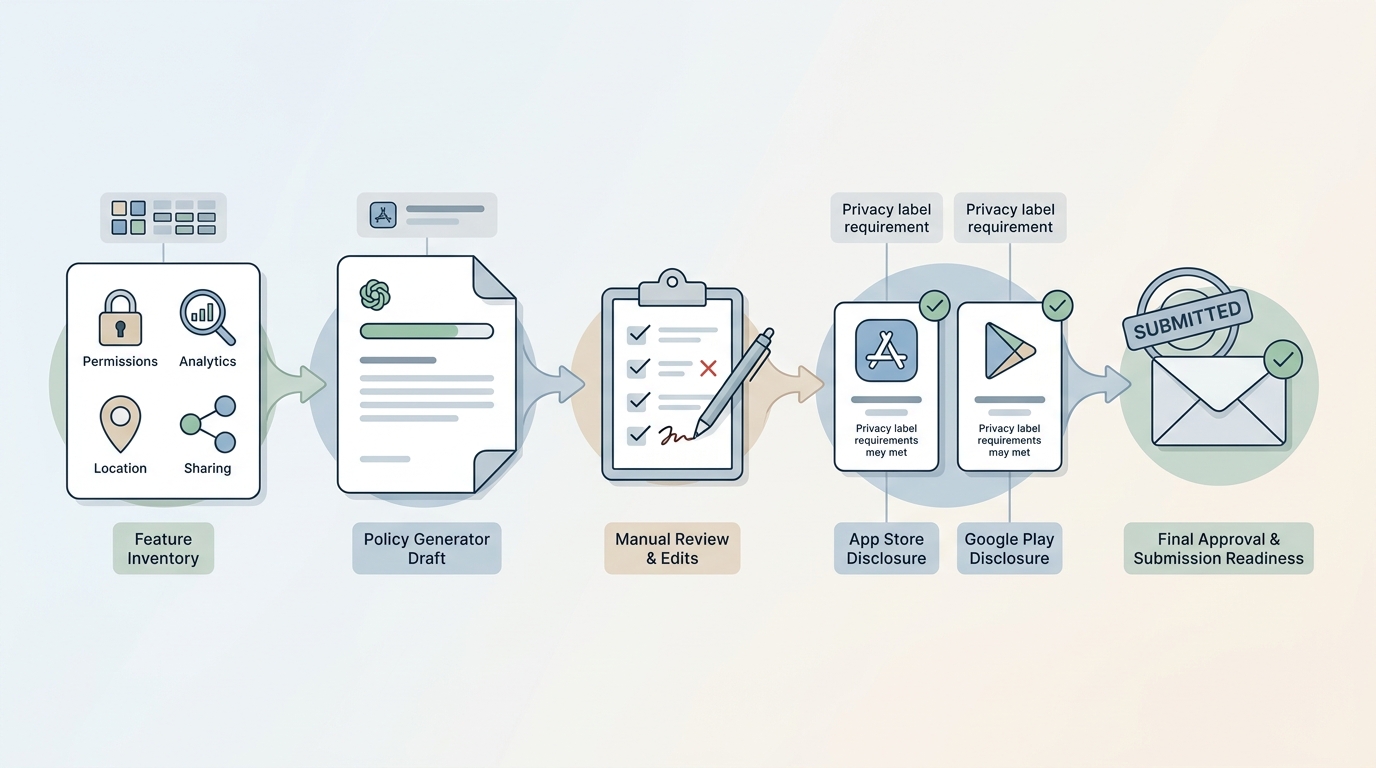
A process diagram showing the path from app feature inventory to privacy policy generator draft, manual edit pass, App Store and Google Play disclosure checks, and final submission approval.
A privacy policy generator is a smart move when you treat it like a component in your submission workflow. The practical shift is owning your actual data practices first, then using a tool to express them clearly for stores and users.
You still cannot guarantee approval with perfect docs. What you can do is reduce preventable delays and have a clean, consistent story when reviewers or users ask questions.


