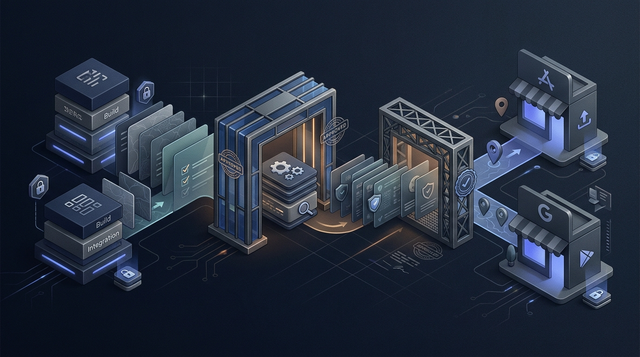
If your app gets rejected, the cause is often not a dramatic violation. It is usually a mismatch: the listing says one thing, the build does another, and the privacy forms describe a third version of reality. This guide gives you a practical pre-review workflow so your app looks legible, declared, consistent, and complete before Apple or Google reviews it.
How App Store Review Actually Works - A Step-by-Step Breakdown goes deeper on the ideas above and adds concrete next steps.
Early proof: common rejection risks often start as contradictions
Many rejections are not mysterious. They come from contradictions between store metadata, privacy forms, reviewer notes, and real app behavior. Public policies matter, but the review moment usually depends on how those surfaces line up in the submitted package.
| What the submission says | What the build does | Likely review concern | Practical fix |
|---|---|---|---|
| Data Safety says no device IDs are collected | Analytics or attribution SDK collects identifiers | Policy contradiction | Audit SDK behavior and update Data Safety |
| App Privacy says no location data | The app requests location during onboarding | Privacy mismatch | Declare location use and explain why it is needed |
| Screenshots show an AI coaching feature | The build shows only a waitlist | Metadata mismatch | Replace screenshots or ship the shown feature |
| Listing presents a free utility | The main action is blocked by subscription | Monetization clarity issue | Make pricing clear before the paywall |
| User comments appear in the app | No reporting, blocking, or moderation exists | UGC safety concern | Add controls, policies, and reviewer notes |
| App supports older OS versions | The build crashes on those versions | Stability concern | Test compatibility or narrow support |
The interpretation is simple: review risk rises when the reviewer has to decide which version of your app is true. A mismatch does not guarantee rejection, but it creates doubt and can make smaller issues feel more serious.
The business impact is practical. Fixing contradictions before submission often takes a few focused hours, while fixing them after rejection can disrupt launches, ads, press timing, investor demos, and team morale.
When you move from outline to execution, We Analyzed App Store Rejection Patterns: What Most Founders Miss Before Submission helps close common gaps teams hit here.
Why do apps get rejected after following store rules?
Apple’s App Store Review Guidelines and Google Play policy guidance explain the formal rules. They are important references, but they do not fully show how a reviewer experiences your app as one submitted package.
In practice, review happens across four surfaces at once:
- App Store Connect or Google Play Console metadata.
- The actual iOS or Android build.
- App Privacy and Google Play Data Safety declarations.
- The first session a reviewer experiences after install.
A reviewer compares those surfaces, then decides whether the app is safe, honest, usable, and ready for public distribution. The goal is not guaranteed approval. Store review includes judgment, edge cases, and policy changes, so the realistic goal is risk reduction.
That means no stale screenshots, no undeclared SDK behavior, no confusing onboarding, and no feature claims that only make sense if a founder explains the roadmap.
A complementary angle worth comparing lives in We Analyzed App Launch Delays: Why Mobile Apps Don’t Go Live on Time.
Who is most at risk of app review rejection?
Preventable rejection risk is highest when launch work is split across product, engineering, marketing, and legal without one final consistency pass. This often happens close to deadline, when teams are protecting a launch window.
Commonly affected teams include:
- MVP founders whose onboarding does not reveal the core action within 2-3 minutes.
- Teams adding analytics SDKs, subscriptions, location access, user comments, or account creation without updating privacy forms.
- Growth teams changing store copy faster than the app build can support.
- Engineering teams treating a small update as low risk even though it changes data, permissions, payments, or UGC.
- Founders rushing for an investor demo, paid campaign, or press deadline.
The cost is not just delay. A rejection can create emergency resubmission cycles, force rushed policy decisions, and make the team debug unclear issues under pressure.
The practical approval standard is this: a reviewer with no background context should be able to understand the app, reach the core value, and verify the listing claims inside one short session.
For tradeoffs, checklists, and edge cases, The Last Step AI App Builders Don't Solve: Publishing rounds out this section.
What should you check before submitting your app?
Set aside realistic time for this pass. A simple utility app may take 2-4 hours. A subscription app, social app, AI app, health app, or SDK-heavy product may need a full day and input from engineering, product, and whoever owns privacy declarations.
Before you start, gather the real submission package, not old planning files:
- Final iOS or Android build.
- Store listing copy, screenshots, preview videos, name, subtitle, and description.
- Age rating answers and category selections.
- Privacy policy URL, support URL, and marketing URL if used.
- App Privacy and Google Play Data Safety answers.
- Reviewer notes, demo credentials, and special instructions.
- Current SDK list, including analytics, crash reporting, attribution, payments, ads, chat, push, login, and support tools.
- Seeded test account state, test subscription path, and access to features requiring hardware, location, approval, or admin setup.
The key constraint is version control. If the screenshot folder, privacy answers, and build are not from the same release candidate, your review process is already unreliable.
Run a clean-install first session
Install the app fresh on a real device or realistic test environment. The reviewer should understand what the product does and reach the main action within 2-3 minutes without founder narration, support messages, or internal context.
Compare the listing against the submitted build
Check screenshots, feature claims, subscription promises, privacy policy links, permission prompts, and description copy against the exact build you are submitting. If the listing says "track workouts automatically" but the build requires manual entry, fix the claim or ship the feature.
Create a cumulative gap score
Count small issues instead of debating each one alone. Include vague onboarding, outdated screenshots, unexplained permissions, broken links, empty states, weak error handling, unsupported device claims, and confusing subscription language.
Reconcile privacy declarations with SDK behavior
Compare App Privacy and Google Play Data Safety answers against the SDKs and data flows in the app. Pay attention to identifiers, usage events, location, contacts, purchases, account data, crash logs, ads, attribution, and UGC.
Treat risky updates like fresh review packages
Updates are reviewed more closely when they change permissions, SDKs, subscriptions, account deletion, UGC, or core functionality. Do not assume a maintenance release is low risk if it changes how the app collects data or charges users.
Judge whether the product feels complete enough
Reviewers can reject apps that feel too thin, prototype-like, unstable, or duplicative. This matters for website wrappers, single-feature utilities, MVPs with placeholder screens, and apps that duplicate native OS functionality without adding clear value.
Submitting vs Publishing an App: What's Different reframes the same problem with a slightly different lens - useful before you finalize.
Common rejection patterns to remove
These patterns matter because they signal poor preparation. Even if the product is useful, the submission can look inconsistent or incomplete.
| Pattern | What it looks like | Why it creates risk |
|---|---|---|
| Metadata drift | Old screenshots, beta-feature claims, preview videos showing missing screens | The listing no longer matches the build |
| Privacy understatement | Forms filled from memory while SDKs collect data the team forgot to declare | The declaration may be inaccurate |
| Update complacency | A new paywall, SDK, location prompt, or UGC feature treated as routine | Review scope may be wider than expected |
| Weak demo access | Broken credentials, empty seeded accounts, or locked features | Reviewers cannot verify the app |
| Unclear monetization | Pricing appears only after users invest time or hit a blocked action | The flow may feel misleading |
Not every issue is equally serious. A typo in a screenshot is different from undeclared data collection. Still, small issues compound when they appear together.
Final pre-flight checklist
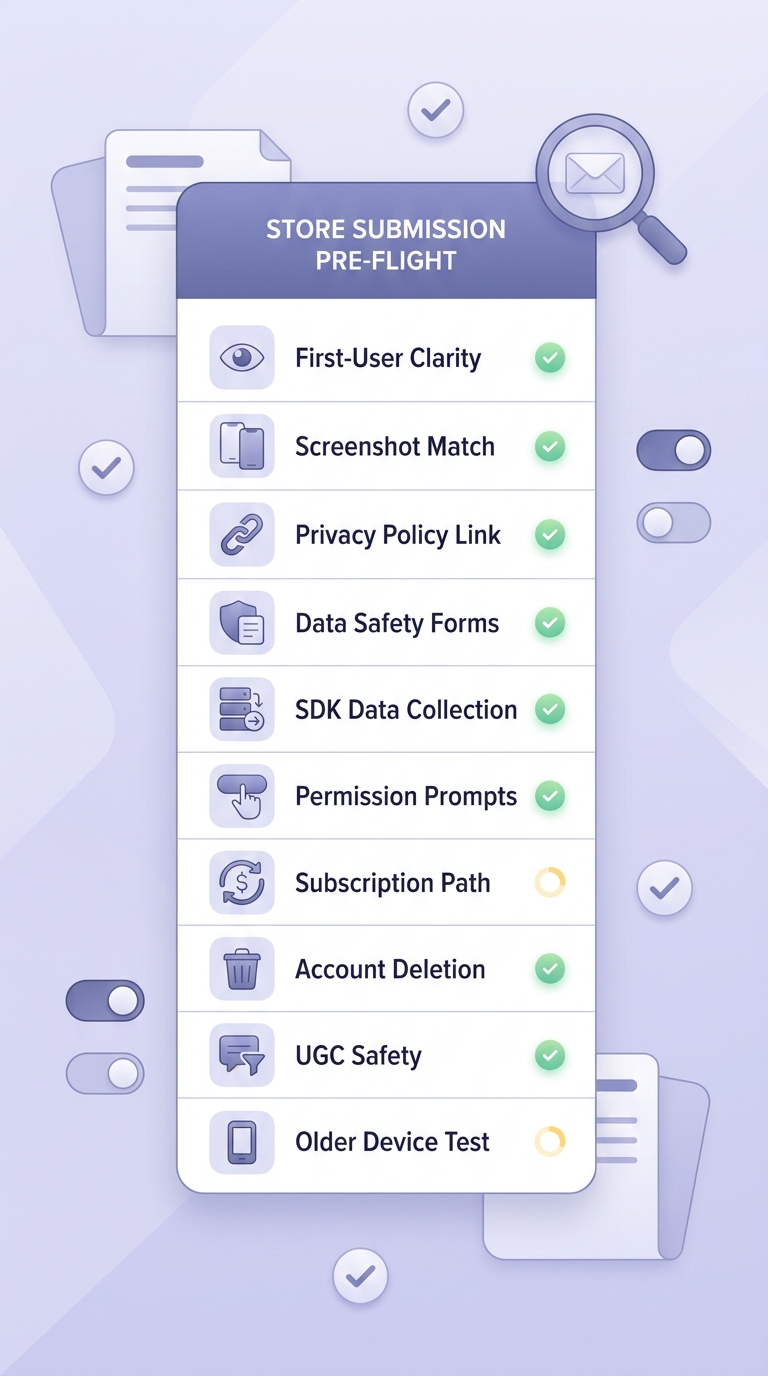
A mobile-friendly checklist block for final app submission review, covering first-time-user clarity, screenshot accuracy, privacy policy URL, App Privacy and Data Safety answers, SDK behavior, permissions, subscription flows, account deletion, UGC moderation, and older device compatibility.
Run this checklist after the build is frozen and before you click submit. For most teams, the fastest version is a 60-90 minute live review with product, engineering, and the person responsible for store metadata.
- Open the app as a brand-new user and confirm the core value is clear within 2-3 minutes.
- Complete onboarding without internal knowledge, founder explanation, or support intervention.
- Match screenshots, preview video, description, and feature claims against the submitted build.
- Verify the privacy policy URL, support URL, and account deletion path.
- Recheck App Privacy and Google Play Data Safety answers against real SDK behavior.
- Confirm every permission prompt has a clear in-app reason.
- Test subscription flows, pricing clarity, restore purchases, and free trial language.
- Review UGC controls, including reporting, blocking, moderation, and content rules.
- Test supported devices and OS versions, especially older versions listed as compatible.
- Confirm demo credentials, seeded account state, and reviewer notes work.
For more context on recurring rejection causes, guides such as App Store rejection reasons and how to fix them, metadata rejected status, and App Store Rejection Reasons in 2026 summarize patterns like metadata mismatches, privacy gaps, broken flows, and incomplete apps. Treat those lists as starting points, then apply the checks to your specific build.
The practical takeaway: review-readiness is not only a legal or engineering task. It is a product quality check across the exact experience a first-time reviewer will see.