
Submitting the same app to Google Play and the App Store still feels like two different jobs in 2026. If you assume the approval process is basically the same, you often pay for it in delays: a rejected build, a missed launch window, or an update stuck in review while users wait.
This guide covers what is different, what reviewers tend to check first, and how to run a dual-store submission process that reduces avoidable rejections. You will still want a buffer, because reviewer variance, policy changes, and account trust signals can turn a "should be fine" release into rework.
Early proof (what tends to differ in practice)
| Dimension | Google Play (Android) | App Store (iOS) | If you miss it |
|---|---|---|---|
| How reviews surface issues | More system-driven checks plus policy and form consistency | More human interpretation against guidelines | Play can block you for disclosure mismatches; Apple can block you for reviewer experience issues |
| Common first bottlenecks | Permissions, Data safety accuracy, access to gated features, device compatibility, account trust signals | Review notes quality, demo access, stability, payments rules | You lose time to back-and-forth if reviewers cannot reproduce key flows |
| How rejection feedback reads | Often policy-linked reasons in dashboards | Often guideline citations with reviewer notes | Your fix and your reply must match what they saw, not what you intended |
Explanation
This is a practical summary of the first failure points teams hit when shipping the same product to both stores.
Interpretation
Both stores reject for similar headlines (crashes, privacy, misleading metadata), but they catch and describe issues differently. Apple is explicit that App Review follows the App Review Guidelines and the submission package you provide (App Review Guidelines - Apple Developer, Submitting - App Store - Apple Developer).
Reader impact
Run two tracks: keep disclosures and permissions internally consistent for Play, and make the iOS happy path obvious and testable with clear review notes and working access.
App Store Connect vs Google Play Console: Key Differences goes deeper on the ideas above and adds concrete next steps.
Why are Google Play and App Store reviews so different?
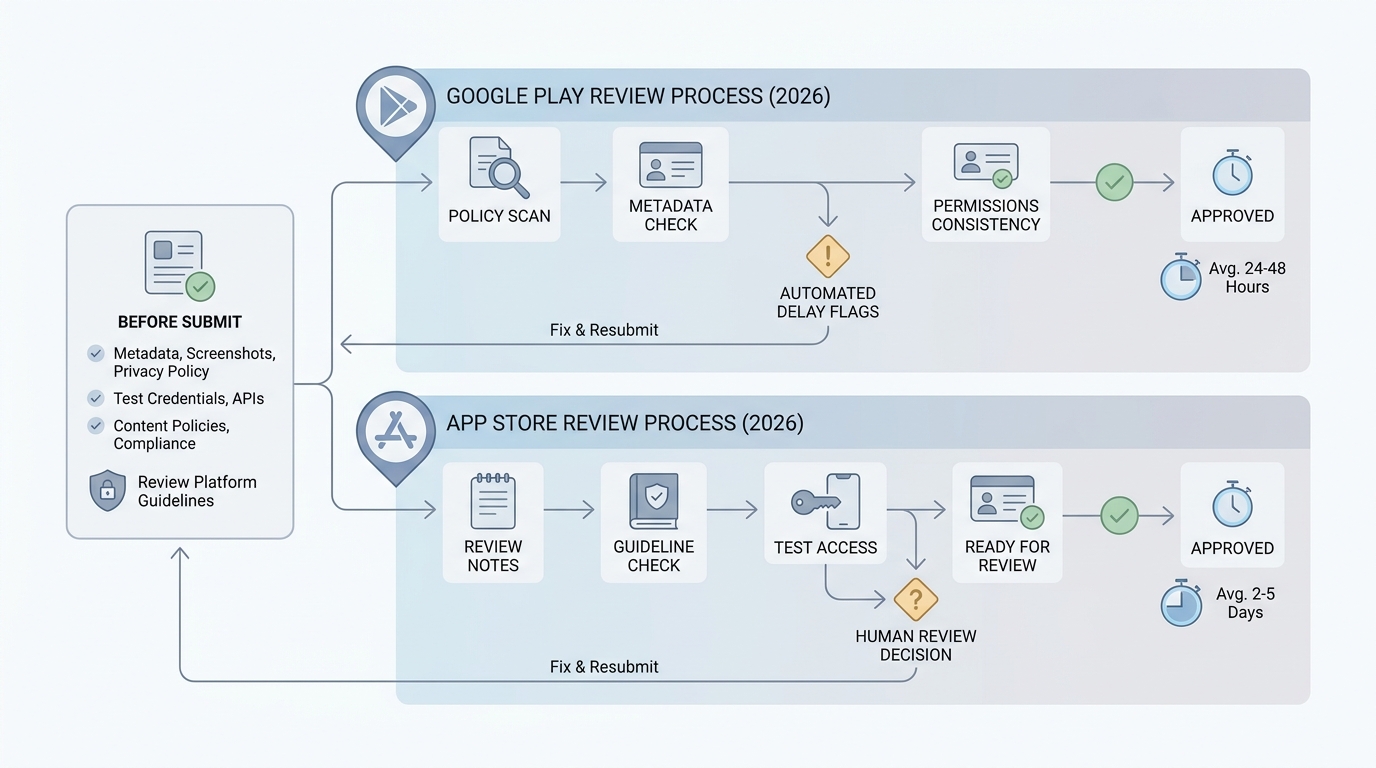
A process diagram that contrasts the Google Play and App Store review checkpoints, highlighting submission assets, reviewer priorities, and where founders can prevent delays.
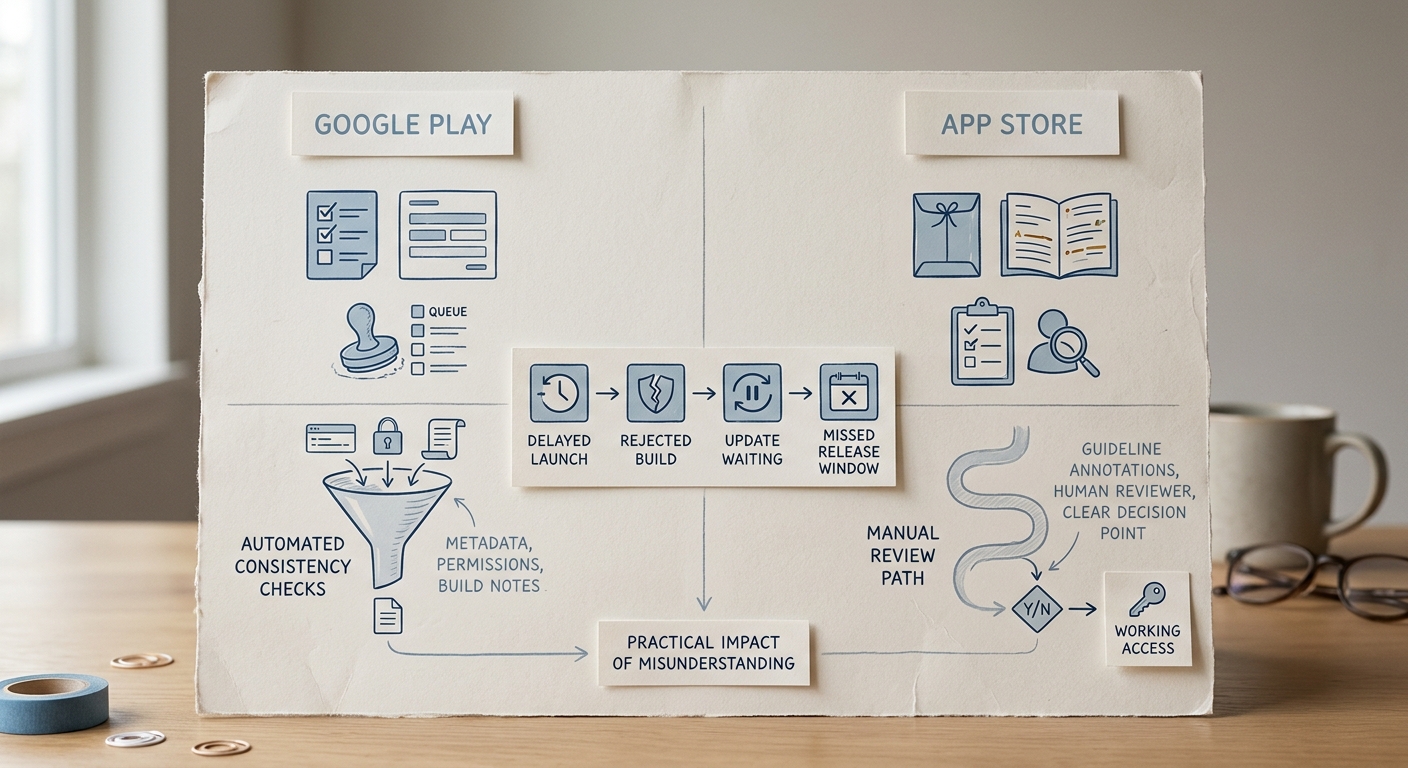
A compact comparison table showing Google Play versus App Store review style, typical bottlenecks, and the practical impact of misunderstanding each approval path in 2026.
Google Play often behaves like a policy enforcement pipeline with more automated scanning and consistency checks across forms, metadata, and app signals. The App Store often feels more like a human-led quality and guideline interpretation process.
Here is the thing: you do not just need a good build. You need store-specific submission hygiene, plus repeatable ops work each release. Also, policies shift and edge cases happen, so treat timelines as forecasts, not promises.
When you move from outline to execution, Why Publishing Requires Structured Execution, Not Guesswork helps close common gaps teams hit here.
How can you submit to both stores without delaying launch?
You do not need to memorize every guideline. You need to control the steps that most influence timing: submission assets, reviewer access, permissions and privacy declarations, and how you respond when you need a change.
A realistic cadence for a small team is 45-120 minutes per store per release for submission prep if nothing major changed. That range can stretch when you add new SDKs, request new sensitive permissions, change paywalls, or introduce UGC, because you may need privacy mapping, re-testing, and sometimes new screenshots or localized metadata.
Also plan for longer-tail delays you cannot fully control: re-review queues, region-specific reviewer questions, or "please clarify" loops that take a day even when the fix is simple.
Step 1: Prepare platform-specific submission assets
Build a "store listing truth set"
Write what your app does in one screen: core features, data collected, whether there is UGC, whether there are subscriptions, and whether users can delete accounts. This becomes the source of truth so your listing and disclosures match reality.
Complete Google Play listing and policy disclosures
Most delays come from inconsistent fields: store listing, Data safety declarations, content ratings, and any app access requirements for reviewers. Make sure your declared data collection and sharing matches what the app and integrated SDKs actually do.
Complete App Store privacy and review package
Apple expects accurate privacy disclosures, correct screenshots, and usable App Review notes. If your app needs login, provide a demo account and instructions that get reviewers to the core value fast, aligned with Apple’s submission guidance (Submitting - App Store - Apple Developer).
Run a mismatch sweep before upload
Compare: screenshots vs current UI, description vs actual features, privacy forms vs actual data usage, and "premium" claims vs what users can access. This is boring work, but it is often the cheapest way to avoid a rejection loop.
Step 2: Know what reviewers tend to check first
| Area | Google Play tends to flag early | App Store tends to flag early |
|---|---|---|
| Access to core flows | Gated features without workable tester access details | Demo login missing, unclear steps, reviewer cannot reach value quickly |
| Permissions and privacy | Permission necessity; Data safety answers vs observed behavior | Privacy labeling plus guideline fit in context |
| Metadata and claims | Misleading claims, spam signals, inconsistency across fields | Misleading screenshots or description, incomplete experience |
| Functionality | App opens and main flows work on supported devices | Stability, blockers, dead ends, broken purchase restore where applicable |
The practical takeaway: reviewers are time constrained, so make the happy path reachable in under a minute with no guessing. Even then, outcomes can vary by reviewer device, region, and interpretation.
Failure mode to plan for: automated scans and human reviewers can produce false positives or inconsistent results across accounts. Keep changes small when possible, and budget time to respond with evidence (screenshots, short steps, exact screens).
Step 3: Plan for timing variance and re-review
- Treat review time as variable and category dependent, not a fixed SLA.
- Expect slower paths when you add a new permission, introduce UGC, change monetization, or touch sensitive areas (kids, health, location, identifiers).
- Keep a "review response kit" ready: test credentials, short reproduction steps, and a one-paragraph explanation of what changed and where to verify it.
A complementary angle worth comparing lives in Submitting vs Publishing an App: What's Different.
What are the most common app rejection reasons in 2026?
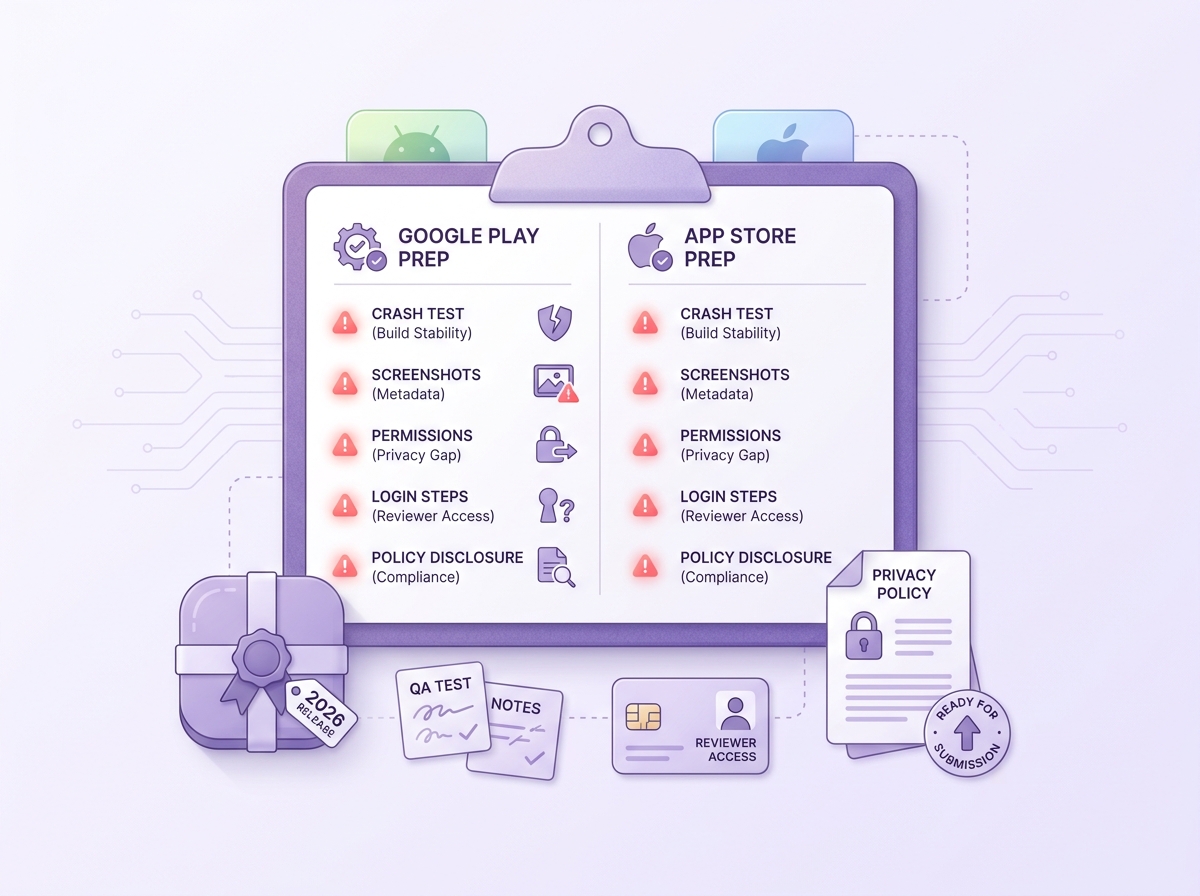
A mobile-friendly checklist block for final Google Play and App Store submission checks, including build stability, store metadata, reviewer access, and privacy details.
A useful mental model: Google Play is often strict about policy and disclosure consistency, while Apple is often strict about reviewer experience and guideline fit. Both will reject for crashes and misleading metadata.
Common rejection triggers (and the practical fix)
| Trigger | Usually hits harder on | What reviewers experience | Practical fix (often 30-180 minutes, sometimes longer) |
|---|---|---|---|
| Demo account broken or unclear login path | Both | Cannot reach core feature | Create a dedicated demo account, test on a fresh install, add 3-5 bullet review steps in notes |
| Data disclosures do not match SDK behavior | Google Play | Mismatch between declarations and observed behavior | Audit SDK list, align Data safety answers, remove unused SDKs, update in-app disclosures if needed |
| Permissions feel unnecessary | Google Play | Sensitive permission requested without clear feature need | Remove permission, or add an in-app explanation tied to a feature that clearly requires it |
| App feels unfinished or thin | App Store | Dead ends, placeholder content, confusing onboarding | Polish first-run flow, remove placeholder screens, make the "why" obvious early |
| Monetization or paywall confusion | App Store (and sometimes Play) | "Free" claims do not match reality | Align screenshots and copy to entitlements, ensure restore works, make pricing obvious |
One thing worth noting: some outcomes depend on factors you cannot fully control, like policy updates, account history, or sensitive category scrutiny. The goal is not perfection, it is fewer avoidable loops and faster recovery when something unexpected happens.
If one store rejects you, what should you do?
- Map each rejection point to a screen, API, permission, or text string. Assume the reviewer only saw what they described.
- Fix the smallest scoped issue first. Avoid unrelated refactors unless they are required to pass.
- Resubmit with a response that is easy to verify:
- What changed
- Where to find it
- How to test it in under a minute
Tradeoff: sometimes Apple requires UX or copy changes you do not want on Android (or vice versa). If you diverge, document the reason and ensure each listing describes what users on that platform actually get.
For tradeoffs, checklists, and edge cases, Everything You Need to Know About Apple and Google Developer Accounts rounds out this section.


