
Your developer accounts are the foundation of every mobile release. If the wrong person controls them, or if recovery fails during a launch or hotfix, a simple update can become an ownership, access, or signing problem. This guide shows a practical setup so the founder keeps control, vendors get limited access, and future App Store and Google Play updates stay manageable.
The Security Risks of Manual App Publishing goes deeper on the ideas above and adds concrete next steps.
Early Proof: One Account Problem Can Slow Your Publishing Pipeline
Account security is not just a technical checklist. It decides who can publish updates, change store listings, answer reviews, access revenue records, and prove that a new build belongs to your app.
| Routine account mistake | What can happen | Practical consequence |
|---|---|---|
| Sharing the founder's main login with a freelancer | The freelancer gets more access than needed and may trigger security checks | Delayed release or recovery loop |
| Missing two-factor recovery codes | A lost phone or changed number blocks sign-in | Store updates pause until recovery succeeds |
| Letting an agency own the app listing | The app, reviews, ranking history, and release pipeline sit under another company | Ownership dispute or difficult transfer |
| Using a compromised developer email | An attacker can reset passwords or intercept account notices | Unauthorized account changes |
| Shared team logins | Activity cannot be tied to one person | No clean audit trail after a mistake |
| Losing Android upload key or keystore access | Recovery may be possible, but not instant | Release delay, support work, or hotfix risk |
The practical interpretation is simple: the highest-risk events are often convenience decisions made before launch. Shared credentials, agency-owned listings, and missing backups feel harmless when everyone is moving fast. Later, they can become the reason a team cannot ship a critical fix.
For founders, the business impact is direct. If the account is blocked, transferred incorrectly, or missing signing access, your roadmap, support response, marketing launch, and revenue operations can all stall at once.
When you move from outline to execution, Everything You Need to Know About Apple and Google Developer Accounts helps close common gaps teams hit here.
Who Should Own Your Developer Accounts?
The founder or authorized company owner should remain the account owner, recovery owner, and final approver for App Store Connect and Google Play Console access.
Losing access to a GitHub repo or design file is painful, but losing publishing infrastructure is different. The developer account lets your company submit builds, manage app metadata, receive policy notices, access reviews, and control future updates.
This still matters if you use freelancers, an agency, Expo EAS Build, CI/CD, or outsourced release management. Those partners can help you ship, but they should not become the only people who can access, sign, or update the app.
Your target state is simple:
- Two-factor authentication is enabled and recoverable.
- App Store Connect and Google Play Console access is role-based.
- Signing credentials are owned and backed up by the company.
- Developer account email and recovery paths are under founder control.
- Contractor access is reviewed and removed after delivery.
Apple documents App Store Connect team roles in its overview of accounts and roles. Google gives similar security guidance in its Protect your developer account help page.
A complementary angle worth comparing lives in Everything You Need to Know About Apple and Google Developer Accounts.
How Do You Lock Down App Store Connect and Google Play Console?
Before changing permissions, prepare the basics. The goal is to avoid locking yourself out while trying to improve security.
- Confirm that the Apple Developer Program Account Holder is the founder or an authorized company owner.
- Confirm that the Google Play Console account owner is controlled by the company, not an agency or freelancer.
- Set up a password manager such as 1Password, Bitwarden, or another secure vault.
- Create a credential inventory for recovery codes, backup emails, tax profiles, payment profiles, API keys, certificates, and keystores.
- List every person or vendor with access to App Store Connect, Apple Developer Portal, Google Play Console, Firebase, Expo EAS, CI/CD, analytics, or release tooling.
One thing worth noting: Apple may require identity verification for the Account Holder, as described in Apple Developer Support. Do not wait until launch week to discover that the wrong person or entity controls the account.
Use a dedicated developer-account email
Create or verify an email address used only for developer account ownership. Avoid shared aliases like
team@orhello@if multiple people can read them. The account should have a strong unique password and two-factor authentication.Prefer stronger two-factor methods
Use an authenticator app, password-manager-based one-time password, security key, or platform-recommended two-factor option where available. SMS is better than no second factor, but it is weaker than app-based or hardware-backed authentication.
Store recovery codes in two controlled places
Save Apple and Google recovery codes in your password manager and in a separate offline or encrypted backup controlled by the founder or authorized owner. Do not leave the only copy on one laptop, in a contractor workspace, or in an old onboarding document.
The practical takeaway: fix identity and recovery before you change roles. If recovery is weak, every other security improvement sits on unstable ground.
What Access Should Agencies and Freelancers Get?
Use App Store Connect Users and Access to invite collaborators. Choose the narrowest practical role, such as App Manager, Developer, Marketing, or Customer Support, instead of granting Admin by default. Apple explains these role boundaries in its App Store Connect roles documentation.
In Google Play Console, go to Setup > Users and permissions. Grant app-specific access when possible, and select only the permissions needed for release work, store listing updates, analytics review, or customer support.
Make access temporary by default. Add the person when the work starts, monitor the work, approve final submission from a company-owned account, then revoke access after delivery. This takes discipline, but it is easier than recovering from a disputed handoff later.
Own the Signing Credentials That Prove Your Updates Are Legitimate
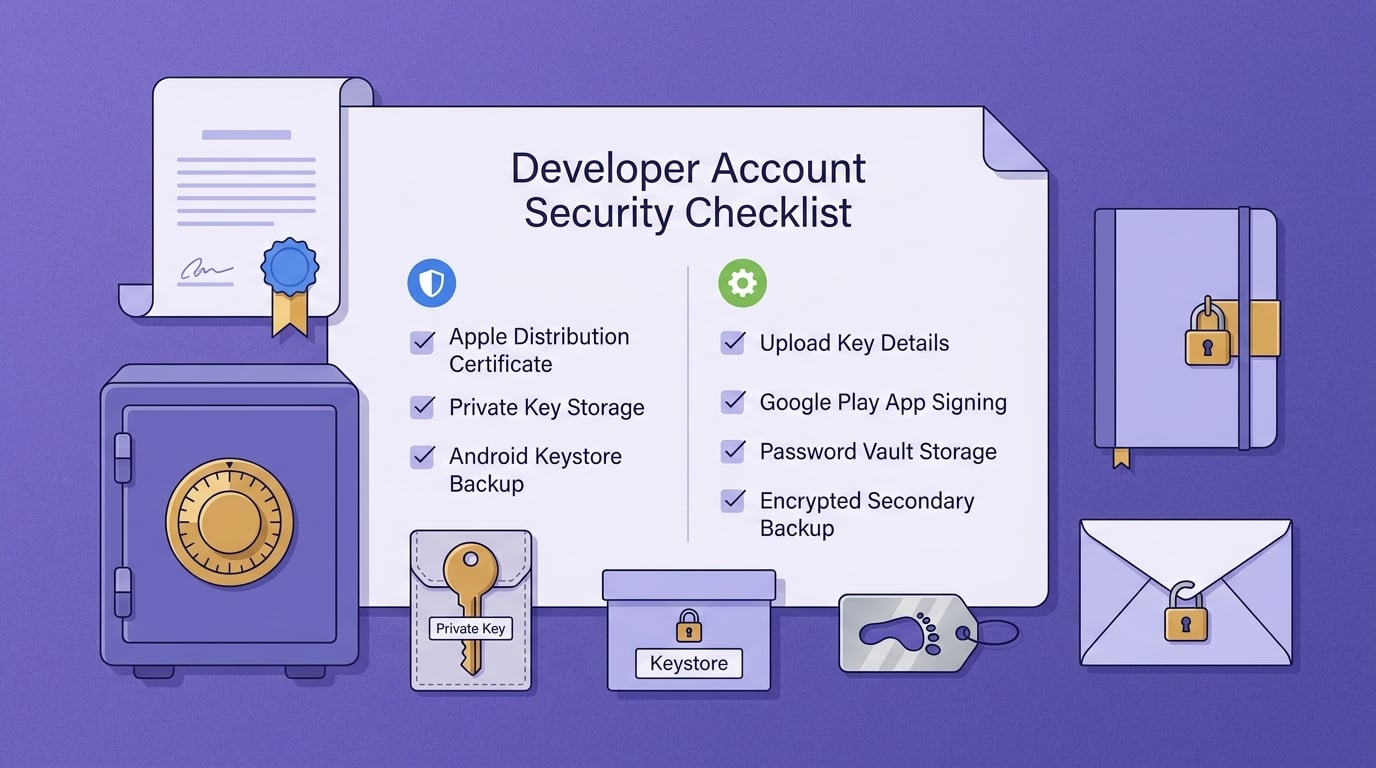
A checklist block for iOS and Android release credentials covering Apple distribution certificate ownership, private key storage, Android keystore backup, upload key details, Google Play App Signing, password vault storage, and encrypted secondary backup.
An iOS distribution certificate helps prove that a build came from the Apple developer account associated with the app. The certificate is visible in the Apple Developer account, but the private key used to sign builds needs careful handling.
Founders should generate distribution certificates inside their own Apple Developer account and keep the private key under company control. If an agency generates the certificate and keeps the private key only on its machines, future releases may depend on that agency.
This also applies to Expo EAS Build and other managed build workflows. Build automation is useful, but it should not hide who owns the Apple account, certificates, private keys, and recovery path.
For Android, use Google Play App Signing in most modern workflows. It lets Google manage the app signing key while your team uses an upload key to submit releases. If the upload key is lost, reset or recovery may be possible, but it can still create delay, support burden, and release risk.
Use a small, repeatable storage routine:
- Store the Android keystore in a secure vault with restricted founder or admin access.
- Store the keystore password, key alias, and key password in the same controlled credential system.
- Keep a separate encrypted backup outside a single laptop, agency workspace, or build machine.
- Record who generated each credential and when it was created.
- Map each credential to its app, bundle ID, package name, and environment.
- Confirm that Apple distribution certificates and private keys are owned by the company.
- Confirm that Google Play App Signing is enabled or intentionally deferred with a documented reason.
The practical takeaway: credentials are not just build artifacts. They are part of the ownership chain for your mobile product.
Common Mistakes and a Practical Access Audit
Most account risk starts as a shortcut.
Agency-owned app listings are one of the most expensive shortcuts. If the listing sits inside the agency's developer account, the founder may not fully control reviews, ranking history, store metadata, or the update pipeline. Transfers may be possible, but they add process risk when stability matters.
Shared team logins are another common issue. They make activity hard to attribute, which means you cannot easily tell who changed pricing, uploaded a build, edited store text, or responded to a review.
Lost recovery codes and compromised developer email accounts are recovery risks. A routine phone replacement, mailbox breach, or employee departure can become a lockout if recovery depends on one person or one device.
Run this access audit after any freelancer, agency, or contractor touches your publishing setup:
- Remove people who no longer need access in App Store Connect > Users and Access.
- Revoke app-specific or account-level permissions in Google Play Console > Setup > Users and permissions.
- Verify that account recovery email and phone number still belong to the company.
- Confirm tax and payment profiles are still under company control.
- Review API keys, service accounts, Firebase access, CI/CD secrets, and Expo EAS access.
- Confirm the bundle ID, package name, app ownership, and store listing ownership are unchanged.
- Check that signing credentials and backups are still accessible to the founder or authorized admin.
This can be a five-minute check only when ownership, credentials, and access records are already clean. Messy accounts may require hours, days, or platform support intervention, especially after a dispute, missed handoff, employee departure, or urgent production bug.
Final Pre-Launch Security Pass
Before launch, transfer, or agency handoff, do one final pass across ownership, access, and signing. The goal is not perfect security. The goal is to reduce the risk of lockout, vendor dependency, and update-blocking credential problems.
Use this pass at least a few business days before launch, not the night before submission. Some account changes, identity checks, key recovery steps, or vendor handoffs can take longer than expected.
For a small team, this review can usually be done in one focused session if documents are organized and ownership is clean. If accounts are owned by a vendor, recovery details are missing, signing credentials are unclear, or legal ownership is disputed, plan for extra time and possible platform support delays.


