Most Apple Developer enrollment failures are not platform bugs but verification issues you can diagnose and often fix yourself. This checklist gives a pragmatic recovery plan you can usually complete in a few hours, though D-U-N-S updates and manual reviews can stretch to several days.
Early proof - enrollment friction signals
| Signal | What to check and fix |
|---|---|
| Two-factor missing | Enable two-factor at appleid.apple.com and add a trusted device or phone. |
| D-U-N-S mismatch for organizations | Confirm the D-U-N-S listing matches your legal entity name and address; request an update at Dun & Bradstreet if needed. |
| Payment or billing mismatch | Use a card and billing address that match the enrollment country; confirm the card supports international billing. |
Explanation: Apple checks identity, legal-entity records, and payment before granting developer access; these checks often happen automatically and stop the flow without clear errors.
Interpretation: If one row above fails, enrollment typically stalls or shows a vague error; fixing that item often clears the block.
Impact: Apple ID 2FA and billing fixes usually take 10-60 minutes; D-U-N-S updates and manual document reviews commonly take several days depending on third-party response.
Everything You Need to Know About Apple and Google Developer Accounts goes deeper on the ideas above and adds concrete next steps.
What should I check first to fix enrollment?
Start with Apple ID, two-factor authentication, and billing because fixing those clears most immediate blocks in minutes.
- Verify your Apple ID email and two-factor authentication at appleid.apple.com.
- Check developer.apple.com/account for existing memberships tied to the Apple ID.
- Confirm the payment card and billing address match the enrollment country.
- If enrolling as an organization, confirm the D-U-N-S shows your exact legal name and registered address.
When you move from outline to execution, How to publish an app to the App Store helps close common gaps teams hit here.
Why do enrollments fail and where do errors come from?
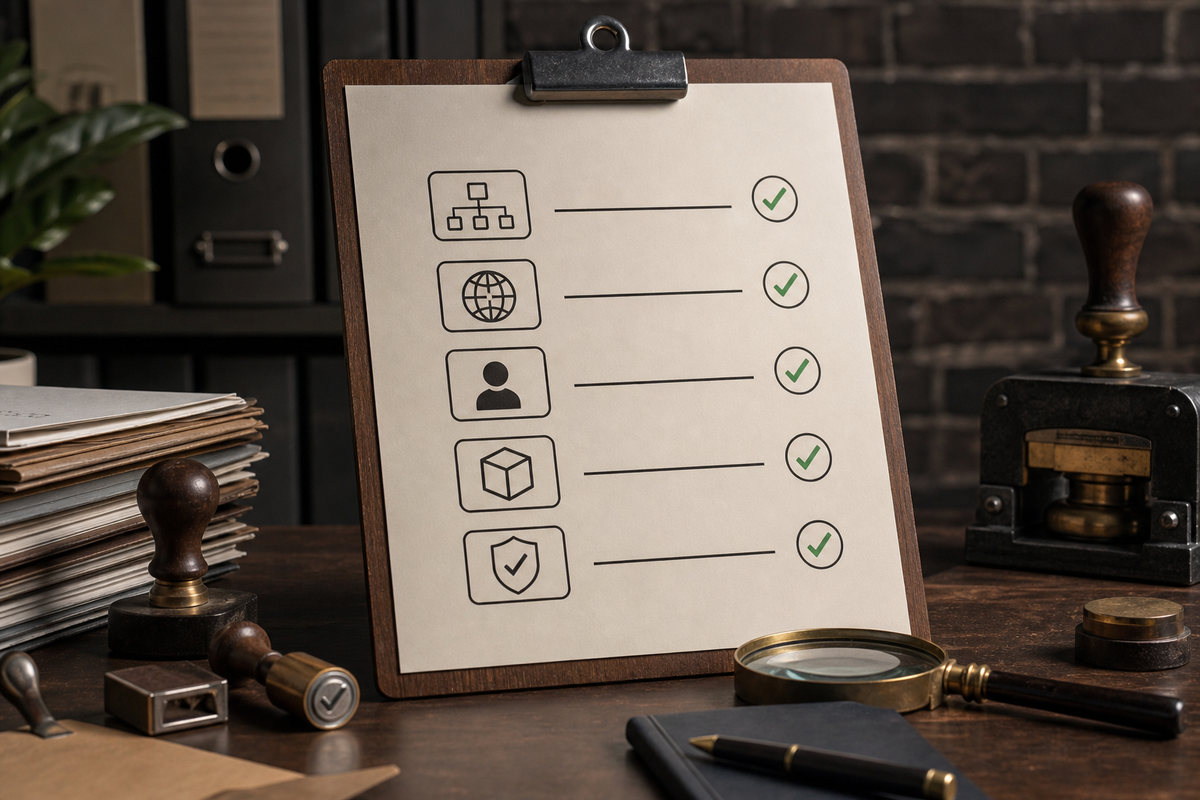
Compact checklist block that founders can scan: Program type chosen, D-U-N-S present, company name exact match, enterprise vs public distribution intent, regional compliance notes - each item shows immediate next-step (document to fetch or form to choose).
Enrollment failures are mostly operational - identity, entity, and payment mismatches cause the stuck flows. This matters because automated checks will reject or pause enrollments before a human sees the case.
Common technical blockers
Mismatched legal name
Small variations between D-U-N-S and formation documents typically block approval and usually require an official D-U-N-S update.
Apple ID conflicts
An Apple ID linked to another developer account will stop enrollment; resolving this may need an ownership transfer, a new ID, or signed authorization.
Missing 2FA or trusted device
The enrollment flow requires two-factor authentication; without it the action button can be disabled.
Browser or session issues
Cookies, restrictive networks, or outdated browsers can break submits; try incognito or a different browser on a personal network.
Policy and eligibility blockers
Wrong program type
Individuals and Organizations follow different paths; companies must enroll as Organizations with D-U-N-S and an authorized signer.
Enterprise program misuse
Enterprise enrollment is only for internal distribution and will be rejected for public App Store use.
Regional legal requirements
Some countries require local filings or tax IDs; Apple may request additional local documentation.
What to verify immediately
Category: Outcomes
Statistic: 38%
Label: First-pass approval rate
Context: When metadata is complete upfront
Category: Speed
Statistic: 4 hrs
Label: Median fix time
Context: After a store rejection notice
Category: Efficiency
Statistic: 2.1x
Label: Faster resubmission
Context: With a structured pre-review checklist
- Program type matches distribution intent.
- D-U-N-S and legal name match formation documents.
- An authorized signer is available and can provide signed authorization if requested.
- Scans of Articles of Incorporation or equivalent are ready.
One thing worth noting: D-U-N-S updates and manual reviews are the slowest parts and can require back-and-forth with Dun & Bradstreet or Apple support, so plan for variability.
A complementary angle worth comparing lives in How to Set Up CI/CD for Your iOS App - Beginner's Guide.
How can founders recover a stalled enrollment?

A left-to-right diagram with four boxes labelled Audit Apple ID → Validate D-U-N-S → Fix Payment → Contact Support, each box includes the primary platform or document (appleid.apple.com, Dun & Bradstreet, company card, Apple Developer Support) and an estimated time-to-complete (minutes/hours/days).
Start with quick wins, document everything, and escalate only if a single missing item remains after troubleshooting.
Step-by-step enrollment recovery
Audit and secure the Apple ID
Sign into appleid.apple.com, verify the email, enable two-factor authentication, and add a trusted phone and device; expect 10-30 minutes.
Validate legal entity data
Lookup your D-U-N-S, ensure the legal name and address match formation documents, and prepare Articles of Incorporation or equivalent; allow hours to several days if updates are needed.
Fix payment and billing
Use a company card with the correct billing address and confirm it accepts international charges; most card fixes take 10-60 minutes but may require issuer contact.
Resolve account conflicts and escalate
Check developer.apple.com/account for linked memberships; if the Apple ID is tied elsewhere, prepare a signed authorization or contact Apple support; reviews can take 1-5 days depending on complexity.
Process snapshot and estimated time-to-complete
| Step | Platform / doc | Primary action | Est. time |
|---|---|---|---|
| Audit Apple ID | appleid.apple.com | Verify email, enable 2FA | 10-30 minutes |
| Validate D-U-N-S | Dun & Bradstreet | Lookup or request update | hours - days |
| Fix payment | Card issuer | Use correct card/address; confirm billing | 10-60 minutes |
| Contact support | developer.apple.com/support | Submit docs and signed authorization | 1-5 days |
A practical tip: capture screenshots of every error, the enrollment summary, and the D-U-N-S record before contacting support; they speed triage and reduce repeated requests.
For tradeoffs, checklists, and edge cases, TestFlight Explained for Non-Technical Founders rounds out this section.