
Most non-technical founders treat TestFlight like a developer-only checkbox, then wonder why their iOS launch is full of surprises once it hits the App Store. Used well, TestFlight becomes your pre-launch operating system: a controlled way to put real builds in real hands, learn where users get stuck, and reduce avoidable launch risk. It is not magic, but it is one of the few Apple-native loops you can run before reviews and ratings start shaping your story.
Early proof: what TestFlight lets you validate before launch
| What you can validate before launch | What TestFlight enables | Why it matters to a founder |
|---|---|---|
| Real device stability | Apple crash reporting + tester notes | Fewer day-one emergencies, fewer "works on my phone" surprises |
| Onboarding comprehension | Repeated confusion themes from target users | Cleaner activation and fewer support tickets |
| Pricing and paywall flow | Real taps through your upgrade path | Fewer misfires that turn into churn or low ratings |
| Messaging and expectations | Testers reflect what they thought they were getting | Better App Store copy and fewer mismatched installs |
Explanation: this is a practical map of the highest-signal things you can validate with real builds and real humans before you submit. Operational detail: in one recent beta, we ran a 28-tester cohort across iOS 16-17 and the top confusion theme was permissions timing (people denied notifications because they did not yet trust the app). Interpretation: TestFlight is strong at catching experience and stability issues, not proving product-market fit. Reader impact: you can set clearer beta goals, recruit the right cohort, and decide whether to fix, re-scope, or delay submission before the App Store makes the feedback public.
Apple documents that TestFlight supports up to 10,000 external testers, up to 100 internal testers, and builds expire after 90 days (Apple, App Store Connect Help). Capacity is rarely the bottleneck; recruiting, instrumentation, and triage discipline usually are.
How to Build a Full iOS App With Cursor AI in a Weekend goes deeper on the ideas above and adds concrete next steps.
What is TestFlight, and why should founders care?
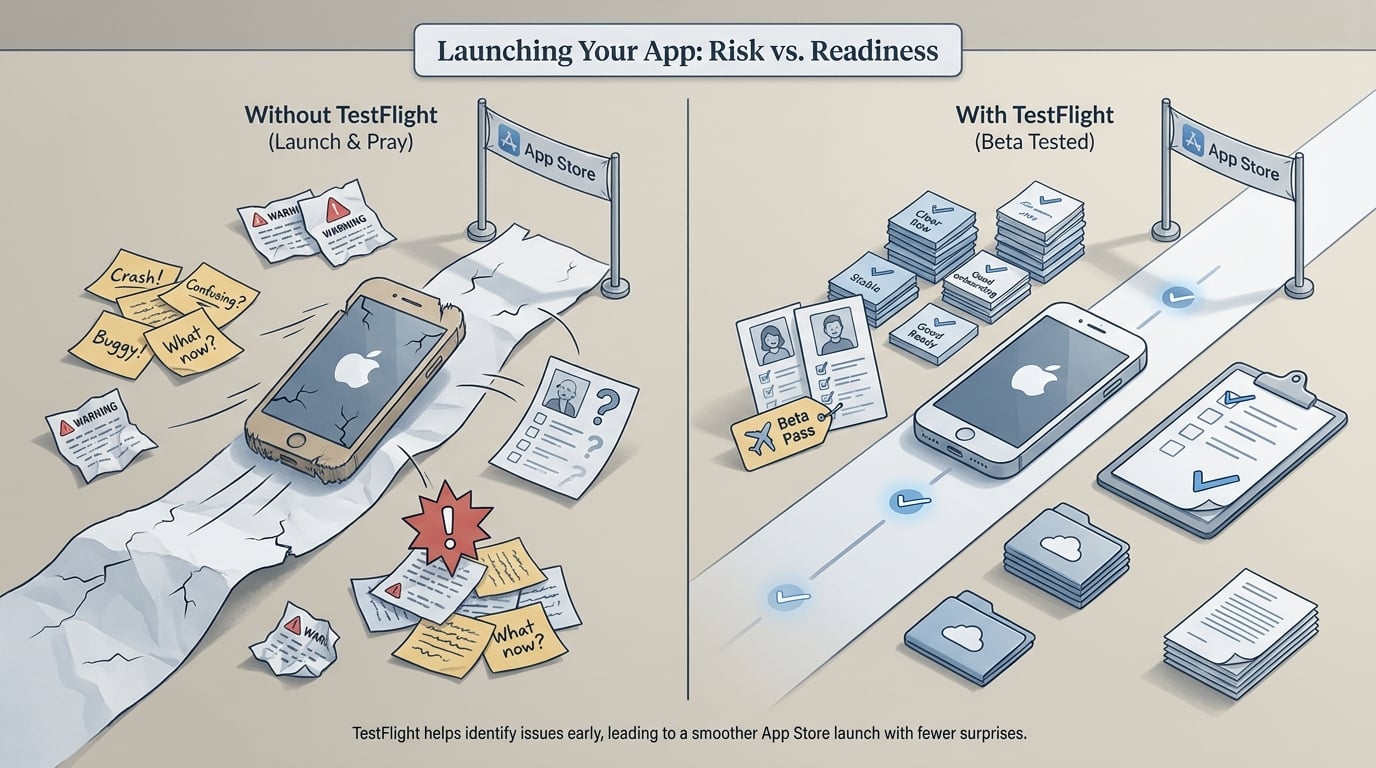
A structured comparison callout showing the difference between launching an iPhone app with no beta test and launching after a TestFlight round, highlighting fewer surprise crashes, clearer onboarding feedback, and stronger App Store readiness.
TestFlight is the messy middle between a prototype and the App Store, where avoidable launch mistakes surface early. As a founder, your job is not to configure builds, but to define what the beta must validate and what "good enough" looks like.
Founder-level questions worth your time:
- Does a new user understand the value in the first 1-2 minutes?
- Where do they hesitate, misread, or abandon?
- What would make them trust the app enough to pay or keep it installed?
What this means: a beta will not guarantee good ratings, and it will not represent every device or customer segment. It gives you a chance to find problems while you still have room to fix them, adjust messaging, or consciously accept them and launch anyway.
Dependencies and failure modes to plan for:
- External TestFlight builds can require review/approval and may take 24-48+ hours, which slows daily iteration.
- App Store Connect roles can bottleneck you (one person with the right permissions becomes the gate).
- CI, signing, and build distribution can be flaky early on; expect a few false starts.
- Failure mode: if your cohort is mostly friends or power users, feedback skews toward feature requests. Mitigation: recruit at least 10-20 testers who match your target buyer and give them a scripted first-run task.
Ship with confidence
Use TestFlight to reduce avoidable launch risk, not to chase a perfect beta. A small, well-recruited cohort can catch the big issues early, but it will not cover every edge case or guarantee ratings.
Ship with confidence
When you move from outline to execution, TestFlight Guide - How to Beta Test Your App Before Launch helps close common gaps teams hit here.
How does TestFlight work for a non-technical founder?
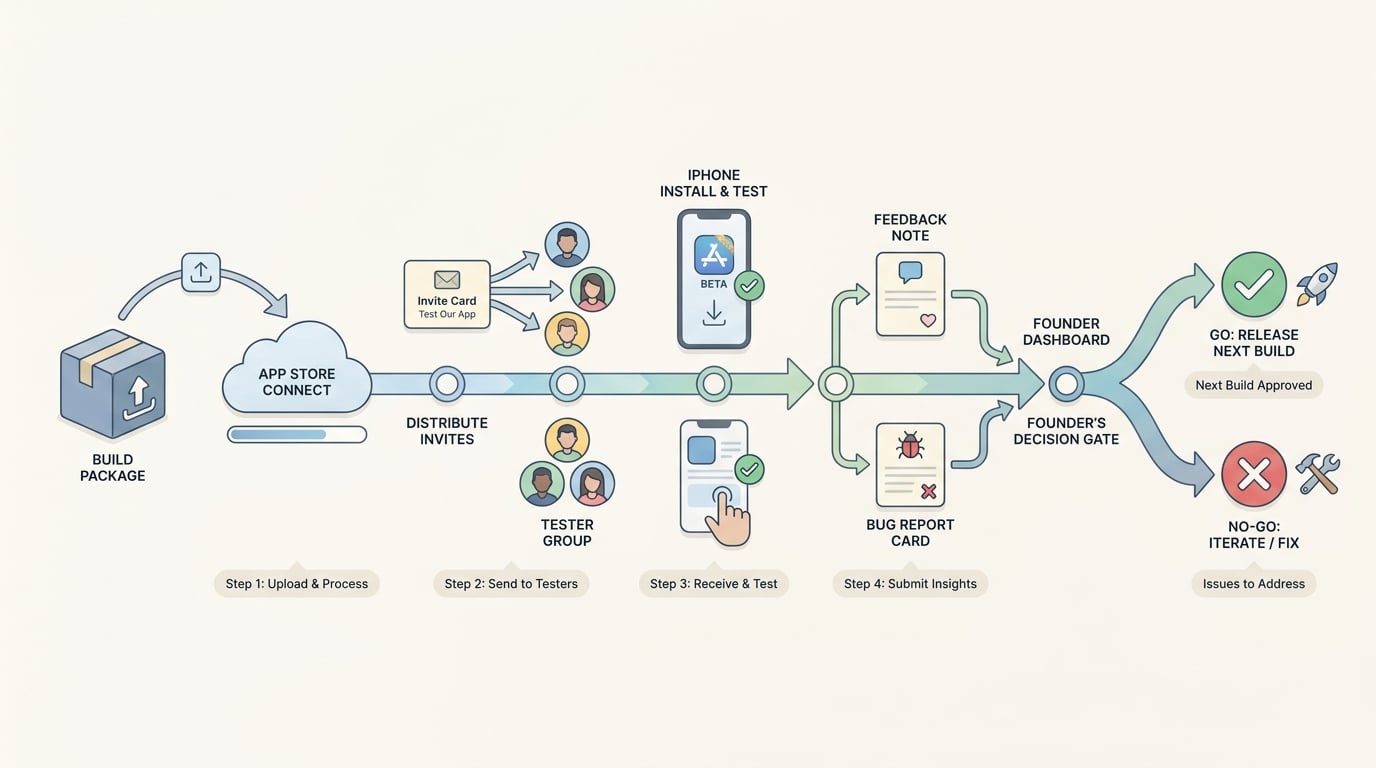
A step-by-step flow diagram showing App Store Connect upload, TestFlight invite distribution, tester install on iPhone, feedback submission, and the founder’s release decision for the next build.
The basic workflow from build to beta feedback
Upload a build
Your developer uploads an iOS build to App Store Connect and enables TestFlight distribution. Once the pipeline exists, budget 30-90 minutes of engineering time per build, plus extra time if signing, certificates, or CI are unstable. Use clear version naming (for example,
1.0 (12)) and release notes that say what changed and what to test.Invite the right testers
Use internal testers for fast sanity checks, then external testers for real-world behavior. External testing can require an approval step, so do not assume it is instant. Getting 20-50 target users usually takes a few days of outreach and follow-ups, not an afternoon.
Collect feedback and decide
Testers install via the TestFlight app and send screenshots and notes, and Apple provides crash reporting. Your job is turning raw input into decisions: fix now, defer, or change the plan. Plan on 30-60 minutes per day during the beta for triage and summaries, and more on the days you ship new builds.
What founders should ask their team to measure
If you do not have analytics yet, you can still learn a lot from structured prompts, but your conclusions will be fuzzier and you risk over-weighting the loudest tester.
A simple set that works for many apps:
- First-session completion rate of the core action (example target: 70-85% of testers complete signup and reach first value)
- Time to first value (median time from open to the value moment)
- Top 3 recurring confusion themes (plain language, not dev tickets)
- Crash or freeze rate on the core journey (login, paywall, permissions)
Operationally, keep one shared triage table with: Build, Device, iOS, Severity, Repro steps, Expected vs actual, Screenshot/link, Owner, Status. This takes 20-30 minutes to set up and saves hours of back-and-forth later.
A simple beta timeline that fits a startup launch
A realistic starting point for a first iOS launch:
- Internal round (2-3 days) to kill obvious blockers and broken flows
- External round (7-14 days) with target users to validate onboarding and expectations
- A fixed decision date so feedback converts into a release call, not an endless loop
Tradeoff: shorter betas keep momentum, but you can miss slow-burn issues like retention, notification timing, and subscription churn. If those are core to your business, budget a second cohort or accept that you will learn them post-launch.
A complementary angle worth comparing lives in Top 3 Alternatives to TestFlight for Beta Testing.
Replace vague feedback loops with simple release gates
Beta slows you down when there are no decision rules, when feedback is treated like roadmap votes, or when the cohort keeps expanding without a goal. It also adds overhead that is real for small teams: build cadence, tester management, and triage time.
Use release gates that match your business, then stop when you meet them.
| Gate | What "pass" looks like | Typical effort to validate |
|---|---|---|
| Stability | No critical crashes blocking the core journey across a basic device set | 1-3 builds + crash triage (1-2 hours total per build cycle) |
| Core flow | New users can complete the main journey without help | 10-20 observed testers (2-4 hours of calls or screen recordings) |
| Message clarity | Testers can explain the value in one sentence | 5-10 short interviews (30-60 minutes to schedule, 30 minutes to synthesize) |
Risks to watch:
- Overfitting to a small cohort: optimize for your testers, not your audience. Counter it by recruiting from the channel you plan to launch with.
- Coverage gaps: you may still miss older devices, locales, accessibility settings, and weak network conditions. Decide what you will not cover and document the risk.
- Review and submission timing: TestFlight approval and App Review delays can compress your schedule. Build slack into your launch plan.
For tradeoffs, checklists, and edge cases, TestFlight and Google Play Testing: Using Beta Tracks rounds out this section.
How do you use TestFlight well before launch?
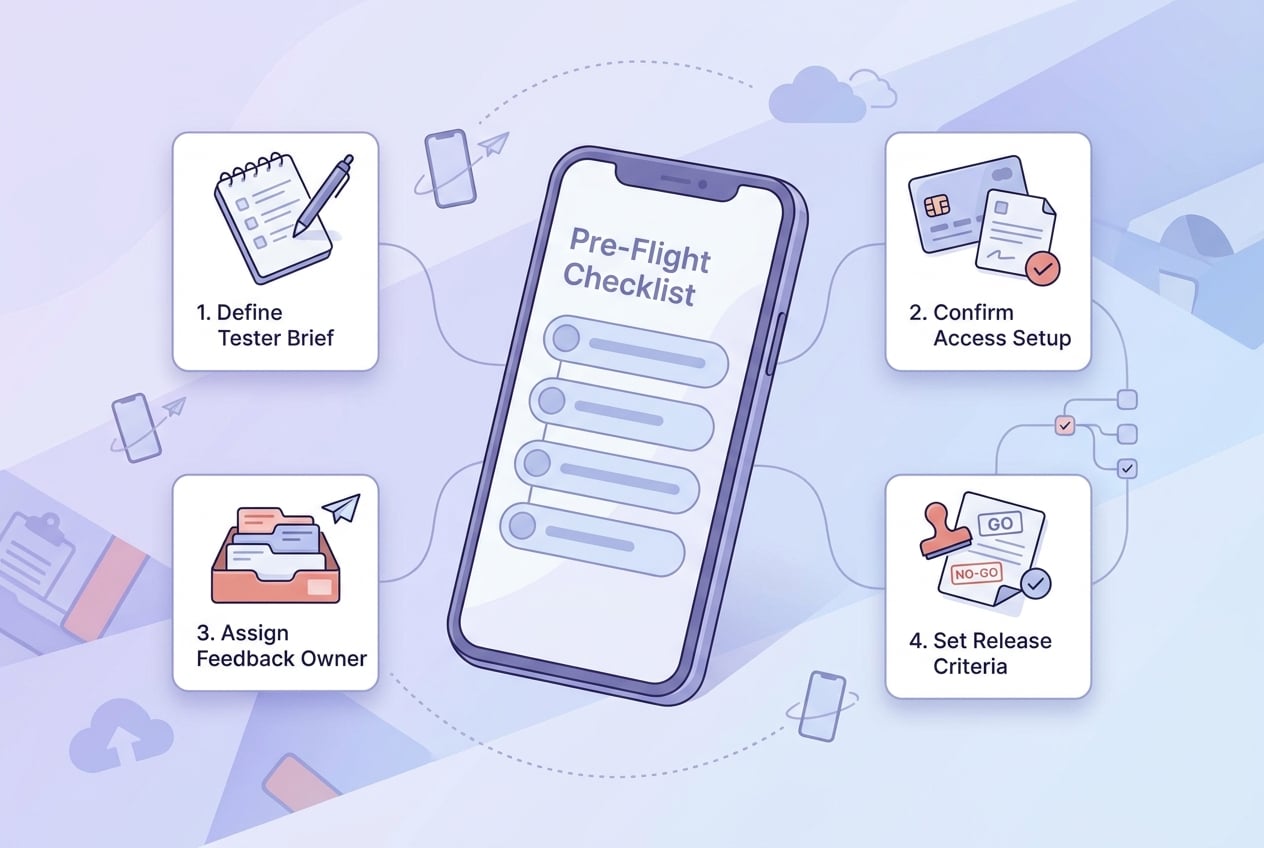
A mobile-friendly checklist block for non-technical founders covering tester brief, access setup, feedback owner assignment, and release criteria before sending the first TestFlight invite.
Pre-flight checks before you send the first invite
- Define the beta goal in one sentence (example: "Can a new user set up and reach first value in under 3 minutes?")
- Write a 5-minute tester brief: what to try first, what to ignore, how to report (steps, expected vs actual, screenshots)
- Confirm App Store Connect access, roles, and who will push builds and approve external testing
- Decide your triage cadence (for example, 15 minutes daily, plus a 45-minute weekly review) and your decision date
How to know when TestFlight has done its job
- The main journey works reliably on a mix of real iPhones and iOS versions you expect in the wild
- Feedback stops repeating the same confusion point, and remaining notes are prioritization
- You have a clear ship decision, even if you are choosing to carry some backlog into v1
Define your beta gates
Align your team on one question: what must TestFlight prove before we submit to the App Store? Run one structured beta with a clear end date, and treat the results as a go or no-go checkpoint, not a promise of perfect outcomes.
Define your beta gates
Google Play 12 Testers for 14 Days: Complete Guide reframes the same problem with a slightly different lens - useful before you finalize.


