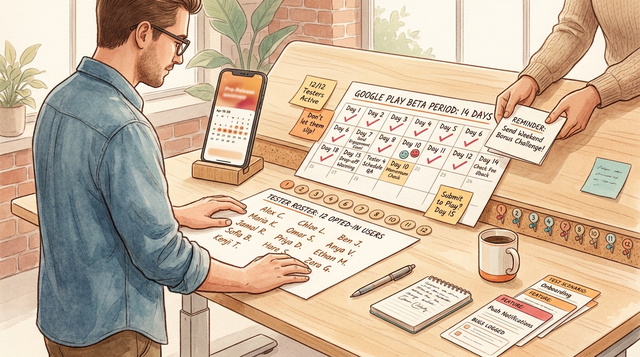
In February, our Android launch plan slowed down when Google Play would not let a new personal developer account apply for production until we showed 12 opted-in testers stayed active for 14 consecutive days. Our first attempt failed when two people went quiet and our count dipped. This guide shares the workflow we used to recruit, onboard, and keep 12 real testers moving for two weeks, plus what can still go wrong so you can plan around it.
TestFlight and Google Play Testing: Using Beta Tracks goes deeper on the ideas above and adds concrete next steps.
Early proof (single snapshot)
Category: Readiness
Statistic: 14 consecutive days
Label: Eligibility window forecast
Context: Tracking let us plan around a likely day 14 instead of guessing
Category: Baseline
Statistic: 7 - 9 installs
Label: Week 1 tester pool
Context: Inconsistent opt-ins meant invites didn’t equal enrollment
Category: Improvement
Statistic: 12 opted‑in testers
Label: Week 2 - 3 active testers
Context: Named testers with confirmed opt-in reduced mid-streak drop-offs
| Item | Before (week 1) | After (week 2-3) | Why it mattered |
|---|---|---|---|
| Tester pool | 7-9 installs, inconsistent opt-in | 12 named testers, opt-in confirmed | "Invited" is not the same as "enrolled" |
| Engagement ops | No routine, reminders were ad hoc | Light cadence plus a tracker | Reduced silent drop-off |
| Timeline confidence | Could not predict eligibility date | Could forecast a likely day 14 | Made planning less chaotic |
What changed was not the app, it was the operating system around the test: we shifted from hoping people stayed active to tracking enrollment and following up before the count dropped. The impact was practical: we could plan around a likely day 14 instead of guessing, and we reduced the risk of a mid-streak reset from avoidable drop-offs. This does not remove uncertainty in how Google scores engagement, but it makes the process less fragile.
These are internal signals from our own closed testing run, not a universal benchmark. Our activity signal was: Play Console showing the tester as opted in plus an app open event (and, when possible, one simple in-app action like "completed task"). Play Console engagement signals can lag or be misclassified, so treat this as a risk-management proxy and plan a buffer (extra days or a couple extra testers), not a guarantee.
When you move from outline to execution, The Invisible Rules That Determine Whether Your App Goes Live helps close common gaps teams hit here.
Why Google Play Requires 12 Testers for 14 Days
We were not trying to run a polished beta program. We were trying to ship our first Android build after a Play Console reset with a small team and a deadline tied to a partner demo. Until we had 12 opted-in testers staying engaged for 14 days, we could not move toward production access.
Here is the tradeoff: if you rush, you risk bugs and churn. If you overbuild process, you lose momentum. We treated the requirement as a short ops sprint: enough structure to protect the streak, light enough that engineering still ships.
A complementary angle worth comparing lives in Test Builds Without Chaos: Clean Beta Process Guide.
What Counts as Engagement in Google Play Testing?
- You need 12 real testers who actually opt in and install.
- The requirement is sustained engagement over 14 days, not a one-time install spike.
- Console setup matters: track configuration, access links, and enrollment status must be verifiable (per Google Play Console Help).
One thing worth noting: Google does not publish a clean, testable definition of "engaged" that you can control perfectly. We assumed engagement meant install plus opening the app and doing a small task a few times per week. In practice, watch what Play Console shows and be ready to extend the run if your numbers drift or the console updates late.
For tradeoffs, checklists, and edge cases, How to Publish Your Vibe-Coded App (Without Getting Rejected) rounds out this section.
How Do You Keep 12 Testers Active for 14 Days?
Recruitment was harder than it looked. We needed 12 people who would install, opt in correctly, and still be around two weeks later. A few "yes" replies turned into silence once work got busy, notifications got buried, or devices ran out of storage.
Coordination was the bigger tax. Testers had different Android versions, OEM skins, and notification settings, so reminders landed unevenly. The practical takeaway is that you are managing a small operational system, not just shipping a build.
The hidden friction inside Google Play setup
- Closed testing track setup takes more clicks and waiting than most teams expect.
- You must confirm opt-in and install, not just send invites.
- You need a clean build ready before the clock matters (signing, release notes, basic stability).
- Account roles and permissions can slow you down if more than one person touches Play Console.
Realistic effort expectations (based on our run):
- Initial setup and track validation: 1-3 hours depending on access and build readiness.
- Tester onboarding support (day 0-2): 30-90 minutes total for link issues and device quirks.
- Ongoing ops: 10-15 minutes per day to scan status and send targeted nudges.
- Expect drop-off: we saw roughly 20-40% "yes" to "actually participated" without incentives.
Submitting vs Publishing an App: What's Different reframes the same problem with a slightly different lens - useful before you finalize.
How we built a 14-day tester system that held together
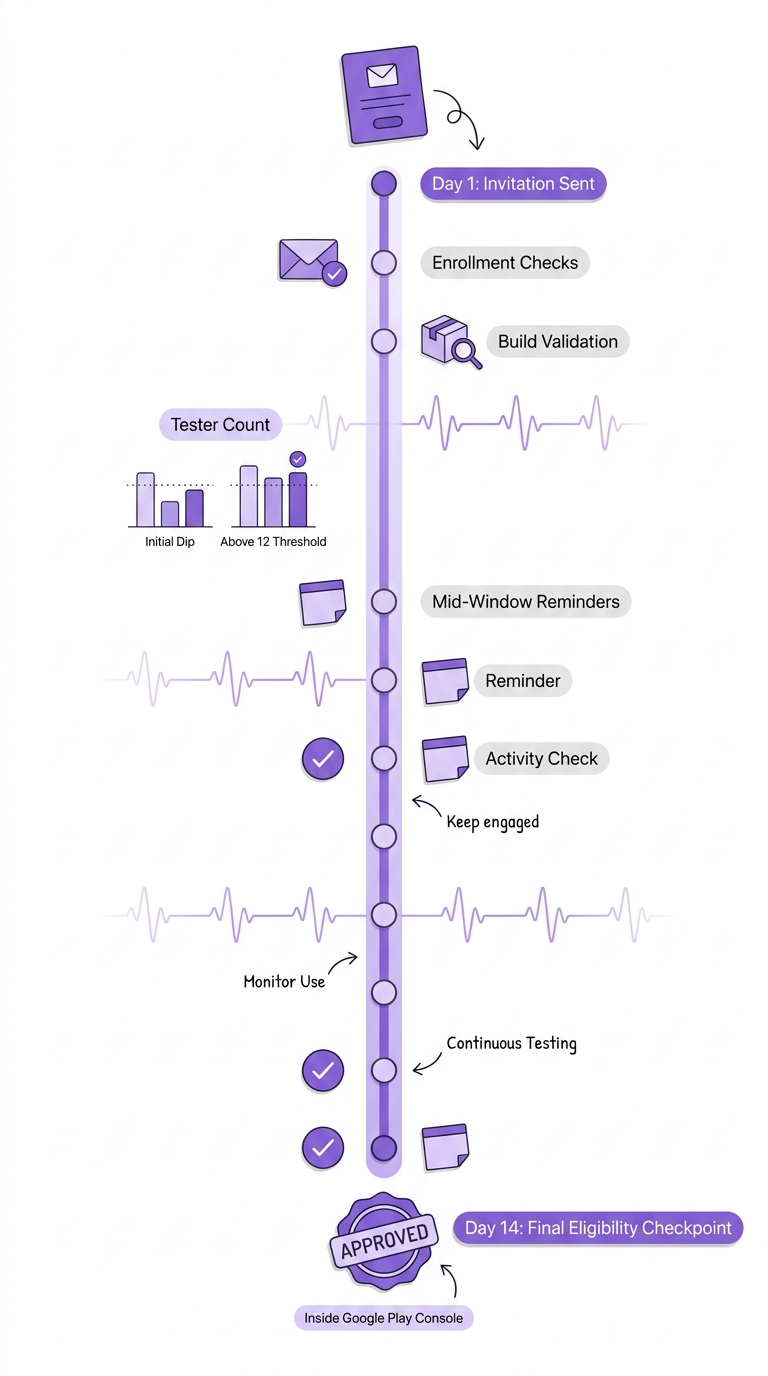
A two-week timeline that maps invitation day, enrollment checks, build validation, mid-window reminders, and the final eligibility checkpoint inside Google Play Console.
Step 1: recruit for reliability, not just interest
Pick people who can finish
We chose testers based on follow-through, not hype. We also spread across a few device types and included a few people who had tested builds before.
Send a clear commitment message
We said exactly what we needed: 14 days, short check-ins, and a few focused tasks. This honesty reduces chasing later, but it will lower your "yes" rate, so plan for that.
Build in redundancy
We aimed for 15-20 recruits to land 12 consistent participants. This is not a growth tactic, it is basic risk control for real life churn.
Step 2: set up the test track cleanly before you start the streak
Create or verify the closed test track
In Play Console, we confirmed the closed testing track and access rules matched our tester list, per Google’s flow (Google Play Console Help).
Validate enrollment before day one
We tested the opt-in path ourselves and used a short checklist: link opens, opt-in completes, build is visible, install works. The milestone is "enrolled and installed", not "invited".
Ship a stable-enough build with a short changelog
Release notes were brief: what changed and what to try. It kept feedback specific and reduced time lost to vague reports.
Timeline we planned around (minimum viable):
- Day 0: send invites, confirm opt-in and installs (do not assume)
- Day 1-2: fix onboarding issues and one obvious blocker
- Day 5 and 10: check-in plus one focused task
- Day 14: confirm you stayed at or above 12, then capture learnings
Step 3: keep the 14 days alive with a light cadence
We did not try to force daily usage. Daily pings can create churn, and some devices will ignore notifications anyway. Instead, we used a predictable cadence and targeted follow-ups for people who went quiet.
We ran this in Google Sheets so everyone could update it without tooling overhead. We checked one metric daily: count of testers still opted in, plus a simple freshness signal (when we last saw an open or "completed task").
Tracker columns (what we actually used):
| Column | Purpose |
|---|---|
| Name + contact | Who to nudge, where to reach them |
| Opt-in confirmed (Y/N) | Separates invited from enrolled |
| Install confirmed (Y/N) | Catches device and link issues early |
| Last app open (date) | Fast way to spot drop-off risk |
| Last in-app task (date/notes) | Lightweight engagement proxy |
| Blockers | What is preventing usage |
| Follow-up sent (date) | Prevents duplicate nagging |
Build a 14-day closed testing plan
Get a copyable message template, tracker fields, and a lightweight cadence that fits a small team.
Start now
Where this still breaks (risks and dependencies)
Even with good ops, some parts are outside your control. These are common failure modes worth planning for:
- Tester did not fully opt in: they installed but never completed the opt-in flow, so they might not count.
- Device or country constraints: incompatible devices, Android versions, or availability settings can block installs.
- Build processing delays: track changes or builds can take time to propagate, especially if you patch mid-streak.
- Play Console status lag: console numbers can update slowly, so you may be reacting to stale data.
What you can mitigate: over-recruit, confirm opt-in early, keep tasks lightweight, and do quick follow-ups when someone stalls. What you cannot promise: exactly how Google evaluates engagement behind the scenes or when a lagging signal will catch up, so plan 2-7 extra days if your launch date is tight.
What it unlocked (and what it did not)
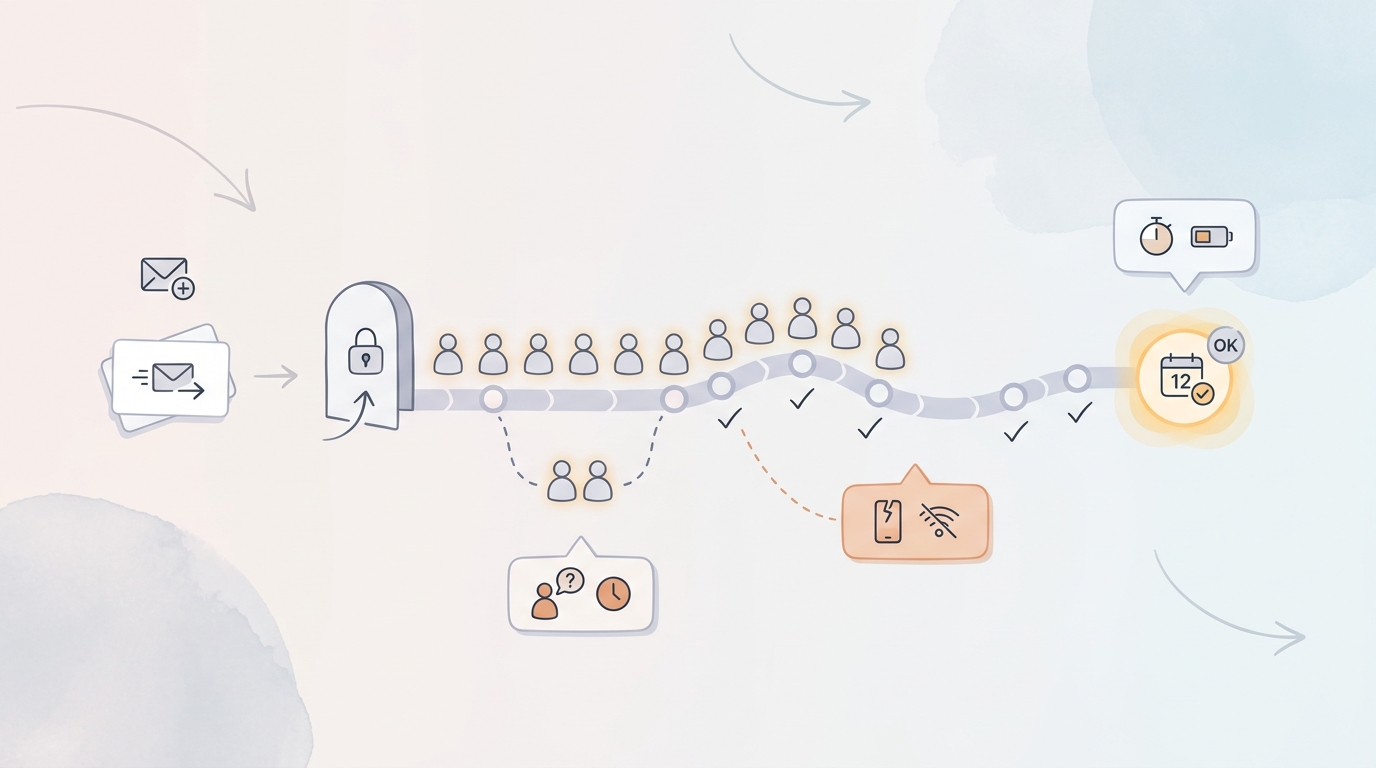
A simple process diagram showing the path from tester recruitment to Google Play Console enrollment to active testing, with callouts for common drop-off points like unaccepted invites and inactive devices.
We did reach the operational milestone: 12 opted-in testers stayed engaged for 14 consecutive days, and our release workflow could move forward under Google Play’s closed testing rule. The practical win was fewer unknowns: we found a couple of release-blocking crashes and device-specific quirks while there was still time to fix them.
Constraints still apply. Twelve testers is a small net, incentives can increase participation but can distort feedback, and this milestone is about eligibility, not product-market fit. For many teams, a realistic plan is 14 days plus 2-7 days of overhead for setup, onboarding friction, console lag, and at least one mid-cycle patch.
Want help de-risking your Play Console gate?
I can review your closed testing setup, recruitment plan, and a realistic 14-21 day timeline so you do not bet your launch on a fragile streak.
Talk to me