Many Android release delays are not caused by code defects alone. They often come from a mismatch between the risk you are carrying and the Google Play track you are using to validate it. Internal Testing, Closed Testing, and Production look like simple toggles in Play Console, but they produce different kinds of evidence with different setup effort, tester constraints, and failure modes. This comparison helps you pick the track that fits your current risk and timeline without assuming away operational reality.
Early proof: Google Play track constraints at a glance (typical, but Console varies by account)
| Track | Typical audience | Access control | Friction and dependencies | What the signal is good for |
|---|---|---|---|---|
| Internal Testing | Up to 100 invited testers | Tight, invite-only | Lowest setup overhead; still requires builds, signing, distribution, and basic tester comms (Google Play Console Help) | Fast regression checks and crash triage |
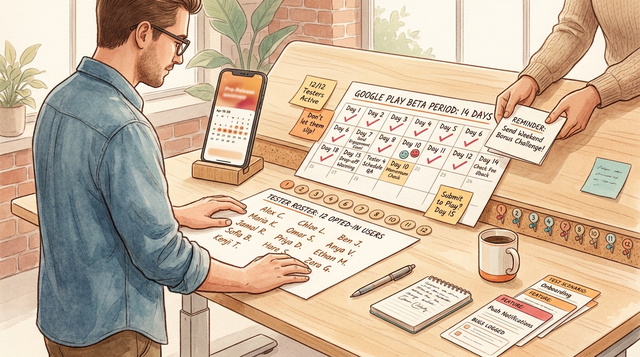
| Closed Testing | Limited external testers | Lists or Google Groups | More coordination; some accounts are gated (often cited as 12 opted-in testers for 14 consecutive days), but exact requirements can change and vary in Console (Google Play Console Help) | Device variance, UX friction, real usage patterns in a controlled setting |
| Production | Full public users | None | Highest stakes; review queues, staged rollout ops, support readiness, and policy and account standing matter | True market signal: retention, ratings, support load |
Explanation: The tracks are different evidence systems, and each one "costs" time in a different place: coordination, calendar days, or user impact.
Interpretation: Internal Testing buys speed, Closed Testing buys controlled external validation (and sometimes eligibility), and Production buys real demand learning with real consequences.
Reader impact: You can usually avoid resets and rework by choosing the track that matches your current risk, but you still need to budget calendar time for tester opt-ins, review variability, and fixing what the data surfaces.
TestFlight and Google Play Testing: Using Beta Tracks goes deeper on the ideas above and adds concrete next steps.
Which Google Play track should you use for speed, feedback, and confidence?
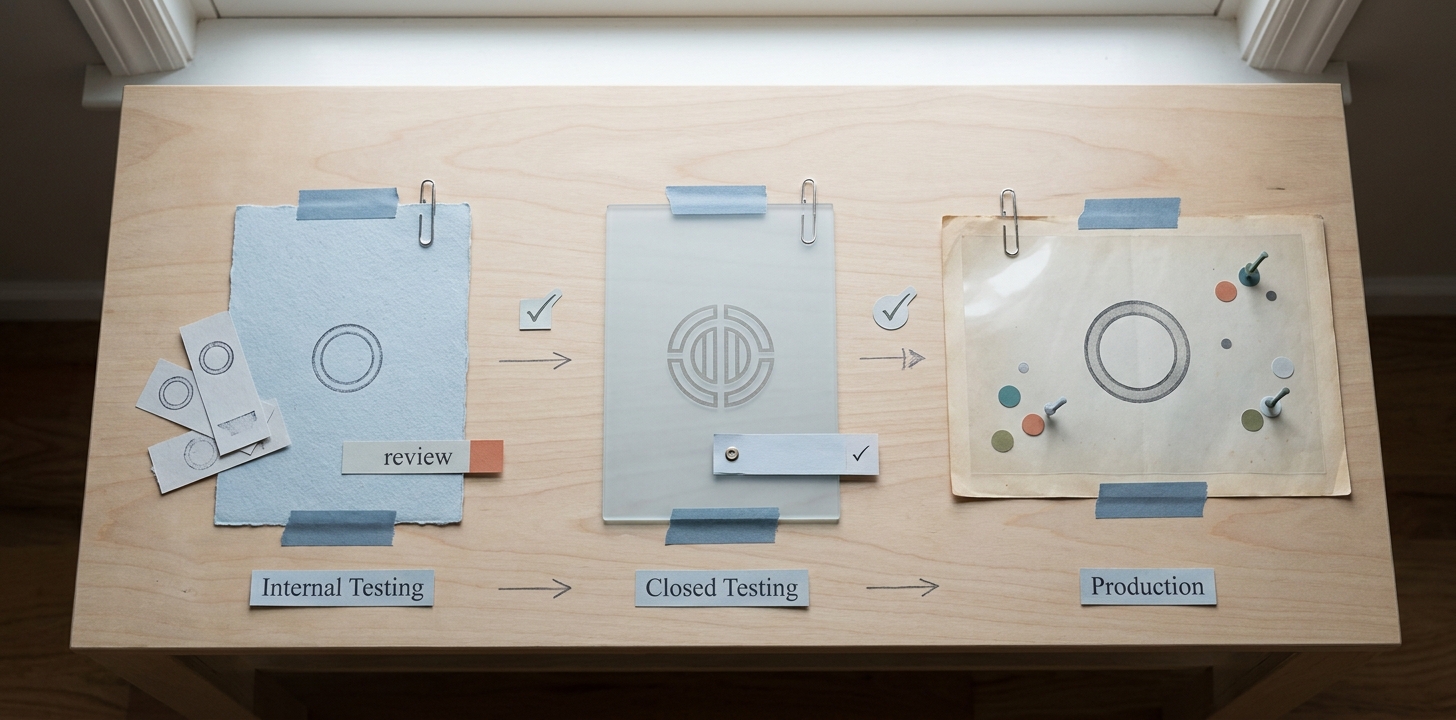
A compact comparison table showing Google Play Internal Testing, Closed Testing, and Production across access level, review friction, and typical use case, positioned as the article’s early proof block.
The commercial question is: which track gets you the fastest credible signal for the risk you have right now. Internal Testing is best for rapid build validation, Closed Testing is best for controlled real-world feedback, and Production is where you learn what the market and support queue will actually do.
One constraint worth stating plainly: track rules and review friction can vary by developer account history, policy standing, app category, and region. Treat timelines as dependency-based plans, not guarantees.
When you move from outline to execution, Google Play 12 Testers for 14 Days: Complete Guide helps close common gaps teams hit here.
How do Internal Testing, Closed Testing, and Production differ?
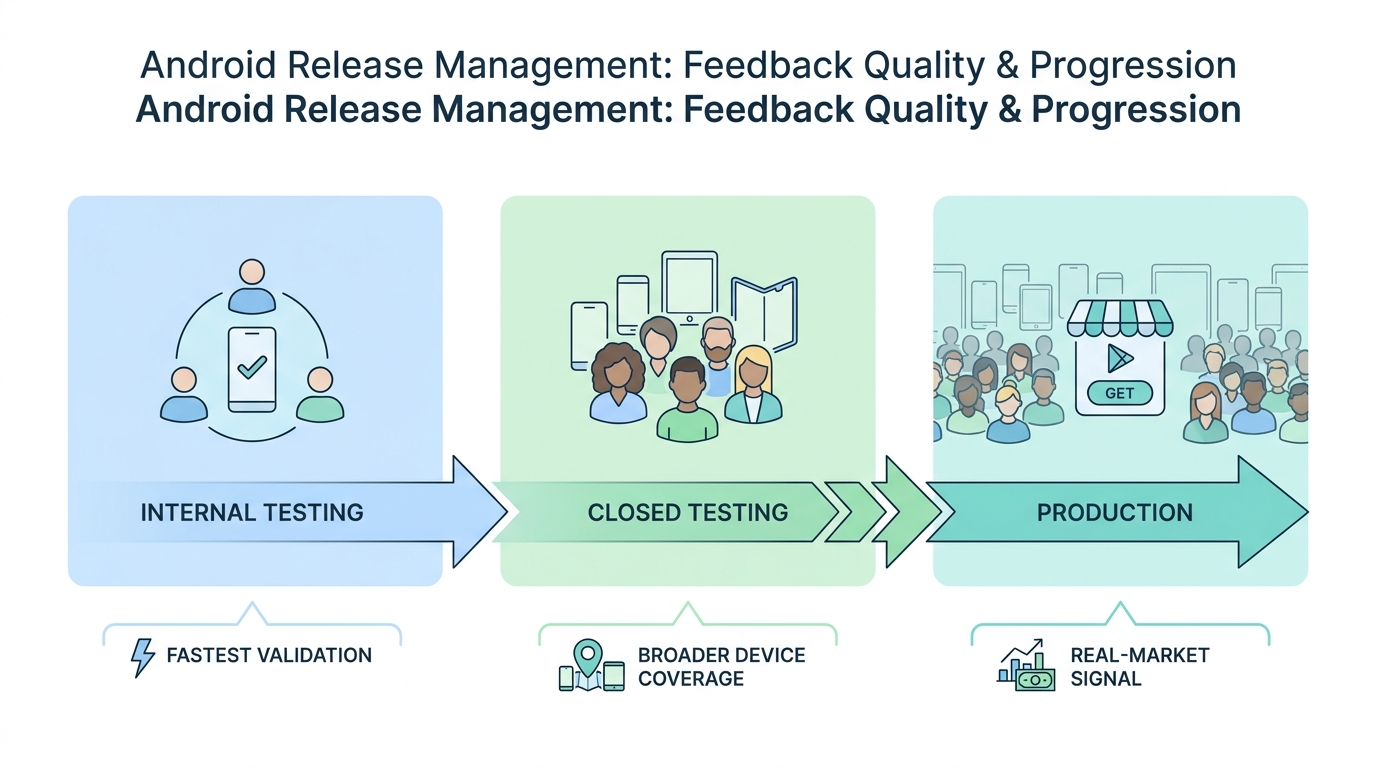
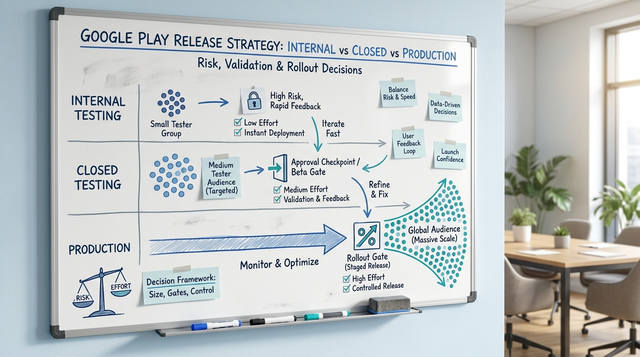
A process diagram showing how feedback quality changes as an app moves from Internal Testing to Closed Testing to Production, with arrows indicating faster validation, broader device coverage, and real-market signal.
Audience, control, and feedback quality
Smaller audiences optimize for speed and control, while larger audiences improve representativeness at the cost of coordination. In practice, that coordination is where teams lose days: invites, opt-in instructions, device coverage, and follow-ups for usable feedback.
Feedback quality is also not automatic. Internal testers often miss "first-time user" friction, and external testers often send low-detail reports unless you provide a short script and require device model, OS version, and steps.
Friction, review, and operational burden
- Internal Testing: usually the least ceremony, but still a real loop. Many teams spend 30 to 90 minutes per build on publish, notify, verify, and triage even when things are stable.
- Closed Testing: expect overhead in groups, instructions, follow-up, and churn. If your account is gated, plan for calendar time plus recruiting time (often several days to a couple weeks depending on your tester pool and responsiveness).
- Production: highest operational load. Even a staged rollout can trigger 1 to 3 days of monitoring, support, and hotfix triage if a common device, locale, or billing path breaks.
A complementary angle worth comparing lives in Map App Data Flows and Release Strategy for First Submission.
When should you use each Google Play track?
Use Internal Testing when speed matters more than representativeness
Internal Testing is the right lane for same-day confidence on a release candidate: install, launch, login, permissions, upgrade behavior, and one or two critical flows (often auth and billing). It can reduce cycle time when your team can respond quickly, but it will not, by itself, cover device fragmentation or real user expectations.
Use Closed Testing when you need controlled external evidence (or you are gated)
Closed Testing is where you learn about device-specific regressions, UX confusion, and configuration mismatches that internal devices will miss. A practical failure mode is participation: if testers do not opt in, drop off, or stop using the app, your signal weakens and any consecutive-day requirement can slip or effectively restart.
Use Production when you can tolerate real user impact and you need real market signal
Production is not just "the next step." It is a reputational and support event, and it adds policy and review dependencies you do not fully control. It is the right move when you have a go-no-go review, staged rollout plan, and the ability to respond if crashes, ratings, or refunds spike.
For tradeoffs, checklists, and edge cases, Test Builds Without Chaos: Clean Beta Process Guide rounds out this section.
Practical workflow: a release-track sequence teams can actually run
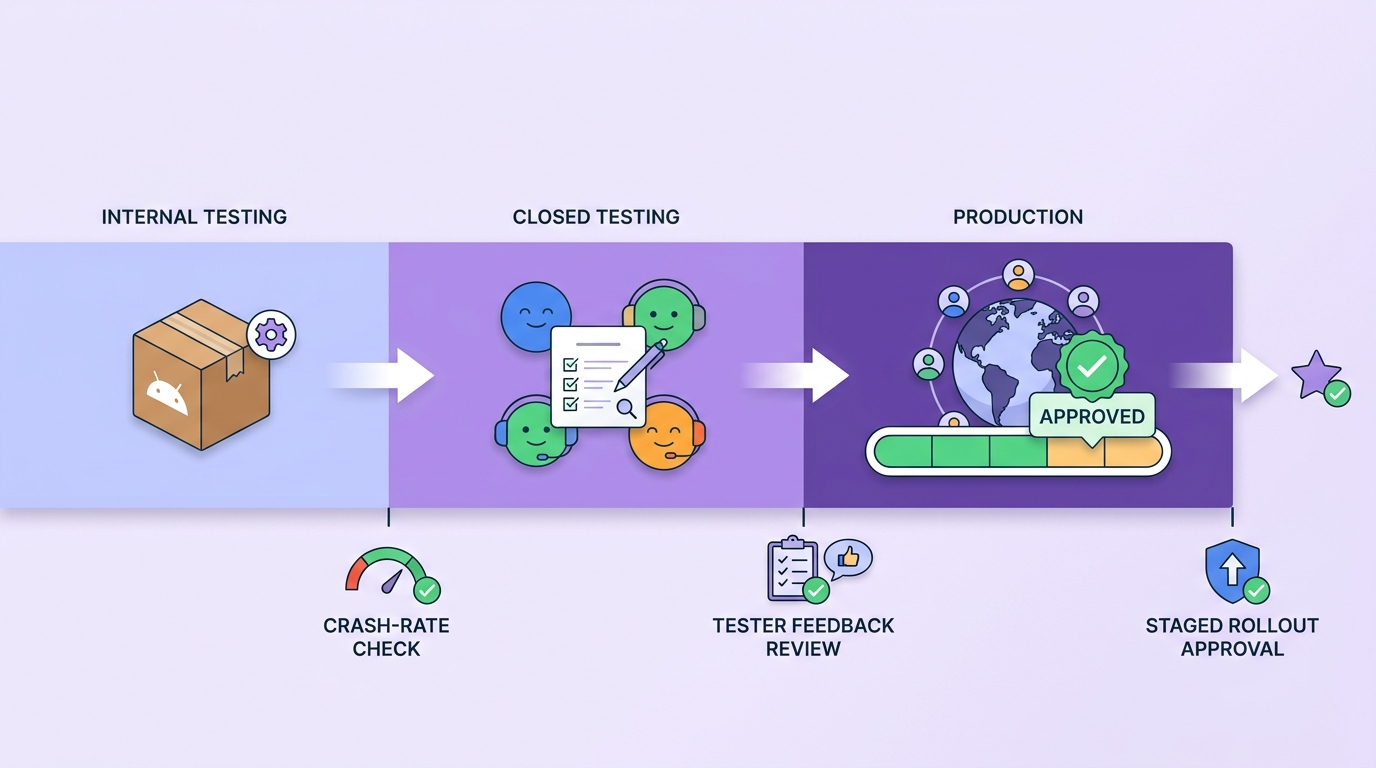
A short timeline that maps the Google Play release path from Internal Testing to Closed Testing to Production, including decision gates such as crash-rate check, tester feedback review, and staged rollout approval.
Internal Testing: prove the build is deployable
Focus on installability, launch, upgrades, and your 2 to 3 core flows. Keep the checklist repeatable so you do not spend hours debating subjective feedback on every build.
Closed Testing: prove stability in real hands
Promote when your release candidate is better than the previous one, not just "different." A simple decision rule teams use:
Go to Closed Testing when... Why it matters Crash rate and ANR rate are below your internal target and trending down vs the prior RC in Android vitals Avoids burning tester time on basic stability Critical path flows pass on a defined device and OS mix (for example: top 5 devices, latest 3 Android versions) Catches fragmentation and OEM edge cases Backend and feature-flag config matches intended launch Prevents "works in testing, fails in prod-like config" If your account is subject to a 12 testers for 14 consecutive days constraint, treat it as a schedule dependency and start recruitment early. Also plan for tester churn and reminders, because participation tends to decay after the first few days.
Production: ship with control
Use staged rollout and monitoring. Plan support coverage for the first 24 to 72 hours, because that is when device-specific crashes, billing edge cases, and policy-sensitive paths tend to surface at scale.
Common pitfalls and failure modes (plan for these)
- Review and policy delays: reviews can take longer during peak periods, after sensitive permission changes, or if metadata raises flags. Keep a buffer in the schedule and avoid last-minute store listing changes when possible.
- Device-specific regressions: an update can be fine on your internal fleet but fail on a popular OEM skin or older WebView. Define a minimum device and OS matrix before you claim "ready."
- Tester churn and low-quality reports: opt-outs, inactivity, and vague feedback can stall Closed Testing. Over-recruit, provide a short script, and require reproducible details.
- Config mismatch: signing, billing, analytics, feature flags, and backend environments can diverge between tracks. Make "production-like config" an explicit release criterion.
Froxi Release Path Review
A focused review of your current Play track setup, likely gating and review dependencies, and a realistic timeline model. Expect 2 to 5 business days end-to-end once you share Console access (read-only is fine), your release notes, and your current tester plan.
Assess your release path
FAQ
Is Internal Testing enough before going to Production?
Why do some accounts need Closed Testing with 12 testers for 14 days?
What can cause Closed Testing timelines to slip in practice?
How should teams choose between Closed Testing and Production for a launch?
What is a quick but realistic path to ship without taking on unnecessary risk?
> A practical sequencing plan for Internal, Closed, and Production tailored to your account constraints, release cadence, and support capacity. You will need to provide your current release checklist, target launch date, and top device markets; delivery is typically 1 to 2 weeks depending on stakeholder availability and how quickly we can validate assumptions in Console.
> [Get a rollout plan](#)