
If your iOS app uses Firebase Analytics, the hardest part of App Store submission is rarely adding the SDK. It is declaring the right data in Apple’s privacy labels without overclaiming or missing something that triggers review questions. Teams get stuck because Firebase collection varies by module, settings, and adjacent tooling, while Apple’s form asks in broad categories like Identifiers, Usage Data, and Diagnostics. By the end of this guide, you will have a repeatable audit workflow you can typically run in a half day the first time, with faster refreshes later if nothing material changed, but timing varies with targets, consent and ATT complexity, and server-side toggles.
Firebase App Privacy: What to Declare Before Publishing goes deeper on the ideas above and adds concrete next steps.
What does Firebase Analytics collect for Apple privacy labels?
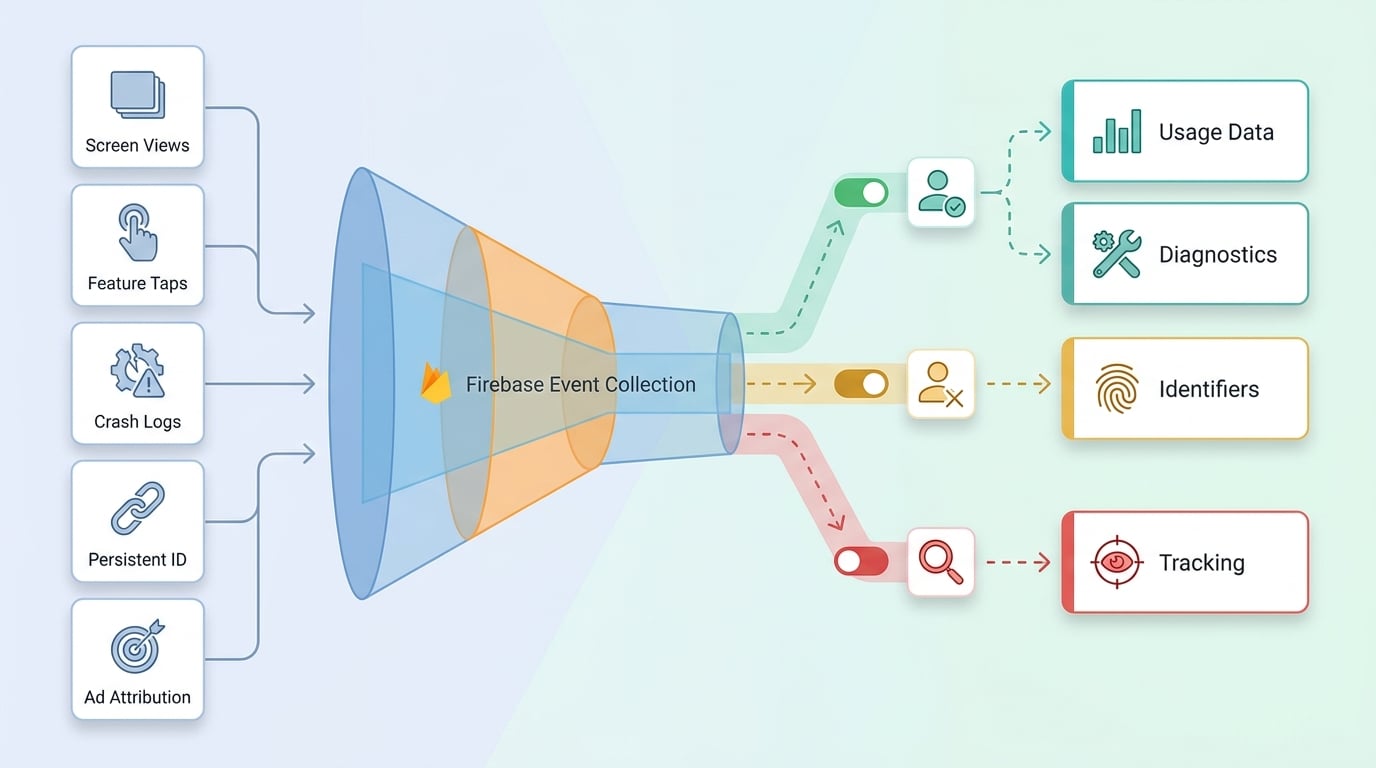
A step-flow diagram showing the path from Firebase event collection to Apple privacy label selection, with branches for consent-gated analytics, user-linked data, and tracking-related disclosures. It reinforces how the App Store decision is made from actual data flow.
| Firebase Analytics behavior in the shipped app | Likely App Store privacy label areas to review | What changes the classification |
|---|---|---|
| Anonymous event logging (screen views, feature taps) | Usage Data (Product Interaction), Diagnostics (if errors are logged) | Attaching a persistent ID, or adding account-linked parameters |
| Collecting a persistent identifier (instance ID, device identifier) | Identifiers | Whether it is linked to an account or profile |
| Attribution or ad-related identifiers/signals | Identifiers, and potentially Tracking | Use across apps/sites, or sharing/linking with third parties for ad purposes |
Explanation: This table maps observable shipped behaviors to the Apple label areas you should validate in App Store Connect.
Interpretation: Confirm which left-column behaviors occur in your release build, then focus review on only the matching Apple categories and purposes.
Impact: This reduces label rework when a single change (user_id, consent timing, attribution toggles) shifts your disclosure, but the mapping is directional and still depends on your exact modules and Apple definitions at submission time (Firebase, Apple).
Operational detail: capture and record these two yes/no checks for the release build: user_id set? and analytics pre-consent? (plus when they flip to yes).
When you move from outline to execution, App Store Privacy Nutrition Labels Explained Simply helps close common gaps teams hit here.
How does Apple decide what to declare?
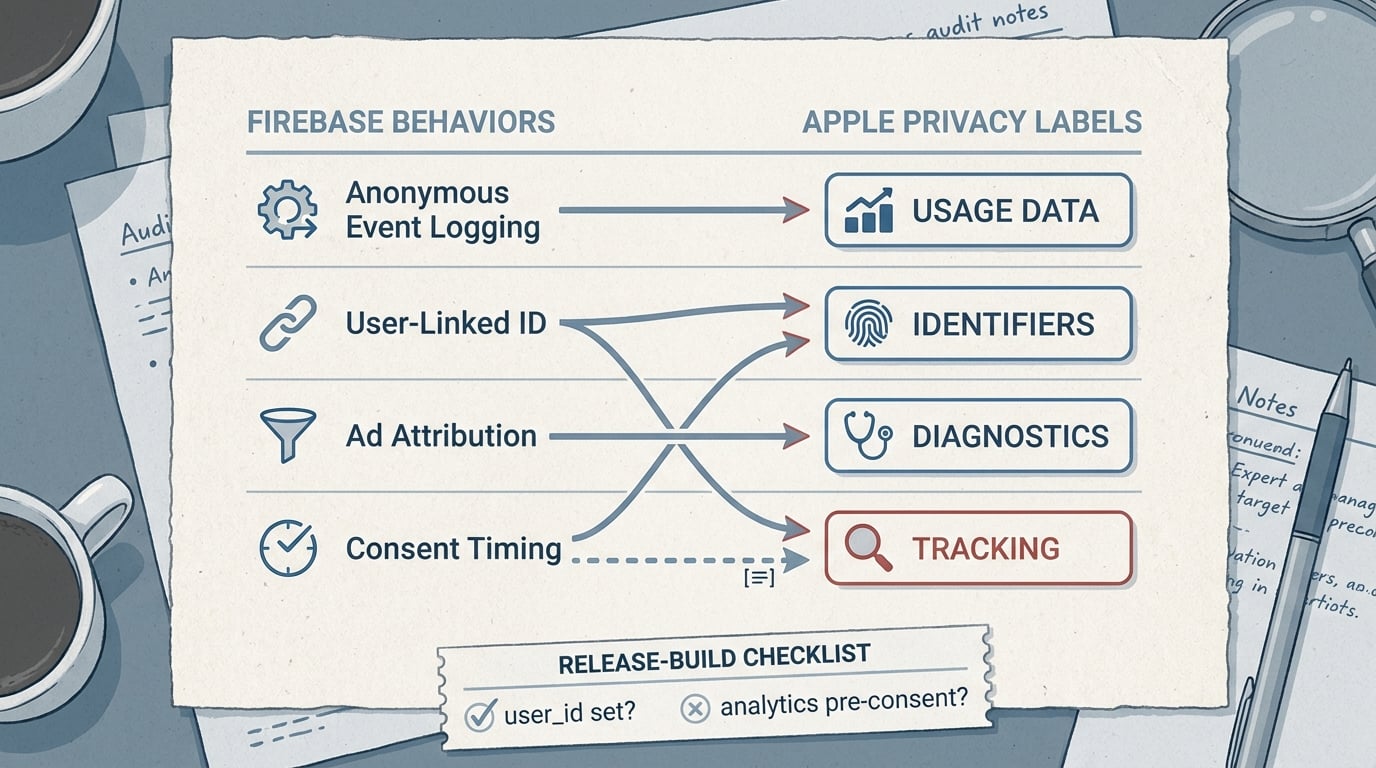
A compact comparison table that maps common Firebase Analytics behaviors such as anonymous event logging, user-linked IDs, and ad-related attribution to the Apple privacy label categories they may trigger. Designed to make the declaration decision visible at a glance.
If Firebase Analytics is enabled, the question is not "do we use analytics?" It is "what does our shipped build collect and how is it used?" Firebase can log events and attach device and app context that may land in Apple buckets like Identifiers, Usage Data, and Diagnostics depending on configuration and other SDKs (Firebase).
Apple’s form effectively asks three things: data types, whether data is linked to the user, and whether it is used for tracking as Apple defines it (Apple). One thing worth noting: some changes can happen without a code diff (for example, Firebase console settings), so "same app code" does not always mean "same collection."
Audit workflow starter
Run a build-level data-flow check, then declare only what you collect and how you use it.
Start the data-flow check
A complementary angle worth comparing lives in IDFA, Analytics, and App Privacy: What to Declare.
Audit workflow: get to defensible answers fast
Inventory what you actually ship
Start from the release target and the exact configuration you submit. List Firebase products in use (Analytics, Crashlytics, Messaging, Remote Config, A/B Testing) plus ad/attribution dependencies (AdMob, Google Ads, SKAdNetwork tooling, MMPs).
Effort note: 20-60 minutes for a single target with clean dependency management; longer if you have multiple targets, white-label builds, or mixed SPM and CocoaPods.
Verify when collection begins and what gates exist
Record whether Analytics starts on first launch, after consent, after ATT, or only after login. Confirm the gate in a real release build, because a common failure mode is analytics initializing before the user makes a choice.
Tradeoff: gating can reduce what you collect and may simplify disclosures, but it can also reduce measurement fidelity and adds QA surface area, especially when onboarding flows change.
Capture what actually leaves the device (one concrete session)
Run a short test session (first launch, onboarding, one key feature, logout) and observe traffic with Proxyman or Charles Proxy. Focus on what you can reliably confirm: whether identifiers appear, whether user-linked fields are present, and whether attribution signals show up.
Keep a simple capture checklist for the release build:
user_id set?yes/no, and at what step (pre-consent, post-consent, post-login)analytics pre-consent?yes/noattribution or ad signals enabled?yes/no (based on your config and observed calls)
Dependency caveat: some telemetry can be encrypted or hard to interpret, and dev and prod behavior can differ. If visibility is limited, rely on Firebase’s module guidance and document your reasoning rather than guessing (Firebase).
Decide "linked to you" and "tracking" using explicit triggers
Apple’s key forks are linkage and tracking. "Linked to you" becomes more likely when you attach a persistent identifier to events (for example, a stable user_id after sign-in) or tie analytics to an account profile.
Tracking is not only "uses IDFA." It is about linking user or device data with third-party data for advertising, or sharing data for cross-company targeting as Apple defines it (Apple). If your attribution stack involves additional parties, the practical dependency is whether any data is shared or used beyond your app’s own analytics purposes.
Map to App Store Connect and store a release note
Select only the data types you actually collect and the purposes that match your use. Then store a short "privacy label decision note" in your repo or release checklist:
- Firebase modules and versions (or lockfile hash)
- Consent and ATT behavior (when analytics starts)
user_idpolicy (never set, set after login, etc.)- Attribution and IDFA status (and who receives data)
- Date of last capture and test scenario
Effort note: once you have evidence, mapping is often 30-60 minutes; re-checks can be 30-90 minutes if nothing changed, but plan longer when you add SDKs, modify consent flows, change targets, or adjust server-side toggles.
What are the most common Firebase privacy label mistakes?
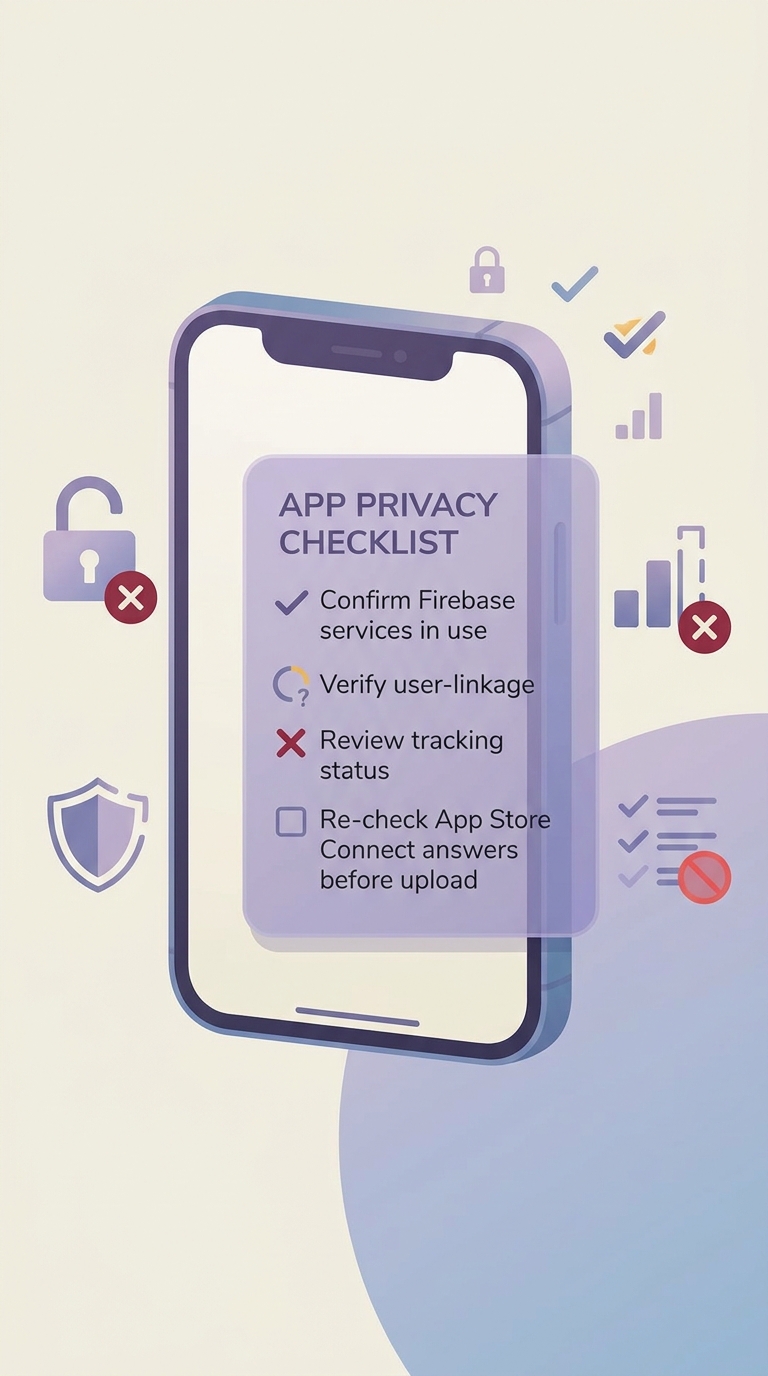
Screenshot placeholder for a real example that shows where Firebase privacy labels are commonly misapplied or omitted.
Treating "Firebase Analytics" as a single fixed answer
The SDK name does not decide your label; shipped behavior does. Adding user_id, account attributes, or persistent identifiers can move answers toward "linked to you" (Apple, Firebase).
Missing the "we added attribution" moment
Label drift often happens after launch: enabling ad features, adding an MMP, or changing SKAdNetwork or ATT behavior. Use a release trigger to re-check labels when you change consent flows, add SDKs, or modify event schemas.
Assuming review outcomes are guaranteed
Even with careful labels, App Review can ask questions, especially if disclosures look inconsistent with app behavior. Build in 1-3 business days of buffer for back-and-forth, and keep your evidence ready (module list, capture notes, consent behavior).
Operational risk note: your process depends on consent implementation quality, attribution toggles, and linked Google products. If any of those change outside your iOS repo (for example, Firebase console settings), your label can become stale without a code change.
Need a second set of eyes before you submit?
Share your Firebase module list and your consent and IDFA setup to get a reusable label mapping checklist.
Request a review checklist


