Most teams ship Firebase for analytics, crash reporting, or push notifications, then get surprised at submission time by store privacy forms that ask questions they cannot answer with confidence. The hard part is not writing a generic Firebase privacy policy, it is mapping the specific Firebase SDKs in your build to the data types, linkage, and tracking declarations Apple and Google expect, including iOS privacy manifests like PrivacyInfo.xcprivacy.
| Firebase product | Common declaration triggers (directional) | Store form friction point |
|---|---|---|
| Analytics | identifiers, app interactions, device info | "linked to user?" and "used for tracking?" |
| Crashlytics | diagnostics, crash data, device state | "collected" even without explicit user accounts |
| Cloud Messaging | push token, delivery metadata | "data collected" vs "processed transiently" |
| Remote Config | config fetches, experiment exposure | "collected" depends on implementation |
Explanation: This table is a starting map between common Firebase modules and the questions reviewers ask. Exact answers still depend on SDK version, your configuration, transitive dependencies, and whether collection happens before consent (Firebase iOS, Firebase Android).
Interpretation: Teams rarely get blocked because "Firebase is bad." They get blocked because they cannot show what is in the shipped binary, what it collects in practice, and whether it is linked to a user or used for tracking.
Reader impact: Plan a 1-3 hour pre-submission audit the first time (often split between engineering and whoever owns privacy copy). It will not guarantee approval, but it often cuts last-minute store form edits and gives you artifacts to answer reviewer questions quickly. How to verify: confirm a push token or analytics event only appears in your logs after consent, not on first launch.
Does Your App Need a Privacy Policy? (Yes - Here's Why) goes deeper on the ideas above and adds concrete next steps.
What Firebase data do you need to declare before publishing?
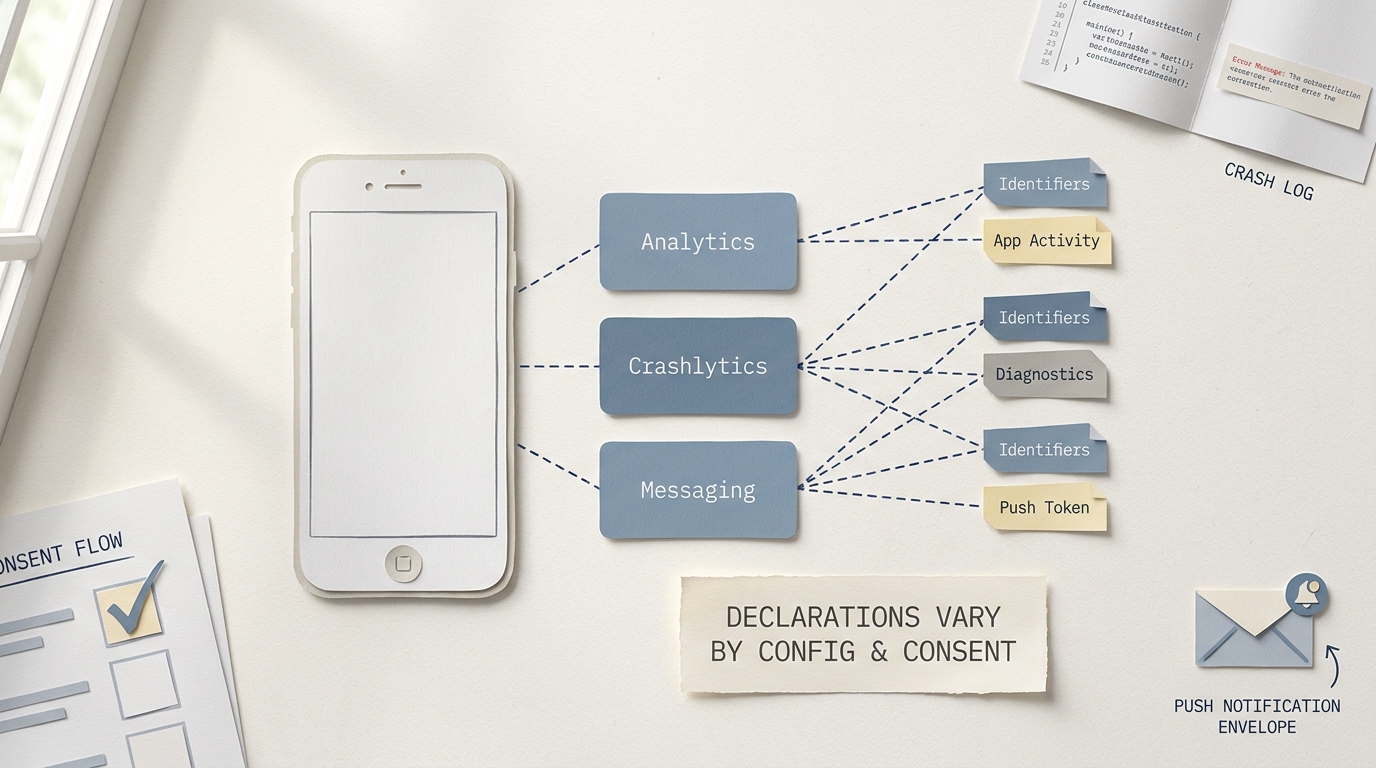
A compact evidence block showing Firebase Analytics, Crashlytics, and Messaging mapped to the most likely store disclosure categories such as identifiers, diagnostics, and app activity, with a clear note that actual answers depend on configuration and consent flow.
Your job is to translate the Firebase SDKs actually shipped in your build into App Store privacy labels, iOS privacy manifest expectations, and Google Play Data safety answers. This is operational guidance, not legal advice, and it will not replace a full GDPR or CCPA program.
Disclosure is conditional. It varies by Firebase product, SDK version, consent setup, and whether data is linked to a user or used for tracking as described in Firebase’s store disclosure guides (Firebase iOS, Firebase Android, Firebase privacy).
One thing worth noting: reviewer interpretation can vary, and timing matters. If your listing says "not collected" but your release build initializes an SDK before consent, you may get follow-up questions even if the data feels low risk.
When you move from outline to execution, The Privacy Policy Page That Prevents Rejections helps close common gaps teams hit here.
Which Firebase signals affect App Store and Google Play disclosures?
Stores do not ask "which SDK do you use?" They ask what data is collected, whether it is linked, and whether it is used for tracking.
| Firebase product | Common signals (directional) | Typical store buckets | Practical constraint |
|---|---|---|---|
| Analytics | app interactions, device identifiers, usage events | app activity, identifiers, device info | linkage can change once you set user IDs or tie to login state |
| Crashlytics | crash logs, stack traces, device state | diagnostics | release builds must match what you tested; debug behavior can differ |
| Cloud Messaging | push token, delivery metadata | device or app info, identifiers | push token is often treated as an identifier |
| Authentication | account identifiers, login metadata | personal info, identifiers | inherently user-linked by design |
| Performance Monitoring | network timing, app performance | diagnostics, device or app info | collection can start at first launch depending on configuration |
| Remote Config | config fetches, variant exposure | app activity (limited) | depends on targeting rules and what you log downstream |
Tradeoff: adding more Firebase modules can speed up debugging and product learning, but it increases the number of data categories you must track and keep synchronized across releases.
Common evidence gaps that create launch risk:
- No release-ready SDK inventory (teams rely on "we think we added Analytics").
- iOS and Android drift, or a transitive dependency pulls in something unexpected.
- Consent gating is leaky (events fire before consent, or there is a first-launch race).
- Remote config can enable logging or experiments post-review without anyone revisiting disclosures.
- A version upgrade changes default behavior or manifest availability.
The practical takeaway: you want proof that your answers match the shipped app, not just the intended architecture.
A complementary angle worth comparing lives in Top 5 Privacy Policy Generators for Mobile Apps.
How do you declare Firebase privacy before publishing?
Expect 1-3 hours the first time, and 15-45 minutes on later releases if your SDK mix stays stable. Plan on at least one engineer plus one owner for privacy copy or compliance review, and budget extra time if legal review or a release train cutoff is involved.
Inventory every Firebase SDK in the actual release build
Do this per platform and per flavor. Internal builds do not always match what you submit, and build systems can include transitive dependencies you did not explicitly add.
Practical checks:
- iOS: verify the exact archive you will upload, not just SPM/CocoaPods config. Quick spot check: unzip the
.ipaand search forPrivacyInfo.xcprivacyfiles to see what actually shipped. - Android: run
./gradlew :app:dependencies(or the relevant module) and capture the Firebase artifacts included.
Measurable check: attach the dependency tree output (or a saved artifact) to the release ticket so you can point to "this build contained these SDKs" if questions come up later.
- iOS: verify the exact archive you will upload, not just SPM/CocoaPods config. Quick spot check: unzip the
Map installed modules to draft store answers (then record decisions)
Create a simple matrix you can review with product and legal. Use Firebase’s disclosure pages as baseline evidence, then adjust for your implementation details (Firebase iOS, Firebase Android).
Installed module (example) Decisions to record What to double-check Firebase Analytics collected? linked? tracking? do you set user IDs, logins, or share with ad tech Crashlytics collected? linked? do crash reports include identifiers in your app context Messaging collected? linked? push token handling and whether it is tied to accounts Auth collected? linked? account model and any optional fields you collect Performance collected? start timing? does it initialize before consent Acceptance criterion: every included module has an explicit, written decision for collected, linked, and tracking (even if "not applicable"), plus who approved it and for which app version.
Validate iOS privacy manifest expectations in the shipped archive
Apple may require a
PrivacyInfo.xcprivacyfor your app and included SDKs, and missing or outdated manifests are a common source of review questions (Apple).Dependencies and failure modes to plan for:
- SDK version drift: a Firebase upgrade can add, remove, or change manifests.
- Build packaging: the manifest can exist in source but fail to land in the final app bundle if the integration is off.
Measurable check: confirm
PrivacyInfo.xcprivacyis present in the final.ipa(or Xcode archive) you upload, not just in your repo.Pressure-test consent timing and linkage in a clean install
If you claim collection is optional or not linked, verify it in a real first-run path. This can take 30-60 minutes if you already have a test plan, longer if you need to add logging or rebuild.
Minimal test plan:
- Fresh install, launch offline then online, and observe what initializes before consent.
- Verify whether analytics events or crash reporting initialize pre-consent.
- Confirm whether you set user IDs or attach account identifiers after login.
Common failure mode: analytics fires on first launch due to early initialization or a consent race condition, while your store answers say it does not.
Build a release-ready privacy audit now
Export a Firebase-to-disclosure matrix, validate the iOS privacy manifest in the shipped archive, and re-check store answers before your submission window.
Start the audit
For tradeoffs, checklists, and edge cases, Writing a Privacy Policy That Actually Passes App Store Review rounds out this section.
What this means for launch risk and operations
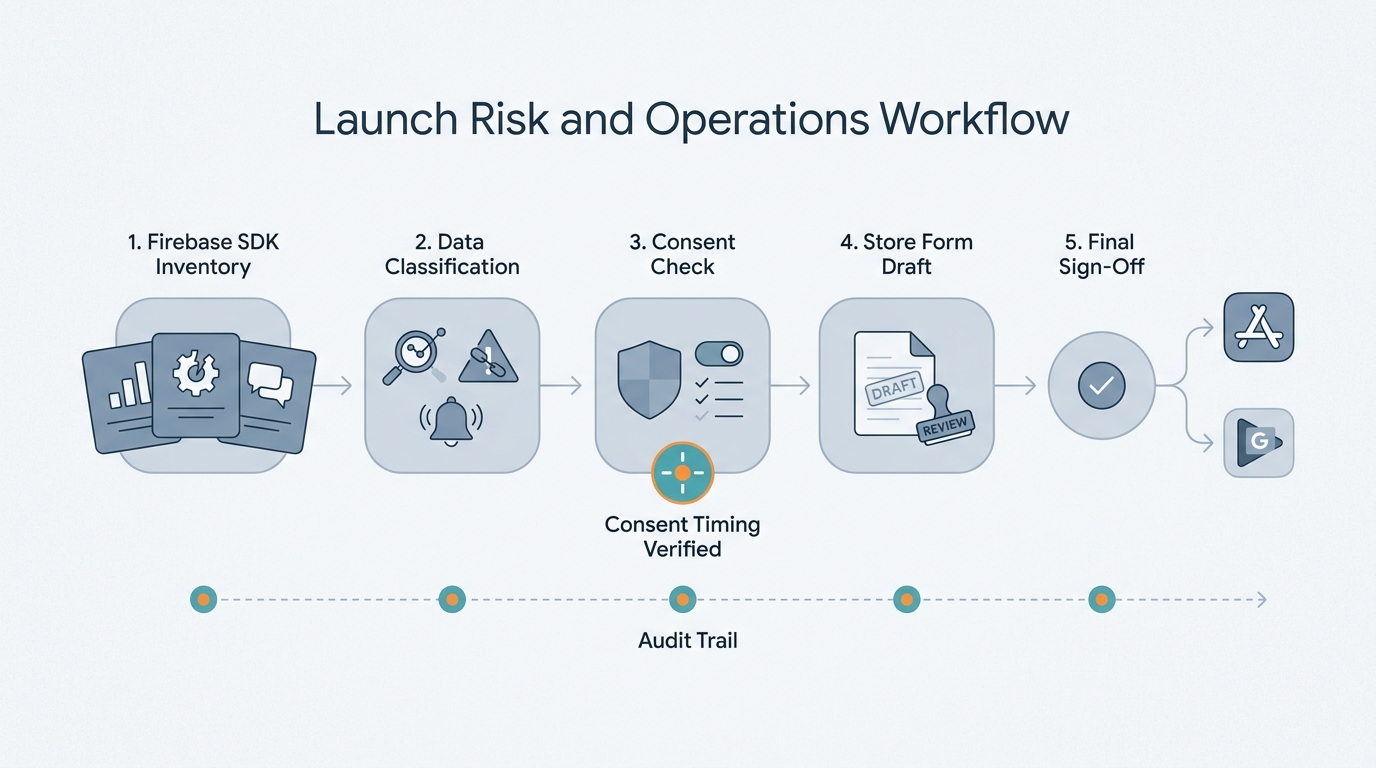
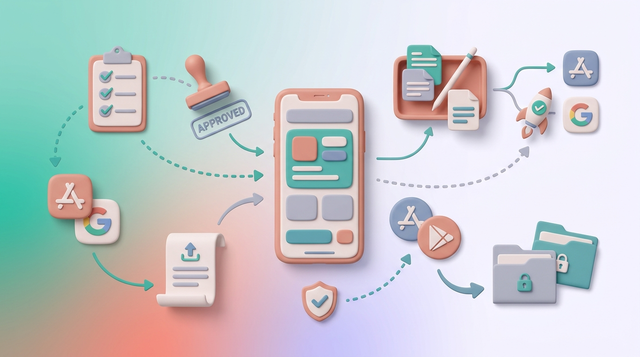
A simple launch workflow diagram showing Firebase SDK inventory, data classification, consent check, store form draft, and final sign-off before App Store Connect and Google Play Console submission.
Category: Quality
Statistic: 21%
Label: Rework before review
Context: Dropped with clearer briefs
Category: Operations
Statistic: 51%
Label: Cycle-time reduction
Context: After standardizing release prep
Category: Capacity
Statistic: 5.4x
Label: Review throughput
Context: Per reviewer per week
When your Firebase inventory, privacy policy, App Store labels, and Google Play Data safety answers align, reviews are often smoother, but you should still plan for questions. In practice, delays usually come from mismatched binaries, unclear consent behavior, or waiting on approvals when you are already in the submission window.
Operationally, the cost is ongoing: new Firebase modules, config changes, SDK upgrades, or consent flow edits can invalidate last release’s answers. Treat this like release engineering hygiene, and assume it will take longer during quarters when you also change onboarding, tracking, or authentication.
Common mistakes to catch early:
- Copying a generic label without verifying what is in this specific build.
- Enabling features post-launch (or via remote config) without re-checking disclosures.
- Assuming "diagnostics only" means "no identifiers" without checking linkage in your app.
- Forgetting that reviewer behavior and enforcement can change between releases.
Want a lightweight checklist you can reuse each release?
I can share a one-page audit template (SDK inventory, consent checks, and manifest validation) you can drop into your release process.
Get the checklist
App Privacy Policy Generator - What You Need Before App Store Submission reframes the same problem with a slightly different lens - useful before you finalize.