
Publishing a Bubble web app as native iOS and Android apps requires wrapping your production URL, producing signed platform builds, and validating reviewer flows; expect about 2-5 focused working days for a straightforward publish, plus store review time. This guide gives product owners and technical founders a practical checklist with realistic effort estimates, common failure modes, and what to test before public release.
| Task | Typical effort (focused work) | Practical interpretation |
|---|---|---|
| Wrapper setup | 1-3 days | Configure a wrapper service or Capacitor project, prepare icons/splash, and validate mobile WebView settings and CORS/login behavior. |
| Build and sign | 0.5-1 day | Produce a signed IPA and AAB, or longer if you need CI, re-signing, or key recovery. |
| Store review | Apple 1-3 days, Play hours-48 hours | Reviews vary; budget extra days for rejections, follow-ups, or policy questions. |
Explanation: these are typical times for an experienced engineer or an external consultant; expect more time if your team is new to provisioning, native plugins, or CI pipelines. Interpretation: plan calendar buffers, not just heads-down hours. Business impact: accurate scheduling reduces release slippage and avoids rushed fixes that trigger more review cycles.
How do I prepare, build, and upload a Bubble app for iOS and Android?
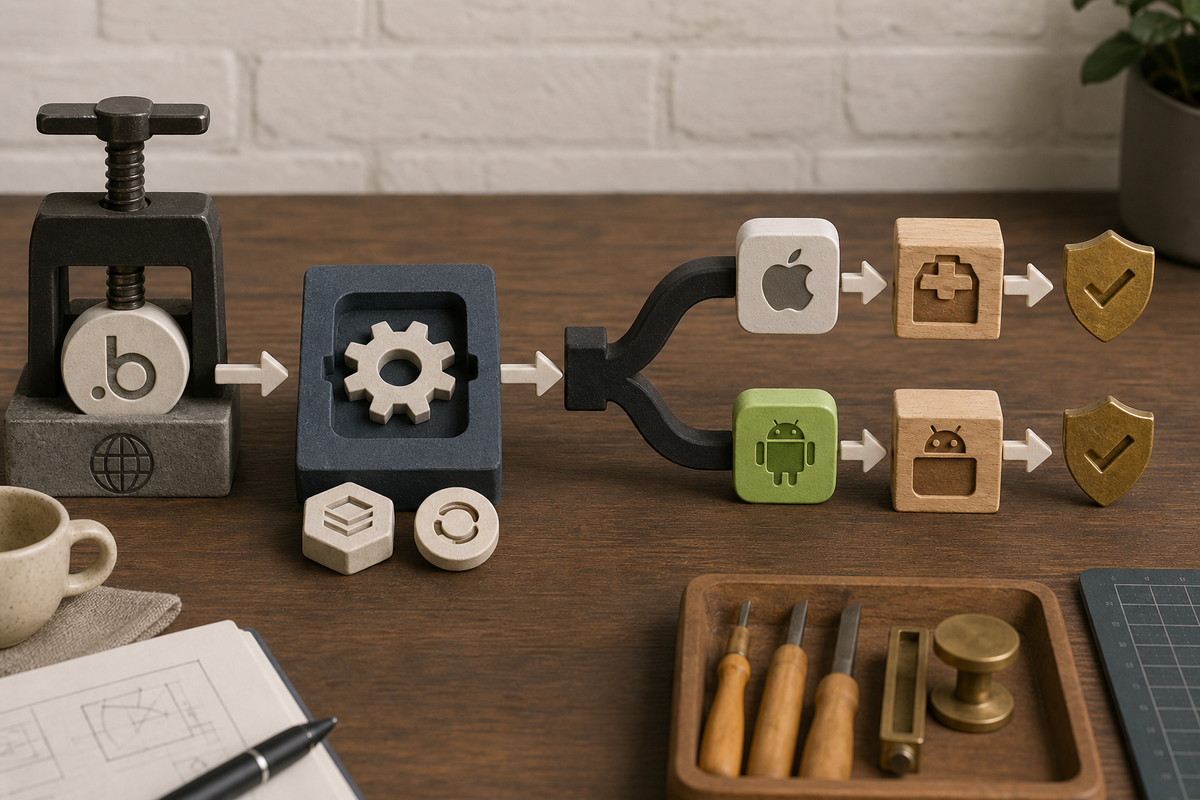
A process diagram that maps: Bubble web app (production URL) → native wrapper configuration (BDK/Capacitor) → platform-specific build branches (Xcode archive for iOS; Gradle/AAB for Android) → signing (provisioning cert / keystore) → upload to TestFlight and Play Console.
Use this ordered checklist to produce signed iOS and Android builds and upload them to TestFlight and Play internal testing. Following the sequence reduces signing, environment, and reviewer-access mismatches that commonly cause rejections.
Prerequisites you must have before building
- Apple Developer membership with an explicit Bundle ID and account admin or team access.
- Google Play Console account and an upload keystore or intent to use Play App Signing.
- Bubble production readiness: responsive mobile layout, HTTPS production URL, privacy policy URL, demo credentials for reviewers, and production API keys.
What this means: missing any item typically adds 1-3 days to the schedule and can cause immediate review failures. One thing worth noting: admin access and key ownership take time to transfer if you work with contractors.
Build and sign: concrete numbered build steps for iOS and Android
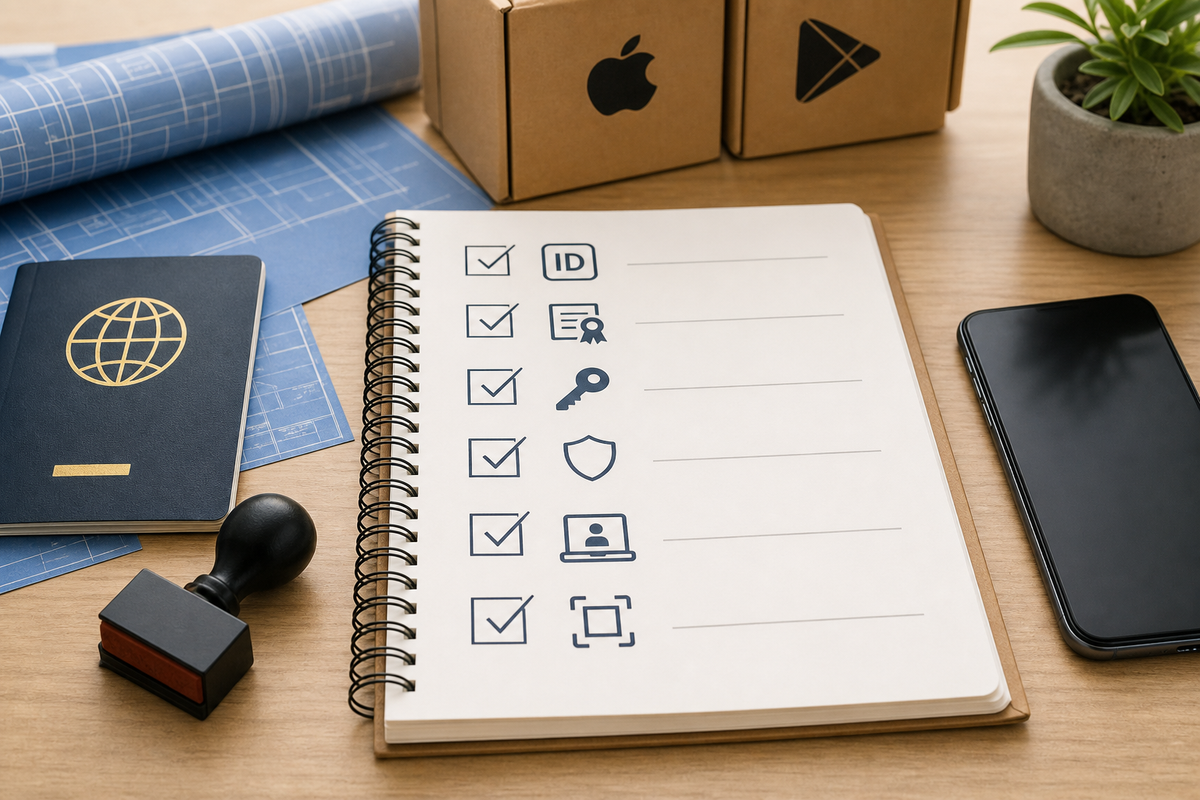
Compact checklist block focused on publish preflight items: explicit Bundle ID, provisioning and distribution certs, upload keystore, privacy policy URL, demo account credentials, screenshot sizes for iOS/Android, push notification keys, and IAP setup if used.
Category: Setup
Statistic: 1 - 3 days
Label: Wrapper setup
Context: Budget extra time for config, icons, and device testing
Category: Build
Statistic: 0.5 - 1 day
Label: Build & sign
Context: Fast when accounts/certs are ready; slower if setup is missing
Category: Review
Statistic: iOS 1 - 3 days; Play hrs - 4
Label: Store review time
Context: Plan buffer for rejections, metadata fixes, and resubmissions
Export Bubble as a production web build
Confirm the production domain, walk through reviewer flows in a mobile browser, and optimize images and caching.
Choose and configure a wrapper
Pick a wrapper service for speed or Capacitor/React Native WebView for more control; configure the production URL, WebView options, cookie handling, and Content Security Policy.
Prepare platform identifiers and certificates
Create an explicit iOS Bundle ID, generate distribution certificates and provisioning profiles, and for Android set a unique applicationId and an upload keystore or opt into Play App Signing.
Build platform artifacts
Produce an Xcode archive and export a signed IPA for iOS. Build a signed AAB for Android with your upload key. If using CI, allocate extra setup time (half a day to a couple of days depending on familiarity).
Upload to testing tracks
Upload the IPA to App Store Connect (TestFlight) and the AAB to Play Console internal/closed testing. Provide demo credentials and concise reviewer notes that include steps to reproduce key flows.
The practical takeaway: expect 1-3 days for wrapper and config work and 0.5-1 day for builds when configs are correct; add 2-5 days for native plugins, CI, or key recovery.
Validation checkpoint before public release
Validate core flows in TestFlight and Play internal testing: authentication, payments, API calls, offline behavior, deep links, and push notifications. Configure APNs for iOS and Firebase Cloud Messaging for Android and send test pushes. Confirm privacy policy is reachable and permission prompts are explained. The implication: fixing issues after submission costs additional review cycles and calendar days.
When you move from outline to execution, How to Publish an Adalo App to App Store and Google Play helps close common gaps teams hit here.
What common mistakes cause Bubble app rejections and how do I prevent them?
Most store rejections stem from signing errors, inaccessible reviewer accounts, or metadata gaps; proactively check those items to avoid rework. The practical tradeoff is spending 1-3 hours on reviewer docs and config now to save multiple days later.
Signing & provisioning anti-patterns
Wildcard App IDs, expired certificates, or mismatched keystores are frequent blockers. Prevent them by using explicit bundle IDs, validating certificate expiry, and confirming keystore aliases/passwords. Risk: losing an upload key can take days to resolve with Play support.
Store listing and review failures that block approval
Missing privacy policy, reviewer login barriers, incorrect permission declarations, or untested native features cause the majority of rejections. Prepare a working demo account, step-by-step reviewer notes, and explicit justifications for permissions. The tradeoff: extra prep time gives higher chance of one-pass approval.
Final preflight checklist
- Explicit Bundle ID and Apple provisioning profile.
- Upload keystore or Play App Signing enrollment.
- Privacy policy URL and sample reviewer account.
- Platform screenshots and concise reviewer notes.
- APNs and FCM keys configured and tested.
- IAP products prepared if you use in-app purchases.
In practice, add this checklist to your ticketing system and run a dry build before submission; a 30-90 minute preflight tends to avoid common issues.
A complementary angle worth comparing lives in How to Publish Your Bubble Mobile App: Launch Without Review Loops.


