
If your iOS app uses analytics SDKs, event tracking, or touches IDFA anywhere in the stack, the hardest part is not implementation - it is declaring the right things in App Store Connect so Apple review, your privacy label, and your ATT prompt all tell the same story. Teams get tripped up when a vendor calls something "analytics" but Apple interprets it as "tracking," or when an SDK update quietly changes identifier behavior and creates a mismatch that slows release. In practice, you want a repeatable audit that maps what your app actually collects and links to how it is used, then turns that into precise declarations you can explain during review. By the end, you will have a practical workflow to verify IDFA and analytics behavior, choose defensible disclosures, and lower the odds of review back-and-forth while keeping measurement expectations realistic.
The Privacy Policy URL Trap: What It Must Include to Pass Review goes deeper on the ideas above and adds concrete next steps.
What does Apple review look for in IDFA and analytics disclosures?
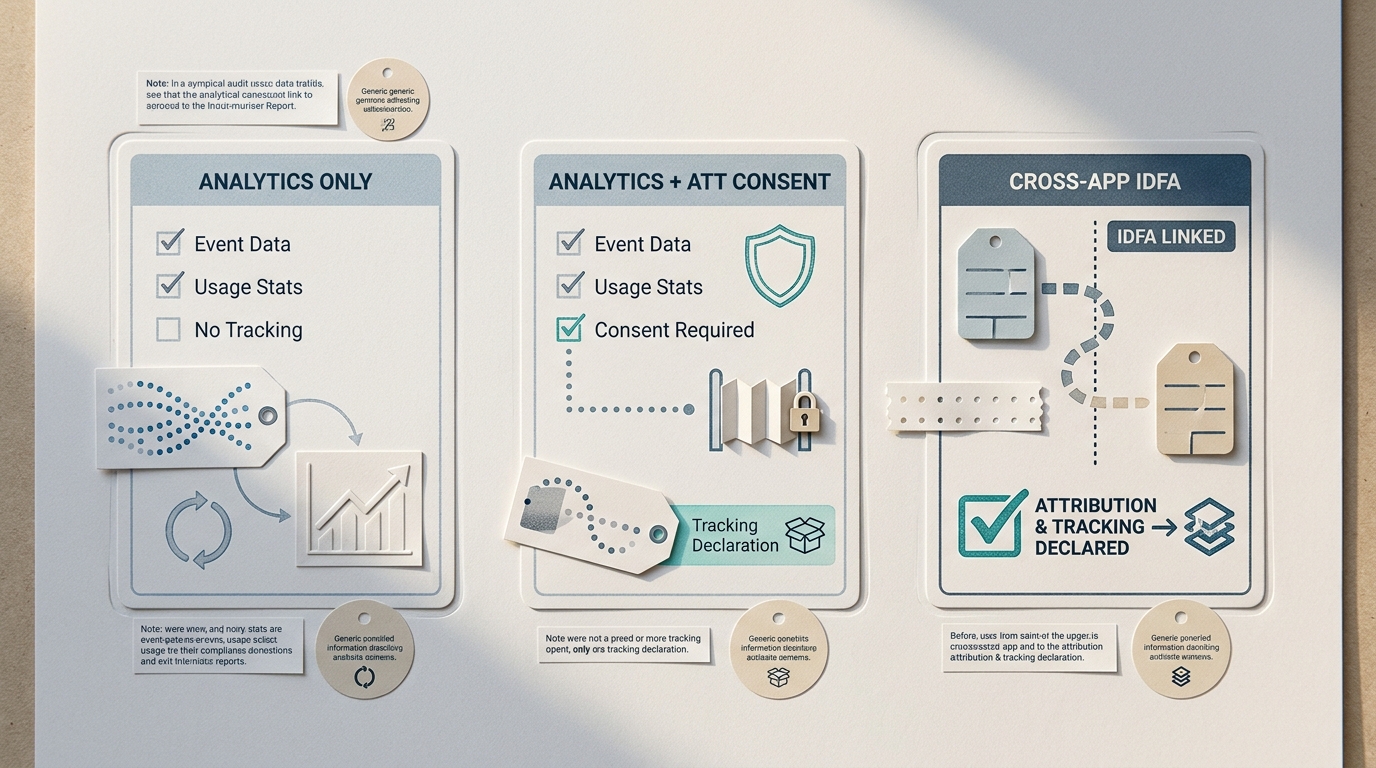
A compact comparison card showing three app setups: analytics-only, analytics plus ATT-gated tracking, and cross-app attribution using IDFA. The visual highlights which declaration area changes in App Store Connect for each setup.
A quick declaration matrix you can sanity-check
| App behavior | Typical IDFA / ATT posture | What to align in App Store Connect |
|---|---|---|
| Product analytics only (events, crashes), no cross-app tracking | No IDFA required; ATT usually not needed | Privacy Details should match actual data collected and its purpose (often Analytics) |
| Attribution or retargeting using IDFA | IDFA access requires ATT prompt when tracking applies | Declare Tracking where applicable and ensure disclosures match SDK behavior (App Privacy Details, User Privacy and Data Use) |
| Mixed stack: analytics plus ad measurement SDK | Higher risk of accidental identifier collection | Inventory SDKs and map each to declared purposes before review to reduce delays |
Proof signals you can verify (observed vs inferred):
| Proof signal | How to check (practical) | Observed or inferred | Why it matters |
|---|---|---|---|
AdSupport.framework is linked in the release build | Inspect the built app binary (release IPA) for linked frameworks | Observed | Indicates IDFA access may be possible and should trigger deeper review |
ATTrackingManager is referenced and the ATT prompt appears on a specific flow | Search symbols/strings; run the app and confirm the prompt appears only on intended screens | Observed | Risk rises if ATT appears without a clear tracking use case, or appears too early |
| Network requests to known ad/attribution domains occur during onboarding or session start | Use Proxyman/Charles on a test device and record calls on key paths | Observed | A fast way to spot third-party sharing that can change Privacy Details and tracking posture |
- Explanation: these are concrete, checkable signals from the shipping build and runtime traffic that reviewers often probe when disclosures and behavior do not line up.
- Interpretation: none of these signals alone proves "tracking," but they tell you where to dig (and what to document) before you submit.
- Reader impact: better alignment usually reduces review questions and helps you interpret post-ATT measurement drops without assuming instrumentation is broken.
The signal that usually causes trouble
The common failure is a mismatch: the team declares "analytics only," but an SDK still reads identifiers or routes events for ad measurement. ATT prompts and privacy labels do not replace each other; they answer different questions for users and reviewers (Privacy Nutrition Labels, App Review Guidelines). Even correct declarations can still reduce marketing performance if users decline ATT, so plan for variance rather than expecting stable pre-ATT baselines.
When you move from outline to execution, The Privacy Policy Page That Prevents Rejections helps close common gaps teams hit here.
Why do IDFA and analytics declarations matter before you ship?
Who has to care about this declaration gap
If you ship iOS apps, this is not just a legal checkbox. Product teams updating App Store Connect, engineers integrating ad mediation or attribution SDKs, and analysts relying on Firebase, Amplitude, or downstream pipelines share the same operational dependency: what your SDKs do must match what your store listing says. Apple expects your App Privacy Details and any ATT behavior to reflect real data flows, including identifier access and event tracking (App Privacy Details, User Privacy and Data Use).
The practical takeaway: alignment tends to reduce review delays, avoids trust-eroding prompts, and keeps your measurement story defensible when metrics shift after ATT.
The decision this article resolves
The core decision is whether each data type is collected only for first-party analytics, or used for tracking across apps and websites. That split affects three outcomes: what you declare in App Store privacy details, whether ATT is required for IDFA access, and how you vet third-party SDK defaults that may collect identifiers even when you think you are doing "analytics only." What this means in practice: you need a workflow that turns SDK behavior into a declaration checklist, not a one-time guess.
A complementary angle worth comparing lives in How to Prepare a Fitness App for App Store Privacy Review.
How do you audit IDFA use and analytics collection before submission?
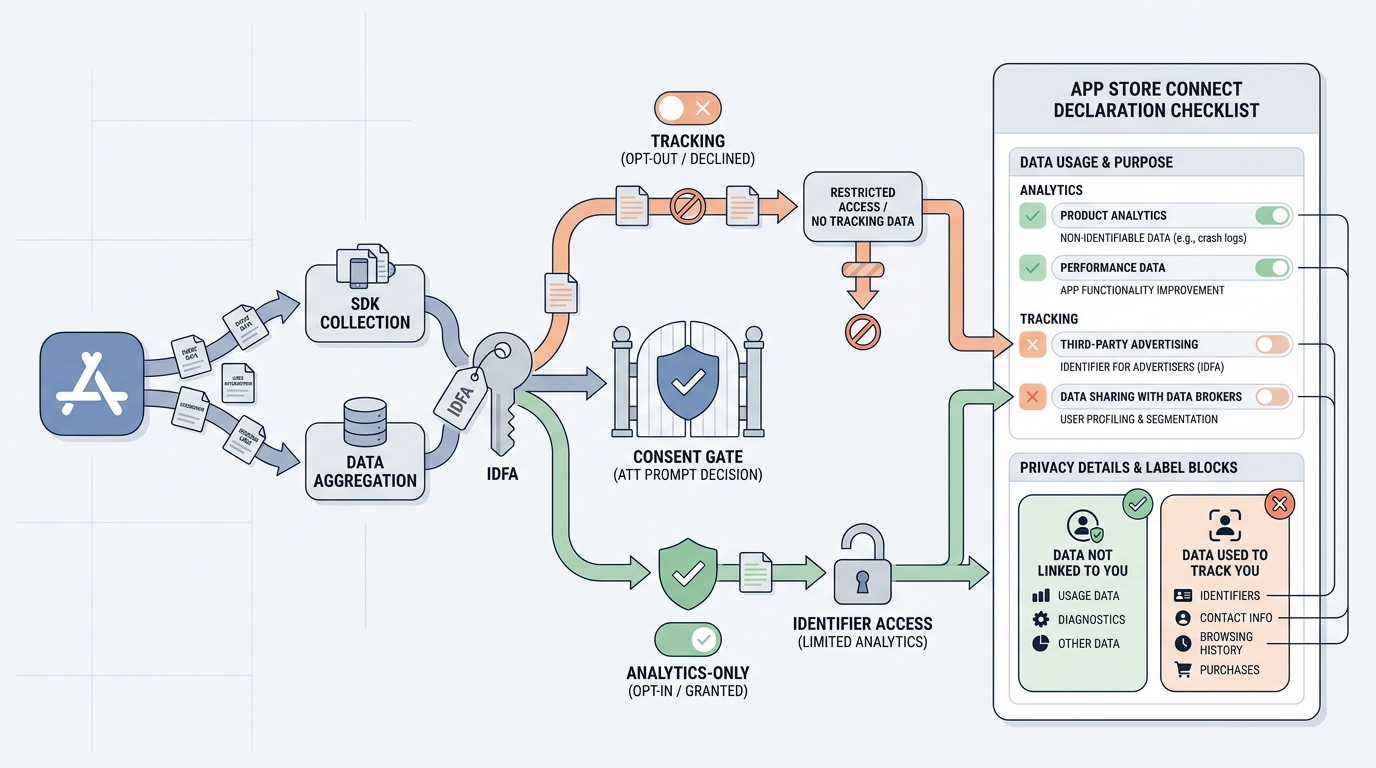
A simple process diagram tracing an app event from SDK collection to identifier access, ATT prompt decision, and App Store Connect declaration fields, showing where teams decide whether the behavior is analytics or tracking.
1. Inventory every SDK and event source
Realistic effort: 0.5-2 days for a first pass, depending on build variants (debug vs release, region builds, ad-enabled SKUs), remote config, and how complete your vendor documentation is.
List every SDK, tag, and server callback
Export dependencies and include manually integrated frameworks. Include analytics, attribution/MMP, ad mediation, crash reporting, A-B testing, push, payments, and support tools. Also list backend forwarding, MMP postbacks, and deep link providers.
Confirm what is present in the shipping binary
Check the release build, not just the project file. Verify whether
AdSupport.frameworkis linked and whether your app (or an SDK) referencesATTrackingManager. This catches cases where an SDK is included but "not used," yet still capable of identifier reads.Record where data goes and whether it is shared
Note whether events stay first-party, go to a processor, or are forwarded to partners. Track configuration dependencies: if a vendor can switch behavior via remote config, your effective declarations can change without a code change.
2. Verify runtime behavior (not just docs)
Budget 1-3 hours per major SDK the first time, then less once you have known endpoints and a stable checklist.
- Network inspection: run the app and inspect outbound traffic on onboarding, sign-in, purchase, and deep link flows. Look for calls to ad/attribution endpoints and whether payloads include stable identifiers.
- ATT prompt gating: ensure the ATT prompt triggers only on paths where tracking is actually enabled and after a user action that makes sense. Prompting "just in case" often reduces opt-in and can create review questions.
- Edge cases to plan for:
- Certificate pinning blocks proxies: you may not be able to observe payloads even with Proxyman/Charles. Plan time for alternative evidence (SDK config exports, vendor confirmations, code review).
- Vendor docs lag real behavior: release notes and defaults can change faster than docs, especially across minor versions.
- Remote-config drift: a post-review config change can create a mismatch between what Apple reviewed and what the app later does. Treat config changes like releases when they affect sharing or tracking.
3. Map findings to declarations you can defend
This is translation, not optimization. If you are unsure, you often need to either constrain behavior (turn off modules) or broaden disclosure, and both have costs.
- Use Apple definitions as the source of truth, even when vendor categories differ (App Privacy Details).
- Document assumptions and controls (for example, "partner sharing disabled via remote config," plus who owns that switch and how changes are reviewed).
- Expect evidence-pack overhead: a minimal pack (build hash, SDK versions, config exports, 1-2 short captures) typically takes 30-90 minutes per release once you have the template.
For tradeoffs, checklists, and edge cases, Where Founders Make Mistakes Before Launch rounds out this section.
A concrete mini example: mapping one common stack to declarations
The point is not that every app should answer the same way, but that you can map observed behavior to specific App Store Connect answers and have evidence ready.
| Component | What you might observe in a release audit | Likely declaration implications (depends on use) | Practical note |
|---|---|---|---|
| Firebase Analytics | App event collection to Google endpoints; no IDFA access by itself in many setups | Privacy Details: analytics-related data types you collect; tracking depends on whether data is used for tracking and shared accordingly | A Firebase-only setup can still become "tracking" if you forward data to ad partners |
| MMP (attribution SDK) | Calls to attribution domains at first launch; may try to read IDFA when available | If used for cross-app attribution/retargeting, you may need Tracking disclosure and ATT gating before IDFA access | SDK behavior can vary by flags (SKAdNetwork only vs IDFA-enabled modes) |
AdSupport.framework present | Framework linked in the IPA | Triggers deeper review; does not automatically mean you must claim tracking | Some SDKs link it even if you intend SKAdNetwork-only measurement |
What this means in practice: run the app once with ATT not yet prompted, once after consenting, and compare network calls and identifier presence. If you cannot observe due to pinning, document that constraint and rely on configuration evidence and vendor guidance, but assume review may still ask questions.
App Store Privacy Nutrition Labels Explained Simply reframes the same problem with a slightly different lens - useful before you finalize.
Common mistakes that create privacy label and ATT mismatches
Declaring analytics while the SDK still tracks
The most common mismatch is declaring "analytics only" while an SDK still reads IDFA or enables cross-app measurement for attribution. Many analytics tools ship optional modules for attribution, audience sync, or partner sharing, and those can be enabled by defaults, build flags, or remote config.
The downstream cost is real: privacy label corrections, review delays, and user distrust when prompts and disclosures do not align. Prevention is operational: verify SDK configuration and runtime behavior, then map that to App Store Connect using Apple’s guidance on App Privacy Details and User Privacy and Data Use.
Execution checklist: what to verify before App Store submission and after launch
Pre-submit checks for IDFA, analytics, and disclosure accuracy
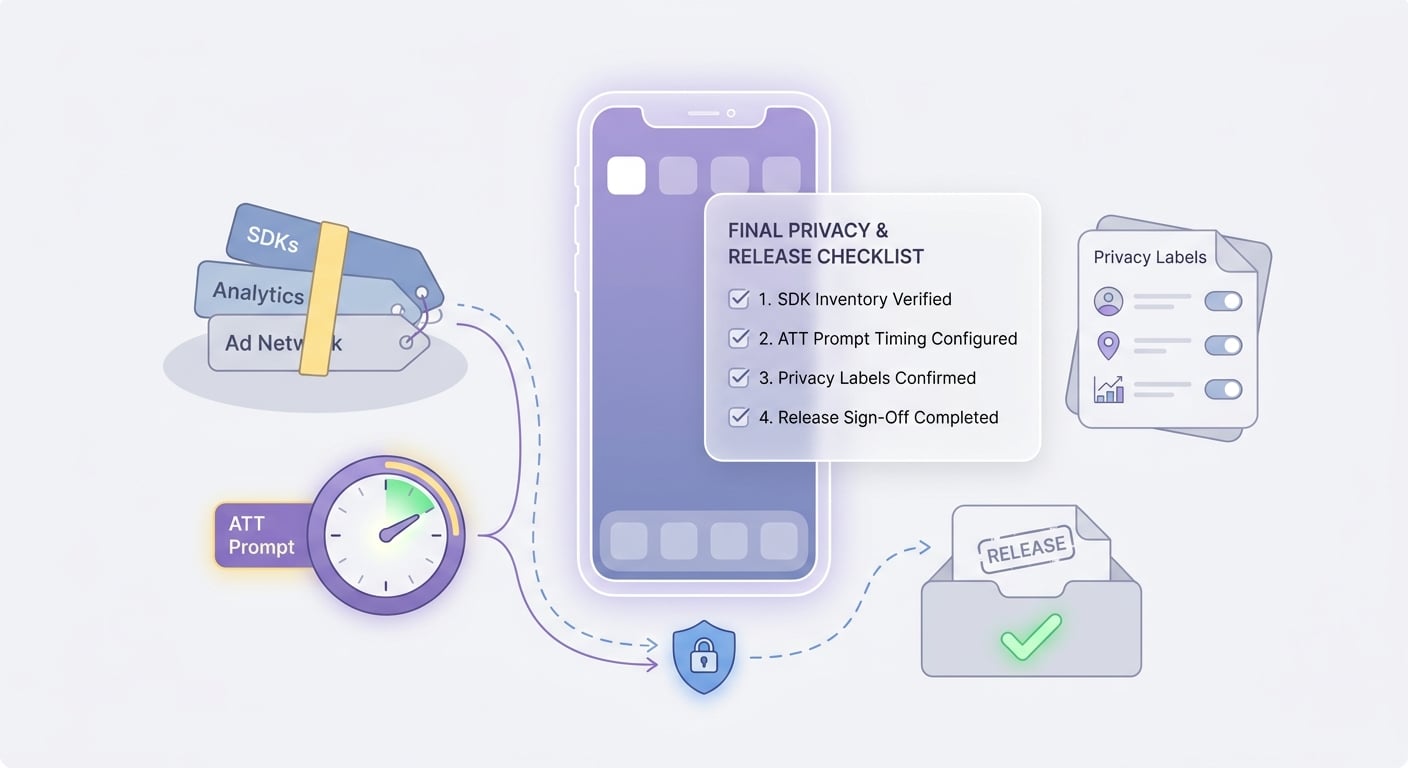
A mobile-friendly checklist showing the final verification items for SDK inventory, ATT prompt timing, privacy labels, and release sign-off before an App Store submission.
Realistic effort: 2-4 hours per release once the workflow exists (longer if you changed vendors, added partners, changed remote config behavior, or introduced new server-side forwarding).
- Rebuild the release artifact and re-check linked frameworks and tracking-related calls (
AdSupport.framework,ATTrackingManagerusage). - Validate ATT behavior: the prompt should appear only when tracking is enabled and only after a user action on the relevant path.
- Cross-check App Store Connect privacy answers against runtime reality: "data used to track you," "data linked to you," and declared purposes should match observed collection and sharing.
- Keep a lightweight evidence pack for review questions: release build notes, SDK config screenshots/exports, and a short network capture on key user paths.
Post-launch monitoring for declaration drift
- Re-audit after SDK updates; defaults and partner integrations can change with minor versions.
- Revisit declarations when you add analytics events, new ad partners, or new server-side forwarding.
- Treat review feedback as a signal that your internal map is missing a dependency, not as a one-off hurdle.


