Only request IDFA if you can show App Review and real users an immediate, documented benefit; otherwise remove or disable it. This guide gives a short operational rule, a prioritized checklist, and the reviewer artifacts you should prepare to reduce rejections and launch delays.
Early proof - why some ATT requests fail and some pass
Fail pattern
- NSUserTrackingUsageDescription text that does not match the in-app pre-prompt.
- Hidden third-party SDKs or runtime calls that reference IDFA.
- No demo video or reviewer instructions, leaving reviewers unable to verify the flow.
- Impact and timing: these issues commonly cause rejections and add 2-7 days; complex fixes or SDK swaps can take multiple weeks.
Pass pattern
- Clear pre-prompt tied to immediate user value, identical Info.plist text, and updated App Store Connect disclosures.
- Short demo video and a concise 'IDFA justification' document for reviewers.
- Impact and timing: when prepared, re-review often completes in 1-4 days, though reviewer workload and app complexity cause variance.
Explanation and business impact - The differences are practical: mismatched wording or missing evidence are the most common, cheapest fixes that nonetheless block launches. Prepare the demo video and justification in 1-3 hours to avoid multi-week delays; expect some reviewer back-and-forth in edge cases.
IDFA, Analytics, and App Privacy: What to Declare goes deeper on the ideas above and adds concrete next steps.
When should you request IDFA and why does App Review care?
Only keep IDFA if you can demonstrate immediate, documented user value and provide consistent reviewer evidence. App Review treats inconsistencies as hidden tracking, so your pre-prompt, Info.plist string, App Store Connect purpose, and demo evidence must tell the same story.
Lead claim: a founder's rule for ATT and IDFA
Keep AdSupport/IDFA only for targeted ads, measurement, or cross-app attribution you can show to reviewers; otherwise feature-flag or remove it. A focused 30-60 minute dependency scan plus a 1-2 hour justification bundle is usually sufficient to decide go or no-go.
When you move from outline to execution, Firebase Analytics and Apple Privacy Labels: What to Declare helps close common gaps teams hit here.
How do I request IDFA access correctly? - Technical checklist

A flow diagram showing the recommended ATT flow: (1) product pre-prompt screen explaining immediate value; arrow to (2) call to ATTrackingManager.requestTrackingAuthorization() which branches to Authorized and Denied; both branches show logging hooks, server flags, and fallback measurement (SKAdNetwork) integration points.
Use a prioritized checklist: detect IDFA touchpoints, align wording, prepare evidence, and gate rollout; expect 1-4 days for smooth re-review and longer if SDKs or architecture need changes.
Dependency scan
Search repo and dependency manifests for AdSupport.framework, IDFA, ASIdentifierManager, or ATTrackingManager references. Effort: ~30-60 minutes for typical apps; larger codebases take longer.
Runtime verification
Run the app on device, trace SDK/network calls, and reproduce key flows to catch reflective or late-bound references. Effort: 1-4 hours; failure mode: intermittent calls that appear only in specific flows.
Documentation bundle
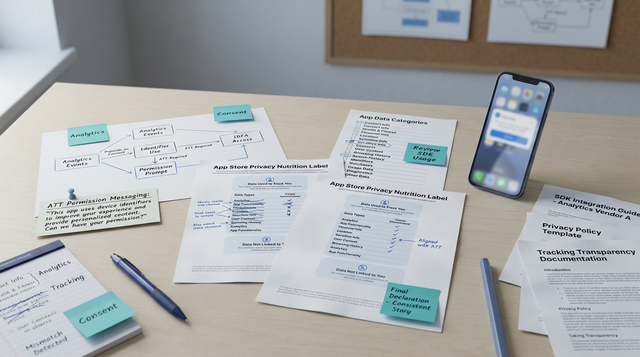
Create an 'IDFA justification' file listing where IDFA is read, SDK names and versions, and why it is required for measurable product outcomes. Effort: 1-2 hours. Include links to server-side logs if possible.
Strings alignment
Make NSUserTrackingUsageDescription, the in-app pre-prompt, and App Store Connect purpose identical and specific. Effort: 15-30 minutes; ambiguous wording commonly triggers follow-up.
Demo video and reviewer notes
Record a 30-90 second screen recording showing the pre-prompt, the Apple prompt, and both allow/deny flows. Add reproduction steps and any test accounts or device UDIDs. Effort: 30-90 minutes.
Feature flag and rollout plan
Gate IDFA access behind a feature flag, keep it off in public builds until App Review approves, and plan a staged rollout with a minimum 72-hour buffer for campaign alignment and remediation.
A complementary angle worth comparing lives in How to Fix App Store Guideline 5.1.2 Data Use and Sharing Rejection.
How should I implement the ATT prompt for UX, timing, and telemetry?
Ask only when you can show an immediate benefit, match wording everywhere, and instrument outcomes; expect initial learning to require 1-2 weeks of traffic to stabilize signals.
Pre-prompt UX
Show a short pre-prompt that states the immediate user benefit (for example, personalized deals), not generic privacy language. Effort: 1-2 developer hours and 1 designer hour.
Ask at the right time
Call requestTrackingAuthorization only when the user directly sees the benefit; avoid asking on first launch without context. Tradeoff: later asks may lower acceptance but reduce reviewer friction and support burden.
Telemetry
Log prompt shown, user response, and timestamp. Track promptAcceptanceRate and measure downstream metrics at 14 and 28 days to evaluate impact. Expect 1-2 weeks to collect stable signals.
Evidence for reviewers
Attach the demo video, justification file, test accounts, and reproduction steps in App Store Connect 'Notes for the Reviewer'. This reduces ambiguous rejections and speeds re-review.
For tradeoffs, checklists, and edge cases, Where Founders Make Mistakes Before Launch rounds out this section.
Counter-arguments, common rejection scenarios, and strategic implications

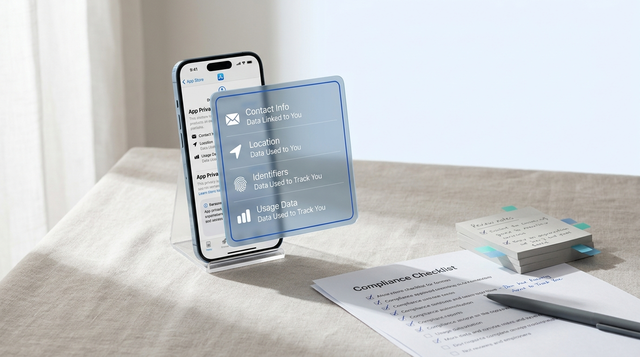
A compact release checklist block tailored to ATT: audit SDKs for IDFA, verify NSUserTrackingUsageDescription, record demo video, update App Store Connect Data entries, schedule 72-hour buffer before campaigns, assign privacy owner. Each item includes a one-line actionable note.
IDFA still has valid use cases, but you should test alternatives and document tradeoffs before committing. SKAdNetwork reduces some reliance on IDFA but does not replace real-time retargeting or precise cross-app frequency controls; plan experiments and account for statistical and time costs.
Counter-argument: 'We need IDFA - SKAdNetwork isn't enough'
Run parallel cohorts for 30 days - one using IDFA-enabled targeting and one using SKAdNetwork and server-side signals - to measure lift and downstream value. Expect calendar time and enough traffic for statistical confidence; low-traffic apps may need longer or different evaluation methods.
Common ATT rejection scenarios and remediation
Mismatch in text across pre-prompt, Info.plist, and App Store Connect
- Fix wording to match, include a demo video, and resubmit.
Hidden IDFA calls from an SDK
- Update, reconfigure, or remove the SDK; document versions and exact code paths in the justification file.
Requesting tracking for non-advertising reasons without evidence
- Provide server logs, product flow diagrams, and concise notes explaining necessity.
These fixes usually speed re-review, but complex cases often generate reviewer follow-up and may require engineering changes.
Operational recommendation
Make ATT compliance a release gate, assign a privacy owner, and schedule a 72-hour buffer before any campaign dependent on IDFA measurement. This reduces the risk of missed launches and unexpected ad revenue loss, though it adds operational overhead and requires cross-team coordination.