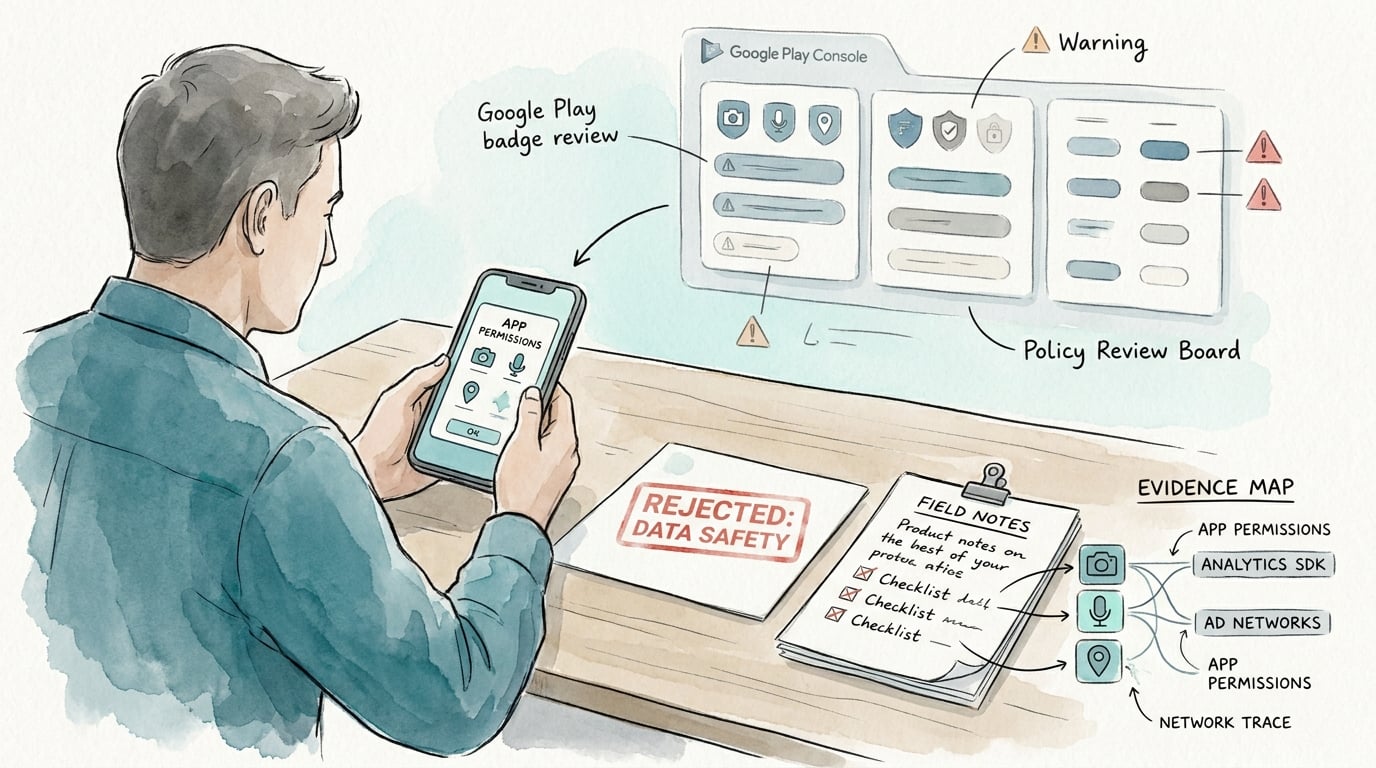
A Google Play Data Safety rejection is rarely about a single checkbox. It is often a credibility gap between what your app does in production and what your listing claims, especially when SDKs, permissions, and network traffic suggest different behavior. The outcome you want is a defensible, auditable mapping between shipped behavior and your form so your resubmission is less likely to loop.
Why Google Play Flags AI-Generated Apps for Misleading Metadata goes deeper on the ideas above and adds concrete next steps.
Early proof: the mismatch patterns that most often cause rejection
Compact rejection-pattern snapshot
Category: SDKs
Statistic: 0.5 - 2 days
Label: Undeclared SDK collection fix
Context: Build an SDK inventory and align Data Safety declarations
Category: Sharing
Statistic: 2 - 6 hrs
Label: Incorrect “sharing” status fix
Context: Classify outbound transfers as sharing vs processing; update the form
Category: Deletion
Statistic: 2 - 8 hrs
Label: Deletion/retention disclosure fix
Context: Add a real deletion request path and a defensible retention window
| Common mismatch pattern | Typical reviewer signal | Practical corrective action (typical effort) | Operational metric to track |
|---|---|---|---|
| Undeclared SDK collection | "Update your Data safety form" or rejection after automated checks | Generate an SDK inventory, verify what initializes on cold start, then align declarations (0.5-2 days depending on flavors and SDK count) | Inventory completeness: % of shipped SDKs mapped to data types/purposes |
| Incorrect "sharing" status | Resubmission requested after consistency review | Map each outbound transfer to "sharing" vs "processing" and update the form (2-6 hours plus privacy review) | Outbound endpoints classified: % of domains tied to an owner and purpose |
| Missing deletion and retention details | Form flagged for incomplete responses | Add a realistic deletion request path and retention window (or correct the claim) (2-8 hours, often needs legal/support input) | Deletion path verified: yes/no (support runbook + in-app link) |
What this evidence is: a directional snapshot based on recurring audit patterns teams see during rejection triage, and broadly aligned with Google’s stated focus on accuracy and consistency in Data Safety disclosures. It is not a quantified industry benchmark.
How to interpret it: start with shipped SDK inventory and outbound data flows; in many cases, those two areas explain the rejection faster than re-reading the form line by line.
Reader impact: this structure does not guarantee approval, but it often reduces resubmission churn by making your next update evidence-based instead of guess-based.
How to use this in the next 60 minutes: pick the top row that matches your rejection note, then produce (1) a dependency list, (2) a 10-minute network trace for cold start and sign-in, and (3) a short list of form fields you will change or justify.
One thing worth noting: incidence varies by app category, region, SDK mix, and policy logic updates, so treat these as starting hypotheses, not promises.
Audit the next build before resubmission
Compare your current declaration to the shipped SDK list, then draft a one-page remediation log before upload.
audit checklist
When you move from outline to execution, How to Publish Your Bubble Mobile App: Launch Without Review Loops helps close common gaps teams hit here.
What does a Google Play Data Safety rejection mean?
This analysis covers one common failure mode: Play Console rejecting a submission because the Data Safety declaration does not match observed behavior. In practice, that mismatch is typically between what you declare and what your SDKs, permissions, and network calls imply you collect or share, consistent with Google’s Data Safety guidance (Play Console Help).
Reviewer notes are often brief. Diagnosis usually comes from reconciling declared data types and purposes against evidence you can reproduce (dependency lists, manifests, and network traces), not from expecting a single definitive error string.
A complementary angle worth comparing lives in The Privacy Policy URL Trap: What It Must Include to Pass Review.
How do you fix the Data Safety form for Google Play?
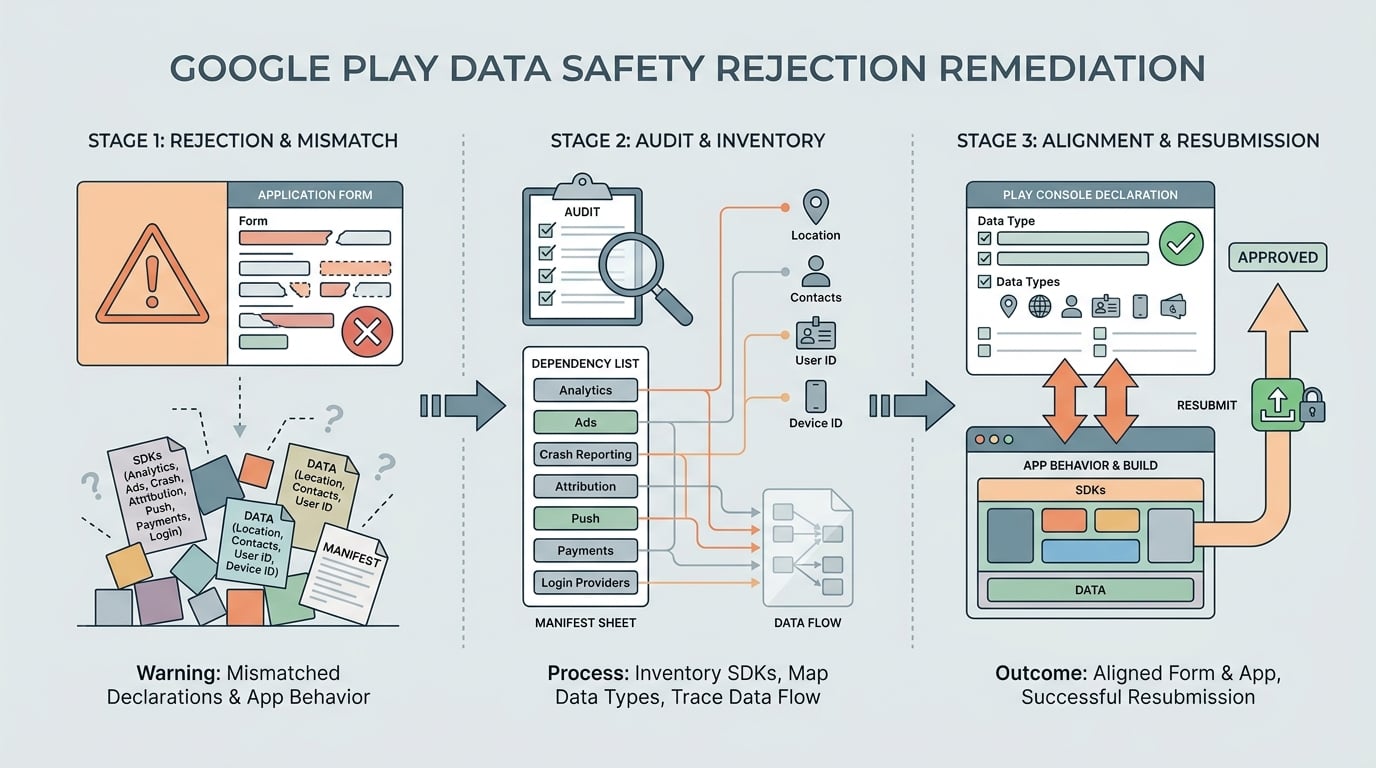
A process diagram showing the remediation path for a Google Play Data Safety rejection: inventory SDKs, map data types, align declarations in Play Console, then resubmit the build and form together.
Step 1: inventory every data-touching component
List everything that can collect or transmit data
Include SDKs and tags you did not write: analytics, ads, crash reporting, attribution, push, payments, and login providers. For a mid-sized app, a first-pass inventory typically takes 1-3 hours for an engineer, plus extra time to confirm build variants and feature flags. The form must reflect shipped SDK behavior, not just first-party code (Play Console Help).
Map components to data types, purposes, and permissions
For each component, note which Data Safety categories it touches and which permissions or user flows activate it. Even if a permission is optional, disclosure may still be required if the flow is reachable in production.
Implementation detail (30-60 minutes to get signal):
- Export a dependency list from your build (for example,
./gradlew :app:dependenciesor your equivalent). - Smoke test key flows using Android Studio Network Inspector or Charles Proxy: cold start, sign-in, first screen, and any ad or paywall screen.
- Record destination domains and which SDK is responsible. If SDK vendor docs are incomplete, you may need packet capture or SDK-level logging to attribute traffic confidently.
Step 2: reconcile the declaration with real behavior
Tie each declared data type to a concrete source
Match each Data Safety answer to the exact SDK or feature that collects it, then confirm whether data is sent to your backend, sent to a third party, or processed on-device. Expect to involve privacy/legal for borderline calls, especially around "sharing" vs "service provider processing"; in many orgs, review turnaround alone can be 2-5 business days.
Only claim controls you can support today
Update retention, deletion, and security statements only if your product and operations support them in practice. Overstated controls are a common source of repeat review: the form says "users can delete data" but there is no working UI path or support runbook.
Tradeoffs and constraints to plan for:
- Gating SDK initialization behind consent can reduce policy risk, but it can also reduce attribution continuity, break experiments, or lower ad fill if misconfigured.
- Your ability to change third-party SDK behavior may depend on vendor settings, contract terms, and release timing.
Step 3: resubmit with a clean change log
Document what changed and why
Keep a short internal log: which SDK/version, permission, or form field changed, and the evidence behind it (dependency output, consent screenshots, sample network trace). This usually takes 30-45 minutes and helps avoid rework when someone asks what changed since the last submission.
Submit behavior and disclosure changes as one unit
If you changed the app to match the form, ship the updated AAB and updated Data Safety answers together. One dependency: remote config and server-side switches can change behavior after approval, so coordinate with whoever owns flags and SDK upgrade cadence.
For tradeoffs, checklists, and edge cases, Why Most First App Submissions Fail - and How to Be the Exception rounds out this section.
What are the most common Data Safety mistakes?
Mistakes and edge cases that cause repeat rejection
- Disclosing only the core feature while forgetting background analytics, ad measurement, or crash reporting SDKs that still transmit identifiers or diagnostics.
- Assuming "we ask for consent" means you can omit collection or sharing from the form. Consent may be required, but collection still needs disclosure when it occurs.
- Treating the build as unchanged. An SDK update, a new mediation adapter, or a remote-config toggle can change data behavior without obvious app code changes.
- Declaring "not shared" when an SDK sends data to its own endpoints. Even if you never see the raw data, it can still count as sharing depending on relationship and use.
- Under-testing region or account states: sign-in providers, child-directed modes, and experimentation tools can change what data is collected and when. If behavior varies by region, test at least one highest-collection market flow and ensure the form reflects that upper bound.
How to Publish Your Dreamflow App: Store Submission Done Right reframes the same problem with a slightly different lens - useful before you finalize.
Practical implications for release teams and app publishers
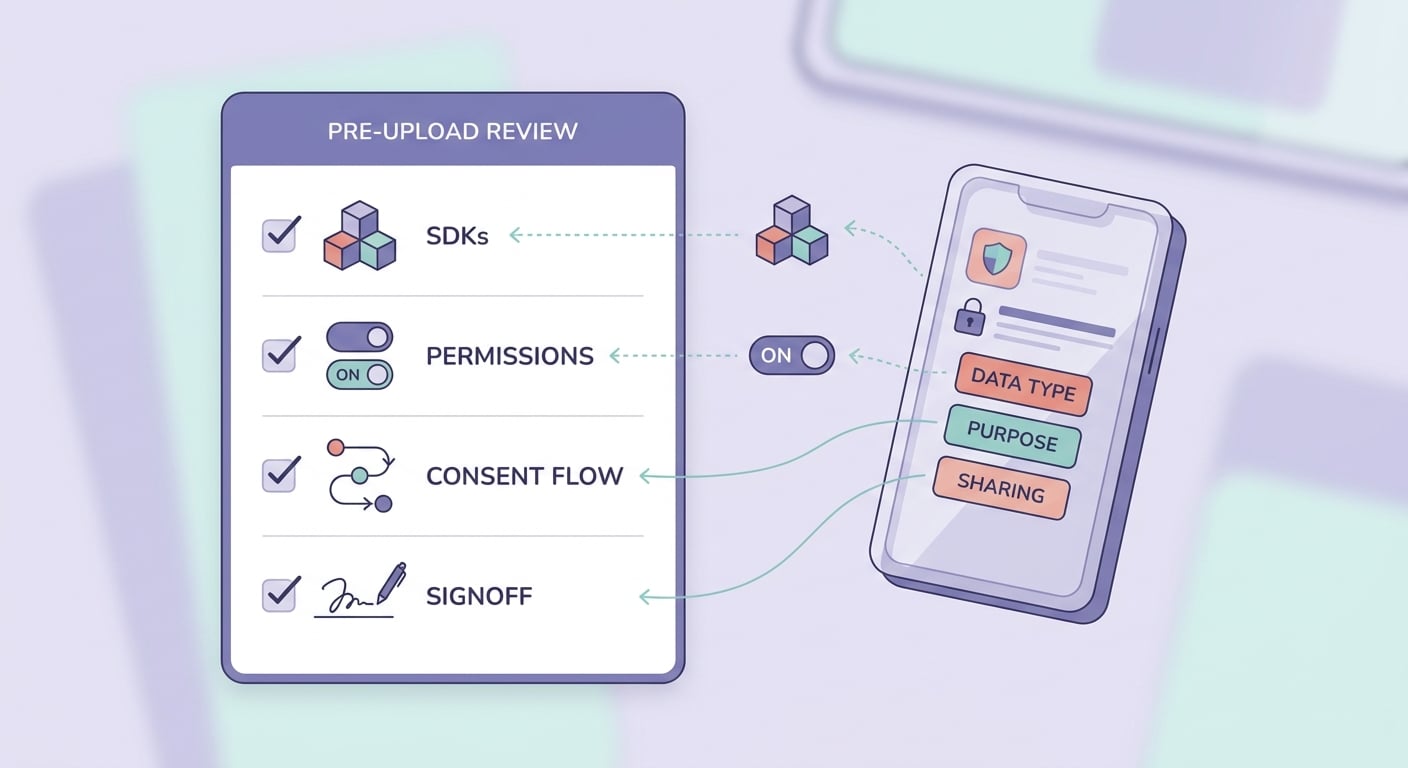
A mobile-friendly checklist for the final pre-upload review of Google Play Data Safety answers, covering SDK inventory, permissions, consent flows, and release-owner signoff.
Treat Data Safety as a release artifact that must stay synchronized with SDK versions, permissions, and remote config behavior. The overhead is real: a lightweight check can take 30-60 minutes for a small app, but 2-4 hours per release for larger apps with many SDKs and flavors, plus deeper audits after major SDK changes. The practical takeaway is not perfection, but repeatability: fewer blocked launches, fewer last-minute escalations, and clearer ownership when something drifts.
Get a second set of eyes on your Data Safety mapping
If you are on a tight launch window, have engineering and privacy review the SDK inventory and "sharing" calls together before upload.
audit-now