
A PDF wrapper is not a product strategy for Google Play. If your Android app opens to a static PDF or single WebView on first run, expect rejection and launch delays unless you surface native, testable interactions up front. This short guide explains what reviewers check, practical fixes reviewers consistently accept, and realistic effort, tradeoffs, and risks so you can plan a quick remediation.
Early proof
| Signal | What to collect | Practical impact |
|---|---|---|
| Play Console rejection badge | Save the rejection email and Policy status screenshot | Each rejection typically costs engineering cycles and business days of delay |
| Reviewer-first-run evidence | Record the app's first 30 seconds (video) showing the PDF landing screen | Video speeds reproducibility and helps target fixes for the exact reviewer flow |
| Fix outcomes | Track days-to-publish and policy rejection count on your release dashboard | Before/after measures show whether changes reduced approval time |
Explanation: gather these artifacts immediately so you can quantify the problem and avoid guessing. Interpretation: reviewers focus on the first-visible screen and testable interactions, so capture that flow. Impact: small, targeted UX work often recovers launch days, not hours - expect 1-3 resubmissions; budget about 5-10 business days for a small team if parsing is straightforward, and several weeks if you need server OCR, major backend changes, or extensive device QA.
Why does Google Play reject PDF-only and static apps?
A PDF-only landing experience frequently triggers a rejection because Play expects perceivable native value beyond a static document. Reviewers treat the first user flow as the strongest signal of product intent; a raw PDF viewer or a single WebView on first-open will often be flagged.
What this means in practice: adding searchable content, bookmarks, or persistent native state can convert many rejections into approvals. One thing worth noting: reviewer behavior varies, so expect at least one resubmission in many cases.
When you move from outline to execution, How to Publish Your Rork App: App Store + Google Play Checklist helps close common gaps teams hit here.
How does Google Play check for minimum functionality?

A step diagram specific to PDF/static apps: app first-run -> reviewer check (lands on PDF?) -> flagged for limited functionality -> Play Console rejection -> remediation paths (search, convert, UI). Each node is labeled with the concrete action developers should take.
Category: Outcomes
Statistic: 38%
Label: First-pass approval rate
Context: When metadata is complete upfront
Category: Business impact
Statistic: +3 - 14 days
Label: Delay from resubmission cycles
Context: Rejection adds queue time, fixes, and re-review
Category: Speed
Statistic: 4 hrs
Label: Median fix time
Context: After a store rejection notice
Play flags apps where the first-visible screen or core use is document distribution without native interactions. If the first thing a reviewer sees is an embedded PDF viewer or a WebView showing a single document, that is a common trigger.
Common reviewer checks:
- Does the first screen offer testable interactions?
- Is content queryable or bookmarkable?
- Is any native state persisted between sessions?
- Are basic scaffolding items present (About, Settings, privacy policy)?
One thing worth noting: some reviewers do a 30-60 second smoke test; others will follow your notes. Make interactive value visible in the first 15 seconds when possible.
A complementary angle worth comparing lives in How to Fix App Store Minimum Functionality Rejection.
What fixes convince reviewers and what are the tradeoffs?
Small UX and engineering changes usually reduce rejection risk, but they are not guaranteed and bring tradeoffs.
What tends to work:
- Provide searchable content so reviewers can type and find text immediately.
- Render parsed content in native views or HTML fragments instead of a raw PDF screen.
- Add bookmarks, last-read position, and a short onboarding that surfaces those features.
Tradeoffs and risks:
- Text extraction can produce OCR or parsing errors; budget manual QA for tricky documents.
- Large PDFs may cause memory or performance issues on low-end devices; test across device classes.
- Server-side parsing simplifies clients but adds backend cost, operational overhead, and privacy obligations.
- Reviewer variability means 1-3 resubmissions is common; include resubmission cycles in your timeline.
For tradeoffs, checklists, and edge cases, How to Fix App Store Guideline 4.2 Minimum Functionality Rejection rounds out this section.
A short technical and publishing checklist to convert a PDF/static app into a compliant Android app
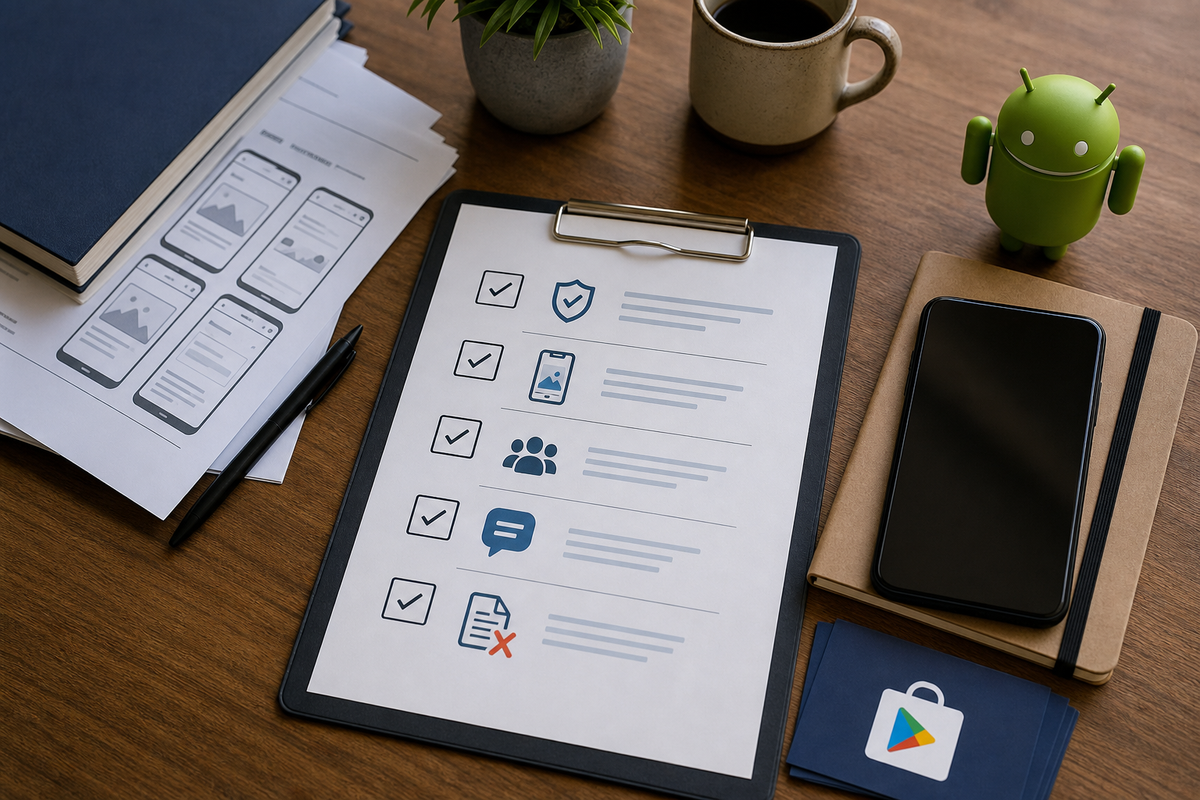
A compact checklist block listing the preflight items: privacy policy URL, interactive screenshots, internal test track proof, reviewer notes, and removal of PDF landing screen - formatted for quick copy into a release checklist.
Aim for these native changes; if your team is small, prioritize 1 and 3 first and defer heavy parsing to a later sprint.
Searchable content
Extract text client-side or server-side and index fragments with Room + FTS or SQLite FTS so users can query content without opening the PDF.
Persistent navigation state
Implement bookmarks and last-read position using Room or SharedPreferences and surface them on first-open so reviewers see saved state.
App scaffolding and onboarding
Add About/Settings, link to a hosted privacy policy, and include a first-run overlay that points to search and bookmarks.
Preflight publishing steps:
- Update Play Console: privacy policy URL, accurate App content answers, and screenshots plus a 10-15 second video showing search/bookmarks.
- Use an internal test track with 3-10 testers across device classes to capture crashes and performance issues.
- Prepare reviewer notes: concise repro steps, any credentials, and timestamps for the demo video.
- Ensure first-open goes to the interactive home or search screen, not the raw PDF viewer.
One thing worth noting: these changes lower rejection risk but add development and QA time. Expect a focused 5-10 business-day sprint for a small team if parsing is straightforward; add several weeks if you need server OCR or extensive device QA. Also account for 1-3 resubmission cycles when planning your launch date.
Minimum Functionality: Avoid the 'Feels Like a Demo' Rejection reframes the same problem with a slightly different lens - useful before you finalize.
Practical developer notes and failure modes to watch
Focus on first-open and low-end devices early. Performance problems or crashes on basic devices will trigger automatic reviewer concern and slow approval.
Operational caveats:
- If you parse user-uploaded PDFs, update your privacy policy and design for secure data handling and retention limits.
- Log reviewer feedback as structured tickets so you can distinguish reproducible failures from one-off notes.
- If a resubmission still gets flagged, attach a short guided video and explicit reviewer notes showing the interactive features within the first 15 seconds.
The practical takeaway: modest product work usually recovers launch timing, but budget for parsing QA, device testing, and at least one resubmission cycle.


