
Guideline 4.2 rejections are rarely about a minor bug. More often, Apple is signaling that the app feels too thin, too template-driven, or too close to a website wrapper to justify App Store placement. Many teams respond by adding surface-level screens, spend a few days, and still fail review because the underlying value on a clean install did not change. This breakdown helps you interpret what 4.2 usually means and choose a small set of iOS-native, reviewer-verifiable changes without accidentally turning a "quick fix" into a multi-week rebuild.
| Early proof: what tends to trigger 4.2 (directional) | What reviewers experience early | What to change to reduce risk |
|---|---|---|
| Web wrapper feel | Core action pushes them to a site or feels like a reskinned browser tab | Add device-specific utility and keep the core loop in-app |
| Thin, single-loop utility | One action, no saved state, nothing to return to | Add history, favorites, projects, or saved outputs that persist |
| Template-led UI | Generic layout, minimal differentiation, shallow features | Deepen one workflow with real inputs, outputs, and constraints |
| Fragile dependencies | Login blocks value, empty states, APIs fail, demo data missing | Provide demo mode or reviewer creds, and handle failures gracefully |
Explanation: This is a synthesis of common patterns from public rejection analyses and day-to-day App Review operations experience, not Apple guidance or an official dataset (Baseterms, ShopApper, PTKD).
Interpretation: Review is a first-use product test on a clean device state. If the app cannot demonstrate standalone value quickly, or it depends on conditions the reviewer cannot satisfy, 4.2 risk goes up.
Reader impact: Before you build more UI, pick one value loop you can make complete, on-device, and testable without special setup, then write resubmission notes that walk a reviewer through it.
How to Fix App Store Minimum Functionality Rejection goes deeper on the ideas above and adds concrete next steps.
What Does App Store Guideline 4.2 Mean?
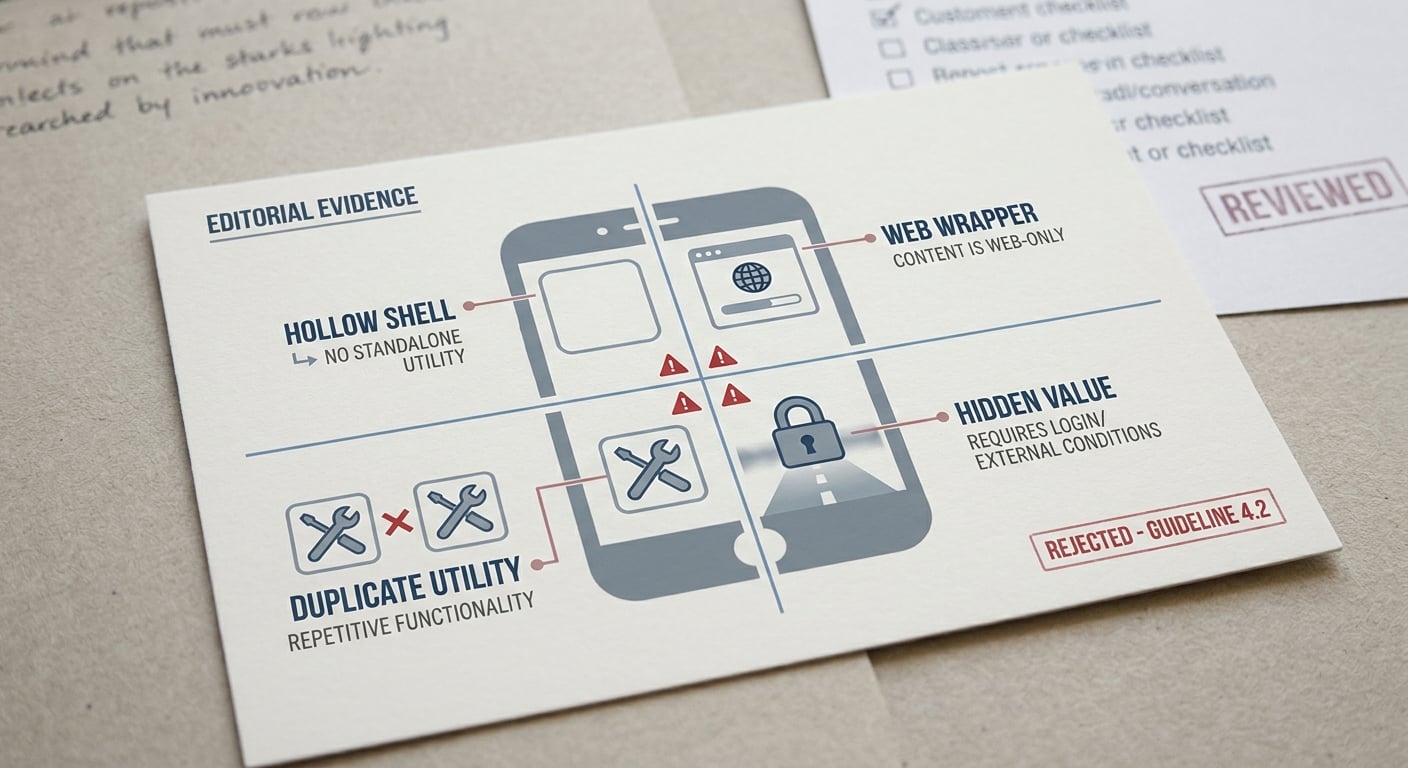
A compact evidence card summarizing the most common App Store Guideline 4.2 triggers: thin app shells, web-view-only apps, duplicate utilities, and apps without standalone value.
Apple is looking for standalone usefulness, not just "it runs" or "it matches the screenshots." In practice, 4.2 shows up when the app feels like a wrapper, a mostly static information shell, a generic utility with no depth, or an app where the real value lives behind a login, paywall, or external site.
Outcomes are case-by-case. Category expectations differ, reviewers vary, and execution quality matters, so the goal is risk reduction, not a guaranteed approval.
When you move from outline to execution, How to Fix App Store Guideline 5.1.1 Privacy Rejection helps close common gaps teams hit here.
Why Did Apple Reject the App for Minimum Functionality?
Reviewer phrases like "limited content," "limited functionality," or "insufficient long-term value" are often shorthand for a mismatch between what your metadata promises and what the binary proves on first launch (ShopApper). The fastest way to interpret it is to run one clean-install journey: install, open, complete the core job, then relaunch and see if anything persists.
Common failure modes that look fine internally but fail in review:
- No access to demo data or a test account (locked accounts, email verification loops)
- Empty first screen that depends on remote content
- Paywall or forced login blocks the first meaningful action
- Core feature exists, but it is buried behind too much onboarding or permissions
A useful mental model: reviewers do not "explore," they validate. If the first minute looks thin, broken, or setup-heavy, they may not keep digging.
Resubmission checklist
A quick self-audit you can run in about 15-20 minutes before you ship another build.
resubmission checklist
A complementary angle worth comparing lives in How to Fix App Store Guideline 2.1 Rejection.
How Do You Fix App Store Guideline 4.2 Step by Step?
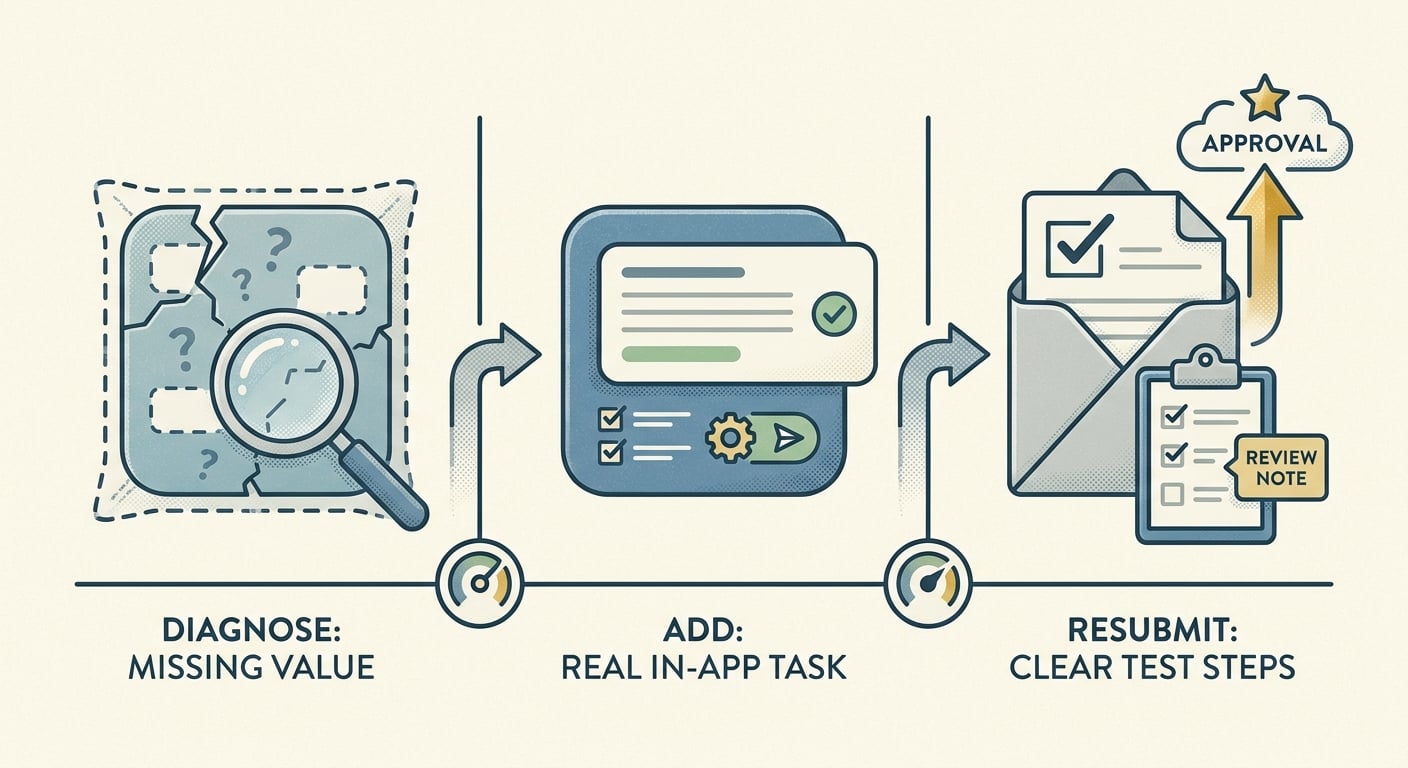
A simple three-stage process diagram showing diagnose the missing value, add a real in-app task or content layer, then resubmit with clear test steps in App Store Connect.
Audit the first 30-60 seconds
Delete the app, reinstall, and screen-record what you can do without instructions, accounts, or external links. Budget 30-60 minutes if you include a second run on a slow network and a device without cached data.
Prove one complete, in-app job
Pick the one job your App Store listing implies and make it doable end-to-end inside the app. Reviewers often flag shells that defer the real work to a website or generic wrapper (Baseterms).
If your product genuinely requires a backend (marketplaces, syncing, feeds), you may not be able to remove the dependency. In that case, make the dependency resilient and reviewer-friendly.
Remove friction that blocks first value
Make login optional where you can, add a demo path, and ensure the app still demonstrates value if the network is slow or an API fails. In many teams this is 1-3 days once you include UI states, error copy, QA, and at least one App Review iteration.
Two failure modes worth proactively testing:
- Reviewer cannot reach your API (geo blocks, allowlists, TLS issues, rate limits). Verify production endpoints from a fresh device network and implement timeouts and clear errors.
- Demo mode is empty or confusing (no seeded data, "coming soon" screens). Seed realistic sample content and label what is sample vs real.
For tradeoffs, checklists, and edge cases, What to Do If Your App Gets Rejected by Apple rounds out this section.
What Changes Tend to Help (and What Usually Does Not)
| Problem | Reviewer sees | Fix that often helps |
|---|---|---|
| No reason to return | Nothing saved after first use | Add history, saved items, or projects with clear persistence |
| Thin wrapper | Main job is mostly web content | Keep the core loop native; link out only for secondary flows |
| Empty first screen | Blank list until sync completes | Sample data, skeleton loading, meaningful empty states |
| Login blocks value | Forced account creation before any output | Demo mode or reviewer credentials; move login later when possible |
| Fragile feature | API failure looks like "broken app" | Timeouts, retries, cached last-known data, clear errors |
| Change type | Examples | Why it helps or fails |
|---|---|---|
| High-signal | One end-to-end workflow, saved state (history/favorites), searchable outputs, caching/offline basics, device features (camera, widgets, Shortcuts) | Shows standalone usefulness beyond a wrapper (ShopApper) |
| Low-signal | New colors, renamed tabs, extra menus, more static pages | Adds surface area without changing capability |
One tradeoff: high-signal fixes often touch data modeling and QA. Even "just add history" can mean migrations, storage limits, and edge cases that add a couple of days.
When You Should Rebuild Instead of Patch
If the app still relies on an external website to do the real job, patches can fail because the reviewer still experiences a thin wrapper. Rebuilding can take weeks, not days, especially if you add native storage, background refresh, or new integrations.
A practical decision rule:
- Patch when you can deepen one flow without changing your architecture.
- Rebuild when standalone value requires native-first workflows, not web-first screens.
Also watch scope creep. Shipping three new features at once raises crash and regression risk, which can turn a 4.2 resubmission into a performance or metadata problem.
What Should You Put in the Resubmission Notes?
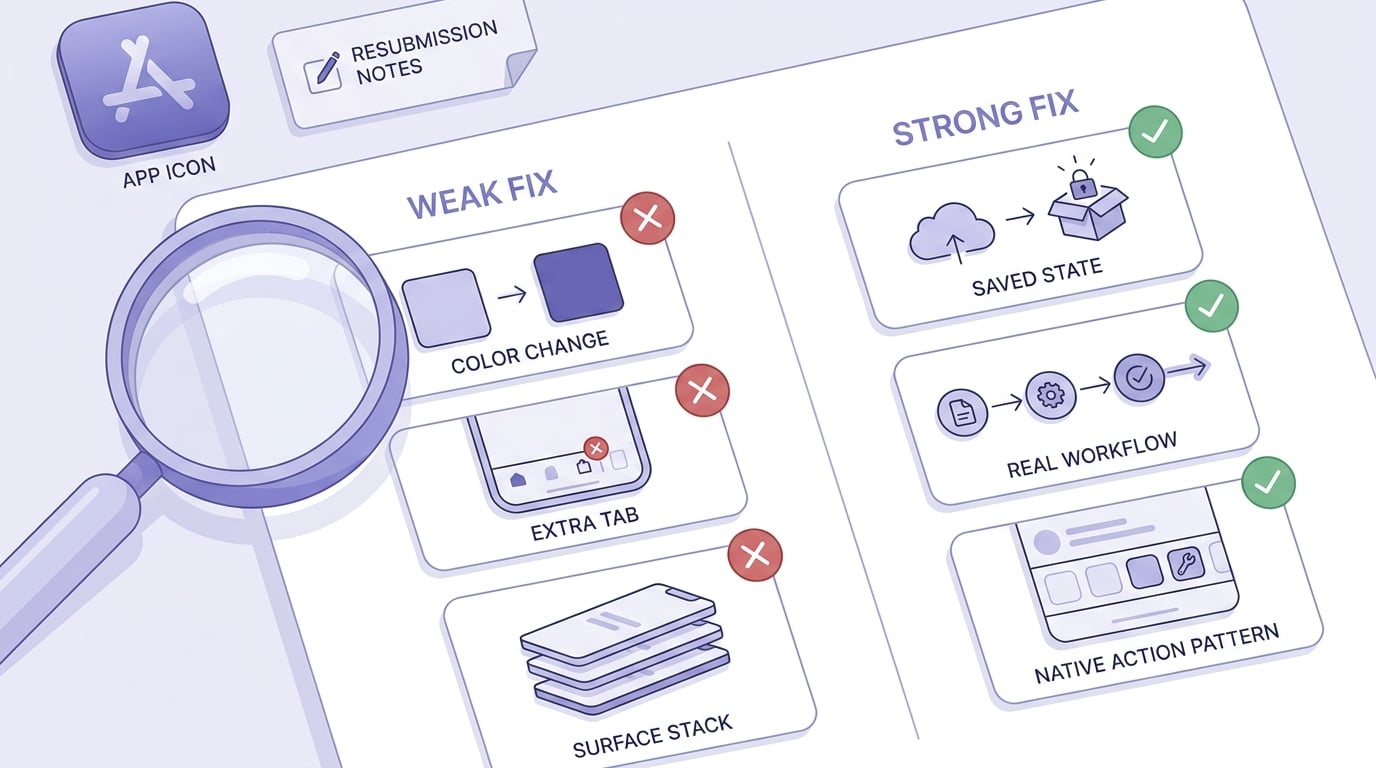
A reviewer-focused checklist comparing high-signal fixes like real workflows and saved state against cosmetic-only changes such as color updates or extra tabs.
Keep notes executable and testable. Assume limited time and zero context.
Include:
- "Guideline 4.2 - Minimum Functionality" (so it is unambiguous)
- 3-5 test steps with expected results
- A short "What changed" list (only the deltas that matter)
- Demo credentials or a demo mode path if login exists
- Constraints that affect review (regions, hardware requirements, known limitations)
Before submitting, test the exact build on a clean install and a flaky network. If value depends on an API, make sure the app still demonstrates something meaningful when the API is down (even if it is limited, cached, or clearly labeled sample output).
Review-notes script
Turn your resubmission notes into a 60-90 second first-session script a reviewer can follow.
review-notes-script


