
Most minimum functionality rejections are not about a missing screenshot or a clever appeal letter. They are usually Apple telling you the product feels unfinished in the first 30 to 90 seconds. This guide helps you diagnose the patterns that trigger Guideline 4.2 and reshape your next submission so the value is obvious, testable, and easier for a reviewer to confirm.
| Early proof artifact: what 4.2 reviewers are reacting to | What it usually signals | Practical impact if you fix it |
|---|---|---|
| Thin feature set (one action, then nothing) | No repeatable reason to return | Lower rejection risk and often better Day 1 activation, if the loop is real |
| Placeholder or empty states | Not ready for real users | Fewer "unfinished" flags and fewer review loops caused by ambiguity |
| Dead-end navigation or gated core flow | Incomplete first-run experience | Less reviewer confusion and fewer "could not verify" outcomes |
| Mostly webview or external links | Better as a web bookmark | Better odds under 4.2 if you add clear native value and durable state |
Explanation: This is directional, not a promise. Not every app in these buckets gets rejected, and changes do not guarantee approval because reviewer interpretation and category norms vary.
Interpretation: Apple is doing a fast first-time user test, not a deep QA pass. If the outcome is unclear, the reviewer often defaults to "unfinished."
Reader impact: Fixing these patterns usually helps beyond approval. You get clearer onboarding, fewer dead ends for real users, and a product you can actually test with acquisition without the first session collapsing.
Minimum Functionality: Avoid the 'Feels Like a Demo' Rejection goes deeper on the ideas above and adds concrete next steps.
Why does Apple reject apps for minimum functionality?
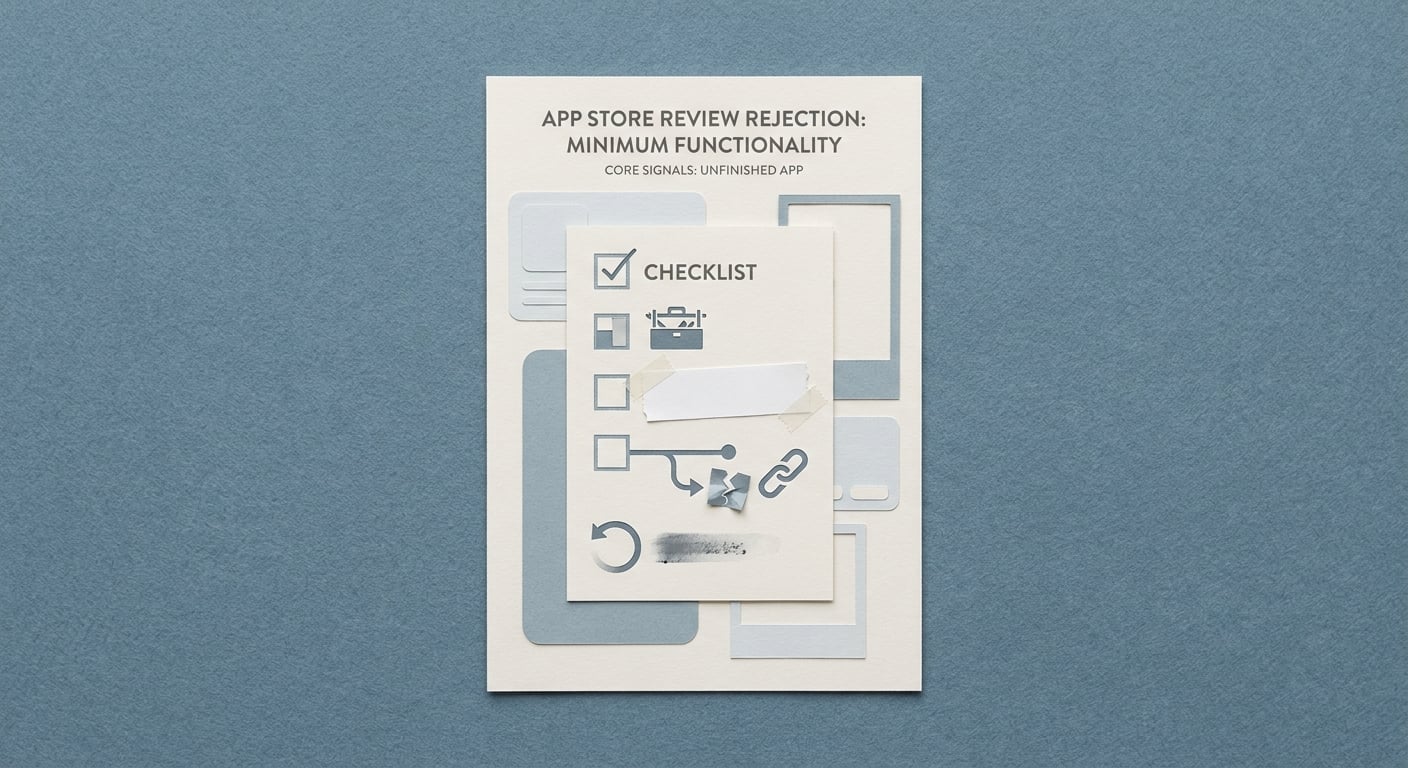
A compact proof card listing the main minimum functionality rejection signals in App Store review: thin feature set, placeholder content, broken navigation, and no repeat-use value.
What this rejection actually means for founders
A minimum functionality rejection is rarely Apple saying your app is buggy. It is Apple saying your app does not justify existing as a standalone product yet. Under Guideline 4.2, reviewers are effectively asking: does a first-time user get meaningful, native value quickly without extra instructions, special account states, or guesswork?
Here is the thing: "the backend works" is not enough. A stable build can still get blocked by 4.2 Minimum Functionality if value is hidden behind empty screens, a single narrow flow, or a web wrapper experience.
Why this matters more than a one-off rejection email
Treat the rejection email as a product readiness warning, not a compliance ticket. Each review loop can cost days, sometimes longer if you hit a weekend or holiday, or if you need another engineering build and QA pass. That delay is real opportunity cost when you are trying to learn from users.
There is a tradeoff: adding depth can delay your MVP. But repeated resubmissions without meaningful change often delays you more, and you end up burning time on reviewer variance instead of user value.
When you move from outline to execution, How a Founder Fixed an App Store Rejection in 4 Hours helps close common gaps teams hit here.
Which apps get flagged for minimum functionality?
The thin-app pattern reviewers keep spotting
The fastest path to a 4.2 rejection is shipping an app that proves it can open, not that it can complete an outcome. Reviewers often flag single-purpose tools that expose one action and then end: no saved state, no history, no personalization, and no reason to come back tomorrow.
The second common shape is the wrapper. If most screens are a web view, external links, or embedded content with minimal native interaction, the app can look like a bookmark with branding. Apple is explicit that apps should offer enough functionality to justify being native (App Review Guidelines, 4.2).
One thing worth noting: recognizable categories do not protect you. Catalog apps, listing viewers, and content browsers can still be rejected if the in-app workflow feels incomplete for the app's claimed purpose.
How App Store review logic differs from Google Play expectations
| Dimension | App Store (minimum functionality lens) | Google Play (typical friction) |
|---|---|---|
| Primary question | "Is this a complete, native product?" | "Is this safe, compliant, and policy-clean?" |
| Thin shell risk | Higher scrutiny on wrappers and unfinished flows | Sometimes tolerated if policies are met |
| First session bar | Value should be verifiable quickly | Value can be slower to discover |
| Practical implication | Passing Play does not predict Apple approval | Still requires store-specific readiness |
The implication: you need a store-specific readiness check. A build that is "good enough" for Play can still be "too thin" for iOS distribution.
What to inspect before you resubmit
Before you resubmit, audit what a reviewer can verify in five minutes on a clean device:
- First-run path: can a new user reach the core value without a special test account, hidden menu, or pre-seeded backend state that might not load?
- Meaningful screens and actions: count outcomes, not tabs. A three-tab shell with one working path is still one path.
- Dead ends: empty states with no sample content, placeholder copy, broken links, and "coming soon" features all read as unfinished.
- Durable state: does the app leave something behind (saved items, history, settings, progress) that makes a second session rational?
Effort note: a thorough audit is usually 1 to 3 hours for one person. Budget another 15 to 30 minutes to record a screen capture and write down exactly where the flow breaks.
A complementary angle worth comparing lives in Top App Store Rejection Reasons and What to Do About Them.
How do you fix an App Store minimum functionality rejection?
1. Expand the core experience until the app has a real loop
Minimum functionality is rarely fixed by a better appeal email. It is more often fixed when the app demonstrates a repeatable user loop that survives the first session, aligning with Apple’s expectation of substantive experiences under Guideline 4.2 (guidelines).
Add a follow-on action after the first task
After the first tap, give the reviewer something to do next: save, compare, schedule, share, export, or revisit. This often takes 1 to 3 days if your data model already supports it, and 1 to 2 weeks if you have to redesign storage, syncing, permissions, or offline behavior.
Make the loop visible in session one
Show a clear "what happens next" state: history, saved items, reminders, progress, or a results list that changes based on actions. The dependency here is reliable state and reliable content; if your backend is flaky or slow, you may need a fallback (cached data, seeded examples, or a "try with sample" mode) so a reviewer does not land on blank screens.
If you are MVP, ship one complete workflow
One end-to-end outcome beats three half-built paths. Pick a single job-to-be-done and ensure it starts, completes, and leaves behind durable state. The tradeoff is scope: you will likely cut features to make one path feel finished.
2. Remove anything that reads like a demo, shell, or placeholder
Replace placeholders with realistic production content
Lorem ipsum, empty dashboards, and test data are loud signals. Seed meaningful defaults, tighten copy, and ensure empty states explain what to do next. Expect 0.5 to 2 days of design and content work, plus at least one on-device verification pass.
If you use webviews, add native value that is obvious
A webview is not automatically disqualifying, but it is a frequent contributor to 4.2. If most value is web content, add native behavior that is clearly better on iOS, such as offline access, search, saved items, sharing to system sheets, or on-device interactions.
Risk note: bolting on a widget or notifications without a real workflow can look cosmetic. Reviewers respond best when native features support a task a user can complete and later return to.
Make core functionality reachable without friction
Reviewers do not spend long setting up accounts or navigating complex onboarding. If you require login, provide a test account that always works (and does not require email verification). If your app depends on region data, hardware permissions, or third-party APIs, call that out in review notes and provide a fallback experience where possible.
3. Plan for the failure modes reviewers hit in the first 2 minutes
Even strong apps get rejected if the reviewer hits a dead end early. These are common 4.2-triggering failure modes, plus pragmatic mitigations:
Flaky backend yields empty states
Mitigation: cache last-known-good data, ship seeded sample content, and make empty states actionable ("Try sample" or "Refresh" with clear error text).
OAuth or auth lockouts (2FA, blocked test account, expired magic link)
Mitigation: create a dedicated reviewer account, avoid time-sensitive login flows where possible, document any 2FA constraints, and verify credentials on a clean device right before submission.
Permission refusal breaks the app (location, photos, notifications)
Mitigation: support "Not now" paths, explain why the permission matters at the moment of use, and provide limited functionality without it when feasible.
Slow networks cause spinner loops or unresponsive screens
Mitigation: add timeouts, skeleton states with clear messaging, and retry controls. Test on throttled network conditions (Xcode Network Link Conditioner or similar).
Effort note: adding graceful fallbacks is often 0.5 to 3 days depending on your architecture. If you need to restructure networking or auth, budget longer and expect at least one extra QA cycle.
4. Write review notes that make verification easy (without overexplaining)
Review notes cannot fix a thin product, but they can prevent avoidable confusion. Keep it short and verifiable:
- Test credentials (if needed) and any 2FA constraints
- The one core task to test, in 3 to 6 steps, with screen names the reviewer will actually see
- What "success" looks like in the UI (for example, "Saved item appears in Library")
- Any dependencies (location, subscription, device hardware) and how to grant them
- Known limitations that do not block core value (be honest, do not oversell)
Concrete artifact that helps: record a 30 to 60 second first-run video using QuickTime (device) or Xcode Simulator recording (simulator). You cannot attach it everywhere, but you can use it internally to ensure your App Review steps match the real taps and screen labels.
Effort note: good review notes take 20 to 40 minutes. If your app has multiple roles or account states, plan for 60 to 90 minutes to test the steps end-to-end and rewrite them so they are unambiguous.
For tradeoffs, checklists, and edge cases, How to Fix App Store Guideline 5.1.1 Privacy Rejection rounds out this section.
A realistic resubmission plan (with time expectations)
This is a practical sequence that works for most small teams. Adjust for your release process, but keep the order because it reduces avoidable review loops.
Do a cold-start reviewer run (1 to 2 hours)
Install on a clean device or a freshly reset simulator. Do not use your dev account or cached data. Write down every moment you need to explain something out loud, because reviewers will not hear that explanation.
Pick one "primary outcome" and commit to it (30 to 60 minutes)
Define the single job the reviewer should be able to complete. This decision is the main scope constraint that keeps you from shipping three half-finished flows.
Fix thin-loop issues and dead ends (2 to 7 days, sometimes longer)
Most teams spend time here. The schedule depends on whether you already have durable state and stable data loading. If your core value depends on external services (LLM calls, scraping, live inventory, OAuth providers), plan extra time for fallbacks, caching, or seeded content.
Harden first-run reliability (0.5 to 2 days)
Test slow network, permission denial, and logged-out states. Add explicit error messaging and a retry path. This is often the difference between "unfinished" and "clear enough to verify."
Update App Store metadata and review notes (1 to 2 hours)
Align screenshots and review steps to the exact build. Mismatches are an easy way to lose time, even if the app is improved.
Operational detail to avoid preventable loops: use a simple TestFlight pre-submit checklist (10 to 15 minutes) that includes cold launch, offline mode check, login with reviewer credentials, and a full run of the exact "App Review steps" you will paste into App Store Connect.
How to Fix App Store Guideline 2.1 Rejection reframes the same problem with a slightly different lens - useful before you finalize.
Strategic implications: minimum functionality is a product bar, not just an App Store rule
Category: Timeline
Statistic: 72 hrs
Label: Typical review delay
Context: When issues need a second pass
Category: Completeness
Statistic: Guideline 4.2
Label: Minimum Functionality scrutiny (Apple)
Context: Flags apps that feel thin, unfinished, or “web-like.”
Category: Wrapper Risk
Statistic: High risk
Label: WebView/wrapper-style apps get flagged
Context: If it could be a bookmark, reviewers expect more native value
What companies are realizing about MVP scope
"MVP" for iOS distribution is not the smallest possible build. It is the smallest build with a clear payoff a stranger can verify quickly. Guideline 4.2 is effectively a distribution readiness bar because Apple is screening for apps that feel thin, web-like, or unfinished even when they run fine (App Review Guidelines - 4.2).
In practice, scope discipline wins. Pick one user journey, make it unmistakably useful, then ship. That often means fewer features, but deeper completion: tighter onboarding, fewer dead ends, and an outcome that persists.
A practical pre-submission checklist for product and ops teams
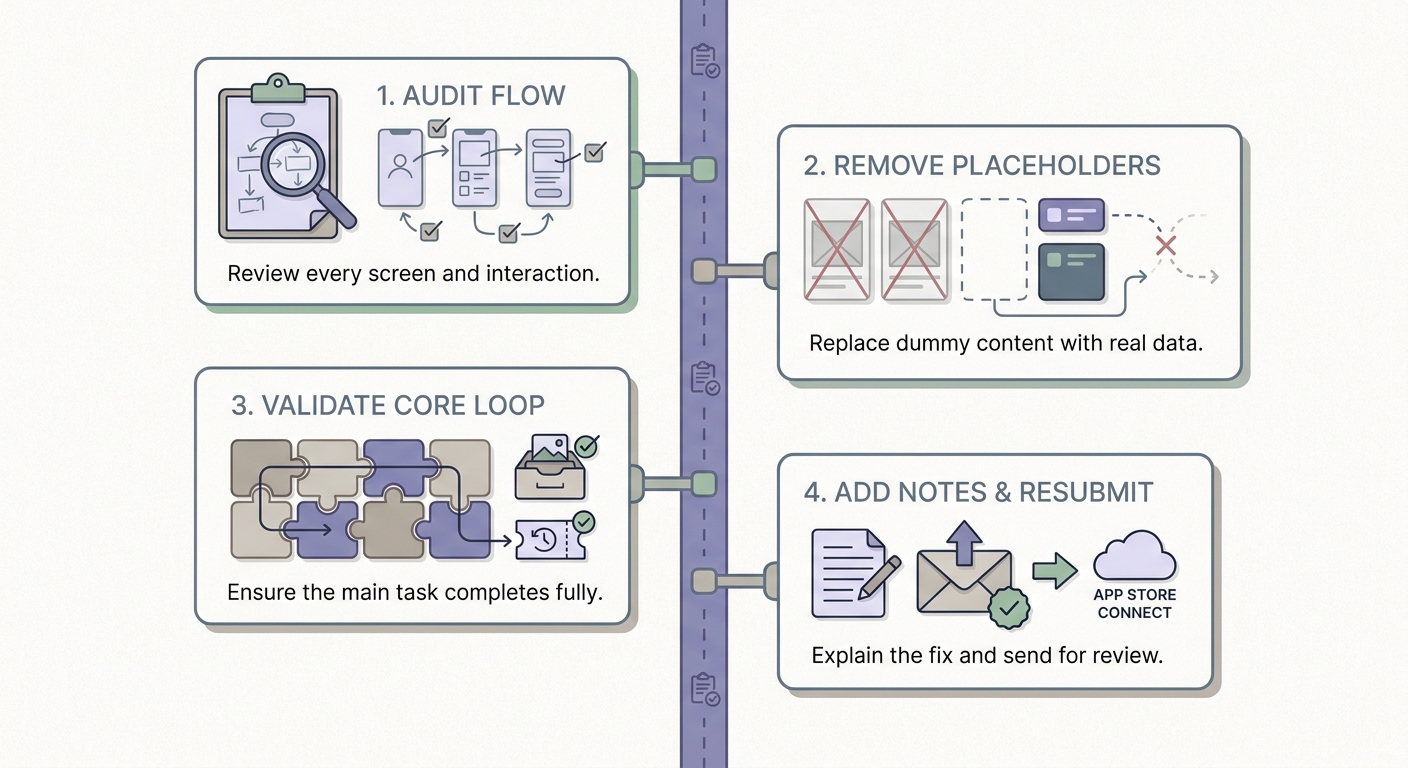
A short timeline showing a realistic fix-and-resubmit sequence for an app store minimum functionality rejection: audit the flow, remove placeholders, validate the core loop, add review notes, then resubmit.
- App opens cold on a clean device with no placeholders or broken states
- Reviewer can sign in or proceed via a review-friendly path (guest or test account)
- Core task completes end to end and returns a meaningful result
- The app leaves behind state (saved items, history, settings, progress)
- Basic reliability: no spinner loops, crashes, or empty screens on slow networks
- Metadata, screenshots, and review notes match the shipped experience
- Value is visible even if the reviewer skips optional permissions or integrations (or you clearly explain why permissions are required)
Timeline (typical): audit the flow (1 to 3 hours) - fix loop and empty states (2 to 7 days) - update notes and screenshots (1 to 2 hours) - submit and wait on review. Review wait times vary, so avoid scheduling launches that assume a specific approval date.
When to pause submission instead of appealing
Appeal when the shipped build already contains obvious, repeatable value and the reviewer clearly missed it. Pause and rebuild when you are depending on explanations, future roadmap, or special account state to make the app feel complete.
The practical takeaway: it is usually cheaper to add one concrete end-to-end outcome than to run multiple review rounds hoping for a different interpretation.


