Mobile app launches slip for predictable reasons, and a short operational playbook that maps likely delays to concrete checks, staffing needs, and monitoring windows will reduce last-minute firefights. This article gives founders and product leads a practical 7-day checklist to protect a marketing window and cut common sources of delay.
Why Mobile Apps Don’t Go Live on Time goes deeper on the ideas above and adds concrete next steps.
Where do mobile app launches lose the most time?
Category: Speed
Statistic: 24 - 72+ hrs
Label: Platform review time (range)
Context: App Store + Google Play; plan buffer 72h+
Category: Build
Statistic: 2 hrs - 1 day
Label: CI & signing setup delays
Context: Provisioning profiles + Fastlane/keys often block builds
Category: Risk
Statistic: 30 - 60 mins
Label: Pre-submit smoke test window
Context: SDKs/backend runtime failures: smoke-test before submit
Expect 48-72 hours for App Store review; CI and signing issues are the biggest internal time sinks.
| Blocker | Directional time range | Why it matters |
|---|---|---|
| App Store review | 24 - 72 hours typical | External gate; entitlements or metadata problems often force resubmission and multi-day waits. |
| Google Play review & staged rollout | Hours to 48 hours | Usually faster, but new apps or signing problems can add delays. |
| CI/CD and signing | 1 - 8 hours, up to 24 if certs broken | Provisioning or expired certs block submissions until fixed. |
| Third-party SDKs and runtime failures | Hours to days for diagnosis | Device-only crashes usually need rebuilds or SDK rollbacks. |
| Backend-client mismatches | Hours to days | API contract issues require fixes and coordinated deploys. |
Explanation: platform review is the largest external timing risk; CI and signing are the fastest internal time sinks; runtime issues carry the biggest reputational cost. Practical interpretation: budget a 48-72 hour buffer for typical App Store submissions and reserve a small on-call team for the first 48 hours of rollout. If you are a very small team without a device farm or feature flags, add another 24-72 hours and plan simpler rollbacks because you will have less parallel capacity to triage and fix issues.
The business impact: these checkpoints are where launches usually stall or need resubmission, which can push ad spend out-of-sync with listing availability and hurt campaign ROI.
When you move from outline to execution, Top 5 Things Every Founder Must Do Before Submitting an App helps close common gaps teams hit here.
Why do mobile app launches get delayed - what are the tradeoffs?

A compact 7-day timeline showing recommended gates: Day -7 CI freeze & smoke tests, Day -5 SDK audit & backend canary, Day -3 Submit to stores/TestFlight, Day 0 staged rollout start, Day +2 monitor & decide full rollout - annotated with the tools and metrics to check at each gate.
External review windows, signing errors, runtime regressions, and backend mismatches are the usual causes; the tradeoff is speed versus safety. Faster launches require more staging, feature control, and dedicated on-call capacity; lean teams must accept longer buffers or simpler rollouts.
Common failure modes and realistic mitigations
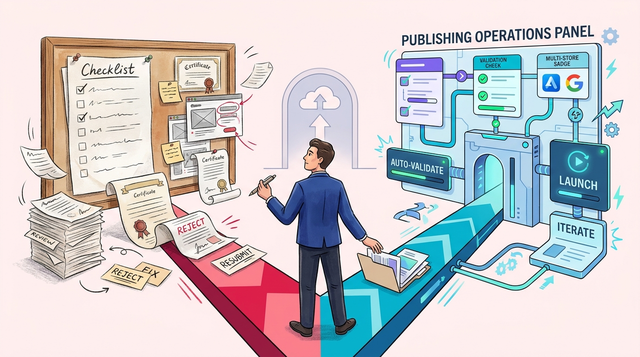
- Apple entitlements and provisioning mismatches causing TestFlight or App Store rejects. Mitigation: validate provisioning in CI and rotate certs before the final week. Small teams: if you lack CI expertise, schedule a manual provisioning audit 48 hours earlier.
- Google Play signing or version collisions. Mitigation: dry run Play App Signing and enforce strict versioning. Small teams: keep an internal rollback APK ready to reduce risk if Play delays occur.
- Backend rollout mismatches that break older clients. Mitigation: use feature flags and contract tests to deploy server changes safely. Tradeoff: implementing flags takes engineering time up front.
- Third-party SDK regressions that only reproduce on specific devices. Mitigation: freeze SDK updates in the final week and run targeted device smoke tests. Small teams: prioritize the top 3 devices and flows rather than a broad device matrix.
One thing worth noting: "Ship fast and patch later" reduces exposure only when you have staged rollouts, rollback automation, and the developer capacity to push hotfixes quickly. Without those controls, faster shipping can increase ad waste and user churn.
(Compact 7-day timeline)
| Day | Gate | Typical effort |
|---|---|---|
| -7 to -5 | Final CI, signing, device smoke tests | 6-12 hours total; 1-2 engineers to fix issues. Small teams should add ~1 day buffer for manual checks. |
| -4 to -3 | External beta / TestFlight / Play closed tests | 3-6 hours for triage; PM + QA involvement. Expect slower iteration if you lack test devices. |
| -2 to 0 | Submit to stores, enable phased rollout | 1-2 hours to submit; expect 24-72h review for Apple. New accounts or complex entitlements often take longer. |
| 0 to +2 | Monitor staged rollout, alerts active | 8-12 hours split across 2 engineers/on-call. If on-call headcount is limited, extend monitoring windows. |
| +3 to +7 | Ramp or rollback based on vitals | 2-4 hours/day for checks; support on standby. Smaller teams should plan for longer ramp decisions. |
What this means: staff a short, high-attention window rather than an all-night army. Monitoring and quick triage are the cost-effective safety net, but budget headcount or contractor support for those critical hours.
A complementary angle worth comparing lives in The True Cost of Slow App Releases for Startups.
What pre-launch gates should you follow in the final 7 days?

A compact process diagram illustrating the release flow: CI/CD build → smoke tests (device farm) → TestFlight/Internal Test → Staged Rollout (Google Play) → Monitoring & rollback triggers, with icons for Fastlane, TestLab, TestFlight, Play Console, and Sentry/Firebase.
Run these checks in the last week; disciplined gates reduce the chance of late surprises more than heroic late-night fixes.
Build and sign
Run the full CI pipeline (Fastlane or equivalent) and verify iOS provisioning and Play App Signing. Effort: 2-6 hours to run and fix; 1 engineer. Tradeoff: upfront time reduces the chance of multi-day resubmissions. Small teams without CI automation should add an extra half-day for manual signing checks and recovery steps.
Smoke tests on devices
Execute automated device tests in Firebase Test Lab, BrowserStack, or a small device farm for the top 3 user flows. Effort: 3-8 hours including re-runs; 1 QA + 1 engineer. Caveat: a large device matrix increases time, so prioritize critical paths. If you cannot afford a device farm, run targeted manual tests on the most common devices and expect slower diagnosis for rare crashes.
SDK audit and freeze
Lock dependency versions, run a crash sweep in Sentry/Crashlytics, and fix the top 3 regressions. Effort: 2-4 hours; 1 engineer. Tradeoff: freezing reduces emergent risk but may delay urgent updates. Small teams should weigh the cost of a freeze versus the need to patch a critical bug.
Backend canary and contract checks
Deploy server changes behind flags and validate API contracts for both old and new clients. Effort: 2-4 hours; 1 backend engineer. Dependency: requires a feature-flag system and a rollback plan. If you lack feature flags, use a shorter, more conservative server rollout window and expect to pause marketing until stability is confirmed.
Support, comms, and runbook
Prepare support scripts, public messaging, and a clear rollback checklist. Effort: 1-3 hours; PM + support lead. Impact: reduces time-to-resolution for common issues. For small teams, pre-write templates and prioritize communications that reduce repetitive support work.
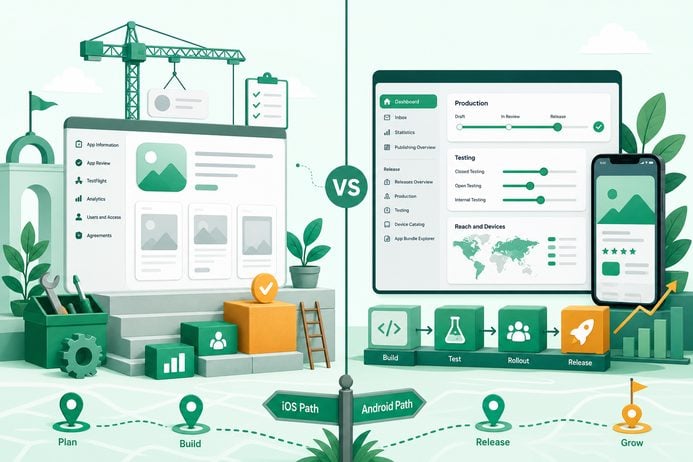
Release steps (platform-specific) and tooling
- App Store: Submit to TestFlight, run an external beta, then App Store with a phased release. Tools: Fastlane, App Store Connect API. Tip: validate IAP sandbox and permissions before wide submit.
- Google Play: Use Internal Test, Closed Track, then Production with staged rollout at 10% increments. Tools: Play Console, Play Developer API.
- Monitoring and on-call: Connect Sentry/Crashlytics, set alert thresholds, enable verbose logs for the first 48 hours, and keep a 2-person on-call rotation for 72 hours. If you cannot staff two people, stagger the monitoring windows and lower the rollout percentage.
Compact release flow diagram - tools to step
| Step | Tool examples |
|---|---|
| CI build + signing | GitHub Actions, Bitrise, Fastlane |
| Device smoke tests | Firebase Test Lab, BrowserStack |
| Beta tracks | TestFlight, Play Internal/Closed Test |
| Staged rollout + monitoring | Play Console, Sentry, Crashlytics |
Final CTA
For tradeoffs, checklists, and edge cases, We Analyzed App Store Rejection Patterns: What Most Founders Miss Before Submission rounds out this section.