Hand-publishing to the App Store and Google Play feels like a one-time chore, but it often becomes recurring ops work that slows releases and increases the chance of a costly mistake. The goal is not perfection, it is a release process you can repeat without heroics. Here is how to decide when manual submissions are fine, when tools pay back, and what to measure so you are not guessing.
Should You Publish Your App Yourself or Hire Someone? goes deeper on the ideas above and adds concrete next steps.
When should you stop submitting apps manually?
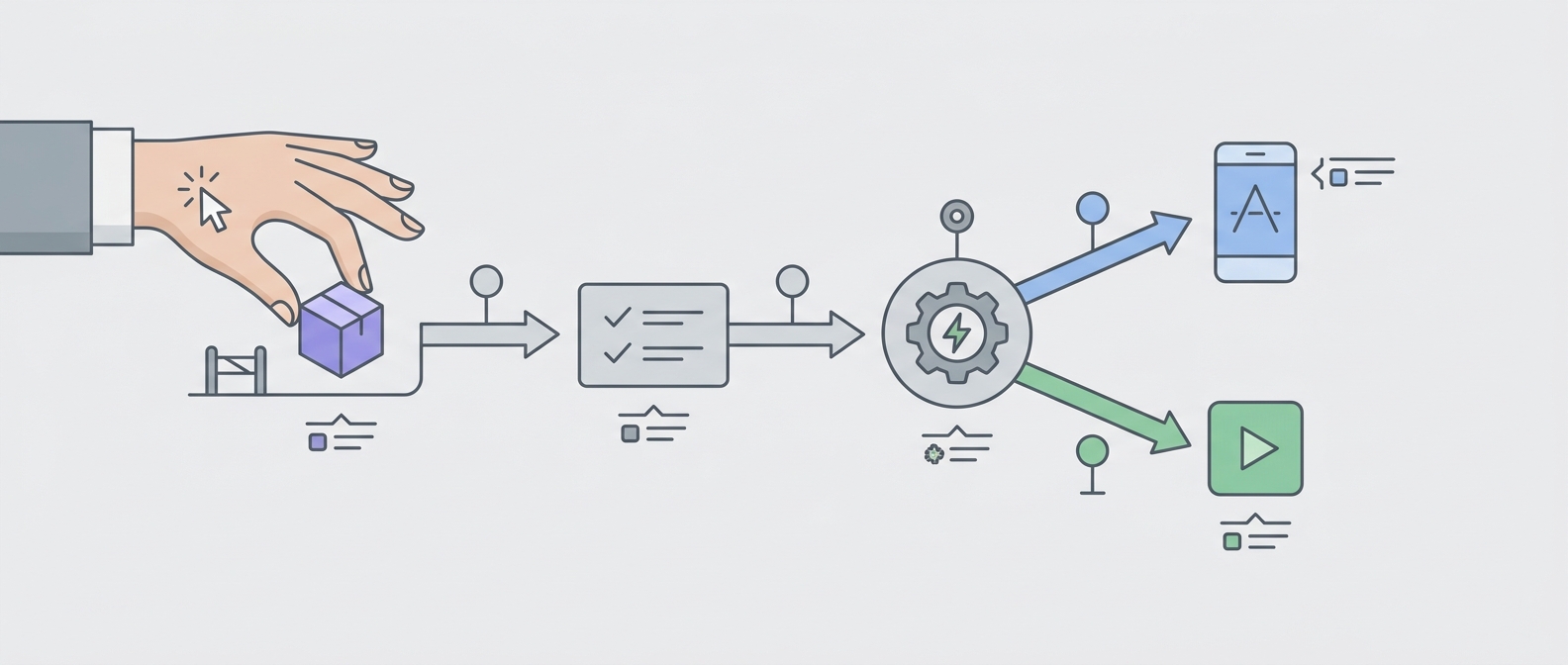
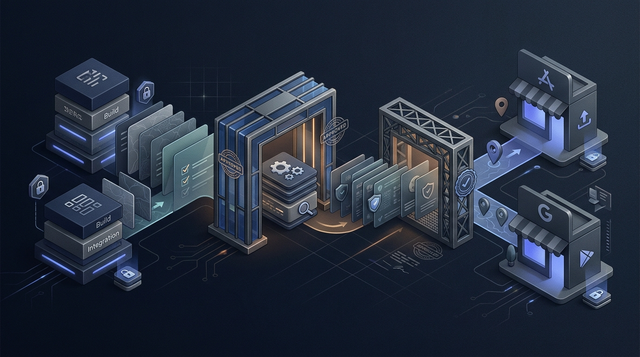
A process diagram showing one build moving from validation to metadata checks to simultaneous App Store and Google Play submission, with automation reducing manual handoffs.
The decision is less about pride and more about how many moving parts you have per release. If you ship rarely, one person owns the whole workflow, and the app store pages do not change much, manual can be a rational choice for a while.
Once releases get more frequent or more people touch copy, screenshots, pricing, or rollout settings, publishing turns into coordination work. Tools do not remove review delays or guarantee acceptance, but they can reduce avoidable rework and make changes traceable.
When you move from outline to execution, Publishing at Every Stage: How App Store Strategy Changes as You Grow helps close common gaps teams hit here.
Early proof
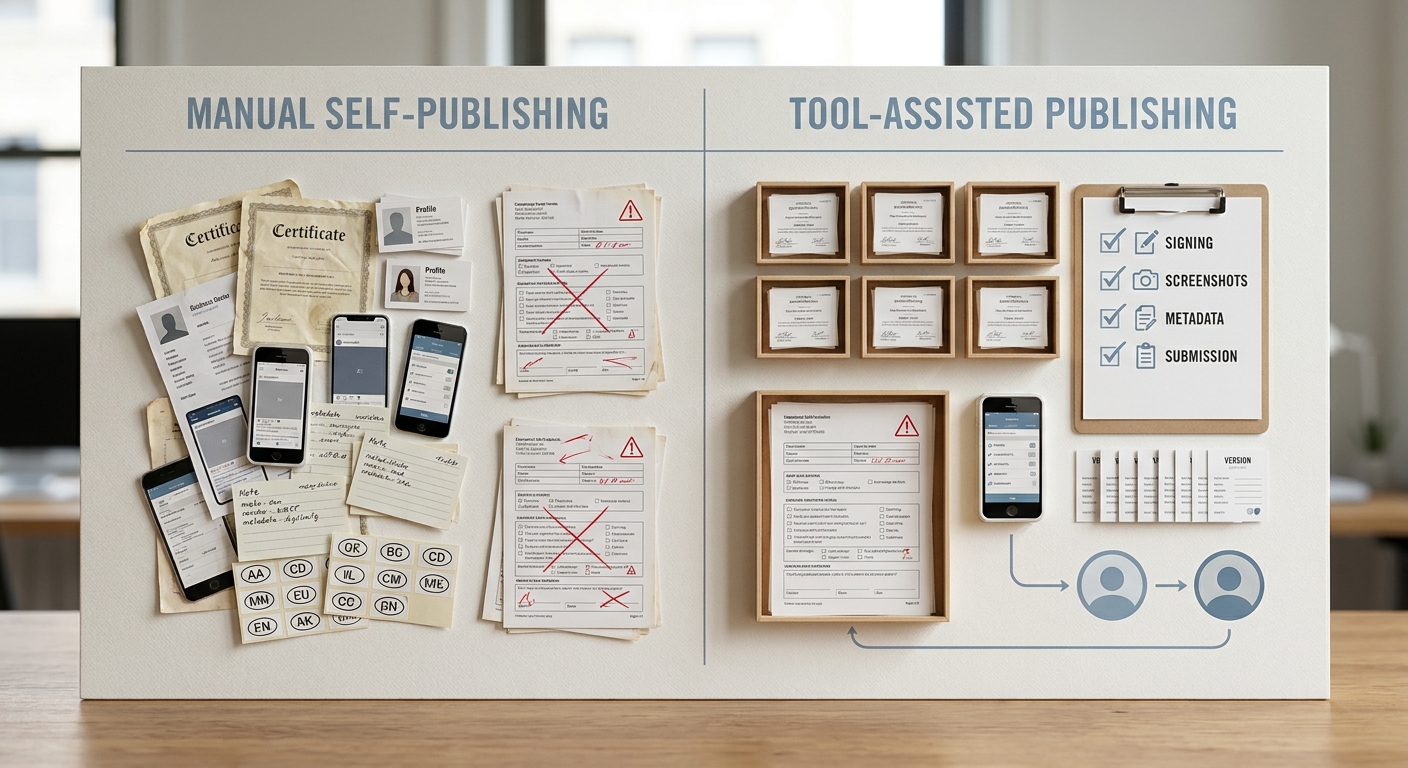
A simple side-by-side comparison table showing manual self-publishing versus an app publishing tool across tasks like signing, screenshot checks, metadata updates, and App Store/Google Play submission.
| Release step (every cycle) | Manual workflow (typical friction) | Tool-assisted workflow (what changes) |
|---|---|---|
| Build + signing | Certs/profiles drift; last-minute signing fixes | More consistent checks, but iOS signing still needs upkeep and Mac access |
| Upload to stores | Repeating uploads; easy to miss the right build | Fewer touchpoints; still dependent on store uptime and API behavior |
| Metadata + screenshots | Copy and screenshots drift; wrong locale assets | Shared source of truth + validation, but still needs human review |
| Release settings | Phased rollout, pricing, availability missed | Templates reduce mistakes; edge cases still need manual overrides |
| Handling rejection | Root-cause hunt across people and consoles | Clearer diff/audit trail; rejection risk still exists |
Explanation (what this is): These are the repeat steps that usually break under manual publishing: signing, uploads, metadata, release configuration, and rejection handling. Apple’s own flow makes it clear there are a lot of separate knobs in App Store Connect, even before you add Android (Apple Developer).
Interpretation (what it means): The cost is rarely one big task. It is many small tasks that fail in slightly different ways, usually under time pressure. Tools help by reducing manual touchpoints and making changes auditable.
Reader impact (why it matters): If you ship more than occasionally, a disciplined setup often saves time per release (commonly 30-90 minutes once things settle) and reduces multi-day delays caused by preventable mistakes. You still need a release owner and a plan for review variability.
What to measure (so it feels real, not theoretical):
| What to track | How to track it (lightweight) | Why it helps |
|---|---|---|
| Build-ready - submitted time | Add timestamps in a sheet, Jira field, or CI notes | Shows if release ops work is creeping up |
| Number of resubmits | Count resubmissions per store per release | Captures hidden rework |
| Rejection category | Tag: metadata, screenshots, signing, policy, other | Focuses fixes where they actually happen |
A complementary angle worth comparing lives in Rising Finance Apps Every Founder Should Know About.
Where do app publishing tools add the most value?
Tools earn their keep when they reduce coordination and rework across stores, people, and releases. The payoff usually shows up after a few cycles, not on day one.
When the same release must land in multiple places
As soon as one release must ship to both App Store Connect and Google Play, publishing becomes coordination work. A good tool can centralize metadata, validate assets, and run a consistent submission flow so you are not rebuilding a checklist every time (Apple Developer).
The tradeoff is real: you are adding setup time and a dependency you must maintain. If your team is already stretched, you may want to pilot on a low-stakes release first.
Planned visual: process diagram of one release moving from validation to metadata checks to submissions, with fewer manual handoffs.
A concrete example: a weekly release workflow (tool-assisted)
Below is a realistic weekly flow using CI + Fastlane + App Store Connect API/Play Console. A reasonable target is: submit within 2 hours of "build-ready" for routine releases.
| Step | Owner | Tooling | Notes + time expectation |
|---|---|---|---|
| 1. CI builds and runs tests | Eng | CI (GitHub Actions, Bitrise, etc.) | 10-30 min compute time; failures push everything back |
| 2. Signing and version sanity check | Eng/release owner | Fastlane match, gym, gradle | iOS requires a Mac build environment and maintained cert access |
| 3. Pull release notes/metadata from repo | PM/Marketing | Repo + templates | 20-40 min of human review even with automation |
| 4. Upload binaries | Release owner | Fastlane deliver/supply or vendor tool | Store APIs can rate-limit or error; plan retry time |
| 5. Configure rollout | Release owner | App Store Connect, Play Console | Staged rollout rules differ by store; sometimes manual clicks remain |
| 6. Post-release log + rollback plan check | Release owner | Changelog + monitoring | 10-15 min; capture what broke for next time |
The practical takeaway: automation helps most when it makes steps 2-5 repeatable, but you still need humans for review, approvals, and judgment calls.
Ship without the guesswork
Get a practical release checklist and tracking sheet you can use on your next 2 releases.
Get the checklist
Where manual publishing still has a rational case
Manual publishing can be fine if:
- You ship rarely (for example, quarterly), and store assets change infrequently
- One owner can spend 1-3 hours per release on store work without derailing other priorities
- Store copy, screenshots, and release notes are versioned like product specs
- You can tolerate review variability without breaking a hard launch commitment
If those conditions stop being true, manual work tends to become a bottleneck instead of "scrappy."
For tradeoffs, checklists, and edge cases, Froxi AI vs Agencies: Which Gives Founders More Control? rounds out this section.
What are the risks of app publishing tools?
Teams resist tools for valid reasons: evaluation time, permissions, and another system that can break. Vendor and platform dependencies are real; outages, API changes, or store-side behavior shifts can block releases.
A more useful question than "tool or no tool" is: can you afford manual mistakes during a launch window? The first time a cert expires an hour before a hotfix, you will wish you had a calmer, documented path to recovery.
Here are common failure modes to plan for either way:
- Mac and signing constraints (iOS): iOS signing typically requires Mac build access and someone who can manage certs/profiles. Plan 1-2 hours/month to keep signing and auth healthy, plus extra after team changes.
- Xcode and dependency churn: Fastlane/CI scripts can break after Xcode releases or build tool upgrades. Budget occasional maintenance, especially around major Xcode updates.
- App Store Connect roles and approvals: the right App Store Connect permissions (and sometimes 2FA or access to the Apple ID owner) can block uploads at the worst time. Decide who holds Admin-level access and who is the backup.
- Store API behavior changes mid-release: uploads can fail, metadata validations can change, or rollouts can pause. Keep a manual fallback path documented.
The Security Risks of Manual App Publishing reframes the same problem with a slightly different lens - useful before you finalize.
Recommendation, execution checklist, and next step
My recommendation in one sentence
Use self-publishing when your release volume is tiny and one disciplined owner can run the whole checklist; otherwise, adopt automation (Fastlane or a publishing platform) so releases are more repeatable across App Store and Google Play. The benefit is fewer preventable delays from metadata drift, screenshot mismatches, or rollout misconfigurations, not a promise of zero rejections (Apple Developer).
A simple decision checklist before your next release
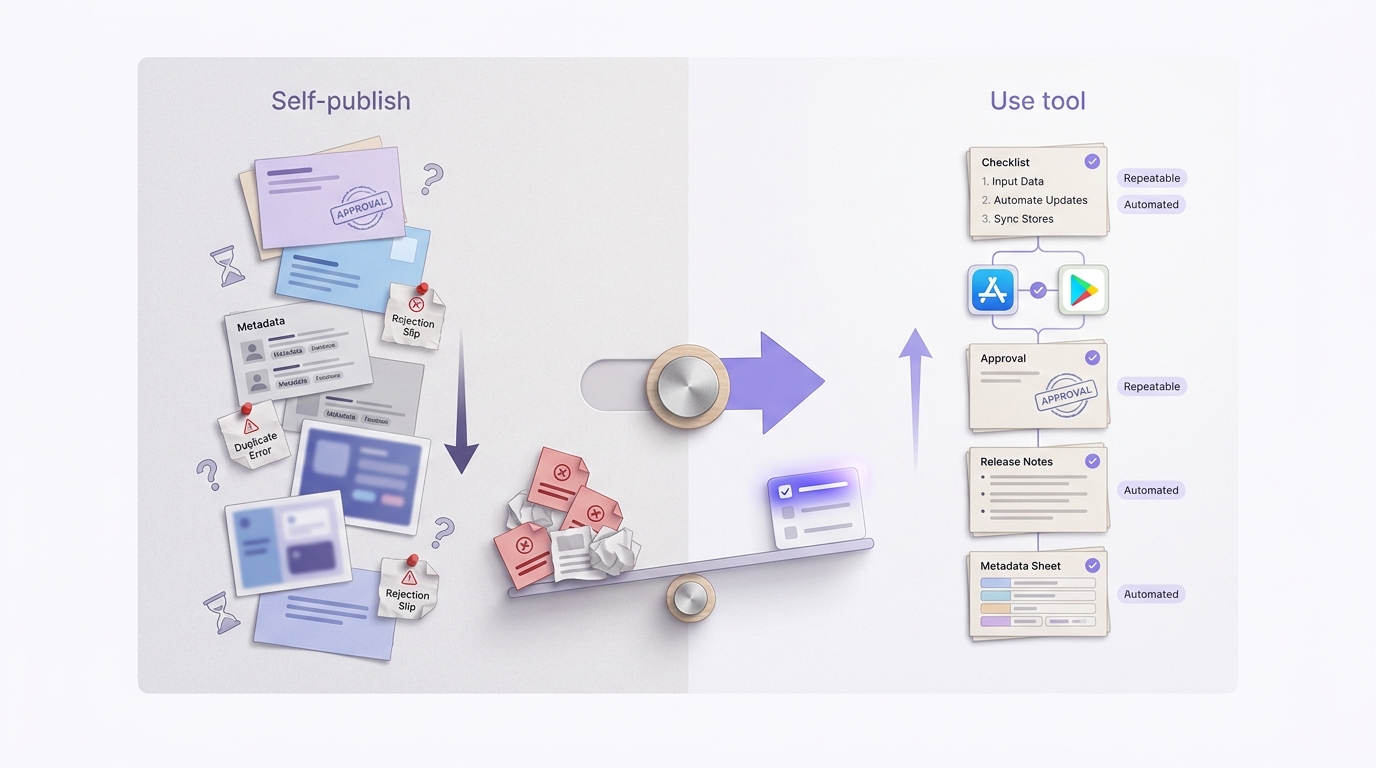
A compact checklist block for founders deciding between self-publishing and an app publishing tool, with triggers like multi-store releases, recurring updates, and repeated submission errors.
- Are you coordinating builds, metadata, and screenshots across more than one store?
- Would one rejection meaningfully delay a launch, campaign, or customer commitment?
- Are you repeatedly spending time on locales, notes, screenshots, and rollout settings?
- Do you have a clear release owner and a backup?
- Can you commit to light upkeep (often 1-2 hours/month) to prevent automation drift?
What to do after you decide
If you self-publish, document the owner, the exact store steps, and a rollback path for both stores. Expect 1-3 hours per release on store work, plus extra time when signing, assets, or store requirements change.
If you choose a tool, pilot it on the next release and track cycle time, rework, and rejection reasons for a month. Budget setup time (often a half day to a few days) and plan for ongoing maintenance, especially if you use Fastlane with CI (AppDrift).
Get a tailored recommendation
Share your release cadence and team setup and get a realistic ops plan (manual, Fastlane, or platform), including setup time and risks.
Talk to us