In March, when I was getting our MVP ready to ship, I assumed the cost to publish was basically a couple of store fees and a few screenshots, then we would be live. Two weeks later, I had a clean spreadsheet that told a different story: Apple was $99 per year, Google Play was a $25 one time fee, and the real risk to our timeline and budget lived in review prep, compliance, and the first submission cycle. If you are staring at launch week wondering what you will actually pay and what will quietly cost you more, this guide gives a realistic, line item view of App Store and Google Play fees plus the extra costs that tend to show up right when you hit submit.
Everything You Need to Know About Apple and Google Developer Accounts goes deeper on the ideas above and adds concrete next steps.
How much does it cost to publish an app?
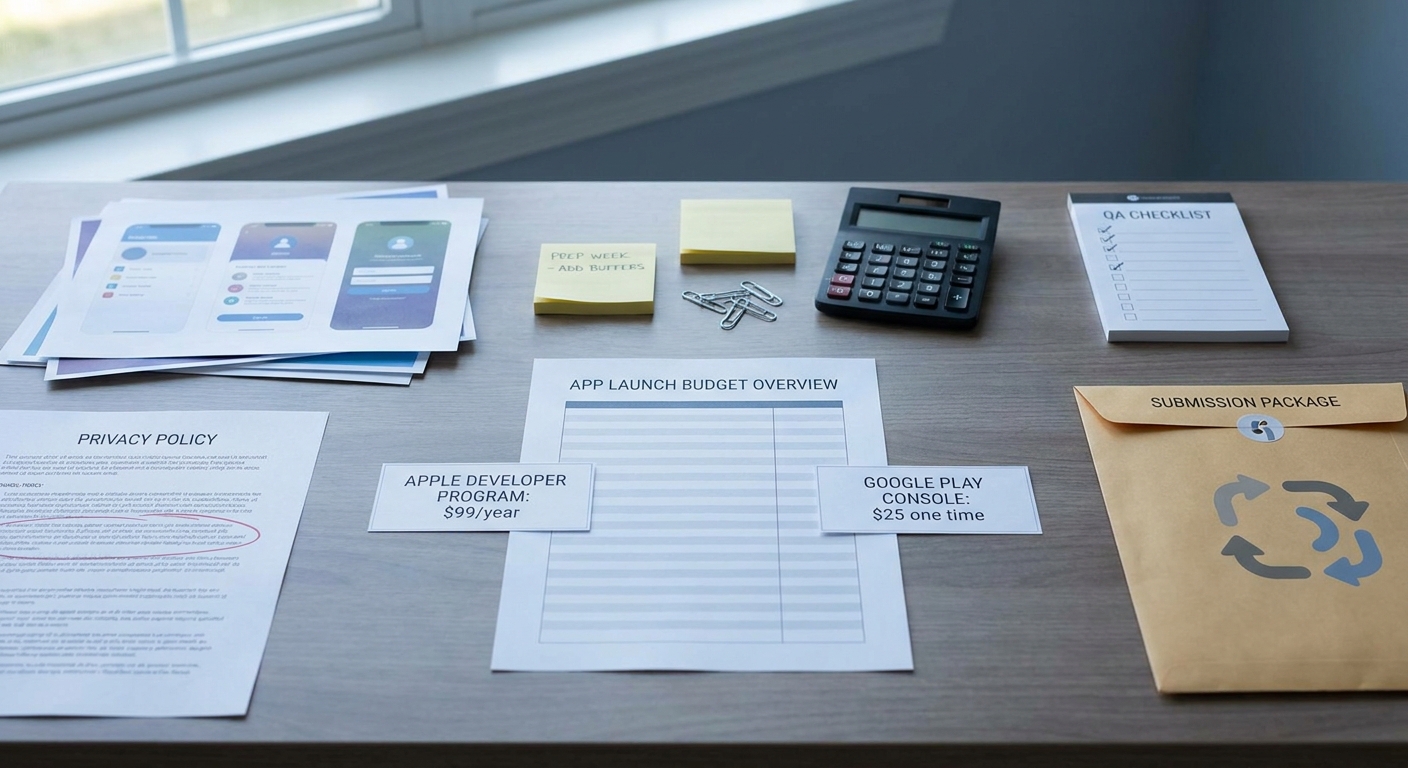
A concise budget-style callout showing the minimum app publishing fees: Apple Developer Program annual fee, Google Play Console one-time fee, and a reminder of hidden launch readiness costs like screenshots, privacy policy, and QA.
| Line item (our MVP) | What we actually paid | Readiness notes (what made it "submit-ready") |
|---|---|---|
| Apple Developer Program | $99/year | Setup plus verifying entity and access usually took 0.5-2 days for us, longer if approvals or payment access were slow (Apple Developer Program) |
| Google Play Console | $25 one time | Account setup was quick, but Data safety and tester access setup added 1-3 hours of documentation and config (Google Play Console help) |
| Store listing assets | Varies (often time-heavy) | Screenshots, icon, copy, and support links took 4-10 hours DIY; localization increased scope materially |
| Privacy and disclosures | Varies | Privacy policy page plus data mapping took 2-6 hours when straightforward; more with tracking, accounts, ads, or multiple SDKs |
| QA device coverage | Varies | We needed at least one extra test device plus 2-8 hours to run a small device and OS matrix across both platforms |
Explanation: This snapshot reflects our MVP submission prep and internal time ranges from one release. Your mileage varies by category (kids, health, finance), app flows (login, paywalls), SDKs (analytics, ads), and how fast your team can unblock approvals and access.
Interpretation: The platform fees were predictable and small. The variability came from assets, privacy/disclosure consistency, and QA, which are hard to compress without increasing rejection risk.
Reader impact: Budget the fees with confidence, then add buffer for assets, compliance, QA, and at least one review loop so launch week is less likely to get derailed by rework.
When you move from outline to execution, How to Publish a Cursor-Built Mobile App helps close common gaps teams hit here.
What other costs come with publishing an app?
- The store fee buys distribution access, not approval. Review-ready assets and compliance work are where schedule risk concentrates.
- The "hidden" line items are operational: screenshot production, privacy policy hosting, disclosure consistency, crash-free testing, and metadata iteration after feedback.
- For small teams, design and policy setup can cost more than the developer accounts, even before marketing.
- Category and SDK choices matter. Kids, health, finance, or heavy tracking commonly mean more review questions and longer turnaround.
Treat submission as a short ops sprint with dependencies. You are not just paying $99 and $25; you are funding the work that makes a build reviewable.
A complementary angle worth comparing lives in Should You Publish Your App Yourself or Hire Someone?.
Why are app publishing costs so unpredictable?
The fixed fees every publisher can plan for
These are the required platform account costs in most cases, but they are not the only unavoidable costs to get approved. Paying them can feel like progress, and it is, but it can also hide the bigger effort that starts immediately afterward.
| Store | Required account | Fee type | When you pay | Practical implication |
|---|---|---|---|---|
| Apple App Store | Apple Developer Program | $99/year | Up front, then annually | Renewal is required to keep publishing updates and maintaining the listing (Apple Developer Program) |
| Google Play | Google Play Console developer account | $25 one time | Up front | Low barrier to entry, but review and compliance work still drives the timeline (Google Play Console help) |
What this means: you can budget the minimum with confidence, but you cannot infer your launch timeline from the fees alone.
The launch tasks that turn a small fee into a real budget
The first submission is where the hidden cost lives, mostly as founder time plus rework. For a two-store launch, you often do similar work twice, but the details differ enough that copy-paste fails.
- Store assets: screenshots, icon, app description, keywords, and any localization you truly need
- Disclosures: age rating, privacy details, data collection labels, and a working privacy policy URL
- Release candidates: signing, versioning, crash testing, and basic device coverage for both platforms
- Review feedback loops: fixing metadata mismatches, permission declarations, and edge-case flows reviewers test (login, paywalls, onboarding)
One thing worth noting: "small" issues can be schedule-breaking. A missing privacy policy link, a broken support URL, or an unclear test account often triggers a rejection even when the core app is stable.
How this hits founders in the first release window
In the first 2-4 weeks, the fee is sunk cost, but approval risk is still real. Many teams cannot submit a review-ready app with only the account fees because the first cycle exposes gaps in assets, disclosures, and QA.
Failure modes worth planning for:
- Missing or incorrect test access: reviewers cannot get past login or paywalls without a working test account.
- Disclosure mismatch: permissions, data labels, and privacy policy conflict with app behavior or SDK use.
- Dependency delays: domain, DNS, or website publishing blocks privacy policy and support links; account verification and payment setup can also take longer than expected.
For tradeoffs, checklists, and edge cases, How to Publish an Emergent-Built Mobile App Successfully rounds out this section.
What changed when we mapped Apple and Google Play fees before launch
The budget split we used before publishing
Category: Store accounts
Statistic: $99/year
Label: Apple Developer Program fee
Context: Recurring platform cost to keep publishing active
Category: Store accounts
Statistic: $25 one-time
Label: Google Play Console fee
Context: Upfront account cost with no annual renewal
Category: Timeline
Statistic: 72 hrs
Label: Typical review delay
Context: When issues need a second pass
Once we stopped treating "publish" as a checkbox, the budget got calmer and more honest. We separated predictable store fees from the work that reduces rejection risk, then added a small line for launch polish and final QA.
| Bucket | What we included | Why it mattered |
|---|---|---|
| Store accounts | Apple Developer Program: $99/year; Google Play Console: $25 one time (Apple Developer Program, Google Play Console help) | Fixed, unavoidable, and not the primary source of delay |
| Compliance and disclosures | Privacy policy draft plus hosted URL, data mapping, store disclosure copy | Review churn often comes from mismatch and missing links, not just code |
| Launch assets and QA | Screenshots, icons, optional preview video, device checks, release build sanity | Reduces last minute delays and protects early ratings |
The policy checks that affected the bill
- Apple review pushed us to keep privacy labels, metadata, and support links consistent across screens and URLs.
- Google Play setup took longer than expected because Data safety and testing access forced us to document and operationalize how we handle accounts and data.
- Monetization choices created ongoing exposure (commissions, refunds, support load), so we treated them as pricing strategy and ops capacity, not just a technical toggle.
Constraint note: if you are in a regulated category or you process sensitive data, budget more time for review questions and for aligning your legal and privacy story. If your stack includes multiple analytics or ad SDKs, expect extra time to map data use accurately, and consider a quick internal audit before you fill out disclosures.
The decision point: publish one store first or both at once
Publishing one store first reduces coordination and QA scope, but it can create sales and support friction if customers expect cross-platform parity. Publishing both at once improves parity, but it increases the chance that one store becomes the critical path.
Decision rule we found practical:
- One store first if you are resource-constrained, still validating onboarding, or your app has complex login and paywalls.
- Both at once if parity is already stable, support coverage is clear, and you can absorb two sets of reviews and potential rejections.
Plan your submission sprint
Create a simple checklist and timeline for store setup, assets, disclosures, QA, and a review loop.
Track time-to-approval per store so you learn where delays happen.
Build a launch plan
Froxi AI vs Manual Publishing: Risk, Complexity, and Speed Compared reframes the same problem with a slightly different lens - useful before you finalize.
The publishing workflow: account fees first, then approval-ready execution
Step 1: secure the accounts and confirm ownership
Create access under the right legal entity
Confirm whether you are publishing as an individual or a company, and make sure whoever handles billing and legal can respond quickly. In practice, the time cost is rarely the form itself; it is waiting on internal approvals, identity checks, or payment access.
Set up roles, permissions, and recovery paths
Assign at least two admins where possible and document who owns signing keys, certificates, and store credentials. This is low effort (30-60 minutes), but it reduces the risk of getting blocked during a review request or an urgent hotfix.
Validate your required public links early
Before you upload a build, confirm your privacy policy URL and support URL are live, correct, and not blocked by auth. The dependency here is usually your domain and website publishing workflow, which can introduce delays if it is owned by someone outside the launch team.
Step 2: prepare the submission package (where most time goes)
Build store assets that match the current product
Expect multiple iterations, especially if your UI is still changing. DIY screenshots and copy can be done in 4-10 hours for a basic app, but it stretches quickly with localization, multiple device sizes, or if you want polished marketing visuals.
Map data collection and disclosures to your actual SDKs
List the SDKs you ship, what they collect, and why. The tradeoff is speed vs accuracy: rushing disclosures can save hours now but cost days later if reviewers flag mismatches.
Create a reviewer-friendly path through login and paywalls
Provide a working test account (and instructions if needed) and verify it from a clean device. If your app requires hardware, location, or a paid subscription, plan for how a reviewer will test without getting stuck.
Step 3: submit, monitor, and plan for at least one loop
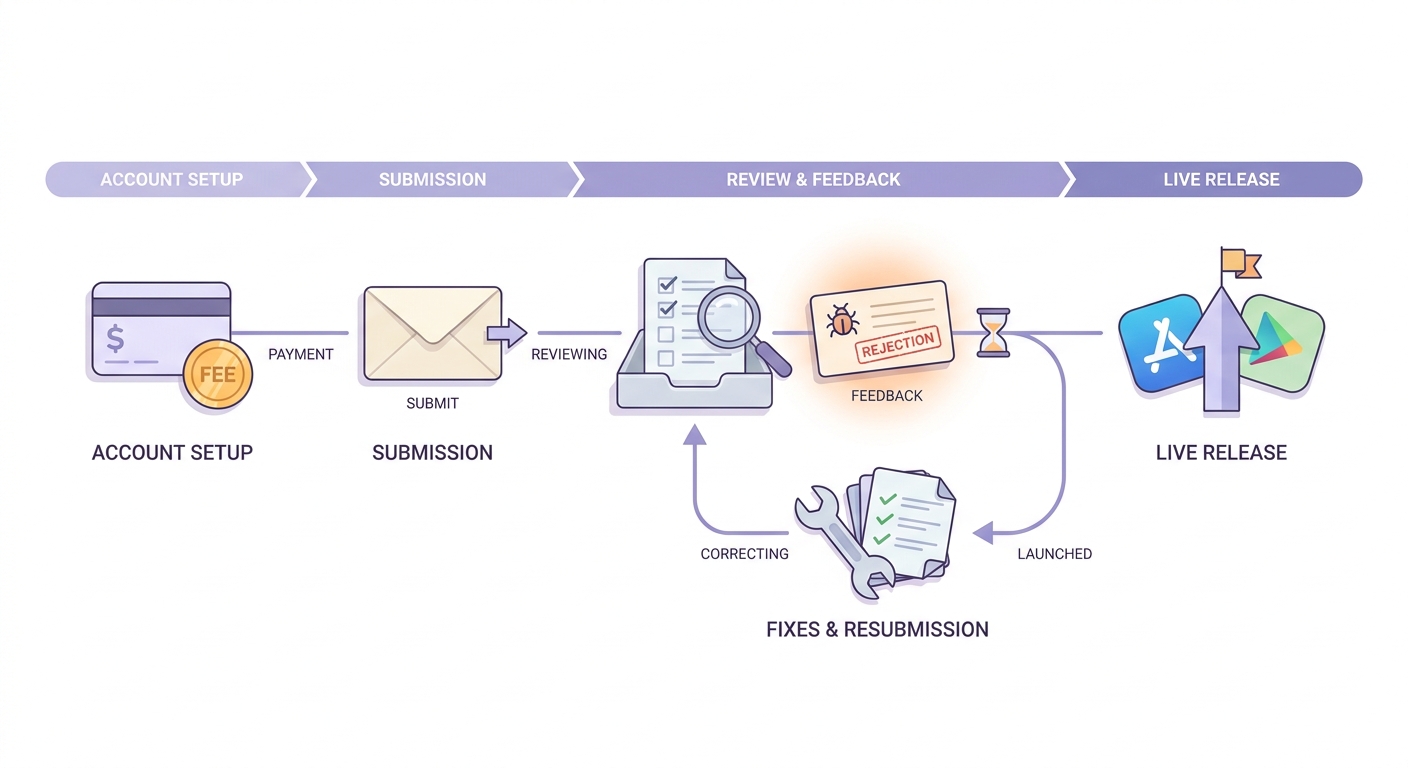
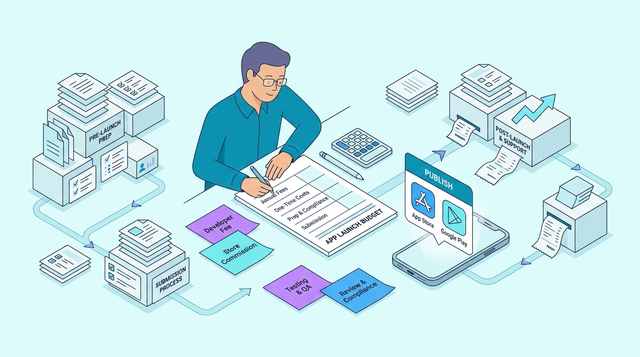
A simple timeline showing the path from account setup to store submission, review, rejection fixes, and first live release on App Store and Google Play, emphasizing where time costs add up.
Treat review monitoring like an incident queue
After submission, check App Store Connect and Play Console daily. Budget 10-20 minutes per day while reviews are pending, plus 30-90 minutes when a reviewer asks for clarification or a new build. The tradeoff is context switching, but slow responses can add days.
Pre-budget the first rejection or clarification loop
Reserve time for metadata tweaks, build resubmissions, and policy explanations. For many simple MVPs, 1-2 cycles is common, but it is not guaranteed: some apps get approved on the first pass (0 rejections), while others take more than 2 cycles (often due to category scrutiny, heavy tracking or ads, complex login or paywalls, or policy interpretation changes).
Use a lightweight checklist focused on high-risk items
Keep it short enough that the team actually uses it. We focused on links, test accounts, screenshots, labels, and permissions, because those were the most frequent causes of avoidable churn.
| Phase | Typical time cost | Where rework happens |
|---|---|---|
| Accounts | 0.5-2 days | Entity, payments, tax, access control |
| Packaging | 1-3 days | Assets, privacy, QA, test account setup |
| Review loop | 2-10 days (variable) | Clarifications, resubmits, metadata and policy adjustments |
After launch: what the fees taught us about scaling and future releases
What the first live release revealed
- Apple’s $99/year program fee became a recurring line item tied to our ability to ship updates and keep the listing active (Apple Developer Program).
- Google Play’s $25 one-time fee was real, but it did not shape our ongoing cadence the same way (Google Play Console help).
- The bigger surprise was review and asset-prep time: screenshots, privacy labels, and the back-and-forth that eats calendar days.
- The practical takeaway: teams that budget for iteration (one likely review loop, one asset refresh) often ship faster than teams that budget only for the fees.
The next budget items after the first app goes live
- Annual Apple renewal, plus periodic screenshot and description refreshes as features change.
- Ongoing QA for OS updates, permission prompts, and regressions that show up only on real devices.
- Support inbox load and small fixes that protect ratings (someone has to own this, even if it is 15 minutes a day).
- If you monetize: commissions, refunds, tax handling, and customer support become ongoing costs that can matter more than the initial registration fees.
Build your publishing budget before you submit
Split your plan into fixed store fees vs launch readiness costs, then add time for one review loop.
Use a simple metric like time-to-approval so each release gets easier to forecast.
Start your budget