
Publishing a kids app to the App Store is not just a normal submission with a different category selected. The Kids category forces decisions about ads, SDKs, privacy, and even your App Store Connect configuration, and Apple will check that your story, your binary, and your listing all match. This is the case study of how we got our first kids app ready in 2026, what broke our original launch plan, and the concrete changes that helped us submit with lower rejection risk.
Submitting vs Publishing an App: What's Different goes deeper on the ideas above and adds concrete next steps.
Early proof: what changed before we even submitted
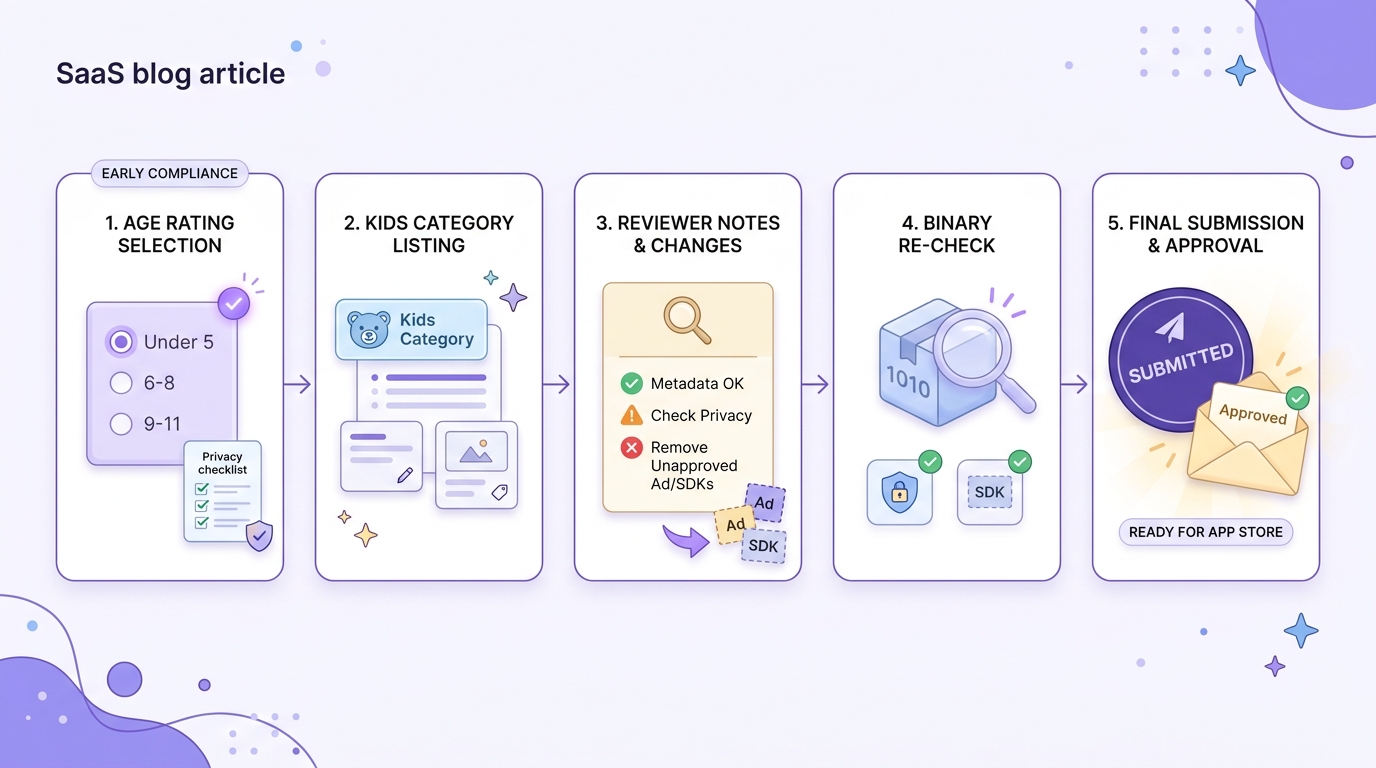
A timeline showing the sequence from age-rating selection to Kids Category listing, review notes, binary re-check, and final submission in App Store Connect.
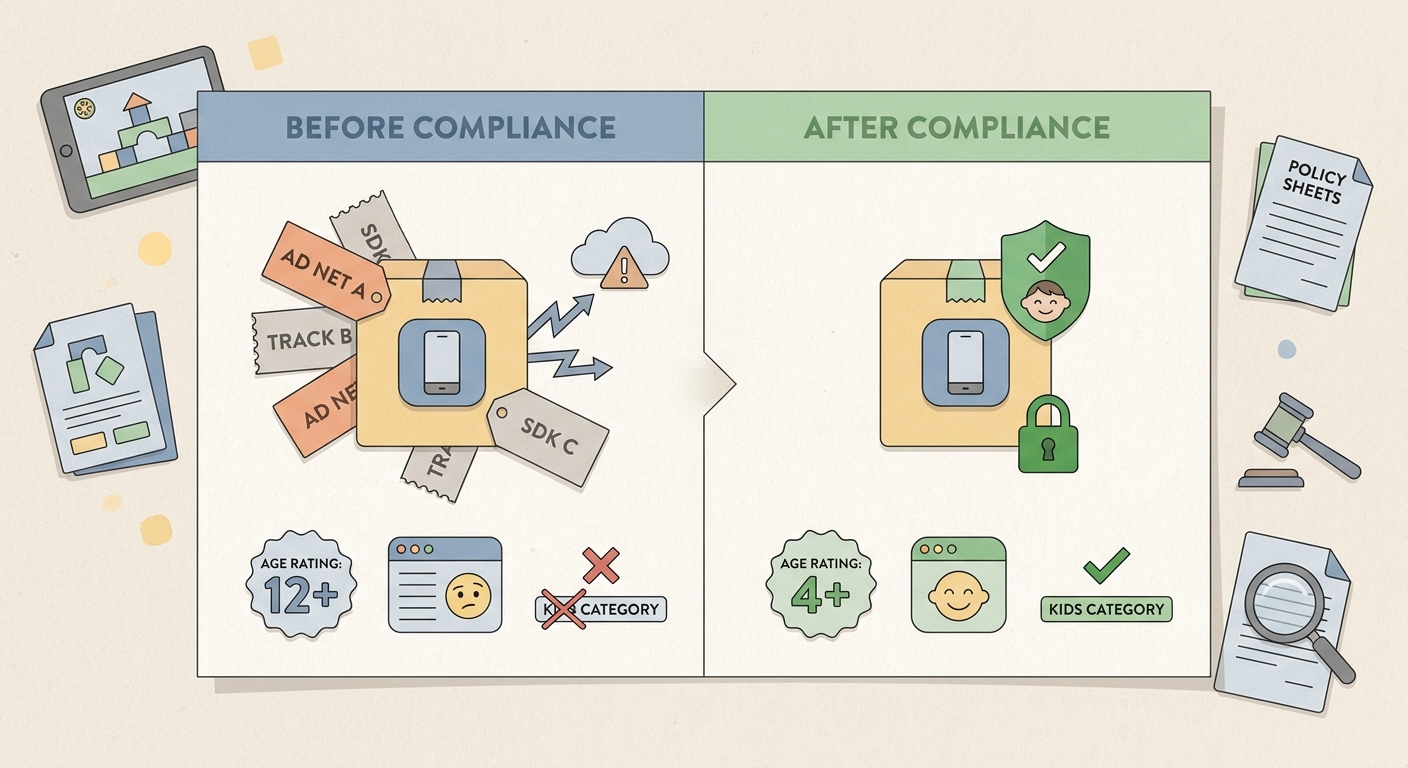
A compact before/after compliance table showing the kids app’s submission state before and after removing ad SDKs, tightening data collection, and aligning the App Store age rating and Kids Category listing.
Two weeks before launch, our app looked finished. Then we re-read Apple’s Kids guidance and realized our submission was exposed in predictable places: advertising, third-party SDK behavior, and unclear reviewer-facing explanations. This took a focused 48-hour reset, plus a follow-up half day to re-check the build before upload.
The table below is from our pre-submission audit: what was in the build, what we removed or changed, and what we documented for reviewers. It is not a guarantee of approval; compliant apps still get rejected due to reviewer interpretation, metadata mismatches, or last-minute dependency changes.
| Area | Before the reset (looked normal for a non-kids app) | After the reset (Kids category ready) | Why it mattered in review |
|---|---|---|---|
| Ads and monetization | Third-party ad network enabled; planned rewarded videos | Removed ad network; shifted monetization to parent-facing purchase | Kids guidance and review expectations heavily constrain ad behavior and related data use (App Review Guidelines) |
| Analytics | General analytics SDK with broad defaults | Reduced to minimal event logging; verified no tracking identifiers | Kids apps should avoid unnecessary data collection and tracking (Kids experiences) |
| SDK footprint | Several SDKs added late for growth and reporting | Line-by-line audit; removed anything we could not justify or validate | Review risk is often hidden inside third-party frameworks (App Review Guidelines) |
| Parental consent | Adult gate existed in UI, but not documented for reviewers | Documented where the adult gate appears and what it protects | If reviewers cannot find or understand it quickly, you lose time |
| Age rating and listing | Rating and screenshots aimed at a broad family audience | Rating aligned to the youngest likely user; listing clarified child-directed design | Apple expects rating and Kids category details to match real usage (Age rating setup) |
Explanation: Our learning content was fine, but our publishing stack (ads, SDKs, metadata) did not read like a Kids app.
Interpretation: Most Kids category problems are consistency problems: what the app does vs what the listing and disclosures claim.
Reader impact: If you are shipping soon, block 3-6 hours to inventory SDKs, 1-2 hours to tighten App Store Connect fields, and another 1-3 hours to re-test network behavior in a fresh install.
When you move from outline to execution, How to Publish a Replit-Built Mobile App helps close common gaps teams hit here.
What makes the Kids category different
Here is the thing: Kids category review is less about whether your content is wholesome and more about whether your app behaves like a kids product across the whole stack. That includes monetization, data flow, third-party SDKs, and how clearly you explain it all to a reviewer.
It also has real constraints. Some common mobile defaults (ads, attribution, broad analytics) are harder to justify, and even "benign" SDKs can create review questions if they transmit identifiers or call out to third parties in ways you did not expect (Kids experiences, App Review Guidelines).
What Apple tends to scrutinize first:
- Advertising behavior: whether ads or prompts look kid-directed or rely on tracking-like mechanisms (App Review Guidelines).
- Third-party SDK behavior: you are responsible for what every framework does, not just what you intended (Kids experiences).
- Consistency: age rating, Kids category listing, privacy disclosures, and in-app flows must align (Age ratings definitions).
A complementary angle worth comparing lives in Step-by-Step Guide to Publishing Your First Mobile App.
Why our first kids app launch plan was not enough
Our team was three people: one iOS engineer, one content designer, and me handling product and operations. We had a clear promise: short, calm learning sessions for ages 4 to 8, built to be used independently by kids.
The app was solid. The launch plan was not, because it assumed "we will fix it after review" would be cheap. For Kids category apps, that can turn into multi-day rework, plus waiting on review cycles while your launch window slips.
The three gaps we had to close:
- Monetization: our default ad plan was easy to build, but hard to defend in a Kids narrative.
- SDK validation: we had not verified what each SDK actually sent over the network in a fresh install.
- Metadata and configuration: our listing and age rating were written like a general family app, not a child-directed one.
The deadline reality (and what it actually cost)
At T minus two weeks, we had to choose: ship quickly and let review feedback tell us what to fix, or pause and rebuild the privacy and SDK story now. We chose the boring path.
Realistically, that cost about 1-2 days of focused engineering work, plus 2-4 hours in App Store Connect and listing edits. The payoff was fewer unknowns going into review, not a promise of first-pass approval.
For tradeoffs, checklists, and edge cases, Top 5 Ways to Monetize Your First iOS App rounds out this section.
What extra rules changed the build?
The rules were not hard to understand, but they changed several default habits. We stopped treating ads, analytics, and listing setup as separate tracks and started treating them as one system that Apple evaluates together.
Apple’s own guidance is the best source of truth, and it is worth reading end-to-end before you finalize your stack (Kids experiences, App Review Guidelines).
Advertising and monetization had to be redesigned
Remove ad behaviors that depend on profiling
We cut ad placements that relied on cross-app tracking, behavioral targeting, or unclear third-party data use. Even if your intent is harmless, the mechanism may still raise Kids category concerns.
Audit every monetization touchpoint for kid-safe interaction
We checked for external links, upsell prompts, and UI patterns that could pressure kids. Anything purchase-related had to be clearly parent-directed and behind an adult gate.
Refocus the session loop on learning, not engagement
We removed prompts that could be interpreted as engagement-maximizing. The experience became simpler: open, learn, finish, close.
Tradeoff: we gave up early ad revenue and some measurement convenience. In return, we had a simpler app to explain to reviewers and to parents.
Third-party SDKs became a line-by-line audit (and this is where time disappears)
This was the most effort-heavy part, and it is easy to underestimate.
- Expect 2-6 hours to inventory SDKs and read vendor docs if your stack is small, longer if you have multiple growth tools.
- Plan 1-3 hours to verify behavior in a realistic test run (fresh install, first launch, background/foreground, purchase flow).
- Budget time to re-check before each release if you update dependencies, especially after major version bumps.
We verified behavior with two concrete checks:
- Network capture: Proxyman or Charles on a real device during onboarding and idle time, looking for unexpected endpoints or calls before any parent-directed actions.
- Privacy Manifest review: open your app target’s included privacy manifests and confirm each required reason API or collected-data claim matches your actual usage. If this is out of date, you can end up with disclosures that do not match the build.
Constraint: SSL pinning, vendor obfuscation, or encrypted payloads can limit inspection. If you cannot reasonably validate an SDK, it is harder to justify in reviewer notes.
Privacy, consent, and listing consistency became publishing gates
We treated these as configuration work, not copywriting. This is tedious, but it is cheaper than a rejection loop.
- Age rating: answer the App Store Connect questionnaire based on the current binary, then sanity-check that screenshots and description do not imply older-audience features (Set an app age rating).
- Adult gate and parent flows: ensure purchases and any parent-only actions are behind an adult gate, and that reviewers can find it quickly.
- Privacy story: align your disclosures to real behavior, including what SDKs are present and what data leaves the device.
What can still go wrong (even if you do all this)
Even careful teams hit issues. The common failure modes we planned for:
- An SDK update changes what it collects or when it calls home.
- App Store metadata (screenshots, description, age rating) drifts from what the binary actually does.
- A reviewer interprets an edge case differently (for example, what counts as kid-directed promotion vs parent-directed info).
- A last-minute config flag re-enables something you thought was off.
The practical takeaway: expect at least one iteration cycle and keep time in your launch plan for resubmission.
Why Publishing Certainty Is More Valuable Than Faster Builds reframes the same problem with a slightly different lens - useful before you finalize.
Submission prep: what we actually shipped to review
We stopped thinking of submission as "upload and hope" and started shipping a small set of reviewer aids alongside the binary. This took about 60-90 minutes, plus another 30 minutes each time we changed UI or dependencies.
Write reviewer notes like a map, not a pitch
We included a short checklist pointing to key screens: the adult gate, the purchase path, and any privacy-related UI. The goal was to make it easy to validate compliance quickly.
Run a preflight pass before submission
We tested external links, unexpected webviews, and any UI that could lead a child outside the app. We also confirmed the binary still matched the documented SDK list.
Dependency caveat: this only works if your notes match the current build. If you change UI, SDKs, or monetization after writing notes, update the notes before you submit.
What happened at final submission and what we learned
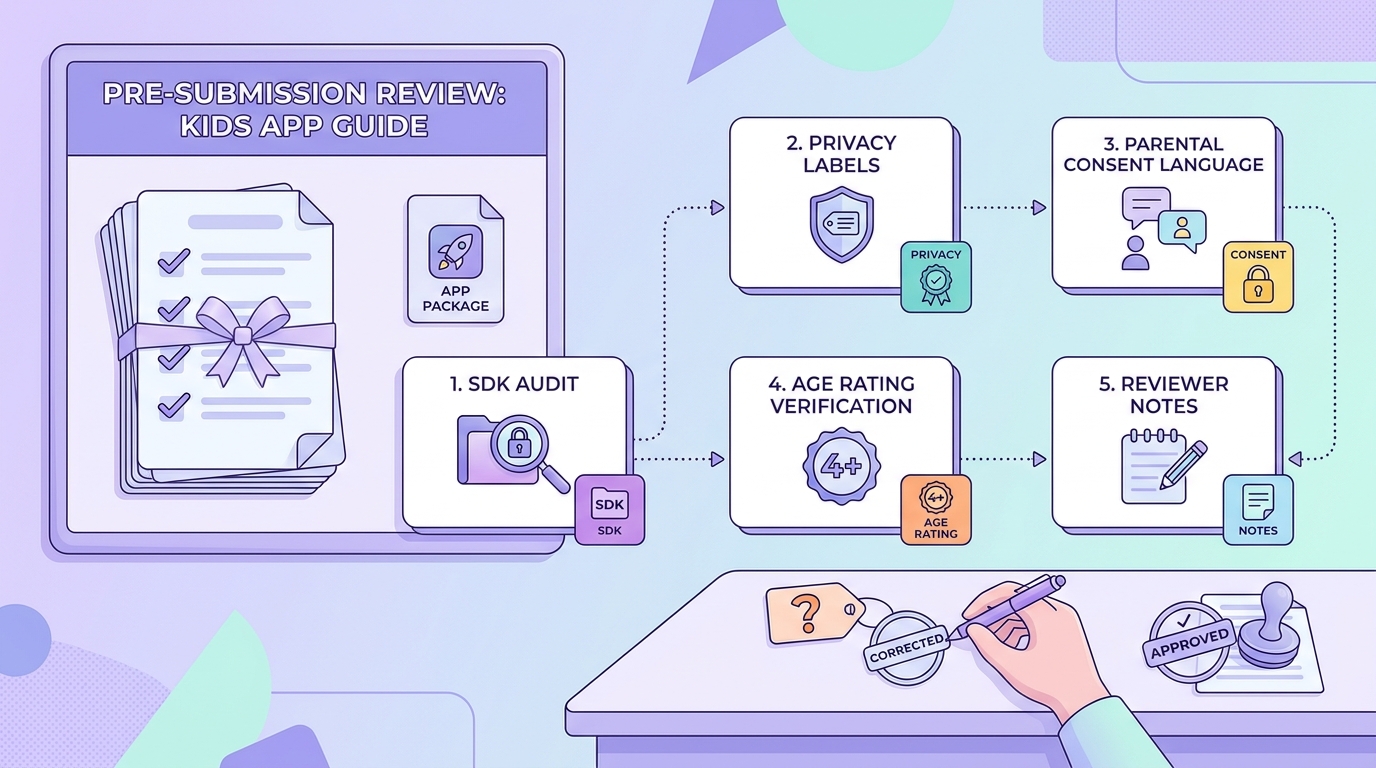
A practical preflight checklist for kids app publishers covering SDK audits, privacy labels, parental consent language, age rating verification, and reviewer notes before upload.
We submitted expecting scrutiny, not hoping for luck. The mindset shift mattered: our job was to make the reviewer’s job easy, while accepting that outcomes can vary.
After the cleanup, review feedback (when it came) was mostly about presentation and edge-case clarification, not obvious Kids category violations. That is still not a guarantee; it just means we reduced the surface area for misunderstandings.
The mistakes we would not repeat
- Do not assume your standard App Store checklist is enough for Kids category apps. It is a different lane with different failure modes (Kids experiences).
- Do not leave third-party SDK review until the build is frozen. Late additions are where hidden collection sneaks in.
- Do not treat parental consent and age rating as copy tasks. They are requirements tied to product behavior and configuration (Set an app age rating).


