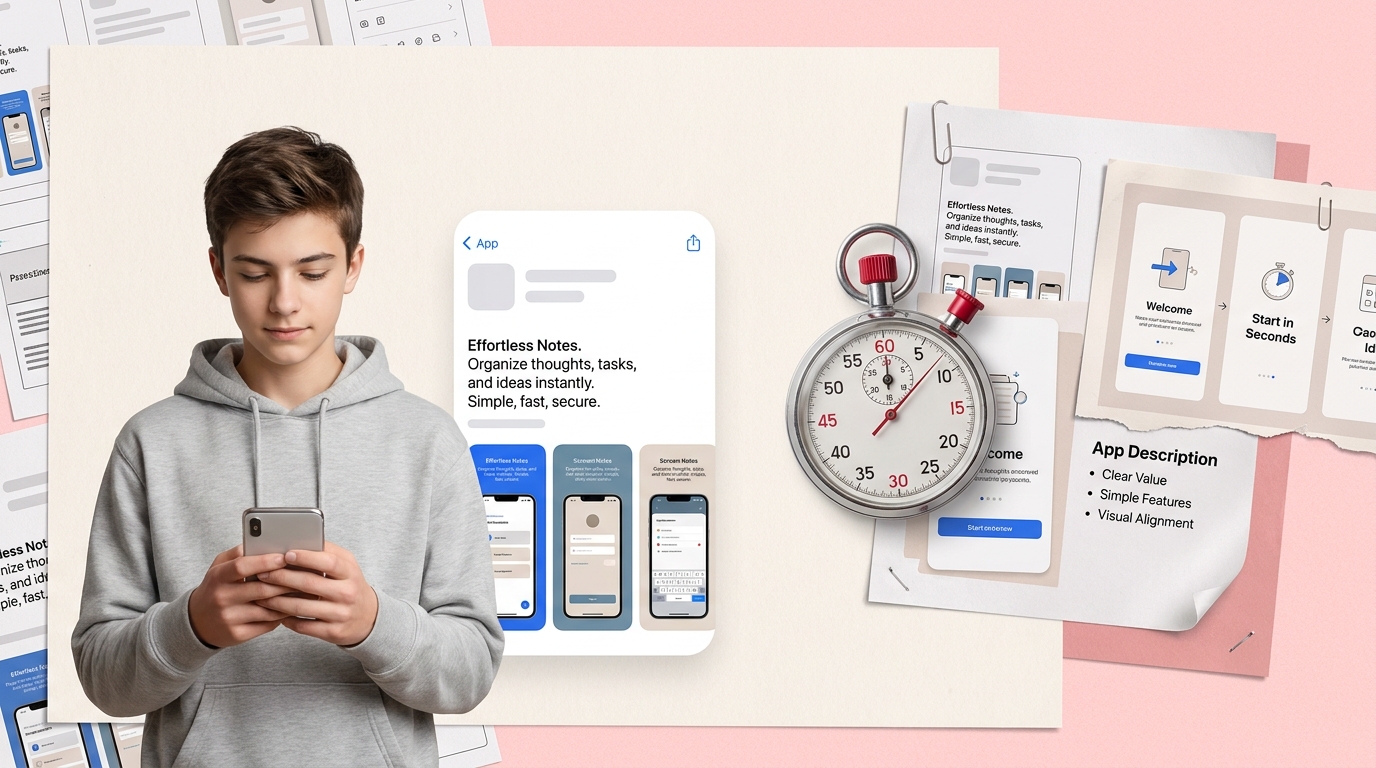
If your app description reads like ad copy, reviewers may have to guess what the app actually does. That guesswork can create confusion before they even open the build. The better goal is simpler: help a reviewer understand the core use case in about 10 seconds so review context is clearer and unnecessary back-and-forth is less likely.
| Example | Opening line | What a reviewer can infer | What they likely expect first |
|---|---|---|---|
| Vague | Improve your life with an all-in-one productivity app | Category and primary action are unclear | An unpredictable first-run experience |
| Clear | Track daily habits with reminders and streaks | Core function is easy to understand | Habit setup, tracking, or streak view |
| Vague | Transform your finances with smart AI tools | Promise is broad and hard to verify | Unclear whether it budgets, scans, or advises |
| Clear | Scan paper receipts into organized expense records | First action is concrete and testable | Camera scan or receipt import flow |
This is directional proof, not a formal study. The practical point is that a clearer opening line helps a reviewer predict what they should see without filling in gaps themselves.
What this means for your team is straightforward: better clarity can reduce confusion and improve review comprehension, but it does not guarantee faster approval. If onboarding, screenshots, login flow, demo data, or permission gating do not support the claim, metadata alone will not fix that.
How to Write an App Description Reviewers Understand in 10 Seconds goes deeper on the ideas above and adds concrete next steps.
Why do app descriptions fail the 10-second reviewer test?
Reviewers are not reading your description the same way a customer does. Founders often write to persuade, while reviewers read to verify function and consistency.
In practice, a reviewer is usually trying to answer three questions quickly: what does the app do, what should appear first, and does the product match the listing. Apple’s App Review and App Store listing guidance and Google Play’s Store Listing and Metadata policies both emphasize that app metadata should be accurate, clear, and representative of the in-app experience, so mismatches can create trust or review issues.12
A few signals matter most:
- The first sentence names the core action
- Screenshot one supports the same story
- Onboarding does not contradict the listing
- The first usable screen makes the primary use case visible
If those pieces do not line up, reviewers may ask follow-up questions or test more carefully. That does not always lead to rejection, but it can make review less predictable.
When you move from outline to execution, How to Write an App Description Reviewers Understand in 10 Seconds helps close common gaps teams hit here.
How do you check app description alignment before submission?
Use a simple pre-submission test:
Show only the first two lines to a teammate
Ask what the app does, who it is for, and what they expect to happen first.
Compare that answer to screenshot one
The image should confirm the same action named in the opening sentence.
Open the app and check the first session
A reviewer should be able to reach the core action without a confusing detour, assuming login, permissions, or setup do not block it.
This usually takes 10 to 20 minutes with one fresh reader. If people hesitate or interpret the app differently, expect at least one round of rewriting.
| Submission prep item | Typical effort | Common dependency | Review risk if skipped |
|---|---|---|---|
| Rewrite opening lines | 30 to 60 minutes | Product marketer or founder | Reviewer misreads the app’s main job |
| Update screenshots | 1 to 3 hours | Design files, device frames, localization | Listing and first-run flow tell different stories |
| Check first-run UX | 30 to 90 minutes | Test account, seeded data, QA pass | Reviewer hits a wall before seeing value |
Metadata edits are often quick, but screenshot changes and onboarding fixes can take design or product time. If your app needs an account, special permissions, or seeded data to make sense, plan for extra prep before resubmission.
A complementary angle worth comparing lives in What the App Store Review Team Actually Tests.
Write the description reviewers can understand fast
1. Start with the simplest true sentence
Lead with a concrete action a reviewer can verify quickly. "Track daily habits with reminders and streaks" is more useful than "Improve your life with better routines."
Keep the claim tied to the first session when possible. Long-term outcomes like better health, financial transformation, or major productivity gains are harder to support during review and may invite extra scrutiny.
2. Answer what, who, and first outcome
Your opening paragraph should do three jobs:
- State what the app helps users do
- Name the primary user or context
- Describe what success looks like early on
For example: "Track daily habits with reminders and streaks. Built for people who want a simple routine tracker, the app lets users create habits, log progress, and review consistency over time."
That is not flashy, and that is the tradeoff. During review, clarity usually matters more than polished marketing language.
3. Match the text to the actual product
Compare sentence one, screenshot one, and the first usable screen. If they tell different stories, fix the mismatch instead of hoping the reviewer connects the dots.
Be careful with claims about AI, health, money, or performance outcomes. Those categories often need tighter wording because reviewers can only validate what they can actually see and test.
What app description mistakes confuse reviewers most?
Three patterns cause avoidable confusion:
- The hype wrapper - Buzzwords appear before the user action
- The feature dump - Too many features hide the main job
- The oversized promise - The copy claims outcomes the app cannot quickly demonstrate
A clean description helps only when the rest of the listing and product support it. A better opening line will not save a first-run experience that starts with a login wall, a blank dashboard with no sample data, or permissions that appear before the app's value is visible.
Here is the practical takeaway: improving clarity is usually worth doing because it reduces ambiguity. Treat it as risk reduction, not a guaranteed review-speed tactic.
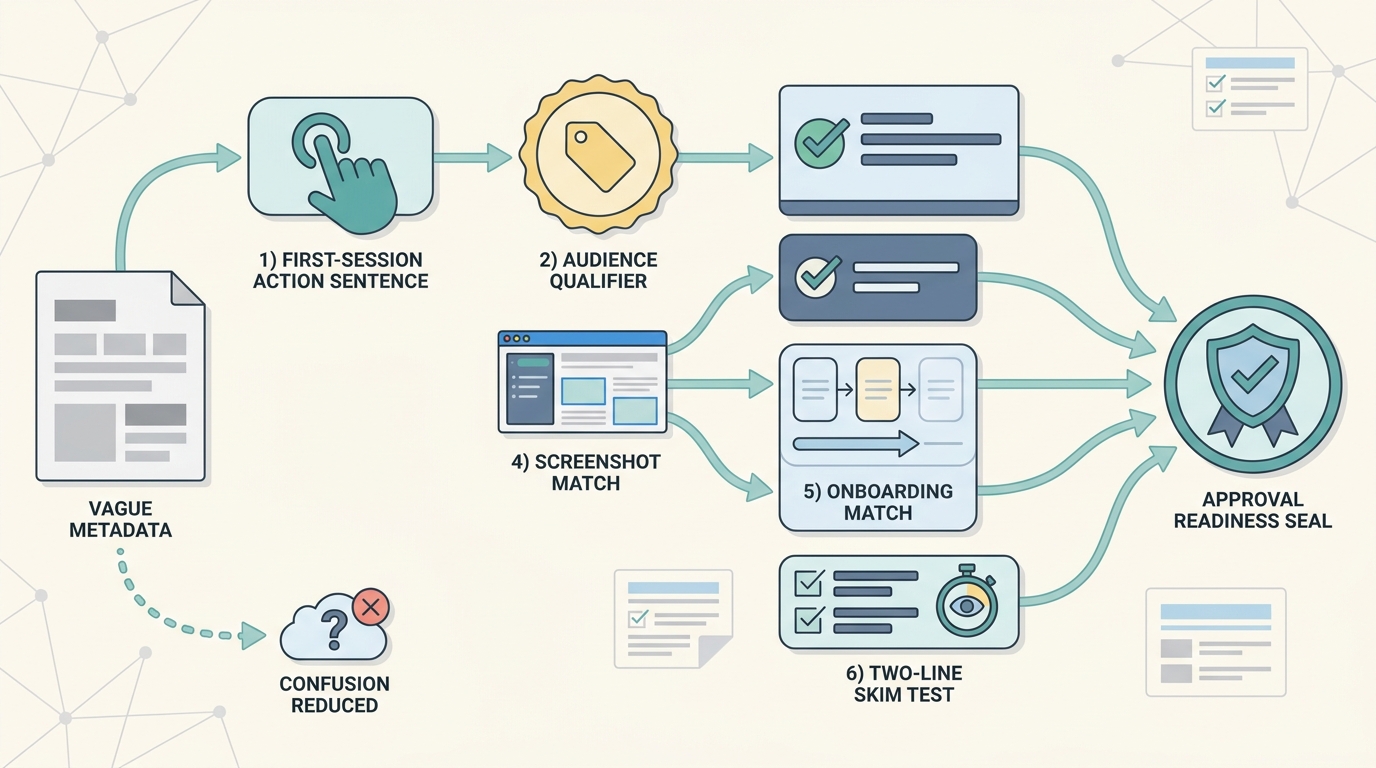
A simple flow diagram of the article’s drafting method: first-session action sentence, audience qualifier, successful outcome line, screenshot-one match, onboarding match, and final two-line skim test. The diagram visually connects metadata clarity to approval readiness.
FAQ
Should I write my app description for users or reviewers?
How long should the opening sentence be?
Is it okay to mention AI in the description?
What if my app has many features?
Do screenshots affect reviewer understanding?
[^2]: Google Play Console Help. "Create your app store listing" and Google Play metadata policy guidance. https://support.google.com/googleplay/android-developer/answer/13393723