If your app gets rejected for camera permissions, it is rarely about whether you need the camera. It is usually about timing, clarity, and whether your runtime behavior matches your disclosures. This guide shows a reviewer-friendly flow you can implement quickly, plus the resubmission details that often reduce back-and-forth.
| Proof artifact (internal, directional) | Before (rejected) | After (in our case, approved after resubmission) | Notes and constraints |
|---|---|---|---|
| Review cycles to clarity | 2 cycles with repeated questions | 1 tighter cycle to an approvable state | Timing varies by app, region, and reviewer; this is one case, not a guarantee. |
| Calendar time lost | ~11 days across cycles | ~3 business days after resubmission | Includes queue time you cannot control; peak periods can stretch this. |
| Main failure mode | Startup camera prompt + generic copy | In-context prompt + specific disclosure + aligned notes | Mostly UX/copy plus light refactor and QA. |
Explanation: Directional, internal ops proof: clearer timing and disclosure reduced review churn in our submission.
Interpretation: Camera requests tend to draw questions when they are early, vague, or inconsistent with screenshots and privacy metadata.
Reader impact: Plan for copy and metadata work (1-3 hours), plus engineering and QA time (often 0.5-1 day depending on code paths and locales), then add queue-time uncertainty.
Google Play Permissions Declaration Form Explained goes deeper on the ideas above and adds concrete next steps.
Why do apps get rejected for camera permissions?
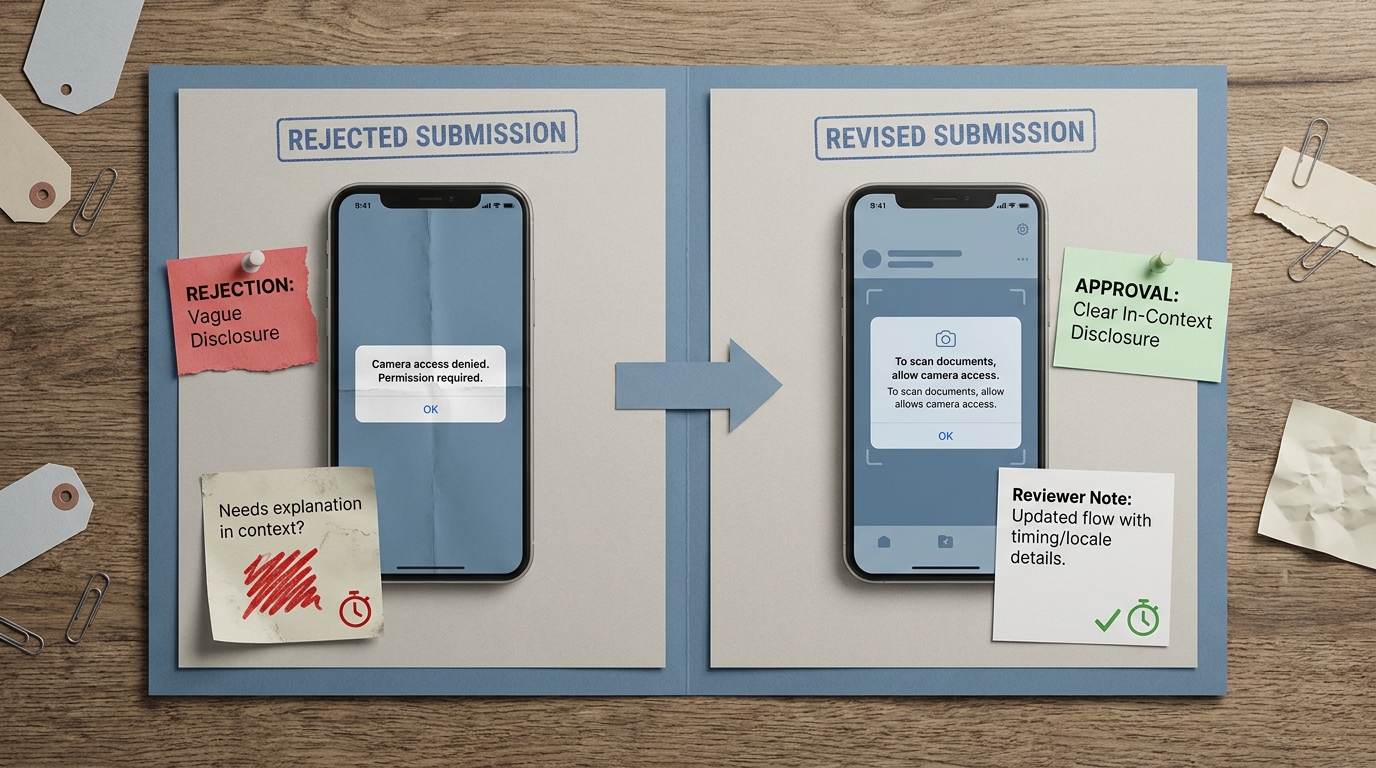
A compact before-and-after proof card showing a rejected camera-permission submission versus a resubmitted build with clearer in-context disclosure and reviewer notes, emphasizing shorter review delay and fewer clarification requests.
Two weeks before launch, my cofounder Maya and I watched the same mobile build get rejected by both App Store review and Google Play. We treated camera access as straightforward because barcode scanning was the core feature, but reviewers treated the first-launch camera prompt as an overbroad ask.
The impact was operational: it blocked our release train, burned a paid influencer slot, and created support churn from beta users stuck at the prompt. We also underestimated how much reviewers cross-check permission behavior against reviewer notes, screenshots, and privacy disclosures.
When you move from outline to execution, What Happens When Your App Gets Rejected - and How to Respond helps close common gaps teams hit here.
How do you fix a camera permission rejection?
Apple and Google both expect permissions to be tied to a moment of need, not a blanket ask at startup (Apple HIG, Google permissions). A startup prompt can read as over-collection even if you never upload images.
In our case, three issues compounded:
- Timing: we asked on first launch, before the user did anything that implied scanning.
- Specificity: our copy was generic, so the benefit was not obvious.
- Consistency: screenshots, reviewer notes, and privacy metadata did not clearly match the runtime path.
One thing worth noting: moving the prompt later can reduce immediate grant rates for some apps. Many teams accept that tradeoff because the alternative is rejection risk, distrust, or a confusing first-run experience that increases early churn.
A complementary angle worth comparing lives in 24-Hour Google Play Resubmission Checklist.
The fix: make intent obvious, then resubmit cleanly
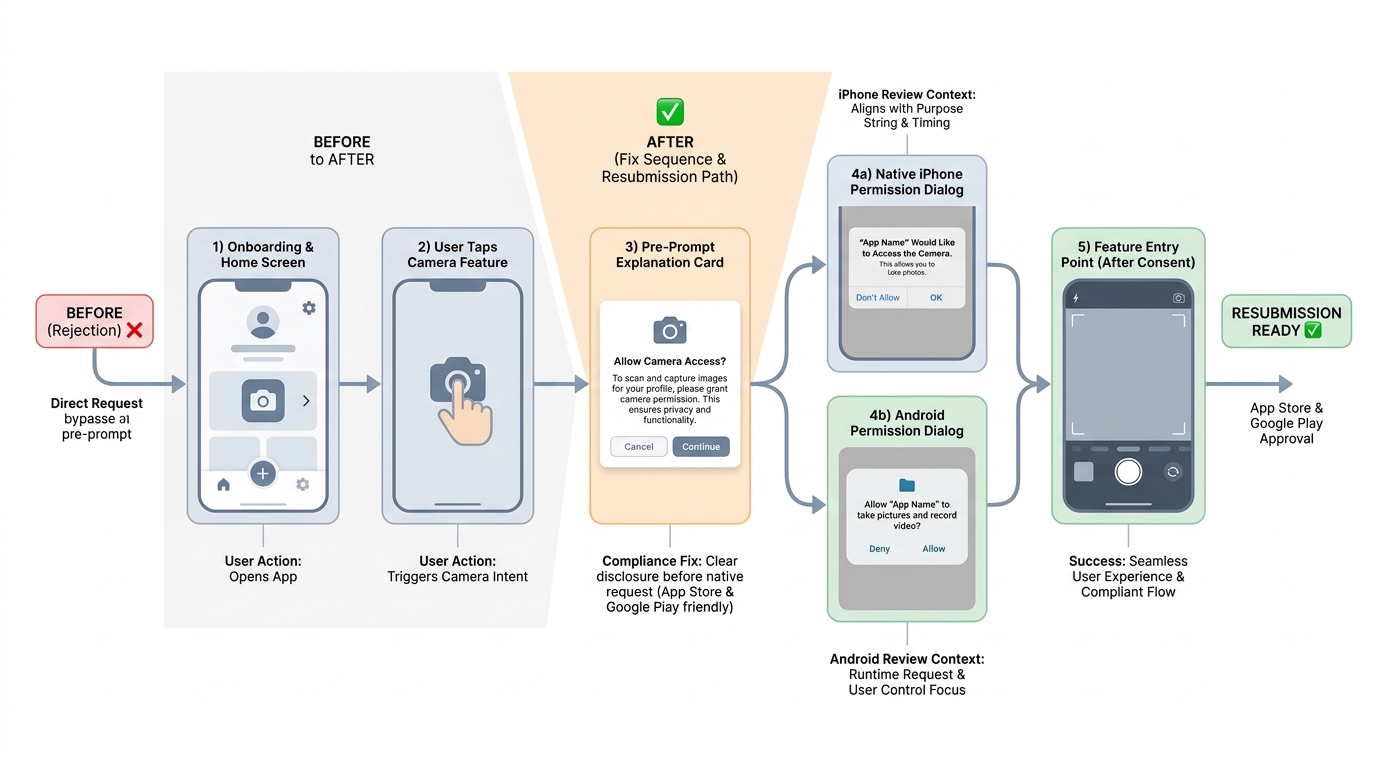
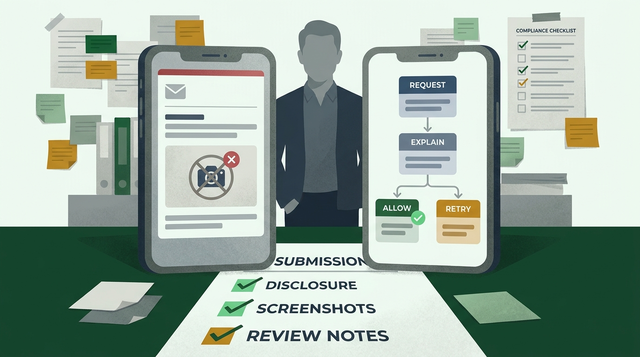
A step-by-step flow diagram showing onboarding, user action, pre-prompt explanation, native camera permission dialog, and feature entry point for both iPhone and Android review contexts.
Permission flow updates (what we changed)
Let users reach a usable screen first
We removed the first-launch prompt and ensured no camera APIs were touched before consent. This is usually a small refactor, but it can take a few hours if your app initializes camera-related SDKs on startup.
Ask on the barcode scan tap
The first time a user tapped "Scan barcode," we treated that as explicit intent. It also creates a reviewer path that is easy to reproduce.
Add a short pre-prompt
We added a one-screen explanation: what the camera enables here and what happens if the user denies it. Writing takes minutes, but routing copy through privacy, legal, or localization can add 1-3 days in larger orgs.
Show the OS prompt, then deliver value
Only then did the native permission dialog appear, followed immediately by the scanner. You still need a denial path (manual entry, limited mode, and a settings link) and you should expect at least one clean-install QA pass to verify it.
Concrete failure modes to watch for (these cause rejections and user-facing bugs):
- Accidental early access: analytics, SDKs, or "warm up" code touches camera APIs before consent and triggers the OS prompt too early.
- Missing or mismatched usage strings: locale gaps or vague
NSCameraUsageDescriptiontext can create inconsistent reviewer experience. - Denial-path bugs: user denies permission and the app loops prompts, dead-ends, or crashes.
- Listing drift: store screenshots or descriptions imply a flow that no longer matches the current build.
Align disclosure and metadata (where hidden work shows up)
Here is the thing: the code change is often smaller than the packaging work.
- Use specific language like "scan barcodes to add items" instead of "improve experience" (App Review Guidelines).
- Make the iOS usage string, in-app rationale, screenshots, and reviewer notes tell the same story.
- For Google Play, ensure permission declarations and Data safety disclosures match what happens at runtime.
Constraints to plan for: localization updates for usage strings, screenshot refresh lead times, and internal approval cycles (privacy, legal, brand). Even if engineering changes take 1-3 hours, a clean resubmission package can take 0.5-1 day end-to-end.
Camera Permission Rejection Checklist
A fast, reviewer-oriented checklist to spot early prompts, vague copy, and metadata mismatches before you resubmit.
Run the checklist
For tradeoffs, checklists, and edge cases, How to Fix App Store Guideline 5.1.1 Privacy Rejection rounds out this section.
What should you include in a resubmission checklist?
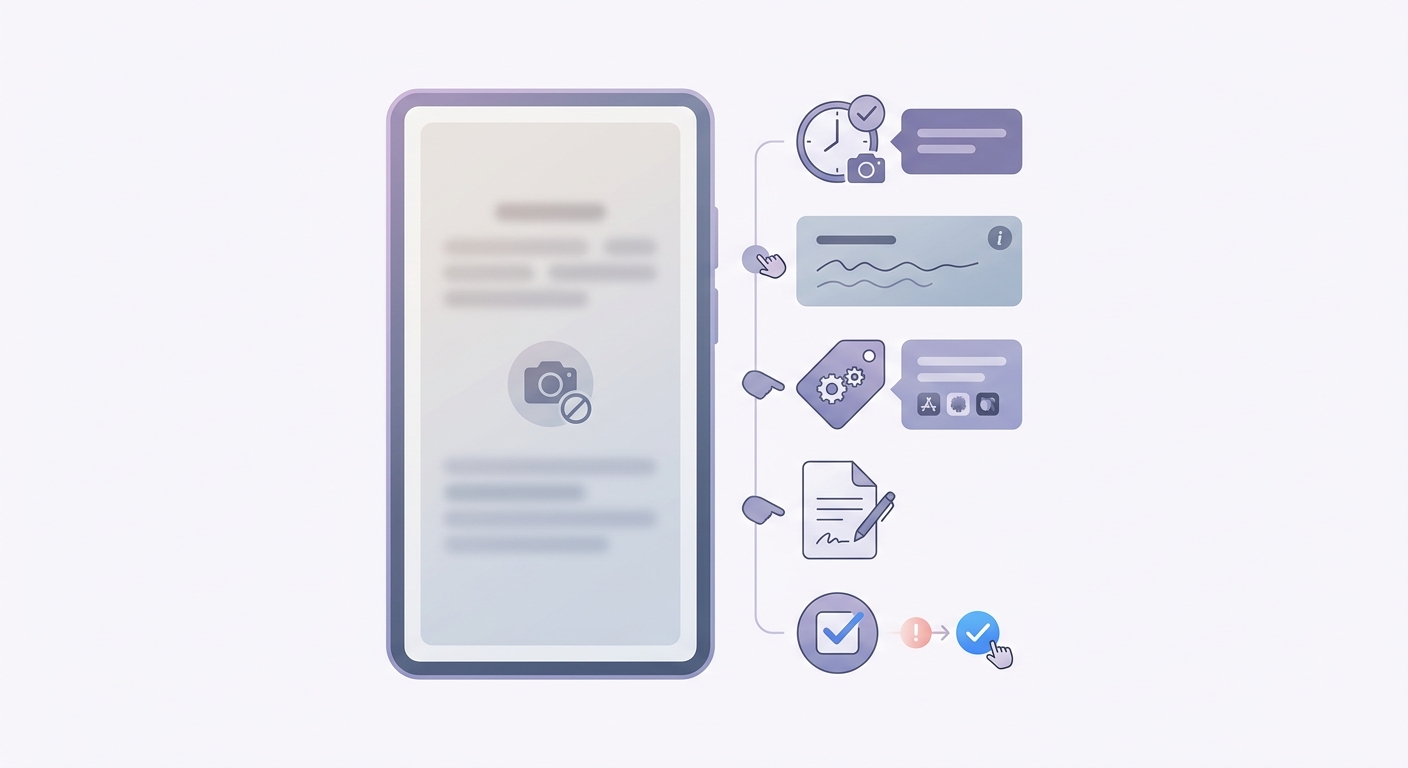
A concise pre-submission checklist covering prompt timing, disclosure wording, store listing alignment, reviewer notes, and a final QA pass on both platforms before resubmitting.
The goal of the resubmission is not to argue. It is to remove ambiguity for someone with limited time and no internal context.
| Checklist item | What to do | Why it helps review |
|---|---|---|
| Trigger timing | Ask on "Scan barcode," not at startup | Makes necessity obvious and repeatable |
| Copy alignment | Match usage string, pre-prompt, screenshots, and description | Reduces inconsistency flags |
| Reviewer notes | Provide tap-by-tap steps and data handling | Preempts common follow-ups |
A practical reviewer-notes template:
- Where the camera is used: "Home - Tap Scan barcode - Camera opens"
- Why it is needed: "To scan barcodes and add items faster"
- What is stored: "No photos saved" or "Images processed on-device" or "Uploaded to server for OCR"
- Retention and deletion: if anything leaves the device, state retention window, deletion flow, and account deletion behavior
Risk caveat: if you store images, scan results, or derived data, your risk shifts from "permission timing" to "data handling clarity." Reviewers may ask for retention details, a deletion path, or demo credentials to verify behavior, which can add another cycle if you are not ready.
Before resubmitting, budget a short preflight:
- 30-45 minutes product review of disclosure copy and listing text
- 45-90 minutes engineering validation of trigger timing, locale strings, and fallbacks
- 45-90 minutes QA on clean installs for iOS and Android, including denial and "limited access" paths
Reviewer Notes Resubmission Template
A copy-paste structure for iOS and Android reviewer notes, plus a short preflight to reduce back-and-forth.
Get the template
How to Fix App Store Guideline 5.1.2 Data Use and Sharing Rejection reframes the same problem with a slightly different lens - useful before you finalize.