App review delays often come from avoidable access friction: the build is ready, but the reviewer cannot reliably get to the feature you want evaluated. If your app requires authentication, clear reviewer notes and stable demo credentials are part of the release work, not optional metadata. This guide shows how to write reviewer notes and provide demo access that lets a reviewer verify core functionality in one sitting, without oversharing or creating unnecessary security risk.
Early proof (directional): what changes when the submission package is reviewer-ready.
| Submission package | What the reviewer experiences | Likely outcome |
|---|---|---|
| Generic notes, no working access | Login wall, 2FA prompt, region lock, sandbox-only feature | Back-and-forth, delay, or rejection |
| Specific path + stable credentials | Straight to the verification screen in minutes | Higher chance of first-pass approval |
This proof is directional but repeatable in day-to-day operations. Apple and Google both state that if a reviewer cannot access the app, they cannot evaluate it, and that commonly triggers delays or rejections. The interpretation is simple: your submission package is part of the release.
The reader impact is practical: teams that spend about 30-90 minutes validating the reviewer path and tightening notes often reduce avoidable review back-and-forth, even though queue time and policy checks can still introduce delays you cannot control. One concrete internal metric to track is median time-to-proof-screen on a clean install (for example, "4 minutes in our dry run"). Another is percent of submissions requiring reviewer follow-up due to access (for example, "2 of the last 6").
What the App Store Review Team Actually Tests goes deeper on the ideas above and adds concrete next steps.
The case for treating review notes and demo credentials as part of the product release
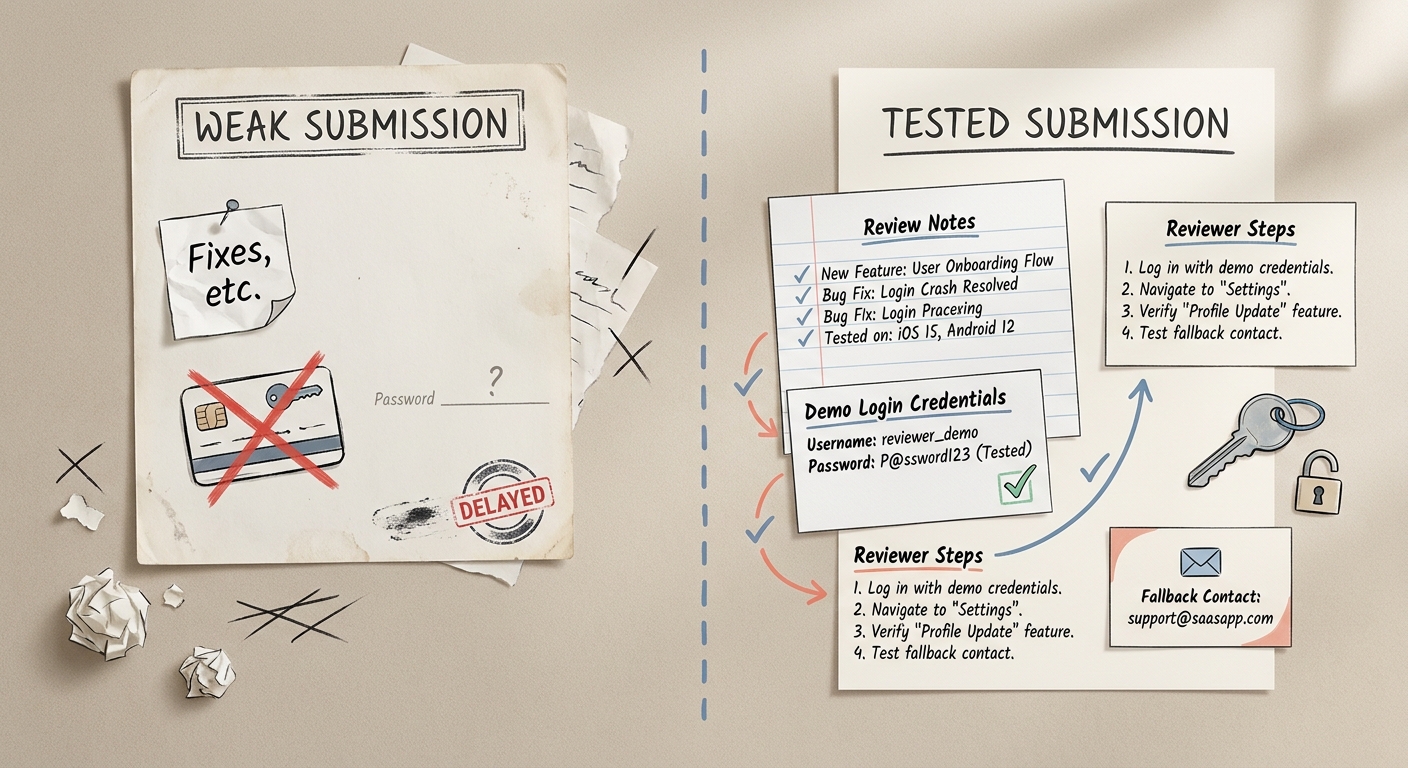
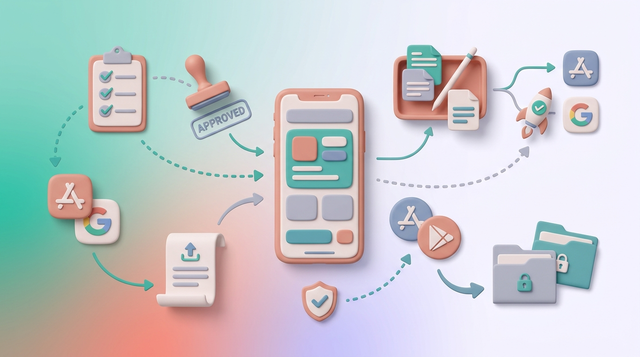
A concise proof block showing a before/after submission workflow: a vague review note with no demo access versus a tested note with exact login credentials, reviewer steps, and fallback contact. The visual should emphasize reduced review friction on App Store and Google Play.
Treat your review notes and demo credentials like a release artifact. They determine whether your release can be evaluated quickly and consistently, especially when the key value is behind authentication, onboarding, paywalls, or permissions.
Reviewers operate with limited context and limited time. They are not incentivized to explore your product like a motivated customer, and they may not retry a brittle flow multiple times.
Good notes reduce rejections that come from invisible friction: account-gated features, mandatory onboarding, role assignment, paywalls, or permission prompts that block the core flow. Apple and Google both publish guidance that apps requiring login should provide a working way to access the app for review, and missing or unusable access is a frequent cause of review churn (Apple App Review Guidelines, Google Play Console Help).
One thing worth noting: even with strong notes, review timing can still vary due to reviewer queues, policy questions, automated checks, or manual escalations. What good notes do is reduce the avoidable delays you can control.
When you move from outline to execution, App Rejected Because of Missing Demo Account: How to Fix It helps close common gaps teams hit here.
What do founders usually get wrong on first submission?
Most problems are boring and operational. They are also fixable if you treat the reviewer path like a test case.
- Instructions like "use demo account" without the exact email, password, and post-login route.
- Hidden blockers (mandatory onboarding, approvals, paywalls, or permissions) not mentioned up front.
- Credentials that expire, require 2FA, hit OTP rate limits, or only work in one region or storefront.
- Notes never tested on a clean install, so they drift from reality release to release.
A complementary angle worth comparing lives in 72-Hour App Launch Checklist: Verify Before You Submit.
What should a good review note tell Apple and Google?
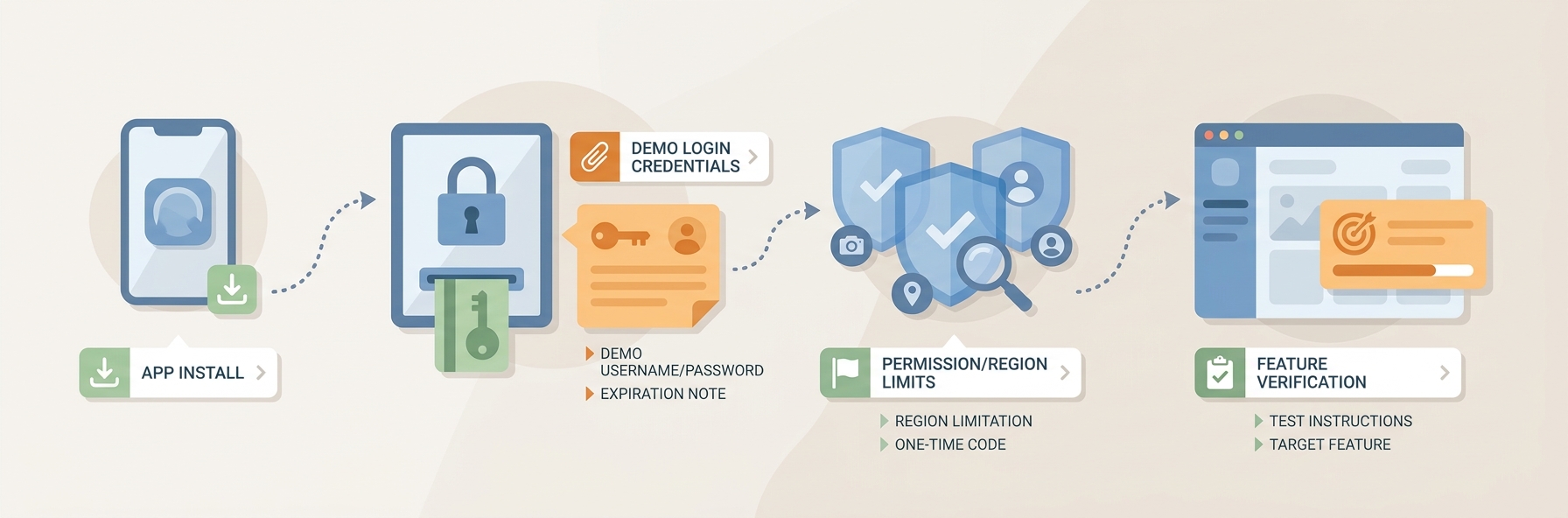
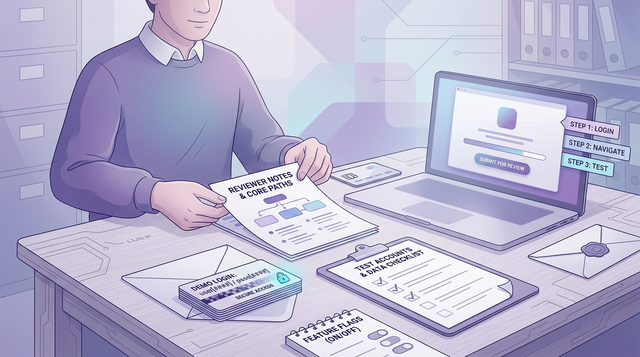
A process diagram that maps the reviewer path from install to login to key feature verification, including where demo credentials, permissions, and special conditions are supplied. It should look like a practical submission workflow for app store reviewers.
Below is the minimum set of information that helps a reviewer get to the exact screen that proves your claim (the gated feature you are shipping).
Identify the exact binary and why you are submitting
Include app name, platform, version, build number, and what changed (new app vs update, and what is new). This takes about 30 seconds and prevents confusion when multiple builds are in flight.
Provide working demo access designed for review
Include username, password, and any environment requirements (sandbox vs production, region, feature flags). If SMS or email OTP is involved, either provide a bypass mechanism reviewers can use, or explain what to do if OTP fails (and include a backup account).
Give the shortest path to the feature being evaluated
Provide the minimum steps from first launch to the primary proof screen. Call out gates that block progress (permissions, onboarding, role assignment, paywall state) and specify what "success" looks like on the final screen.
For tradeoffs, checklists, and edge cases, Minimum Functionality: Avoid the 'Feels Like a Demo' Rejection rounds out this section.
How do you write instructions that survive real reviewer behavior?
Reviewers skim. In practice, notes that work are scannable and resilient when a step is missed or a flow behaves slightly differently on a fresh device.
- Use 5-10 short, ordered steps starting at install: open, login, first tap.
- Use exact UI labels: screen names, tabs, and menu items as they appear in the app.
- Call out dependencies upfront: region settings, VPN requirements, feature flags, and role-based access.
- Include one fallback branch: alternate account, alternate path, and a monitored contact email.
Practical takeaway: if your notes require multiple paragraphs of workarounds, you may have a product brittleness issue (onboarding, paywall logic, error states, or environment stability), not just a documentation issue. You can still ship sometimes, but plan extra review time and expect follow-ups.
The Invisible Rules That Determine Whether Your App Goes Live reframes the same problem with a slightly different lens - useful before you finalize.
The operational playbook: package credentials, test paths, and reviewer context
This is the part teams skip because it feels like overhead. In practice, it is usually 1-2 hours to set up the first time (seed data, roles, OTP bypasses), then 15-30 minutes per release to keep it healthy. If your auth system is complex, compliance-heavy, or owned by another team, budget more time and involve whoever owns identity and risk.
Build the review path before you write the note
Create a reviewer-ready account
Create a dedicated demo or sandbox user that lands close to the feature being evaluated, not an empty account. Plan for 30-60 minutes the first time if you need seeded data or a special role, and 5-10 minutes per release to confirm it still works.
Verify from a clean start
Test on a fresh device profile or simulator: install, first launch, permissions, sign-in, and the exact feature path. Expect 10-20 minutes for a clean run, plus time to fix surprises (staging sleeping, captcha triggers, broken deep links, or backend schema mismatches).
Write down the exact path (and what success looks like)
Record the 5-10 taps, plus the 1-2 screens that commonly confuse first-time users (role selector, paywall, region gate). Add one sentence describing the expected end result so the reviewer knows they reached the right place.
Turn your submission process into a reusable release checklist
Standardize your review notes with a shared template and a single owner, then reuse it every release to reduce review variance.
Get the checklist
Package credentials with enough security to be usable
This is a tradeoff: the more locked down your auth flow is, the more likely it is to block review. Your goal is to reduce risk without making review brittle.
| Decision | Helps review | Helps security | Tradeoff to acknowledge |
|---|---|---|---|
| Dedicated reviewer account with seeded data | Yes | Yes | Requires maintenance each release so it does not drift |
| Turn off OTP for the reviewer account | Yes | No | Increases risk if leaked, so scope permissions and rotate |
| OTP bypass code or magic link | Usually | Sometimes | Implementation time and potential policy or audit constraints |
| Production environment reviewer account | Yes (often) | Depends | Riskier if it touches real data; use least privilege and isolate where possible |
| Staging-only reviewer access | Sometimes | Yes | Can break if staging sleeps or differs from production behavior |
Practical rules that work for most teams:
- Prefer resettable or scoped test accounts so one session cannot break the next (limit destructive actions, isolate data, and make reset easy).
- Avoid personal or privileged production credentials. If production is unavoidable, use least privilege, isolate data where possible, and rotate credentials after approval.
- If you use OTP, plan for failure modes: rate limits, delayed SMS, blocked email, geo restrictions, and spam filtering. If you cannot provide a bypass, provide a backup account and a second login method where possible.
Concrete storage practice (simple and reliable):
- Store reviewer credentials in 1Password or Bitwarden in a shared vault entry named
Reviewer Accounts. - Include: email, password, region, entitlement state, OTP status, last verified date, and the internal owner.
Dependencies to watch (common causes of "it worked yesterday"):
- Feature flags tied to a specific device ID or internal account
- IP-based blocks, VPN detection, or region enforcement
- Test accounts locked after failed logins or anti-bot triggers
- Staging environments that sleep, rotate databases, or require office IP allowlists
Pre-submit validation checklist (fast sanity pass)
Run this 5-10 minute check right before you submit (or when you cut the release candidate). It catches the issues that tend to generate reviewer follow-ups, but it will not catch every policy question or automated scan.
| Check | Pass criteria |
|---|---|
| Clean install login | New install can sign in with the reviewer account without extra setup |
| OTP / 2FA behavior | 2FA is off or bypassable, or a backup account exists and is tested |
| Region / storefront | Reviewer path works in the region you specified (or no region lock exists) |
| Entitlements / paywall | Reviewer account has access to the gated feature without purchase |
| Proof screen | The final verification screen loads and shows the expected result |
Example structure for a strong review note
| Field | Example |
|---|---|
| Version + goal | v2.4 (123), verify PDF export from Reports |
| Login | demo.reviewer@yourdomain.com / password: X (2FA off) |
| Environment | Production, region: US, feature flag reports_v2 enabled |
| Steps | 1) Open app 2) Sign in 3) Tap Reports tab 4) Open any report 5) Tap Export - PDF |
| Expected result | PDF preview opens and share sheet appears |
| Fallback | If login fails, use demo2.reviewer@... / password: Y, contact review-support@... |
Final recommendation: write the note like a reviewer is trying to approve your app in one sitting
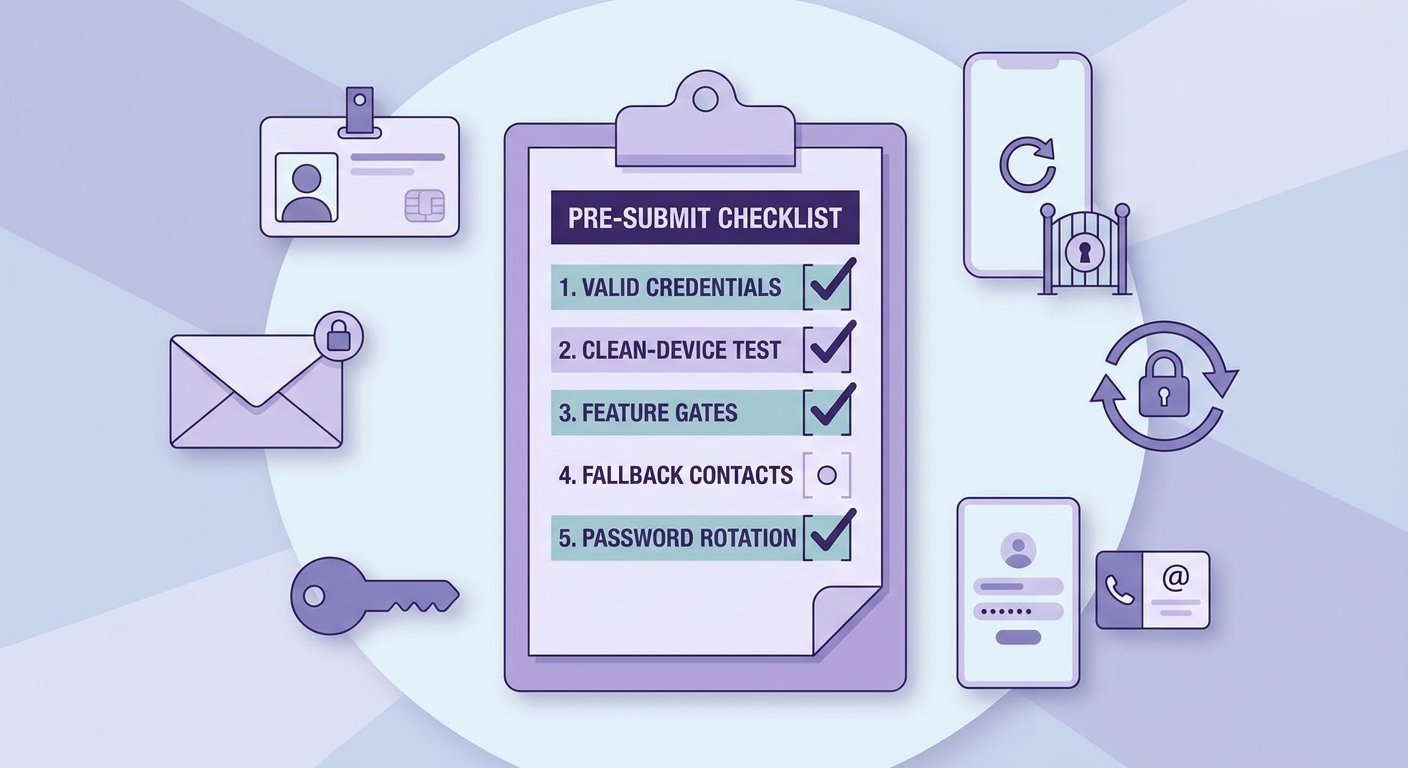
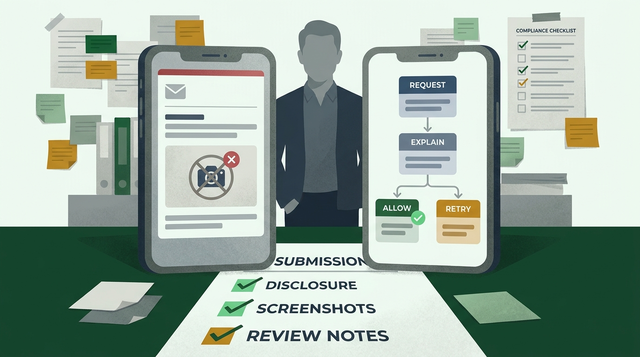
A compact pre-submit checklist for app review notes and demo login credentials, covering credential validity, clean-device testing, feature gates, fallback contacts, and password rotation. The layout should feel like an operator’s release checklist rather than a generic task list.
A simple standard keeps you honest and reduces variance across releases.
- Provide a working account that needs minimal follow-up (avoid expiring passwords and fragile OTP loops when possible).
- List the exact steps to reach the feature under review, not a product tour.
- Test the note on a clean install before you submit, and re-test after any auth, paywall, or onboarding changes.
What to do next before your next app store submission:
- Run one dry-run review on a fresh device or emulator and time it (budget 15-25 minutes including install and a second login attempt).
- If it takes longer than 3-5 minutes to reach the proof screen, either trim the flow or make the slow parts explicit in the notes so it is not surprising.
- Assign an owner (often PM, release manager, or the on-call engineer for mobile) to maintain reviewer accounts and update the vault entry.
- Budget 15 minutes per release to validate credentials, verify the path, and rotate passwords when needed. If your org has strict access controls, add lead time for approvals.
Get a reviewer-ready note template you can reuse every release
Use a copy-paste template that includes credentials, steps, dependencies, and a clean-install test checklist.
Download the template