
If your app description is getting rejected or quietly bleeding installs, it is often because it is trying to do two jobs at once and doing neither well: satisfy Apple and Google review rules while still persuading a skimming shopper to tap Install. Small wording choices like unverified claims, missing disclosures, or keyword stuffing can trigger review questions and weaken trust fast. This guide gives you a policy-safer, conversion-aware workflow to ship accurate copy that is more likely to pass review without sounding like legal paperwork.
Early proof: a structure reviewers can audit quickly and users can scan
Block What you write Why it helps Value prop (1-2 lines) What the app does + who it is for Faster truth check for reviewers; clearer first impression for shoppers. 3-5 feature bullets Feature + user outcome Easier to verify against the build; easier to read on mobile. Trust and access note Subscription, account, permissions, data use Reduces surprises that drive rejections, refunds, and 1-star reviews. Next action "Download to..." or "Start by..." Keeps momentum without making promises you cannot prove. Explanation / interpretation / impact Applies in ~45-90 minutes once facts are confirmed. It forces testable language and makes disclosures hard to ignore. It can reduce avoidable review back-and-forth and expectation-gap reviews, but outcomes vary by category, traffic, and reviewer variance.
One thing worth naming: none of this removes review variance. Apple and Google reviewers can interpret the same phrasing differently, and categories like health, finance, and kids tend to be stricter. Also, clearer disclosures can reduce conversion in the short term, but they often reduce refunds and low ratings later.
How to Write an App Description Reviewers Understand in 10 Seconds goes deeper on the ideas above and adds concrete next steps.
Why do app descriptions fail review and lose installs?
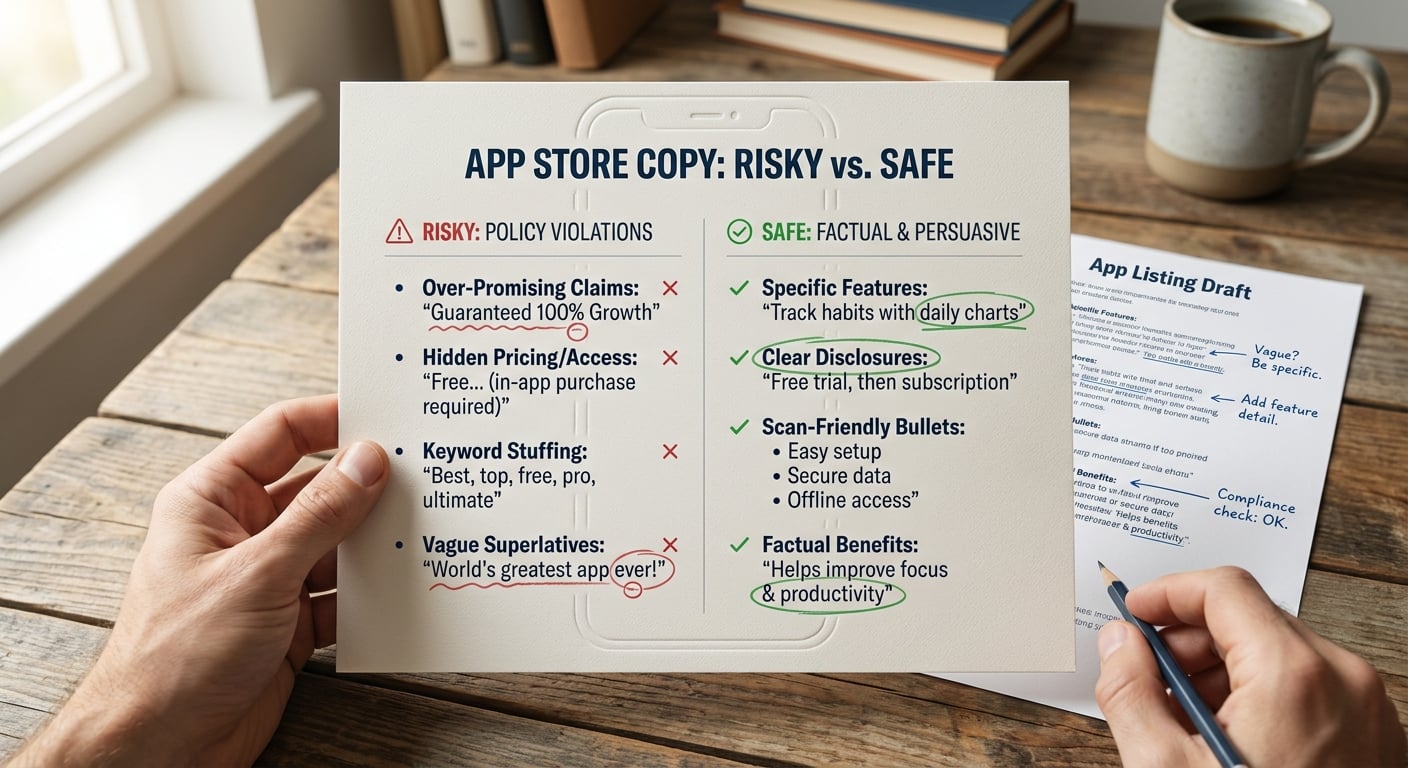
A concise callout visual showing two columns: review-risk language on the left and conversion-friendly, factual language on the right, emphasizing how one description can protect approval and improve installs.
Descriptions usually get into trouble for one of three reasons: they over-promise, they hide access or pricing details, or they are hard to scan on a phone. Any of those can create policy friction and make shoppers bounce.
Apple reviewers look for accurate, supportable statements. Broad claims like "guaranteed results" or implied medical, financial, or security promises can slow review or trigger a rejection under misleading metadata rules (App Store Review Guidelines).
Google Play is similarly strict about clarity and accuracy. Misleading feature lists, keyword stuffing, and unclear subscription notes can get flagged and also hurt user trust (Best practices for your store listing). The cost is usually time: delays, a re-review cycle, and copy churn during a release window.
A quick before-you-write checklist
Do a short fact check before drafting. In many teams this is 30-60 minutes if you already have internal context, but it can take longer if pricing, permissions, or regulated claims require legal review.
- Confirm: core use case, primary audience, top 3 features you can demo in the current build
- Pull reality checks from: top support tickets, recent reviews, and your onboarding flow
- Collect disclosures you must state clearly: subscription model, account requirements, age gating, key permissions, any major limitations
Risk to plan for: disclosures can still be missed because teams assume "it is in the paywall." Reviewers and shoppers often decide before they ever reach it.
When you move from outline to execution, How to Write an App Description Reviewers Understand in 10 Seconds helps close common gaps teams hit here.
How do you write an app description that passes review and converts?
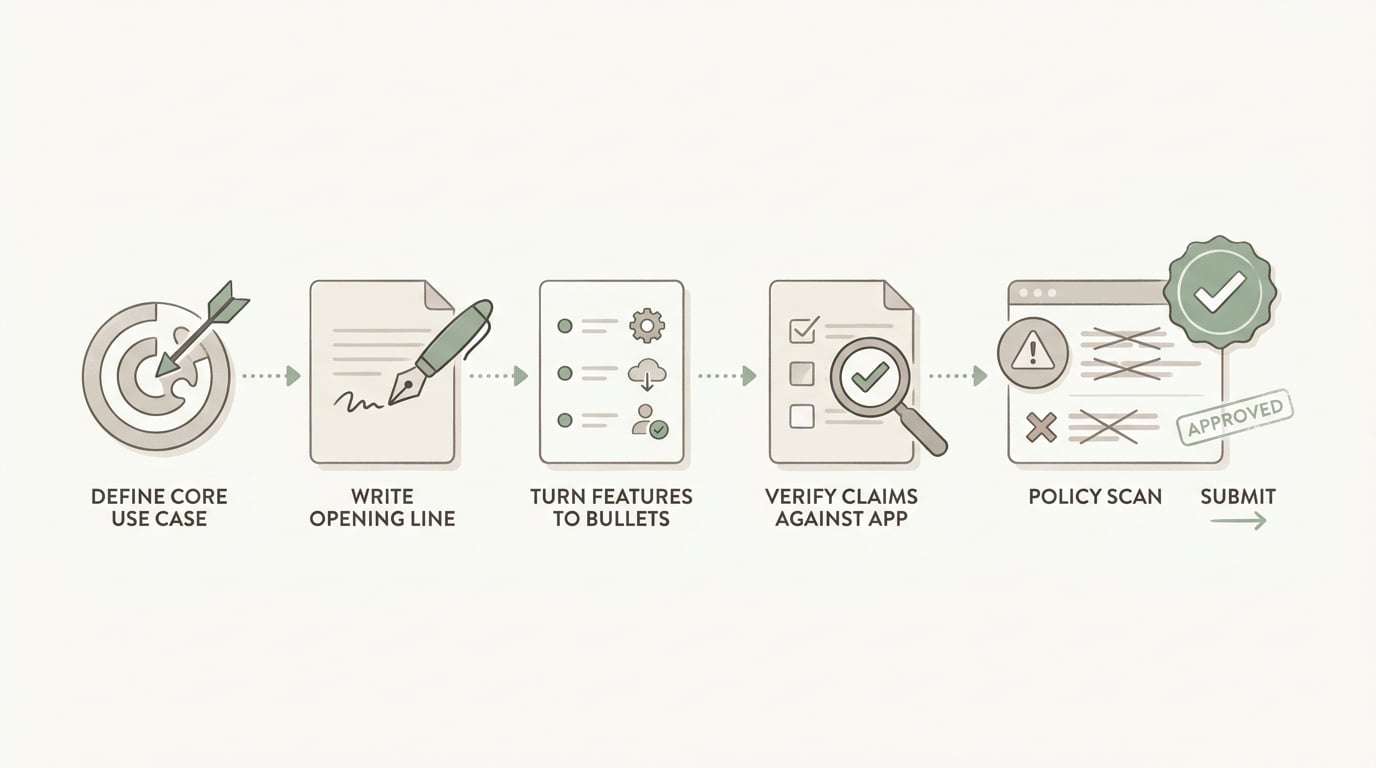
A simple process diagram for drafting an app description: define the core use case, write the opening line, turn features into bullets, verify claims against the app, and scan for policy-sensitive phrases before submission.
Draft the opening for humans and reviewers
Start with the job-to-be-done, not a slogan. A solid first line names the action and the use case: "BudgetNote helps freelancers track expenses and prep tax-ready reports."
Swap vague claims for visible workflows. Keep time claims only if they are typical and defensible.
- Before: "Create invoices instantly with the fastest invoicing app."
- After: "Create and send invoices in under a minute using saved items and templates." (Only if that is typical for real users.)
Turn features into scannable proof points
Write 3-5 bullets that are easy to audit against the app: "Scan receipts," "Sync across devices," "Export CSV." If something depends on a subscription, onboarding, or permissions, say so plainly.
Expect some back-and-forth here. The slowest part is often getting alignment on wording like "offline," "end-to-end," "works on all devices," or specific encryption claims. If you cannot verify it quickly, soften it ("supports," "helps you") or cut it until you can.
A complementary angle worth comparing lives in How to Write an App Description Reviewers Understand in 10 Seconds.
A concrete end-to-end workflow (with tools and a measurable output)
This is a lightweight flow that fits a normal release week. It is not instant, and it depends on traffic volume if you want statistically meaningful tests.
Draft in a shared doc (Google Docs or Notion)
Create the four blocks: value prop, 3-5 bullets, trust and access note, next action. Add links to screenshots or app flows that prove each bullet.
Verify claims against the current build (PM + eng, 20-45 minutes)
Confirm anything that can be misunderstood: pricing, "free" vs "free trial," offline behavior, device support, and permission prompts.
Add disclosures where shoppers will see them (15-30 minutes)
Put one short trust and access note near the end of the description and ensure it matches your paywall copy and permission prompts. If you are in a sensitive category, plan for legal to request wording tweaks.
Submit for internal review (PM + support + legal if needed, 1-3 business days)
Plan for 1-2 rounds. Legal review is the most common schedule dependency, especially if you mention health outcomes, finance claims, or security language.
Implement in App Store Connect and Play Console (30-60 minutes)
- App Store Connect: update description, then set up Product Page Optimization if you plan to test the first 2 lines.
- Play Console: update store listing, then set up Store listing experiments for the same elements.
Track one metric and one risk signal (2-4 weeks for most apps)
Metric: listing conversion rate (visitors - installs) for each variant. Risk signal: refund reasons and reviews mentioning "thought it was free," "needs login," or "missing feature." Caveat: if traffic is low, tests can be inconclusive, so treat results as directional.
Failure modes to watch: localization can accidentally turn "may help" into "will," and A/B tests can mislead if your traffic is spiky or you changed screenshots at the same time.
For tradeoffs, checklists, and edge cases, What the App Store Review Team Actually Tests rounds out this section.
What mistakes cause app description rejection or weak conversion?
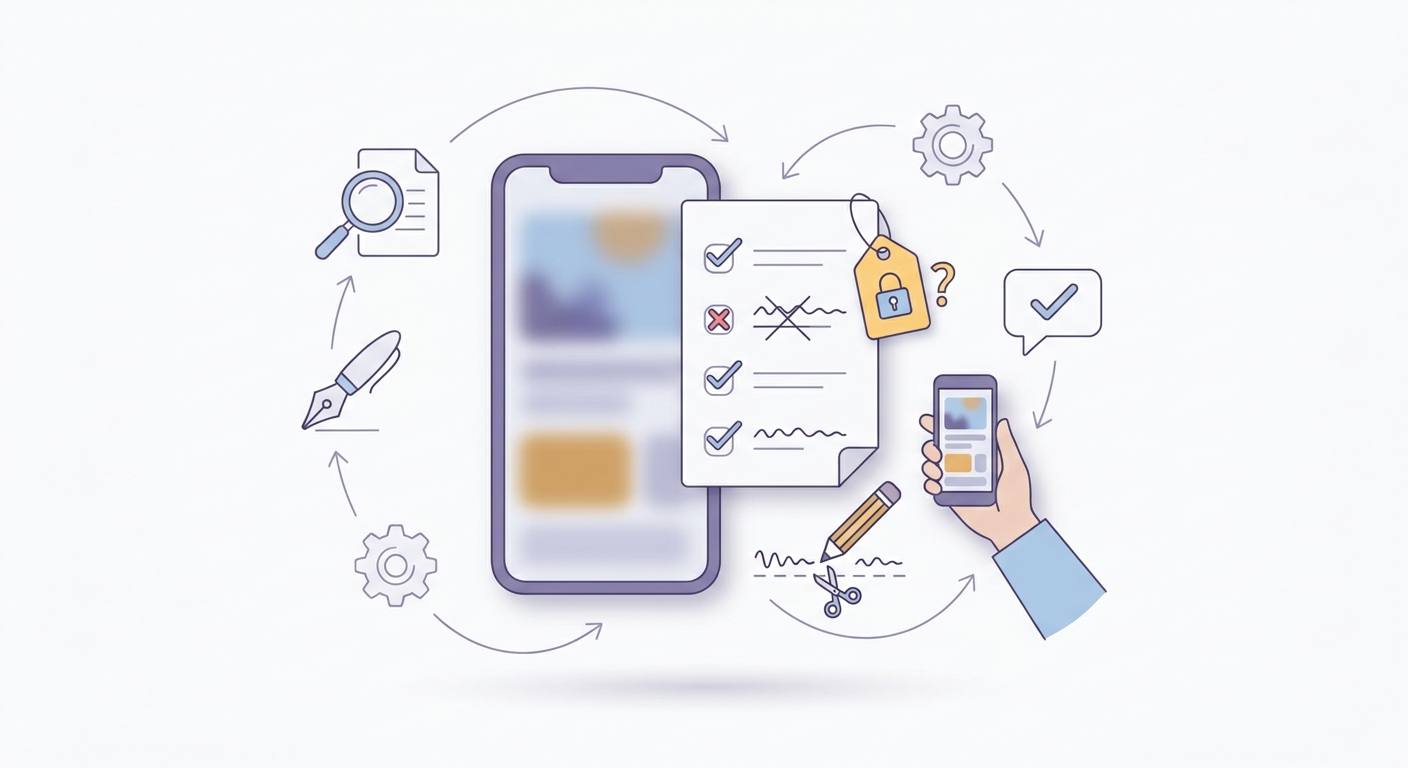
A checklist-style visual of final edits: remove unsupported claims, confirm subscription or login notes, tighten the opening lines, and test the description on a mobile screen before uploading.
Policy-risk phrases to remove before submission
Replace risky phrasing with language a reviewer can verify from the build and a user can understand. The goal is not to sound timid, it is to be testable.
| Review-risk phrase | Safer alternative | Why it is lower risk |
|---|---|---|
| "Guaranteed results" | "Designed to help you..." | Avoids promises you cannot prove for every user. |
| "100% secure" | "Uses encryption in transit and at rest" (only if true) | Specific and testable, avoids absolute security claims. |
| "Military-grade encryption" | Name the method or remove | Often treated as fluff or misleading. |
| "No ads" (if you have promos) | "No third-party ads" (if true) | Clarifies what users will see. |
| Keyword stuffing lists | Natural phrases in bullets | Reduces spam signals and improves readability. |
| "Free" (with paywall) | "Free to download, optional subscription for..." | Prevents expectation gaps and refund-driven reviews. |
Tradeoff: over-disclosing in scary language can lower conversion. Keep disclosures clear and visible, but do not lead with legalese unless your category requires it.
Fixes to apply in a second-pass edit
A realistic second pass is 20-40 minutes, plus time to preview on an actual phone screen.
Replace hype with specifics you can verify (formats supported, device coverage, typical workflow)
Add one sentence that answers the first reviewer question (subscription, account, permissions)
Trim until every paragraph earns space in the first screenful
-
Remove unsupported superlatives and guarantees
-
Confirm login, subscription, and permissions disclosures match the app today
-
Tighten the first 2 lines for mobile scanning
-
Preview on a phone screen before uploading
Pre-review copy check (30-45 minutes) Rewrite your first two lines and one bullet block, then run it past PM and support. If pricing, permissions, or regulated claims are involved, plan for legal review and at least one revision cycle. Apply the checklist
Google Play Short Description: Examples and Checklist reframes the same problem with a slightly different lens - useful before you finalize.
Execution checklist for the final App Store and Google Play pass
Before you hit submit, match the description to the current build and paywall. If the app cannot do it today, do not imply it, and be cautious with "coming soon" wording because it can trigger reviewer questions.
Make pricing and access explicit where relevant: subscription vs one-time, trial basics, and any account requirement. Add a plain-English reason for sensitive permissions, and make sure it matches the in-app prompt and your privacy disclosures.
If you localize, budget time for a meaning check after translation (often 30-90 minutes per language). Small modal verbs matter, and a single overconfident phrase can create new policy risk.
Cold-reader review before release Paste your first 5 lines and bullet list into a doc and have someone outside the project read it cold. You will usually catch vague claims and missing disclosures in 10-15 minutes, but still sanity check against the build. Get feedback


