
Most indie founders treat their App Store listing like a launch checklist item: ship it once, then move on. I did too, until we noticed a pattern: we could drive page views, but installs were softer than expected. This is a practical case study of how I used Apple’s Product Page Optimization (PPO) to test screenshots, read results without overreacting to noise, and build a repeatable loop that fits a small team.
App Store Optimization in 2026: What Actually Moves the Needle goes deeper on the ideas above and adds concrete next steps.
Early proof: a single screenshot-order test produced a usable signal
Category: Outcome
Statistic: +50% to +100%
Label: Variant conversion lift
Context: Common early PPO gains reported from screenshot tests
Category: Outcomes
Statistic: 38%
Label: First-pass approval rate
Context: When metadata is complete upfront
Category: Speed
Statistic: 1 - 2 weeks
Label: Typical test window
Context: Enough time to gather directional signal before applying a winner
We did not run a fancy growth experiment. We ran one screenshot-order test, kept everything else as stable as we realistically could, and waited long enough to see if the signal held.
Here is the concrete signal from our own app: the test ran for about 2.5 weeks on our default product page traffic. Most days we saw low-to-mid hundreds of product page visitors per day, which is enough to detect meaningful swings, but not enough to confidently validate tiny design tweaks quickly.
| What we changed | What we measured (Apple PPO) | What happened (our result) | What it means | Reader impact |
|---|---|---|---|---|
| Re-ordered screenshots and rewrote the first two frames to be benefit-led | Product page conversion rate to download | Variant B was consistently higher by several percentage points (internal numbers not shareable), after the first week’s noise settled | The first 2 screenshots were doing more work than our feature-heavy set | If your first frames do not answer "what do I get?" fast, test a benefit-led order. If traffic is very low or onboarding does not match the promise, the lift may not stick |
Interpretation (why it likely worked): we reduced time-to-understand. In our category and traffic mix, most drop-off happened before screenshot 3, so making screenshot 1 and 2 clearer mattered more than polishing the rest.
Operational caveat: this is directional, not a guarantee. Featuring, paid mix changes, and seasonality can invalidate a read, and low traffic means tests can take 2-4 weeks to settle.
Apple’s tool for this is Product Page Optimization in App Store Connect, which tests store assets like screenshots and app previews and reports results in App Store Connect Analytics (PPO overview, PPO analytics).
When you move from outline to execution, Screenshot Storytelling: Turn 8 Screens into a Conversion Funnel helps close common gaps teams hit here.
How do you set up App Store Product Page Optimization?
The App Store listing feels like branding work, so it is easy to postpone. Meanwhile the app itself has louder problems: bugs, onboarding, retention, support.
What this means in practice: PPO is worth doing when you have steady traffic (organic or paid) and you can spend a few focused hours on assets. It is not "free growth"; you pay in creative effort, coordination, and calendar time, and sometimes you learn "no change" after weeks.
PPO focuses on listing assets, not everything:
- Screenshots
- App preview videos
- App icon (per Apple’s documentation)
- Product page variations rotated for the experiment (Apple PPO overview)
Realistic effort and calendar time (so you can plan it)
This is a typical workload for a small team running a clean, single-variable test. This assumes one locale; localization multiplies the work (copy, exports, QA).
| Task | Hands-on time | Calendar time (typical) | Dependencies / risk |
|---|---|---|---|
| Pick hypothesis + decision rule | 30-60 min | Same day | You need agreement on "what would change our mind" |
| Create variant assets (1-2 screenshot frames) | 2-6 hours | 1-3 days | Device sizes, copy iteration, designer availability |
| QA and upload to App Store Connect | 30-90 min | Same day | Easy to mix up locales/variants without naming conventions |
| Run test long enough | 10-20 min/day to monitor | 2-4 weeks | Low traffic may never converge; acquisition mix shifts can distort outcomes |
| Log learnings + update baseline | 30-60 min | Same day | Without a log, you repeat the same debates next month |
One thing worth noting: approval latency is real. Even when PPO is straightforward, internal reviews, asset iteration, and App Store timing can stretch a "quick test" into multiple weeks.
A complementary angle worth comparing lives in App Store Keywords: The Only Guide You Actually Need.
How did we run the App Store listing A/B test?
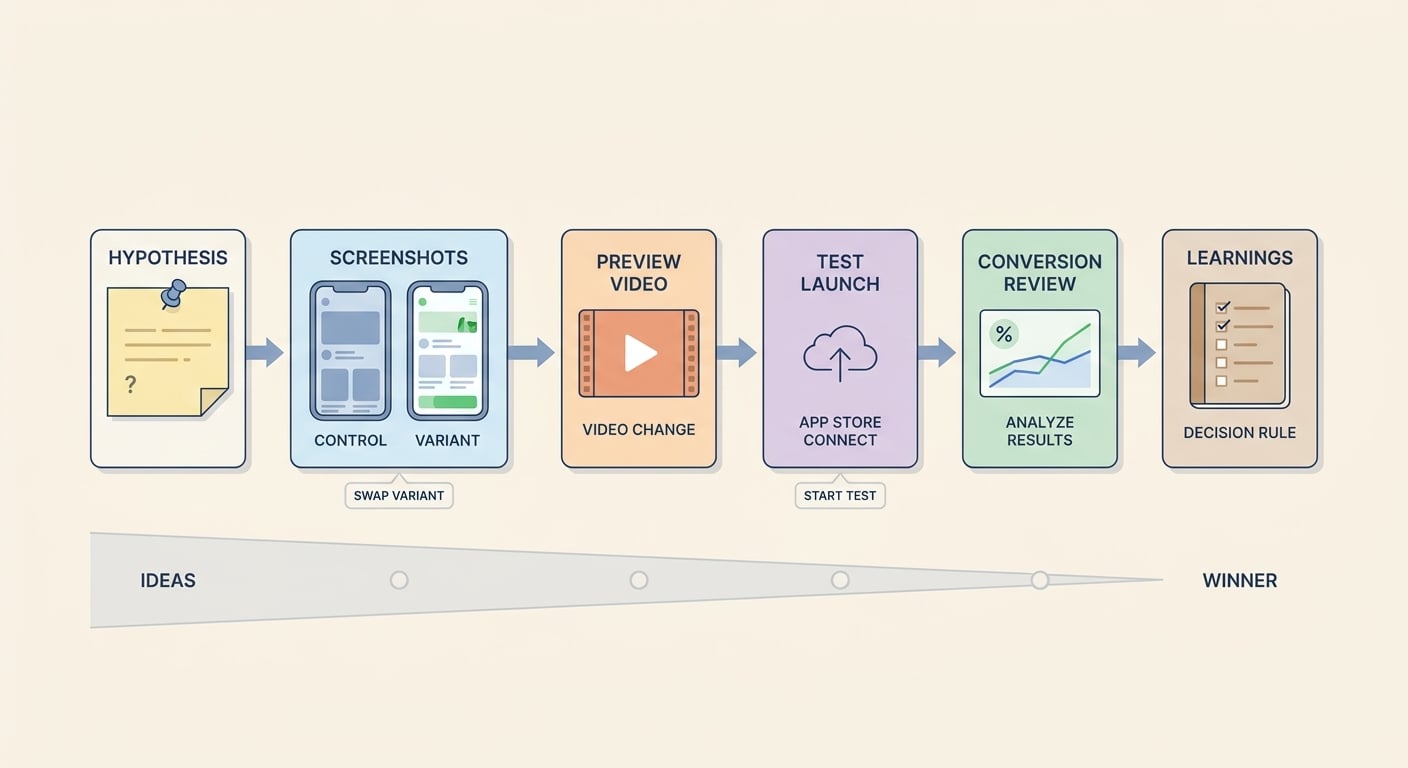
A simple workflow diagram showing the sequence from hypothesis to screenshot swap to preview video change to Apple test launch to conversion review, tailored to App Store Product Pages.
We kept this deliberately simple: one hypothesis, one main metric, and a decision rule we could live with.
| Hypothesis | Change | Primary metric | Guardrails | Decision rule |
|---|---|---|---|---|
| Leading with outcomes increases installs | Reorder screenshots; rewrite first 2 frames to be benefit-led | PPO product page conversion rate to download | No pricing changes; avoid major onboarding shifts; avoid paid creative swaps mid-test | Do not call early; ship only if it is directionally better across most days after week 1 |
Tradeoffs we accepted:
- Design time vs certainty: we made an obvious creative change because subtle tweaks can take too long to validate at indie traffic levels.
- Conversion vs downstream quality: a more aggressive promise can lift installs and increase refunds or bad reviews, so we sanity-checked the first-run experience against screenshot 1.
For tradeoffs, checklists, and edge cases, Test Builds Without Chaos: Clean Beta Process Guide rounds out this section.
What is a repeatable App Store PPO workflow?
This is the end-to-end loop I would recommend if you want PPO to become routine rather than a one-off.
Pick one variable and write the hypothesis
Choose a single change (usually screenshot 1-2 messaging or order). If you cannot say what behavior you expect to change, you are not ready to test it.
Define the metric and where to read it
Use Product page conversion rate to download in App Store Connect Analytics under the PPO reporting view. Make sure everyone is looking at the same metric and date range.
Set a decision rule before you launch
For low-to-medium traffic, a practical rule is: ignore the first few days of volatility, then decide only if the variant is directionally better across most days for at least 2 weeks.
Build the assets and QA like production
Export the right sizes, verify legibility on small screens, and keep copy honest. Misleading creative is a fast way to buy short-term installs and long-term support load.
Run the test without mid-flight changes
Try not to change pricing, onboarding, or paid campaign creative during the run. If you must, note it in the log because it can explain confusing charts.
Log results and ship (or don’t) with a reason
Keep a simple log: date range, variant, what changed, traffic notes, result direction, and what you will test next. If you cannot explain the mechanism, treat it as weak learning.
For setup details and reporting screens, Apple’s docs are the reference (PPO overview). For operator-style pitfalls, this guide is a useful companion (Stora PPO guide).
App Store vs Google Play: Where Should You Launch First reframes the same problem with a slightly different lens - useful before you finalize.
What we learned and what to copy
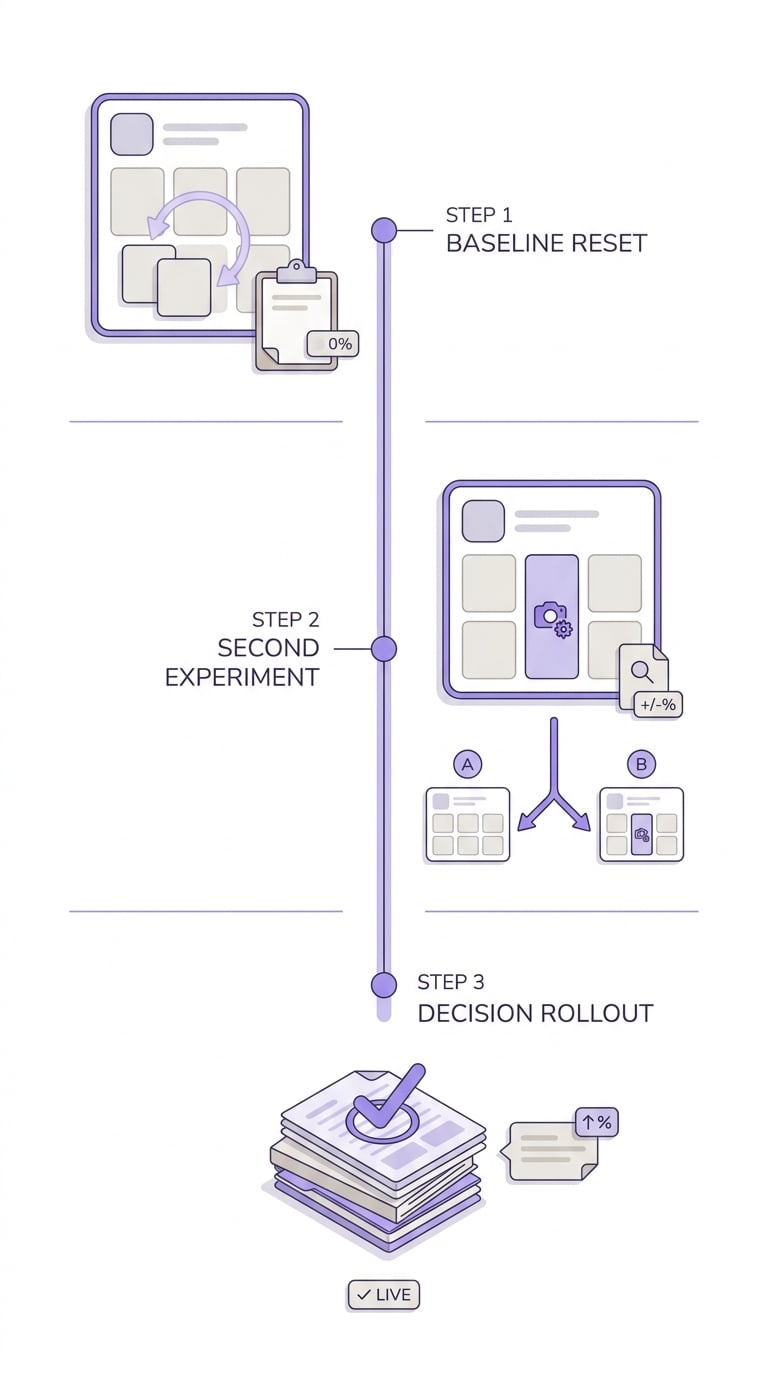
A short timeline showing the founder’s next optimization cycle after the first winning App Store Product Page variant, including baseline reset, second test, and rollout decision.
What we trusted:
- Direction that stayed consistent after the first week
- A story we could explain ("faster to understand" vs "prettier")
- A change we could keep honest relative to onboarding
What we ignored:
- Single-day spikes
- Early swings that flipped repeatedly
- "Wins" that depended on a campaign change mid-test
Common PPO mistakes I see (and why they hurt):
- Changing too many things at once: you get a number, but not a learning.
- Calling randomness "insight": low impressions can make charts look meaningful when they are not.
- Optimizing installs only: you can pay for it later in churn, refunds, reviews, or support.
- Treating the page as separate from onboarding: if the promise does not match reality, conversion gains can come with downstream costs.
Next steps after your first test (keep it light):
- Ship the winner as baseline and write down why you believe it worked.
- Queue one follow-up question (headline, order, preview hook, or icon) and schedule asset time.
- If you cannot get a clear signal after a full run, either make a bigger creative swing or pause PPO until traffic improves.


