App store reviews are one of the least predictable parts of shipping a mobile product. You can prepare code and QA for months and still get stalled by a metadata mismatch or a mis-declared entitlement. In a recent case study I ran, a structured preflight and templated metadata process reduced review rework across three submissions - all three were accepted - but that is one run, not a guarantee. What follows is a practical, honest playbook for turning review luck into a measurable launch metric, plus the setup, tradeoffs, and risks to expect.
| Outcome | What happened | Business impact |
|---|---|---|
| 3 submissions (case run) | Three full App Store and Play Console submissions using templated metadata and a preflight check | A repeatable rehearsal cadence and reduced surprise work during review |
| 0 rejections (case run) | All three submissions were approved in that run | Fewer emergency fixes; more predictable timelines in that project |
| 5-12 business days estimated | Time saved per release was estimated based on reduced rework and review loops | Faster marketing launches and earlier revenue capture in that program |
Explanation - interpretation - impact: The table summarizes a single operational run where deterministic issues - metadata parity, IAP mapping, and entitlement mismatches - were caught before upload. The practical takeaway is not a promise of zero rejections for every app, but a demonstration that automating deterministic checks moves acceptance from luck to an auditable metric. Expect variability across apps, reviewers, and regions.
How a Founder Fixed an App Store Rejection in 4 Hours goes deeper on the ideas above and adds concrete next steps.
Why is a 3-iteration rehearsal useful for app launches?
Category: Outcomes
Statistic: 38%
Label: First-pass approval rate
Context: When metadata is complete upfront
Category: Speed
Statistic: −5 - 12 business days
Label: Review delay avoided
Context: Froxi.ai preflight detected metadata & IAP mismatches
Category: Speed
Statistic: 4 hrs
Label: Median fix time
Context: After a store rejection notice
Here is the thing: ad-hoc checklists leak risk because people forget or use different assumptions. Automation plus platform-specific guardrails reduces variance for the parts of submission that are deterministic.
What this means in practice is modest: if you invest a few hours up front to map metadata, product IDs, and privacy entries, and then run a preflight, you can catch the majority of common rejections before hitting review. One thing worth noting - policy-edge cases, server behavior, and novel UX still need human review and often cause the hard rejections.
When you move from outline to execution, Common App Store Rejection Reasons and How Froxi AI Helps helps close common gaps teams hit here.
How should your submission workflow change?
Map metadata to store fields
Spend 2-8 hours depending on app complexity to gather titles, descriptions, screenshots, IAP IDs, and localization strings. Export formats that match App Store Connect and Play Console to avoid manual copy-paste errors.
Run a preflight validation
Run the preflight on your release candidate. A single run typically surfaces mismatched screenshots, missing IAP IDs, or absent privacy entries within 30-60 minutes for a small app.
Use a 3-iteration submission rehearsal
Commit to a short cadence: prepare assets (Day 0-1), run preflight and fix issues (Day 2), submit to an internal track and repeat one quick iteration if needed (Day 3). That rehearsal helps you calibrate real-world timing; expect at least one iterative loop on your first run.
Counterpoint - where automation stops: deterministic checks are low-hanging fruit, but automation does not replace human judgment for policy gray areas. Server-side behaviors, region-restricted features, or new entitlement uses are common sources of reviewer questions. Plan for those by keeping a policy point person who can read review notes and update the checklist.
A complementary angle worth comparing lives in How to Automate Your App Store Submissions With Froxi.ai.
What strategic changes and tactical checklist should teams adopt?

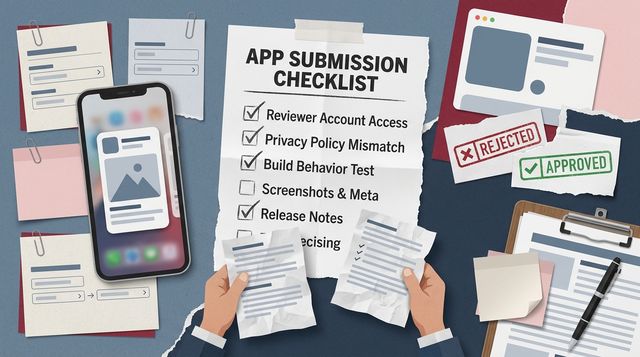
A compact checklist block that mirrors the article's preflight steps: confirm IAP IDs, validate localized screenshots, run Froxi.ai preflight, internal TestFlight pass, lock metadata, measure time-to-resolution. Each item is actionable with a one-line hint.
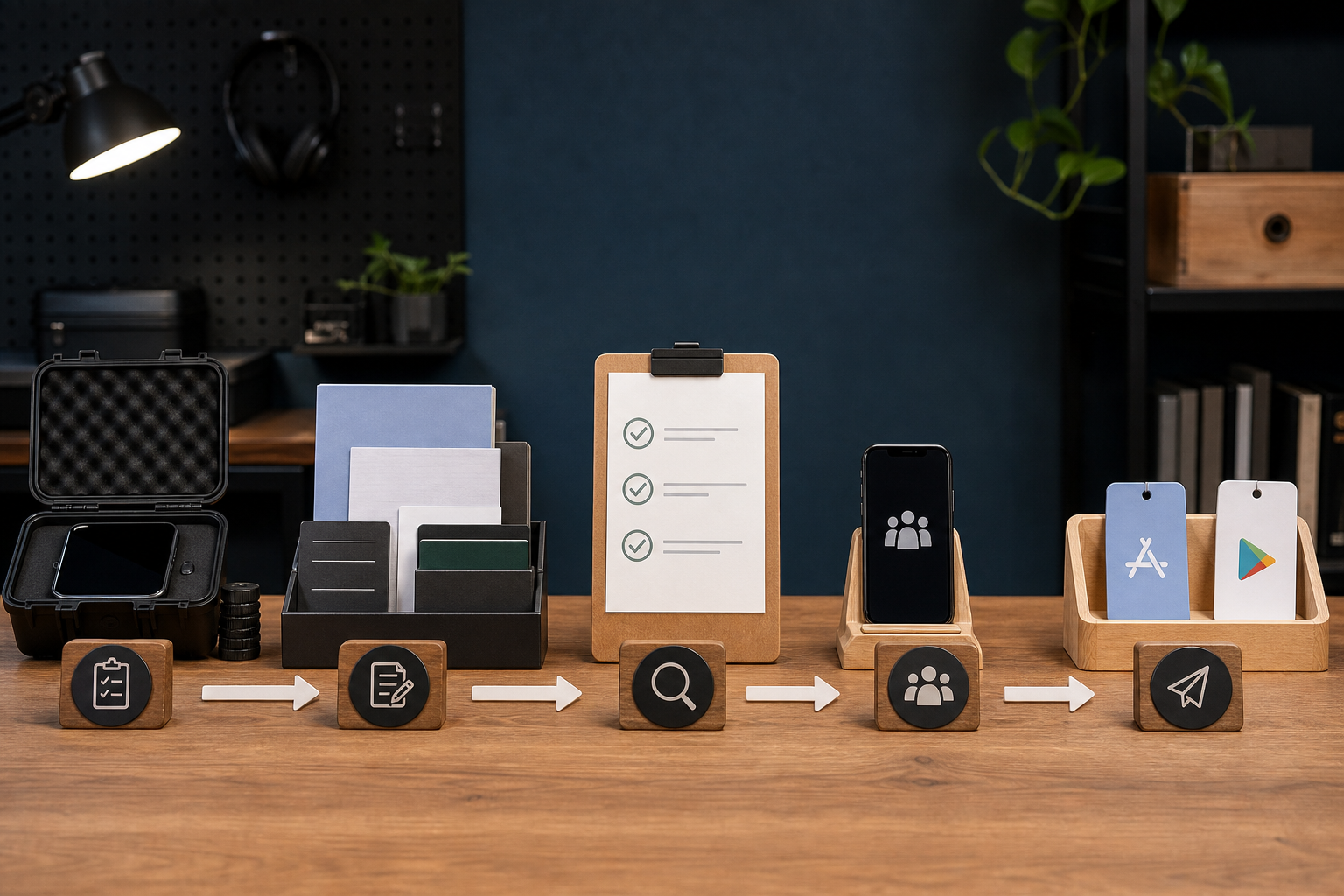
A left-to-right flow: 'Draft binary & assets' → 'Populate Froxi.ai templates' → 'Run preflight validation (metadata, IAP, privacy)' → 'Internal test / TestFlight' → 'Submit to App Store / Play Console' → 'Monitor review & fix if needed'. Flags show where Froxi.ai blocks common failures.
What this approach changes strategically:
- Make submission acceptance rate a visible launch KPI owned by product management.
- Move metadata and IAP mapping into the sprint definition of done to avoid last-minute work.
- Automate deterministic checks and reserve human attention for ambiguous UX or legal questions.
Execution checklist - preflight for a more predictable launch
- Confirm IAP and subscription product IDs match both the app code and the console export.
- Validate localized strings and screenshots for each target locale with a preview tool.
- Run the preflight and fix flagged entitlement, privacy manifest, or metadata mismatches.
- Do an internal track pass (TestFlight or internal Play track) after fixes, then lock metadata before final submit.
Practical effort and maintenance notes: plan 4-12 hours of initial setup for a small to medium app; expect 1-3 hours per release for updates and a couple of hours when store rules change. There is an ongoing maintenance cost - templates and mappings need updates as consoles change their imports or policies evolve.
Risks and dependencies to track:
- Policy-edge rejections tied to server behavior will still occur and often require product or backend changes.
- Regional rules and reviewer variability mean your acceptance rate can fluctuate; do not treat one run as definitive.
- Tools and templates must be versioned; without that discipline you'll accumulate fragile exceptions.
For tradeoffs, checklists, and edge cases, App Store and Google Play Submission Checklist: How to Avoid Rejection Before Review rounds out this section.