
Most sleep apps look slick in 2026, but plenty still do not change what matters at 2 a.m.: falling asleep, staying asleep, and waking up without feeling wrecked. If you are tired of dashboards that do not translate into better nights, this ranked shortlist uses practical criteria like intervention type (CBT-I style coaching vs audio), tracking friction, and who each app actually fits. You will also get a simple way to test one option over 7-14 nights without turning bedtime into a second job.
Best Single-Purpose Apps for Getting Things Done in 2026 goes deeper on the ideas above and adds concrete next steps.
Early proof
Category: Outcomes
Statistic: 1 - 2 weeks
Label: Typical time to notice change
Context: Audio-led support can show modest improvements with consistent use
Category: Adherence
Statistic: ~1 min
Label: Start time to keep adherence
Context: If it takes longer (or nags), many users quit within a week
Category: Selection
Statistic: 5 apps
Label: Ranked shortlist to trial
Context: Use rankings as a starting point, then pick one clear goal
| Claim (directional unless noted) | Evidence type | What it means in practice | Impact for you |
|---|---|---|---|
| Apps tend to help more when they support behavior change, not just measurement | Independent roundup categories (SleepFoundation 2026) | In many roundups, the "best" picks cluster around coaching (often CBT-I flavored), calming audio, and low-friction routines, not deep charts | You can optimize for repeatable actions (wind-down, wake routine) instead of chasing perfect graphs |
| Audio-led sleep support can improve sleep disturbance for some working adults | Peer-reviewed RCT on app-based audio intervention (USleep, Sleep, 2026) | Audio can be more than placebo for some people, but results vary by baseline insomnia severity, anxiety, environment, and whether the voice or style actually relaxes you | If audio fits, you may notice a modest shift over 1-2 weeks of consistent use, not overnight |
| Adherence is often the real bottleneck | Operator heuristic (not a study) | If starting takes more than about a minute, or the app nags, many people quit within a week | The best app is usually the one you will still use on night 10 |
Interpretation and reader impact (practical): use the rankings as a starting point, then run a short trial with one clear goal. You are choosing for fit and repeatability, not for perfect tracking claims or marketing language.
When you move from outline to execution, Top Productivity Apps That Hit #1 on App Store This Month helps close common gaps teams hit here.
What makes the best sleep apps work in 2026
- Outcome-first: it should help with one core job: fall asleep faster, maintain a wind-down, wake up with less friction, or spot patterns you can act on.
- Mechanism clarity: know what is doing the work (audio, coaching, reminders, smart alarm, wearable integration) so you can judge it fairly.
- Low bedtime friction: setup should be light, and nightly use should be close to one tap.
- Honest constraints: phone-based tracking is sensitive to placement and environment; wearables add cost, battery, and sync issues.
One thing worth noting: even a good app can backfire if it triggers perfectionism or sleep data anxiety (orthosomnia). If an app makes you more keyed up, simplify (turn off scoring, reports, or notifications) or switch tools.
A complementary angle worth comparing lives in Top 10 Productivity Apps Launched This Week on App Store.
Top 5 sleep apps at a glance
| Rank | App | Best for | Best-fit user | Main tradeoff |
|---|---|---|---|---|
| 1 | Rise Science | Routine coaching and consistency | Habit builders who want structure | Prompts can feel noisy if you hate reminders |
| 2 | Headspace | Falling asleep with guided audio | Busy, anxious sleepers who like guided relaxation | Value depends on using it most nights |
| 3 | Sleep Cycle | Gentler wake-ups | People who want a better alarm experience | Depends on phone placement and room noise |
| 4 | SleepScore | Pattern spotting over time | Data-minded improvers who will keep it simple | Can feel like work if you only want basics |
| 5 | Calm | Calming audio library | Audio-first wind-down | Tracking and coaching are not the focus |
Fast match guide:
- Falling asleep: Headspace or Calm
- Waking up cleaner: Sleep Cycle
- Tracking patterns: SleepScore
- Routine building: Rise Science
For tradeoffs, checklists, and edge cases, Top AI Coding Assistants for Mobile Developers in 2026 rounds out this section.
The 5 sleep apps ranked
1) Rise Science - best for routine and consistency
- Pick: Rise Science
- Best for: inconsistent sleepers (late nights, drifting schedule, revenge bedtime procrastination).
- Strengths: strong framing around sleep debt and routine, with cues that reduce decision fatigue.
- Limitations: prompts can feel like noise, and it is not trying to be a medical-grade tracker.
- Choose it if: you are willing to follow structure for 2-3 weeks and you want scheduling help more than sleep-stage charts.
2) Headspace - best for falling asleep with guided audio
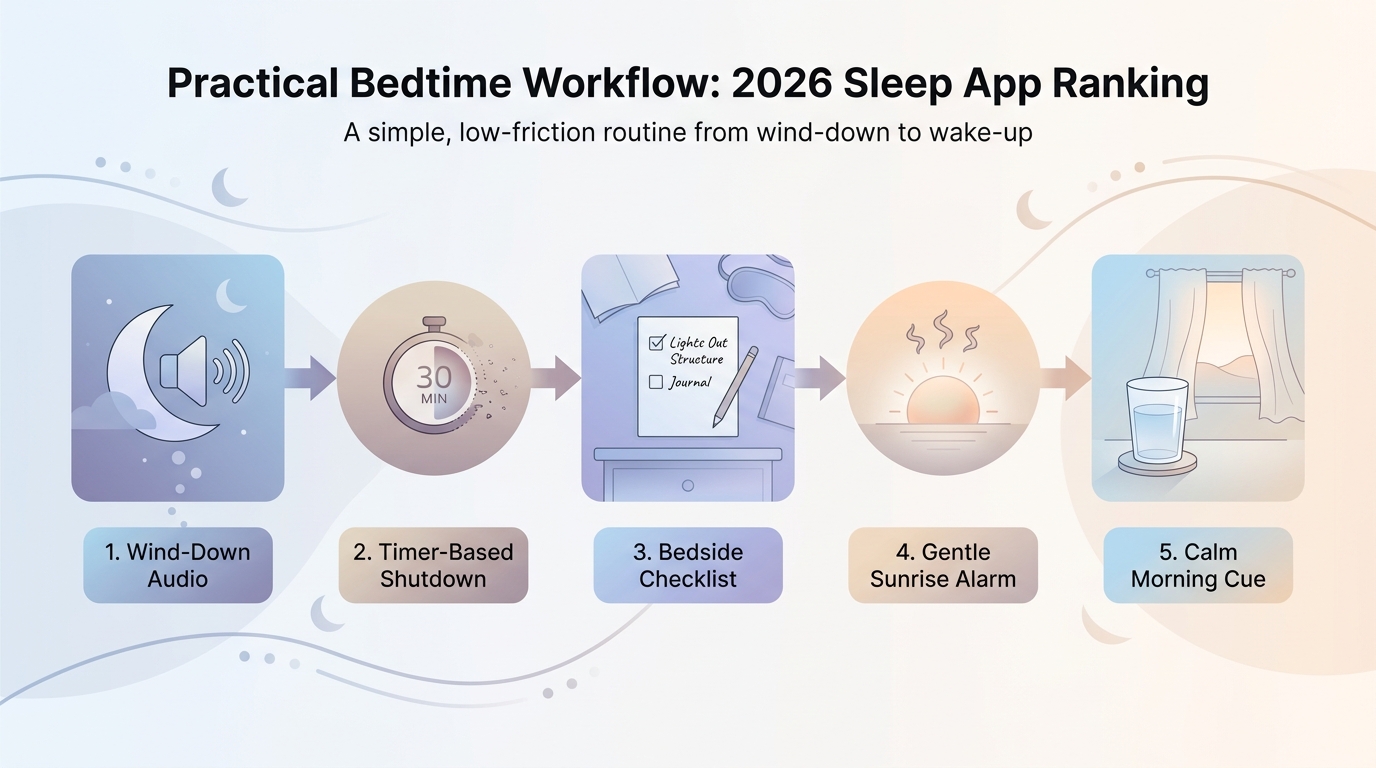
A step-by-step bedtime workflow diagram showing how a sleep app moves from wind-down audio to timer-based shutdown to a calmer wake-up routine, tailored to the 2026 sleep app comparison.
- Pick: Headspace
- Best for: people who respond to guided relaxation and a simple "press play, put phone down" flow.
- Strengths: low-friction audio sessions that reduce doomscrolling at lights out. There is also RCT support for app-delivered audio-based interventions improving sleep disturbance in some working adults (USleep, Sleep, 2026: https://pubmed.ncbi.nlm.nih.gov/42223503), which is a useful signal for the category.
- Limitations: weaker if your top priority is granular tracking or long-term analytics. Also, some people find guided voices or loops keep them awake.
- Choose it if: mental chatter is your main blocker and you can commit to using it most nights for 7-14 nights.
3) Sleep Cycle - best for smarter wake-ups (if your setup is right)
- Pick: Sleep Cycle
- Best for: people who wake up groggy and want a gentler alarm window.
- Strengths: smart-alarm approach plus lightweight tracking without a wearable.
- Limitations: results vary with phone placement, partner movement, pets, and room noise. Smart alarms can also "misfire" if the phone picks up the wrong motion.
- Choose it if: you can keep a consistent setup and you care more about wake experience than perfect sleep staging.
4) SleepScore - best for pattern spotting (for the data-tolerant)
- Pick: SleepScore
- Best for: running small experiments (caffeine cutoff, workout timing, consistent bedtime) and watching trends.
- Strengths: trend orientation can be genuinely useful if you act on it.
- Limitations: easy to over-analyze; if you are already worried about sleep, too much data can make it worse.
- Choose it if: you will keep it simple: change 1 variable, track 1-2 weeks, then decide.
5) Calm - best for a big, reliable wind-down library
- Pick: Calm
- Best for: sleep stories, soundscapes, breathing, and downshift routines on demand.
- Strengths: broad library and familiar UX, which matters when you are tired and do not want to think.
- Limitations: not the best choice if you want structured coaching or deep tracking.
- Choose it if: you want variety so you do not get bored, and your main goal is nervous system downshifting.
Title: Want a fast pick without overthinking it?
Description: Tell me your sleep job (fall asleep, stay asleep, wake up, or build routine) and what you are using now. I will suggest a strong starting app and a simple 7-14 night test plan, plus what to turn off to avoid notification fatigue.
Get a recommendation
How do you choose the right sleep app in 2026?
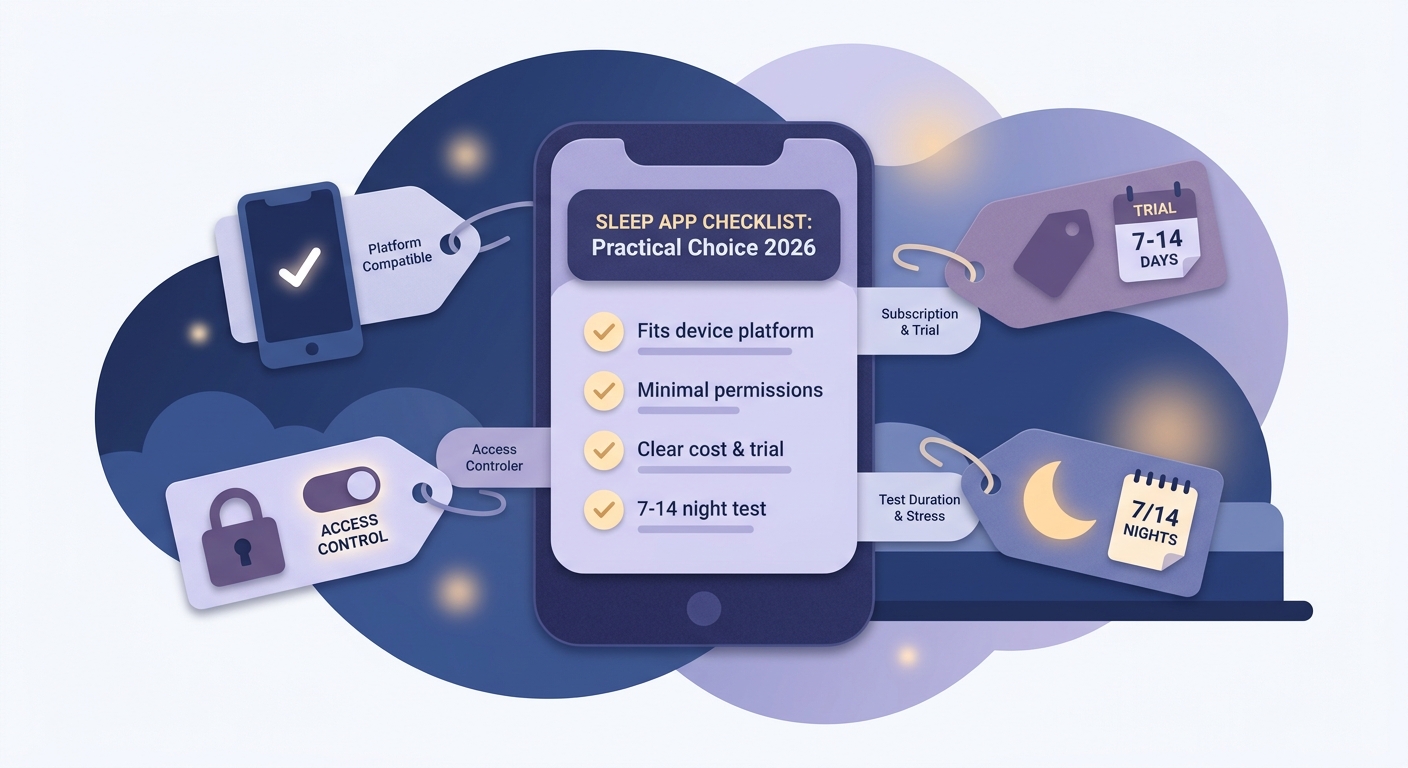
A practical checklist for choosing a sleep app in 2026, focused on platform compatibility, permissions, subscription tolerance, and whether the app fits a 7-14 night test period.
Pick one job and ignore the rest
Trying to optimize everything at once usually increases screen time and anxiety. Choose one focus: fall asleep faster, wake up better, or build consistency.
Run a 7-night test with one metric (then extend to 14 if needed)
Give yourself 2-3 nights to get used to the workflow, then look for a directional signal. Example: for 7 nights, write down (a) estimated minutes to fall asleep, (b) number of wake-ups you remember, and (c) a morning 1-5 "how wrecked do I feel" rating.
Check dependencies before you commit
Phone tracking depends on placement, a quiet-ish environment, and permissions you may not want to grant. Wearable integrations add cost, battery management, and occasional sync failures, especially after OS updates.
Stop or simplify if it increases stress
Common failure modes: tracking makes you obsessive, audio keeps you alert, or reminders feel like nagging. In those cases, turn off scores and notifications and keep only the simplest feature (audio, timer, or alarm), or switch apps.
Quick checklist:
| What to confirm | Why it matters |
|---|---|
| Platform and wearables supported | Avoid building a habit around a feature that breaks on your setup |
| Permissions (mic, motion, Health) | Reduce privacy surprises and data regret |
| Paywall boundaries | Do not invest time in a feature you cannot keep using |
| Trial window and refund policy | Gives you time to judge without getting stuck |
Title: Want a buyer guide like this for your product category?
Description: Froxi helps teams publish practical, operator-grade rankings with clear criteria, proof blocks, and honest tradeoffs. If you want a repeatable format for SEO pages that readers actually trust, start here.
See Froxi
