
If your to-do system keeps collapsing under tabs, templates, and "all-in-one" complexity, the fix in 2026 is often simpler: pick one app that does one job fast, most days. This ranked roundup compares single-purpose apps for getting things done based on mobile speed, low setup friction, and how reliably they move a task from capture to done. By the end, you will have a tight shortlist matched to your biggest bottleneck, plus the tradeoffs so you do not churn through yet another stack.
Top Productivity Apps That Hit #1 on App Store This Month goes deeper on the ideas above and adds concrete next steps.
Early proof
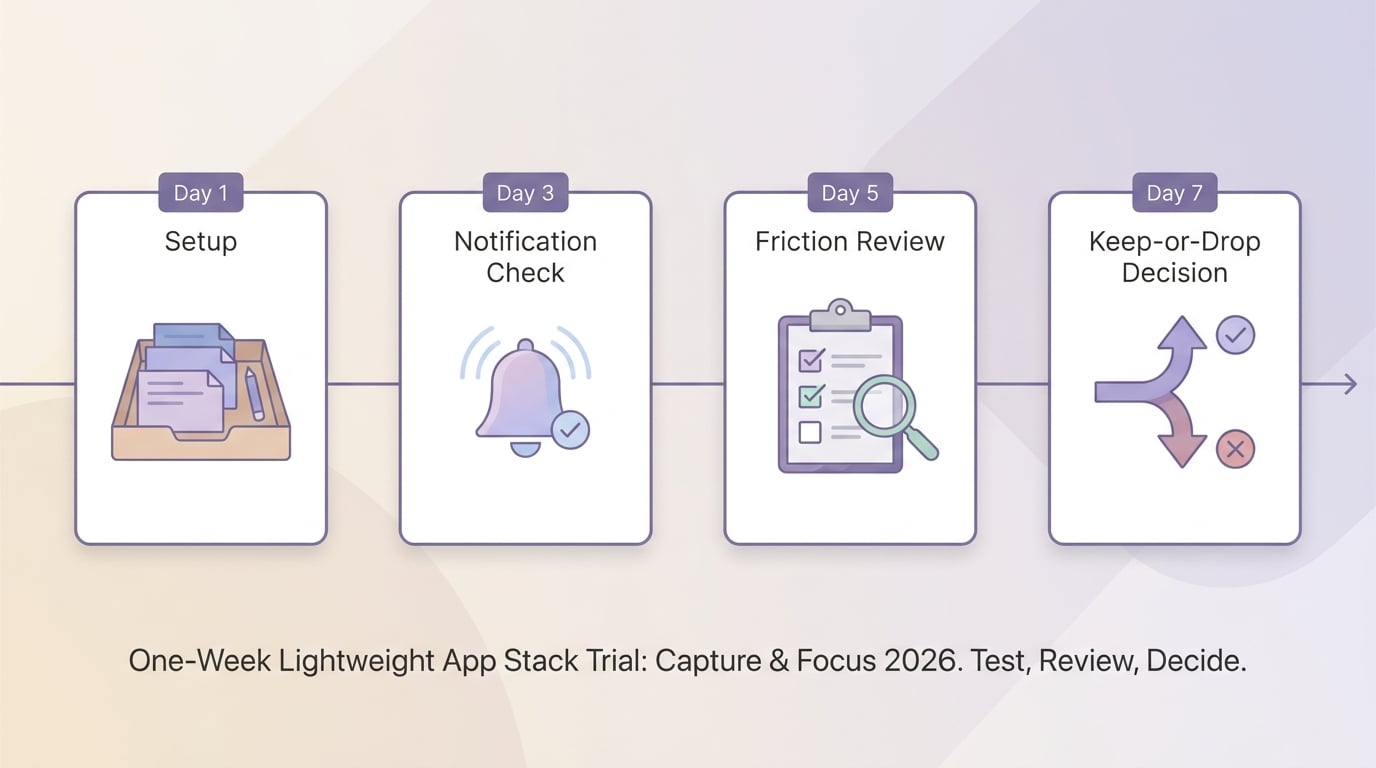
A short timeline showing a one-week trial for a capture app plus a focus app: day 1 setup, day 3 notification check, day 5 friction review, day 7 keep-or-drop decision. The visual should help readers test a narrow stack without overcommitting to a full productivity suite.
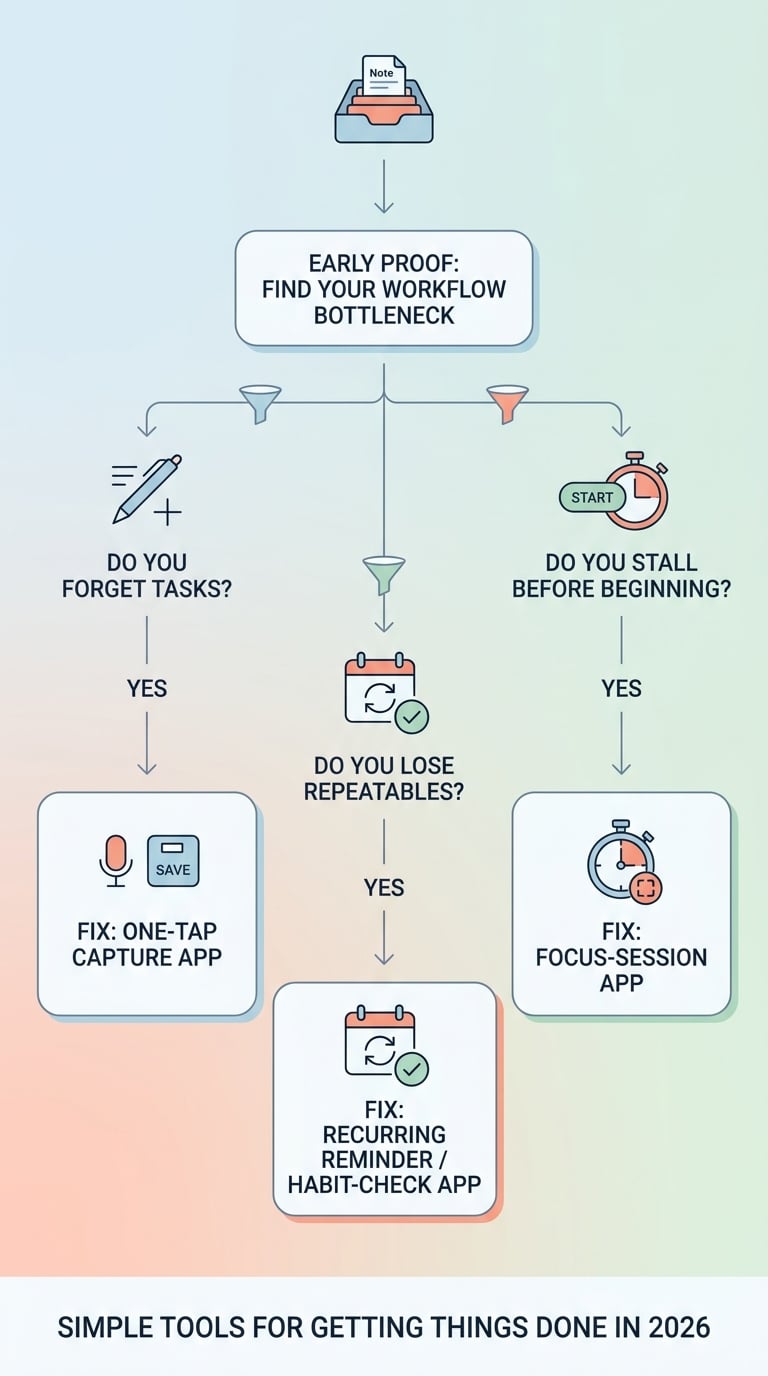
A simple mobile-friendly decision diagram showing how to choose among single-purpose apps based on the failure point: capture, start, or follow-through. The diagram should guide a reader from the problem they feel to the type of app that solves it, reinforcing a practical choice process for 2026.
| Friction point | Symptom on mobile | Single-purpose fix | What to measure in a 7-day test |
|---|---|---|---|
| Capture is slow | You think "I will add it later" and forget | One-tap capture (widget, lock screen, share sheet) | Median time-to-capture (aim for under ~10 seconds) |
| Starting is hard | You plan a lot but stall | Timer-based focus sessions | Time-to-start (open app to actually working) |
| Follow-through slips | Repeatables vanish in the backlog | Recurring reminders or habit check-ins | Completion rate for 1-2 recurring actions |
What this proof is: a practical failure-map I use when diagnosing why personal systems break. It is a heuristic, not a benchmark study, and it assumes you run the same workflow for a week.
What it means: the "best app" is usually the one that reduces taps at your failure point, not the one with the most features.
Reader impact: pick one bottleneck, test for 7 days, and track one simple number before you add another tool.
When you move from outline to execution, Top 10 Productivity Apps Launched This Week on App Store helps close common gaps teams hit here.
What counts as a single-purpose app in 2026
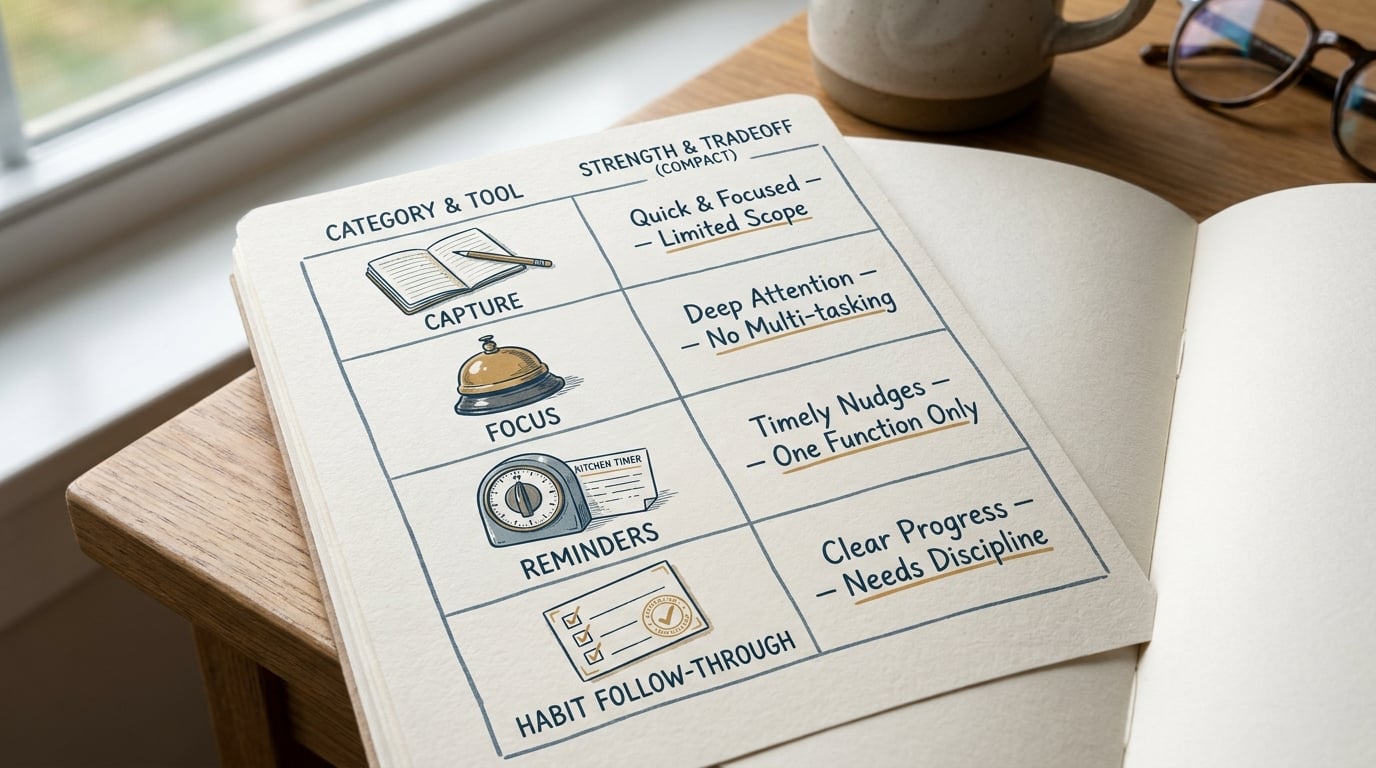
A compact comparison table-style visual showing the shortlist categories for single-purpose apps in 2026: capture, focus, reminders, and habit follow-through. The visual should help readers see the strongest fit by job, the biggest strength, and the main tradeoff without presenting invented performance data.
Single-purpose does not mean "tiny." It means the app has one clear daily job: capture, focus, or follow-through, with minimal setup and low cognitive overhead.
Here is the editorial filter behind this shortlist:
- Ranked by fit for real mobile use, not feature count or brand size
- Highest weight on speed from thought to next action: open, capture, confirm, done
- Preference for apps that do one job clearly (even if they do it deeply)
- Basics matter: onboarding friction, navigation clarity, and notifications you can trust
- Ranking is directional, because your device, routines, and interruption level change the outcome
Focused tools can beat bloated suites because they launch faster and ask fewer system-design questions. The tradeoff is integration and upkeep: you might run 2 apps (capture plus reminders), and you have to maintain the handoff. In practice, that handoff is where most systems fail if you do not budget a small daily review window.
A complementary angle worth comparing lives in Top AI Coding Assistants for Mobile Developers in 2026.
Which single-purpose app should you start with?
This ranking is by likely best fit for most mobile-first solo users, not "overall best." If your bottleneck differs, skip to that section and ignore the rank number.
| Rank | Pick (job) | Best for | Main tradeoff |
|---|---|---|---|
| 1 | Instant capture app | Ideas that vanish mid-day | Still needs daily triage |
| 2 | Reminders or habit app | Follow-through on repeatables | Notification fatigue if you add too much |
| 3 | Focus app | Getting started when you procrastinate | Setup time, plus timers can create guilt |
One thing worth noting: people often pick a focus app first because it feels productive, but the real leak is capture. If you keep dropping inputs, start with capture and build your "inbox muscle" before you tune focus blocks.
For tradeoffs, checklists, and edge cases, Top 7 AI Note-Taking Apps for iPhone in 2026 rounds out this section.
How do you choose between capture, reminders, and focus?
Use this table to pick your first tool. This is also how I keep myself honest when I am tempted to add another app instead of fixing the real constraint.
| Tool type | Typical setup time | Best for | Key risk on a bad week | Metric to track |
|---|---|---|---|---|
| Capture | 10-20 minutes | Interrupt-driven days, lots of inputs | Inbox turns into a junk drawer if triage slips | Median time-to-capture |
| Reminders/habits | 15-30 minutes | Repeatables that must happen | You swipe notifications away and stop trusting them | Completion rate for 1-2 items |
| Focus | 30-60 minutes | Starting work and staying on it | Blockers break legit tasks; streak guilt | Time-to-start |
The ranked list: which single-purpose apps to use (with realistic expectations)
1) Instant capture (ranked #1)
Best when: you forget tasks because capture is slow or your day is interrupted.
Good options (examples): Apple Notes (iOS), Google Keep (Android and iOS), Drafts (iOS), Todoist Quick Add (iOS and Android). These are illustrative picks; the right answer is often "the one that opens fastest on your phone."
A concrete mobile-first workflow:
Capture in under 10 seconds
Use iOS Share Sheet into Notes or Drafts, or an Android home screen widget in Keep. Aim for fewer than 3 taps, including unlock.
Daily triage (10-15 minutes)
Once per day, move each item to: do today, schedule, or delete. If you skip this for a few days, the inbox turns into a junk drawer and you will stop trusting it.
One execution block (25-50 minutes)
Pick the top one task and do a single focused session (with a focus app or a plain timer). This is the handoff where most systems fail, especially on chaotic days.
Limitations and constraints: capture tools rarely solve prioritization. Also, migrating later (exporting notes, cleaning duplicates) can take 1-2 hours if you let the inbox sprawl for months.
2) Reminders and habits (ranked #2)
Best when: you know what to do, but repeatables slip because they are buried in a list.
Good options (examples): Apple Reminders, Google Tasks, TickTick (reminders plus light habit tracking), Streaks (iOS), Habitica (gamified).
Where it helps most: recurring admin (invoices, backups), personal routines (meds, workouts), creator ops (publish, repurpose, send newsletter). Timely nudges beat buried list items when your context changes all day.
Limitations and dependencies: notifications are a real dependency. OS battery saving, focus modes, permission settings, and poor connectivity can delay alerts. Too many reminders trains you to swipe them away, so start with 1-3 recurring items max and only add more after you are consistently completing them.
3) Focus and distraction blocking (ranked #3)
Best when: you have tasks, but starting is harder than planning.
Good options (examples): Forest, Focus To-Do, Freedom (block distractions), Apple Focus modes (built-in), Android Digital Wellbeing (built-in).
Core loop: choose one next action, start a 25-50 minute session, take a short break, repeat. If your day is interruption-heavy (kids, support, meetings), favor tools with easy pause and flexible sessions over strict streaks.
Tradeoffs and setup cost: expect a 30-60 minute setup window the first time you tune allowed apps, schedules, and exceptions. Blockers can also break legitimate workflows (research, logins, 2FA), so you may need a "work whitelist" and a quick way to temporarily bypass without turning the whole system off.
How can you choose the right app without wasting a weekend?
If you want this to stick, do not redesign your whole system. Swap one piece, then measure.
Match the app to the point where your workflow breaks
If tasks disappear before you record them, pick capture. If you cannot start, pick focus. If repeatables slip, pick reminders or habits.
Budget real effort for the first week
Plan for: 30-60 minutes of setup (once), plus 10-15 minutes/day for triage or review. If you cannot afford that time this week, choose the simplest option and postpone the "perfect" setup.
Check platform, sync, and notification behavior before committing
Test on your primary device for 2 days (not just a setup session). Send yourself 3-5 test notifications, and confirm export/backup so you are not trapped if you later switch.
Run the 7-day bottleneck test
Pick one job (capture, focus, or reminders) and keep everything else the same for one week.
Run the 7-day test
Get my minimalist setup checklist
A short checklist to pick one app, set it up in under an hour, and avoid common failure modes.
Get the checklist


