
If you are building an app alone, it can feel like the work never ends because you are the engineer, PM, QA, support desk, and marketer all at once. Burnout is often less about motivation and more about an operating system that forces constant context switching and never gives you a clear "done" moment. This guide shows a sustainable solo release cadence with boundaries, fewer active commitments, and a weekly routine that helps you keep shipping while protecting recovery time. You will finish with a plan you can try in your next release cycle, plus realistic time blocks, dependencies, and the tradeoffs to expect.
| Work bucket (typical solo week) | Directional share | Why it matters operationally |
|---|---|---|
| Development + QA | ~40-55% | Deep work gets fragmented, so features take longer and regressions creep in. |
| Support + bug triage | ~15-25% | Reactive load expands to fill any open time unless you timebox it. |
| Release + store admin | ~10-20% | Rejections, screenshots, and rollout steps add hidden hours. |
| Marketing + content | ~5-15% | Effort varies by category, but it still needs batching to stay sane. |
| Misc admin | ~5-15% | Invoices, taxes, tools, and "small" tasks stack up. |
Explanation: this split is a planning heuristic based on common solo patterns, not a verified benchmark. To calibrate it, track your time for 1-2 weeks with simple calendar labels (Dev, Support, Release, Marketing, Admin).
Interpretation: the risk is not any single bucket, it is the number of switches between them. More switching usually means slower fixes, more late-night releases, and more mistakes, especially if your CI is flaky or your support queue is high.
Reader impact: if you reduce switching even a bit, many solo devs can reclaim some focus time, but the upside depends on support volume, incident rate, and app store review unpredictability.
What to do this week (operationally):
- Change: schedule 1-2 daily support windows and protect 1 deep-work block before you open email.
- Measure: context switches/day (rough count), deep-work blocks completed, and time-to-ship for the next small change.
- Expectation: you are aiming for fewer late-night fixes and more predictable shipping, not a guaranteed productivity jump.
The Rise of Solo App Founders - How One Person Can Compete goes deeper on the ideas above and adds concrete next steps.
Why do solo app developers burn out so fast?
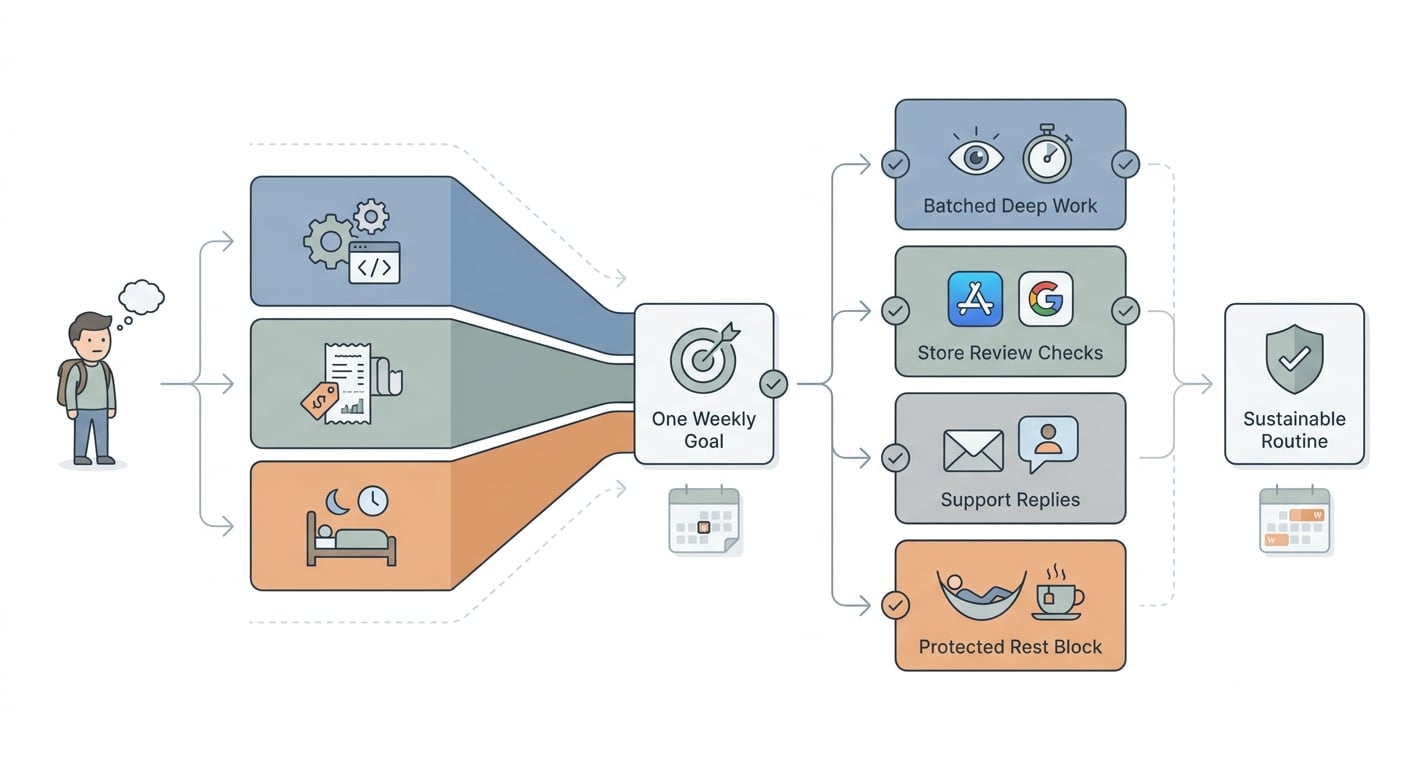
A simple process diagram for a solo app developer's week: choose one goal, batch product/business/recovery lanes, then review App Store and Google Play tasks on a fixed schedule.
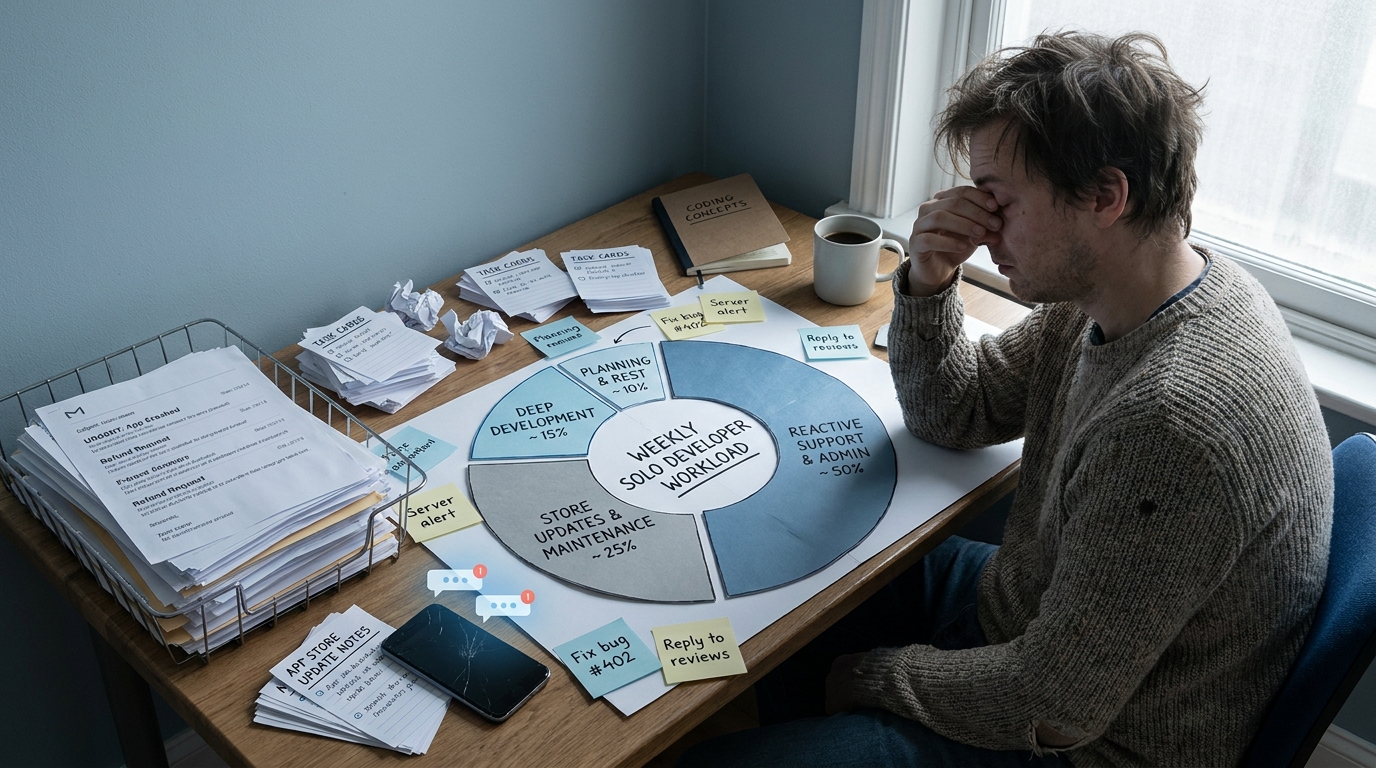
A compact visual callout showing a solo app developer's week split across coding, support, store updates, and admin, with the largest slice taken by reactive work rather than deep development.
A solo app is not one job. It is a loop that keeps reopening, and each loop has switching costs.
Beyond coding, you also carry:
- Build and release: signing, CI failures, TestFlight tracks, Play Console checks
- Store work: screenshots, metadata, keywords, pricing, localized listings
- Quality and compliance: crash triage, device edge cases, policy and review notes
- Support and ops: emails, refunds, account issues, incident response
- Growth: changelog posts, replies, experiments, analytics reviews
What this means is decision fatigue, not just workload. If you do these tasks in small bursts all day, each interruption taxes focus and increases error rate.
Burnout often shows up as avoidance: delaying updates, dreading review steps, or not opening console alerts because you expect more bad news. Fatigue fades after rest; burnout tends to stick around and makes even small tasks feel heavier.
The practical takeaway: you probably need a lighter shipping routine with clearer boundaries, not a bigger backlog or more willpower.
When you move from outline to execution, How a Solo Founder Prepared Their App for Launch Without Hiring an Agency helps close common gaps teams hit here.
What routine helps solo app developers avoid burnout?
Set guardrails (30-60 minutes on Monday)
Pick one primary outcome you can ship in 5 working days including QA and release admin (example: fix the top crash group, improve onboarding copy, ship one small paid feature). If your app needs screenshots, localization, migrations, or policy review, budget 1-3 extra hours for store and compliance work.
Timebox support (60-120 minutes/day, depending on volume)
Decide when you answer email, reviews, and console alerts (example: 30 minutes midday, 30 minutes late afternoon, weekdays only). Tradeoff: slower replies can cost goodwill in high-support categories, so you may need shorter but more frequent blocks (for example, 3x 20 minutes) and clearer in-app messaging.
Define "emergency" and stick to it
Emergency equals production outage, payment failure, security issue, or data loss risk. Everything else queues for the next planned release. Dependency caveat: if you rely on ads, a third-party API, or a fragile backend, some "non-bugs" become revenue-critical and can force you to break cadence.
Run a simple weekly cadence (plan 30-60 minutes, maintain 10-15 minutes/day)
Use this as a starting point, then adjust based on support volume and review times.
Day Deep work (60-120 min blocks) Ops and comms (timeboxed) Release focus Mon Scope goal, implement core Support 2x 30 min, crash scan 15 min Draft release checklist Tue Finish core, add tests Support 2x 30 min Prepare build Wed QA, fix regressions Support 2x 30 min, store work 30-60 min Upload to TestFlight/internal Thu Final QA, polish copy Support 2x 30 min Submit for review or staged rollout prep Fri Small fixes only Support 1-2 blocks, monitor 30 min Rollout, write postmortem notes Decision point: if review timelines are unpredictable in your category, treat Thu and Fri as "release readiness" rather than a guaranteed ship day. One thing worth noting: if you are launching a brand-new app or dealing with frequent incidents, the win is predictability and fewer late nights, not maximum velocity.
Keep the tool stack small (and accept constraints)
Area Default tool Metric to watch Realistic time cost Crash triage Firebase Crashlytics or Sentry Crash-free users %, top 3 crash groups 10-20 min/day during a spike, 30-60 min/week when stable Release tracking Linear, Trello, or GitHub Projects "Ready for review" checklist completion 10 min/day Support Gmail + canned replies, HelpScout, or Zendesk (if volume) Response SLA (example: 1 business day) 30-90 min/day depending on volume Scheduling Google Calendar Protected deep-work blocks 10 min/week to plan Pitfall: if a metric does not change what you do this week, it becomes noise.
A complementary angle worth comparing lives in How to Build a Full iOS App With Cursor AI in a Weekend.
A worked example: crash spike week (what it looks like in practice)
This is the week where your cadence gets tested. Expect 3-6 hours total if the issue is straightforward; more if reproduction is hard or review is delayed.
Triage the top crash group (30-45 minutes)
In Crashlytics/Sentry, filter by latest version and identify the highest-impact crash group (users affected, frequency, and whether it blocks a key flow).
Reproduce on a small device matrix (60-120 minutes)
Try 2-3 devices or simulators (old OS, newest OS, and one mid-tier device). If you cannot reproduce, add targeted logging or a guard fix and move to staged rollout.
Ship a hotfix with staged rollout (60-120 minutes)
Cut scope to the fix only, add a regression test if possible, and ship with a phased release. Budget 30-60 minutes for store admin, screenshots (if needed), and release notes.
Monitor and decide (20-30 minutes/day for 2 days)
Watch crash-free users, new crash groups, and support tickets. If the crash does not improve, pause feature work and repeat triage once, then reassess root cause (SDK, backend, device-specific bug).
Failure modes to plan for: app review delays (hotfix sits in queue), flaky CI (signing or build failures burn a half-day), and high-support categories where you cannot reduce support windows without user impact.
For tradeoffs, checklists, and edge cases, Best Way to Get Your First App Downloads for Free rounds out this section.
Mistakes that keep solo app developers stuck in burnout
Always-on support and same-day fixes
If you treat every ping like a fire, your brain never exits emergency mode. Bugs, reviews, and feature work blur into one endless shift, so you ship tired and create more support load.
Replace instant replies with a simple support SLA:
- Respond once per weekday (or twice if volume demands it)
- Publish the window in your app, help page, or auto-reply
- Keep a "known issues" note to reduce repeat questions
A boundary that often works: no production changes after 6 pm local time unless revenue or data loss is at risk. Tradeoff: you might delay a non-critical fix by 12-24 hours, which is usually cheaper than a rushed nighttime deploy.
Too many active goals at once
The trap is rebuilding core screens while also redesigning your store page and running monetization experiments. The cost is hidden: unfinished work, mental clutter, and weak follow-through.
Prevent it with one-in, one-out. If you add a new priority, you pause another until next week.
Ignoring recovery until it becomes a stop sign
Motivation can stay high while error rate climbs: more regressions, sloppier merges, and worse decisions. Treat recovery as operations, not a reward.
A practical shutdown ritual (5-10 minutes):
- Write tomorrow's first task and the success condition
- Park open loops in your tracker (not your head)
- Close tools and end the day on purpose
The Founder's Complete App Publishing Checklist reframes the same problem with a slightly different lens - useful before you finalize.
Burnout prevention checklist for the next release cycle
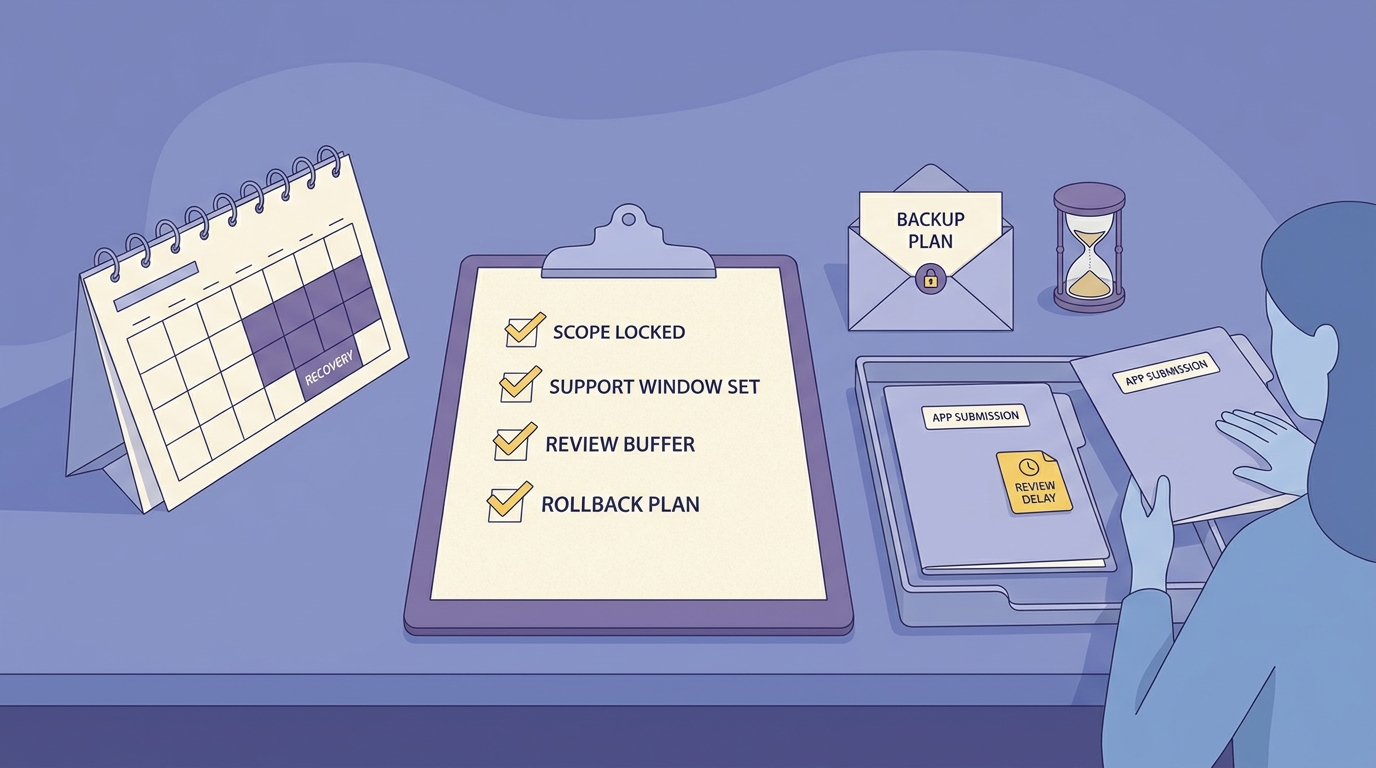
A release-day checklist for solo app developers covering scope control, support windows, review time, and backup plans for App Store or Google Play delays.
Release week burns you out when it includes extra goals you did not plan for. Reduce uncertainty before you press Submit so review delays or a surprise crash spike does not steal your sleep.
- Confirm scope is one app goal, not a bundle
- Block time for review, staged rollout, and first support sweep
- Verify one backup plan: rejected build, crash spike, or delayed review
- Budget 60-120 minutes for release admin (metadata, screenshots, notes)
After launch, avoid treating release as the starting gun for the next feature. Do one intentional pass, then return to your schedule.
- Check analytics and support once, then move to the next scheduled task
- Schedule an off-ramp: half-day off or a no-dev evening within 48 hours
- Note what drained energy (switching, support volume, late testing) so next cycle improves


