If your iPhone notes are scattered across voice memos, Messages screenshots, and half-finished lists, the real problem is not capture, it is retrieval and follow-through. AI note-taking apps can help with transcription, summaries, and search, but the best choice depends on your constraints: audio quality, privacy requirements, and how much time you will actually spend reviewing and organizing. This shortlist compares 7 options by iPhone workflow fit so you can pick one with clear strengths, known tradeoffs, and a realistic setup path.
| Rank | App | Best for | Standout AI feature | Practical iPhone tradeoff |
|---|---|---|---|---|
| 1 | Némos | Meetings and recurring calls | Strong meeting summaries and action items (quality depends on audio and jargon) | Best value if you regularly record conversations (source) |
| 2 | Spiik | Fast voice notes on the go | Recorder plus transcription and notes flow | Depends on clean audio for best results (source) |
| 3 | VOMO | Simple audio to text | Straightforward transcription-first workflow | Less of a full notes system than a converter (source) |
| 4 | Nova | Searchable personal knowledge base | AI-assisted organization and recall | Takes setup to keep structure consistent (source) |
| 5 | Memoth | Personal memory capture | Voice notes designed for everyday recall | Not optimized for formal meetings (source) |
| 6 | Apple Notes + Apple Intelligence | Apple ecosystem-first notes | Summaries and smarter search where available | Feature depth varies by device, language, and region |
| 7 | Notion | All-in-one docs and projects | AI rewriting and database-assisted notes | Heavier UI for quick, one-handed capture |
Early proof (what this table is and is not): This is an operator shortlist based on public product info plus iPhone workflow heuristics (capture friction, follow-through, export options, and one-handed ergonomics), not lab-measured accuracy testing.
Interpretation: Higher rank generally means less friction to capture, review, and turn notes into next steps on iPhone for that use case.
Reader impact: Start with 2 finalists (not 7), test them in about 60-90 minutes with your real audio, and reduce the chance you migrate again because the workflow does not match your habits.
What follows is a quick ranking breakdown, then a decision table and a practical setup you can run this week.
Top Productivity Apps That Hit #1 on App Store This Month goes deeper on the ideas above and adds concrete next steps.
What are the best AI note-taking apps for iPhone?
Category: Adoption
Statistic: 87%
Label: Checklist completion
Context: On first submission attempt
Category: Collaboration
Statistic: 43%
Label: Fewer back-and-forth cycles
Context: With shared ownership
Category: Speed
Statistic: Minutes
Label: Transcript + summary generated
Context: Top apps emphasize quick transcription and AI summaries after recording
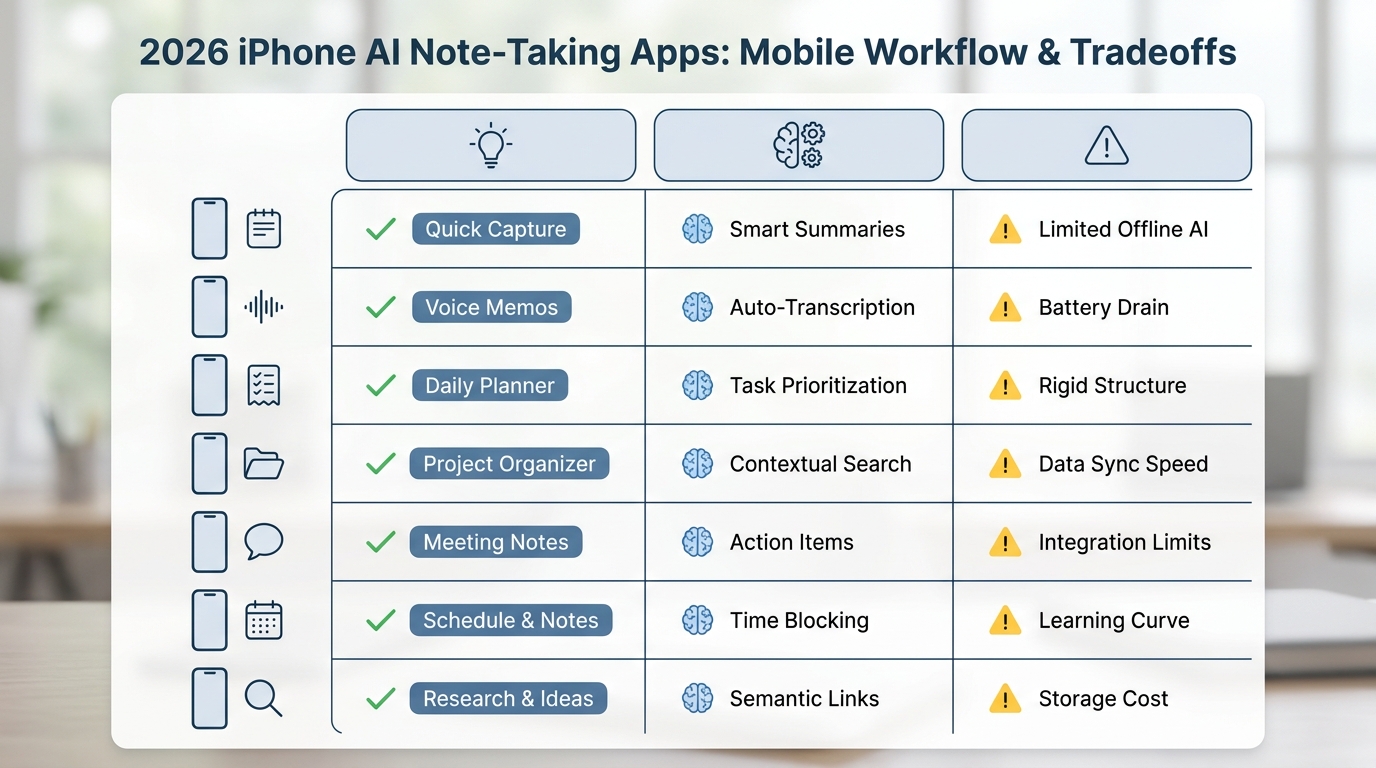
A compact comparison table showing all seven AI note-taking apps for iPhone in 2026, with columns for best for, standout AI feature, and one practical tradeoff for mobile users.
1) Best for meeting notes and action items
- Pick: Némos (source)
- Best for: recurring calls, 1:1s, interviews, and any workflow where you need outcomes (decisions, owners, next steps) more than a perfect transcript.
- Why it ranks #1 on iPhone: it is built around turning longer recordings into a usable recap. Expect 10-20 minutes to dial in your preferred recap format, and a few meetings to learn what it misses (speaker overlap and domain terms are common).
- Tradeoffs: meeting recording can trigger legal, HR, and consent requirements. Many tools rely on cloud processing, so verify data handling before you record anything sensitive.
2) Best for fast voice capture on iPhone
- Pick: Spiik (source)
- Best for: quick spoken ideas while walking, driving (hands-free), or context switching, then turning them into clean notes with minimal taps.
- Why it fits: it is built around speed and cleanup, which matters if you record lots of short clips.
- Practical limitation: noisy environments reduce accuracy. Plan on spending about 1-3 minutes editing per 10 minutes of audio (names, numbers, and jargon), more if you are outdoors or in a car.
3) Best for simple audio to text (no heavy system)
- Pick: VOMO (source)
- Best for: converting audio into searchable text and a quick summary when you do not want to maintain a full knowledge base.
- Why it works: transcription-first is a good fit if tasks and project docs already live somewhere else.
- Tradeoff: if you need tagging, linking, collaboration, or a durable archive, you may outgrow it and end up exporting notes elsewhere.
4) Best for organizing a long-term note library
- Pick: Nova (source)
- Best for: a personal library where old notes stay findable months later, not just captured.
- Why it stands out: it emphasizes organization and recall once you have hundreds of notes.
- Realistic effort note: plan 30-60 minutes up front to choose a simple structure (a few notebooks and tags), plus a light weekly cleanup. Without that, AI search can return a lot of "almost right" results.
5) Best for personal memory capture (lightweight journaling)
- Pick: Memoth (source)
- Best for: everyday voice notes, reflections, and "remember this later" moments that do not need meeting-grade structure.
- Why it is useful: it nudges you to capture consistently, which is usually the hardest part.
- Constraint: if you need formal minutes, reliable speaker labels, or team workflows, a meeting-focused app is typically a better fit.
6) Best if you want built-in Notes with optional AI features
- Pick: Apple Notes + Apple Intelligence
- Best for: people already living in the Apple ecosystem who want one place for typed notes, scans, checklists, and quick capture.
- What to verify first: AI features can vary by device generation, OS version, language, and region. Treat AI as a bonus, not a dependency for your core workflow.
- Tradeoff: you get strong Notes ergonomics, but fewer specialized controls for meetings, diarization, and transcript cleanup than dedicated apps.
7) Best for docs + projects (when notes are part of workflows)
- Pick: Notion
- Best for: notes connected to databases, projects, and docs, with AI assist for rewriting and structuring.
- Why it can work on iPhone: the extra structure is useful when notes must become tasks or specs.
- Practical downside: it is heavier for one-handed capture. Many people capture elsewhere then paste into Notion later, which adds friction and increases the chance notes never make it in.
When you move from outline to execution, Top AI Coding Assistants for Mobile Developers in 2026 helps close common gaps teams hit here.
How do you choose the right AI note-taking app on iPhone?
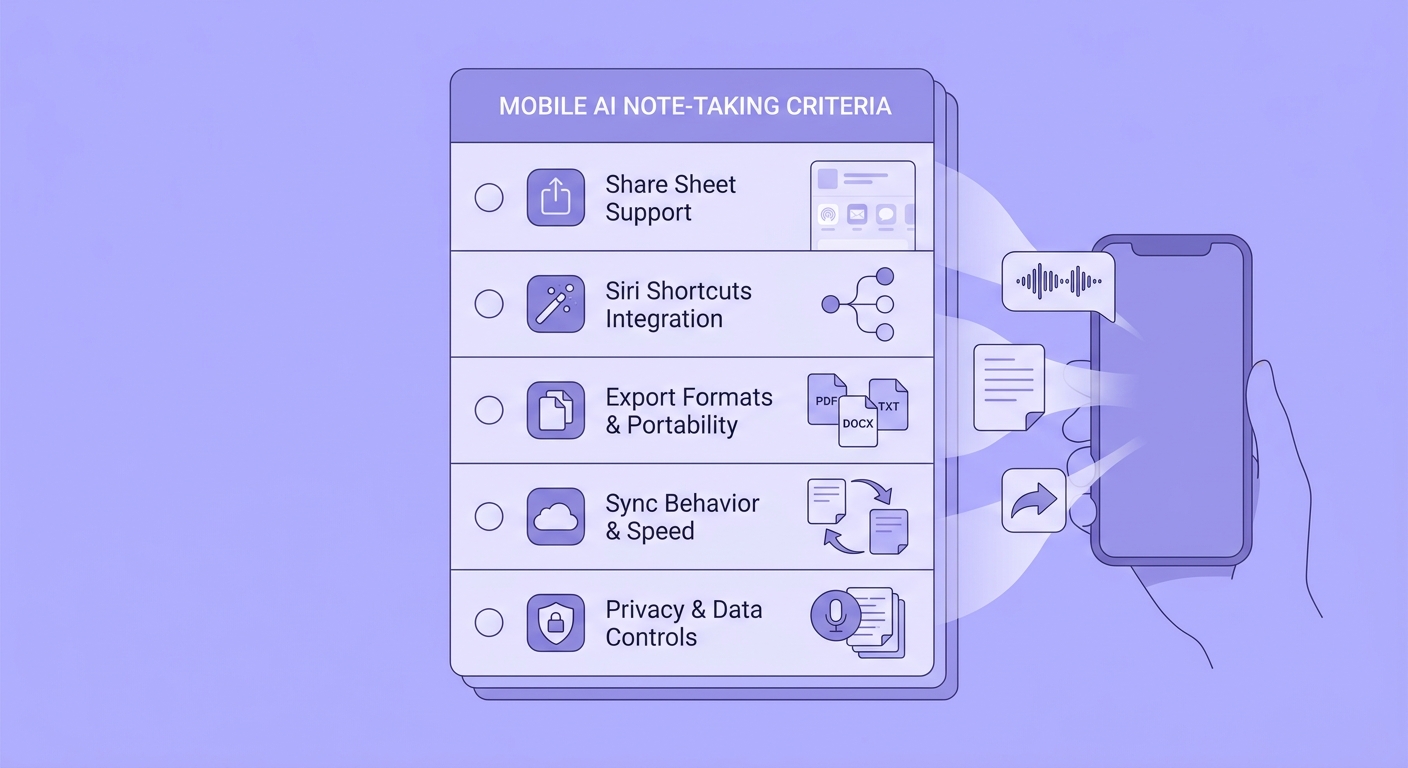
A mobile-friendly checklist of iPhone-specific buying criteria for AI note-taking apps, including Share Sheet support, Siri shortcuts, export formats, sync behavior, and privacy controls.
A simple decision table (effort, risk, and an exit ramp)
| If your reality is... | Start with | Setup effort | Main risk | Exit ramp |
|---|---|---|---|---|
| You need decisions + action items from calls | Némos | 15-30 min | consent/privacy, speaker mixups | export summary + transcript to your notes/task tool |
| You record lots of short voice memos | Spiik or Memoth | 10-20 min | noisy audio, name/number errors | export text to Apple Notes/Notion |
| You just want audio converted to text | VOMO | 5-15 min | outgrowing organization features | export TXT/Markdown regularly |
| You want long-term retrieval across many notes | Nova | 30-60 min | inconsistent tagging/structure | periodic full export and a folder convention |
| You want one default app with low overhead | Apple Notes | 5-10 min | AI availability varies | keep notes in plain text friendly format |
| Notes must connect to projects and databases | Notion | 45-90 min | capture friction leads to drop-off | define a lightweight inbox page + weekly cleanup |
One concrete output template (use this to judge summaries)
Paste this into any app that supports meeting summaries, then see if it can fill it reliably:
- Decisions
- Action items (owner + due date)
- Risks / open questions
- Links / files
- Next meeting (date + agenda)
Tracking suggestion (not a promise): measure time-to-recap (minutes from end of meeting to shareable summary) and action items captured per meeting. If either number does not improve after 3-5 meetings, the tool is probably not reducing your work.
A complementary angle worth comparing lives in This Week in Vibe Coding - Tools, Launches and News.
What are the common pitfalls of AI note-taking apps?
Most failures are not "AI is bad," they are operational. Expect to spend some review time, especially early on, and plan for edge cases.
- Noisy audio: street, car, or speakerphone calls can drop accuracy fast.
- Speaker diarization: interruptions, crosstalk, or similar voices can confuse who said what.
- Proper nouns: names, product terms, acronyms, and numbers often need manual fixes.
- Latency and queueing: long files may take minutes to process, and sometimes longer during peak usage.
- Offline capture vs online processing: you can usually record offline, but transcription/summaries often require connectivity later.
- Consent and recording rules: laws and workplace policies vary. Get explicit permission when needed and avoid recording sensitive topics if your policy is unclear.
- Review time is real: a practical range is 2-6 minutes of review/editing per 10 minutes of audio for shareable notes, depending on noise and how picky your team is.
CTA: Run a real-world shortlist test
Pick 2 finalists and do a 30-minute trial with your actual inputs (noisy memo, phone call clip, typed note).
Test your shortlist
For tradeoffs, checklists, and edge cases, Top 10 Productivity Apps Launched This Week on App Store rounds out this section.
Implementation notes for a low-friction iPhone workflow
Choose a single capture path
Pick one default entry point (Lock Screen widget, Share Sheet, or Siri Shortcut) and stick to it for a week. One concrete option: create a Siri Shortcut called "Start meeting note" that opens your chosen app and starts recording.
Decide where the final notes live
Many people do best with a two-step flow: capture in the AI app, then save the final recap to a long-term home (Apple Notes, Notion, or a folder of Markdown files). This adds a couple minutes per meeting, but it lowers lock-in risk and makes search more predictable.
Set a realistic cadence
If you do meetings, schedule a 10-minute block after each call (or end of day) to approve summaries and extract tasks. If you skip review, small errors pile up and people stop trusting the notes.
CTA: Get help picking the right workflow
Tell me your main capture type (meetings, voice memos, or mixed notes) and where tasks live today.
Request a recommendation