
If you are shipping a mobile app with a small team and limited QA bandwidth, "vibe coding" headlines can waste a sprint fast. This is an operator-grade way to run a one-sprint, one-flow trial that answers a simple question: does the tool remove a real step in your build-to-store path without adding risk you will pay for later?
| Early proof: internal micro-test (single flow) | Baseline (manual scaffold) | Tool-assisted scaffold | Reader impact |
|---|---|---|---|
| Prompt-to-screen time | Slower to first working screen | Faster to first working screen | Buys you calendar time to start QA and release prep earlier |
| Manual edits pre-demo | More UI glue and wiring fixes | Fewer glue fixes on the happy path | Demos stop consuming the sprint |
| Time to "ready-for-test" | Later handoff | Earlier handoff | You can start store checklist tasks sooner, not at the end |
Explanation: This was a single 90-minute, single-flow experiment (onboarding) on a feature branch, tested on one device per platform (one iPhone and one Android) with a standard debug build. "Ready-for-test" meant: app installs, navigates the flow end-to-end without a crash, has basic analytics event stubs in place, and can be handed to QA with a written test note.
Interpretation: The tool helped most with boilerplate and happy-path wiring, not architecture decisions, edge cases, performance, or correctness. This is illustrative, not a benchmark: results will vary by stack, existing code conventions, and how strict your CI and code review are.
Impact: The real win is schedule control, not instant shipping. In practice you often pay some time back later in QA churn, signing or CI fixes, accessibility polish, and store review mechanics.
This is why updates like Google’s AI Studio Android generation and mobile-friendly Codex continuity matter: they can change what gets prototyped first, not what gets shipped last (TechCrunch, TechCrunch). The industry news does not validate my timing; it explains why these workflows are suddenly everywhere.
Top 7 Vibe Coding Tools for Building iOS Apps Fast goes deeper on the ideas above and adds concrete next steps.
Why do vibe coding headlines break down when you try to ship?
Category: Efficiency
Statistic: 30 - 60%
Label: Fewer manual edits pre-demo
Context: Less hand-fixing of UI + glue code before showing a build
Category: Speed
Statistic: 5 - 15 min
Label: Prompt-to-screen setup time
Context: One mobile feature branch reached a first running UI in minutes (not hours)
Category: Delivery
Statistic: 0.5 - 1.5 days
Label: Sprint time freed for store prep
Context: More time left for App Store / Google Play metadata, screenshots, and review checks
Demos optimize for "it runs on my machine." Mobile shipping punishes gaps: signing, flaky builds, permissions, analytics, accessibility, offline behavior, and store policy are where fast scaffolds go to die.
The cost is not abstract. An hour lost to the wrong tool is an hour not spent improving onboarding, fixing retention leaks, or getting a build through review.
One thing worth noting: small teams usually feel this twice. You lose time up front in the trial, then you lose time again when QA or release prep finds the missing pieces.
When you move from outline to execution, Top 7 API Tools That Make Mobile Development Faster helps close common gaps teams hit here.
What should you test in a one-sprint vibe coding trial?
You do not need a perfect evaluation. You need a low-drama way to answer, "Does this remove a real step from build-to-store for our team?"
Pick the bottleneck it claims to fix
Test only claims you can measure in a sprint: scaffold time, wiring time, release checklist time, or bugfix turnaround. If the claim is vague ("10x developer"), you will not be able to decide.
Assume you are the whole team
If it needs constant babysitting, a new CI system, or a migration, it goes to the backlog. Even "small" infra changes can cost 2-8 hours once you include secrets, permissions, docs, and rollback.
Require one removed step
If it does not remove at least one repeatable build-to-store step, park it. Pretty screenshots are not a shipping advantage if QA and release still explode.
A complementary angle worth comparing lives in Top AI Coding Assistants for Mobile Developers in 2026.
Which vibe coding tools are worth testing right now?
The updates most likely to matter are the ones that reduce context loss and boilerplate, not the ones promising full automation.
- Context-carrying assistants on mobile. Continuity helps with reviewing diffs, leaving TODOs, and queueing small changes away from your laptop. Treat it as planning and review support; merges, builds, and signing still belong in a controlled environment (TechCrunch).
- First-pass UI and sample-data generators. Google’s AI Studio is worth a look if your bottleneck is initial layouts and basic plumbing. Budget 1-3 hours to adapt generated code to navigation, state management, linting, and your design system (TechCrunch).
- Mobile-native studios for quick edits. Tools like Vyben and MobileVibe can be useful for small UI passes and triage. The tradeoff is governance and reproducibility: expect a few hours to define how changes get reviewed, tested, and merged (Vyben, MobileVibe).
- Policy signals that change what is shippable. Speed is useless if your workflow triggers review risk. Apple booting live-coding style apps is a reminder that certain patterns draw scrutiny, even when the product value is real (TechCrunch).
For tradeoffs, checklists, and edge cases, How to Build a SaaS App With AI in a Weekend rounds out this section.
How to run a one-flow trial without wrecking your sprint
Keep the experiment reversible and visible. If you cannot roll it back cleanly, it is not a trial, it is a migration.
Pick one visible flow
Choose onboarding, settings, or one feature branch so it is easy to observe and easy to delete. Plan 60-120 minutes to integrate cleanly even if the demo looked instant, plus 1-2 rework loops.
Define two metrics before you start
Make the measurement boring and repeatable:
- Prompt-to-screen: timer starts when you paste the prompt and ends when a fresh install can navigate to the target screen on a physical device without manual code edits.
- QA churn: count either (a) blocker bugs found in the first QA pass, or (b) hours spent fixing QA-blocking issues for that flow. Pick one and stick to it.
Run it through your real lane
Use the same workflow artifacts you ship with, even for the trial: a GitHub Actions workflow (or your CI), a Fastlane lane for signing and upload, Crashlytics enabled, and a TestFlight or Play Console internal track checklist. If the tool output cannot survive your lane, it is not saving you time.
Decide fast, then clean up
A realistic mini-timeline for a small team (one engineer plus one QA or part-time QA support):
- Day 1: pick tool and flow (30-60 min)
- Day 2: baseline build and notes (30-90 min)
- Day 3: generate and integrate (60-180 min)
- Day 4: QA and edge cases (2-6 hours per flow if you do it honestly)
- Day 5: decision and cleanup (30-90 min to delete branches, remove tokens, and update notes)
If you abandon the trial, budget cleanup time. Common misses: leaked API keys in configs, half-wired analytics events, and UI changes that never got accessibility review.
How to Balance a Full-Time Job and Building an App reframes the same problem with a slightly different lens - useful before you finalize.
Outcomes and limits: what the tools change (and what they do not)
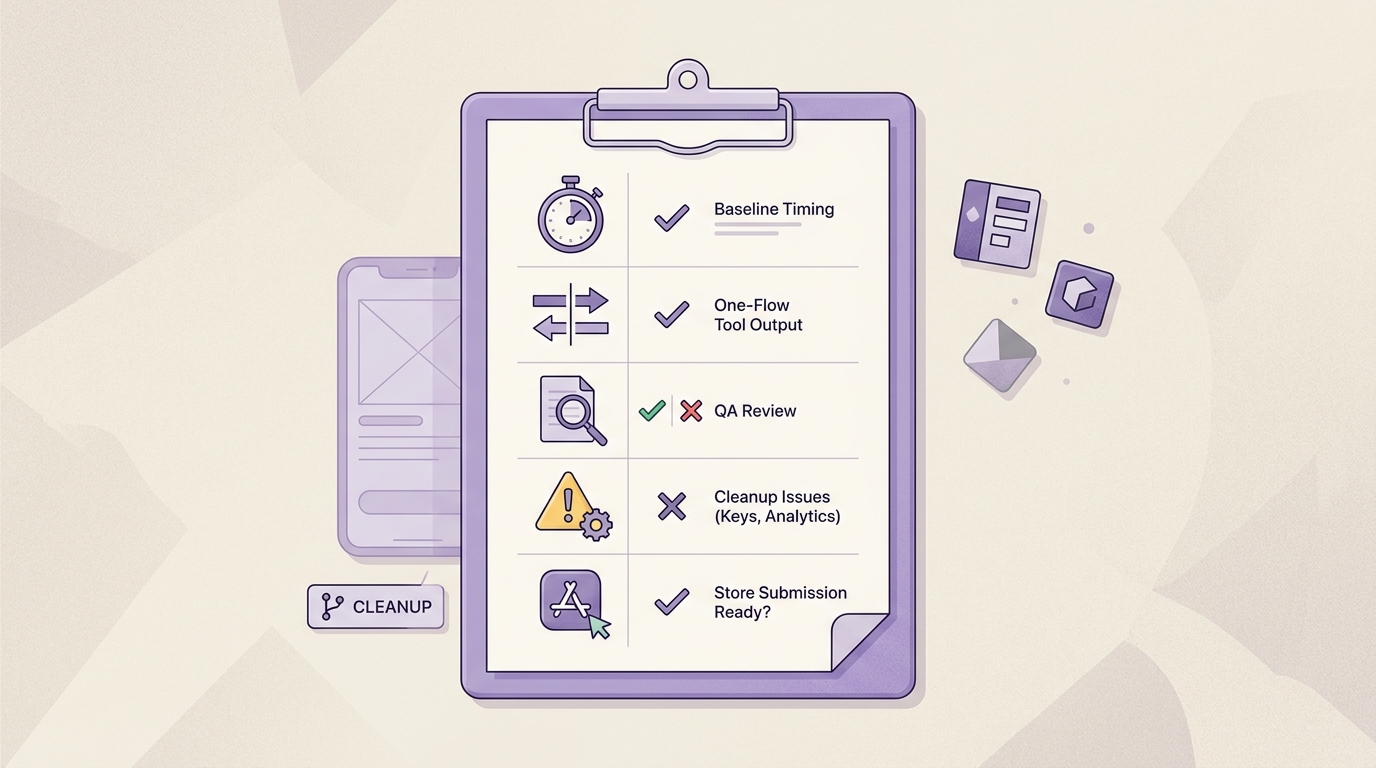
A concise checklist for evaluating a vibe coding update after one sprint, including baseline timing, one-flow comparison, QA review, and a final check against App Store or Google Play submission needs.
Where gains show up first: ideation speed, UI scaffolding, and basic wiring. Where they usually struggle: edge handling, consistency with your architecture, and the last 20 percent that makes a release feel stable.
The practical takeaway: spend any saved time reducing scope and tightening release quality. If you use "free time" to expand scope, you often trade developer minutes for a larger maintenance surface.
Concrete mobile failure modes I see repeatedly in these trials:
- Flaky builds or dependency conflicts after generated packages do not match your pinned versions
- Signing or CI misconfig (Fastlane, keystore, provisioning profiles) that eats the time you thought you saved
- Accessibility regressions (missing labels, poor contrast, broken focus order) that show up late
- Analytics gaps where events are stubbed but not wired, breaking funnels and experiments
- Policy rejection loops if behavior looks like runtime code execution or post-review changes
CTA: One-sprint trial plan
Run one tool against one flow, then score it on prompt-to-screen time, QA churn, and store-readiness friction before expanding.
Pick one tool
After one sprint: keep, pause, or kill
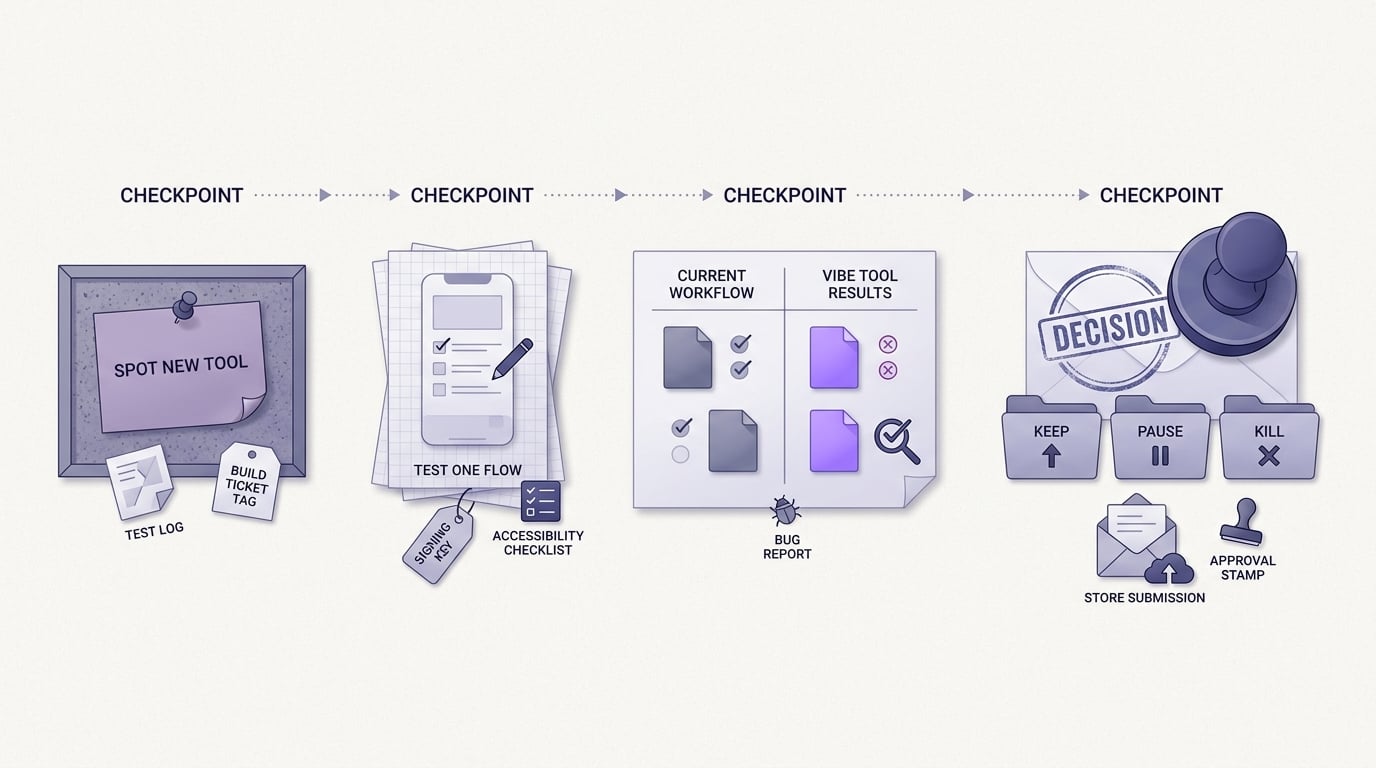
A short timeline showing an operator’s weekly decision path: spot a new vibe coding tool or launch, test it on one mobile flow, compare the output against the current workflow, then decide whether it belongs in the next App Store or Google Play release cycle.
Use a simple scorecard. You are not looking for magic; you are looking for reduced cycle time without added operational risk.
| After one sprint, did it... | Keep? |
|---|---|
| Cut prompt-to-screen time without increasing QA churn | Yes |
| Reduce rework loops on the same flow | Yes |
| Increase store-readiness risk or policy ambiguity | No |
| Require new infra, secret sharing, or unstable remote execution | Usually no (unless you can operationalize it) |
If you are on the fence, rerun the trial on a second flow with different failure modes (permissioned feature, offline mode, or deep link handling). Many tools look great on onboarding and break down on real device behavior.
CTA: Store-ready checklist review
If you want a second set of eyes on your build-to-store path, I can help you turn the trial into a checklist-driven workflow your team can repeat.
Build your shortlist


