
Mobile teams rarely get slowed down by "hard" UI problems. They get slowed down by the API work around the UI: waiting on endpoints, chasing auth edge cases, debugging payloads, and finding issues late in QA or during store submission. This roundup ranks 7 API tools that can shorten those loops for iOS and Android teams, with clear tradeoffs so you can pick what fits your stack, release cadence, and ownership bandwidth.
| Tool (ranked) | Primary use case | Where it saves time first | Main tradeoff to plan for |
|---|---|---|---|
| 1) Mockoon | API mocking | Unblocks mobile UI before backend is ready | Mock drift if contracts are not enforced |
| 2) API Tester (TestDevTools) | Lightweight API testing | Quick checks during mobile debugging sessions | Less automation depth than full CI test suites |
| 3) Postman | Request testing and debugging | Faster manual verification of auth and payloads | Manual checks do not scale without automation |
| 4) intercept.rest | Debugging, monitoring, mocking | Faster diagnosis across environments | Value depends on consistent setup and usage |
| 5) Swagger (OpenAPI) | API contracts and documentation | Fewer integration surprises | Specs go stale without an owner |
| 6) RestForge | Mobile-friendly API testing | On-device testing for mobile workflows | Still requires test design and upkeep |
| 7) Bitrise | Mobile CI and release automation | Catches integration issues before submission | CI ownership and occasional flakiness management |
Explanation: this ranking is an analyst assessment based on typical workflow impact (wait time removed, debugging speed, and earlier detection), not a measured benchmark. Tools can underperform if environments are unstable, auth is externally constrained, or no one owns the artifacts.
Interpretation: teams shipping weekly or biweekly often get more near-term value from feedback-loop tools (mocking, request inspection, CI gates) than from bigger platform shifts, as long as adoption is consistent across iOS, Android, and backend.
Reader impact: you can often reduce blocked time and late QA reopens within 1-3 sprints, but it depends on basics like staging uptime, stable test data, and an owner for mocks, collections/specs, and CI maintenance. Without that ownership, tools can add overhead instead of removing it.
Top AI Coding Assistants for Mobile Developers in 2026 goes deeper on the ideas above and adds concrete next steps.
Why do API tools speed up mobile development?
API tools speed up mobile development by reducing friction between app code and backend reality. The practical win is fewer blocked days, fewer rework cycles, and less release risk when you submit to the App Store or Google Play.
Here is the thing: tooling does not fix unreliable environments by itself. If staging is frequently down, backend responses are non-deterministic, or auth depends on brittle third-party providers, expect diminishing returns until reliability improves.
What mobile teams need from API tooling
- Fast endpoint checks for real mobile flows: login, refresh tokens, profile sync, uploads.
- Auth realism: OAuth, JWT, API keys, token lifecycles, and failure cases.
- Debug visibility: status codes, headers, payload diffs, and environment comparison.
- Change discipline: early notice of breaking changes plus a way to stop bad merges.
- Ownership clarity: who maintains mocks, collections/specs, and CI pipelines.
When you move from outline to execution, Top 7 Tools to Build Your App Backend Without Code helps close common gaps teams hit here.
A practical workflow (what "faster" looks like)
Mock the critical flow to unblock UI
Start with the endpoints that gate screens (often
POST /login,POST /refresh, and one primary data fetch). Budget 1-3 hours for a realistic first pass (include 401, 403, 429, and timeouts), then plan a small weekly upkeep slot so the mock does not drift.Verify real requests early (auth and headers first)
Use a request tool to standardize environments and replay calls against dev or staging. Expect 30-60 minutes to set up shared variables and auth patterns, then 5-15 minutes per new endpoint to keep definitions clean.
Add a contract and a drift check (small, not perfect)
Publish an OpenAPI spec for the same flows and add a lightweight "drift review" step in PRs. This is mostly a process dependency: if changes ship without spec review, drift returns and the spec becomes a liability.
Gate merges with CI smoke tests (keep it tiny)
Run unit tests, linting, and a small API smoke test suite before merge or release builds. Plan half a day to a few days for stable gates depending on app complexity, plus ongoing time for flaky test triage.
Practical metrics to track over 2 sprints:
- Blocked days per developer (API-related): a simple spreadsheet works; log day-level blockers tagged "API waiting", "auth", or "environment down".
- QA reopen rate for API bugs: count reopens labeled "API" divided by total issues closed that sprint.
- Release candidate failures: number of builds that fail due to API integration (auth failures, contract mismatches, environment config).
You should see directional improvement if artifacts (mocks, collections/specs, pipelines) stay maintained and environments are reasonably stable.
A complementary angle worth comparing lives in Top 10 Mobile App Development Tools You Need in 2026.
Top picks at a glance: the 7 API tools ranked for mobile teams
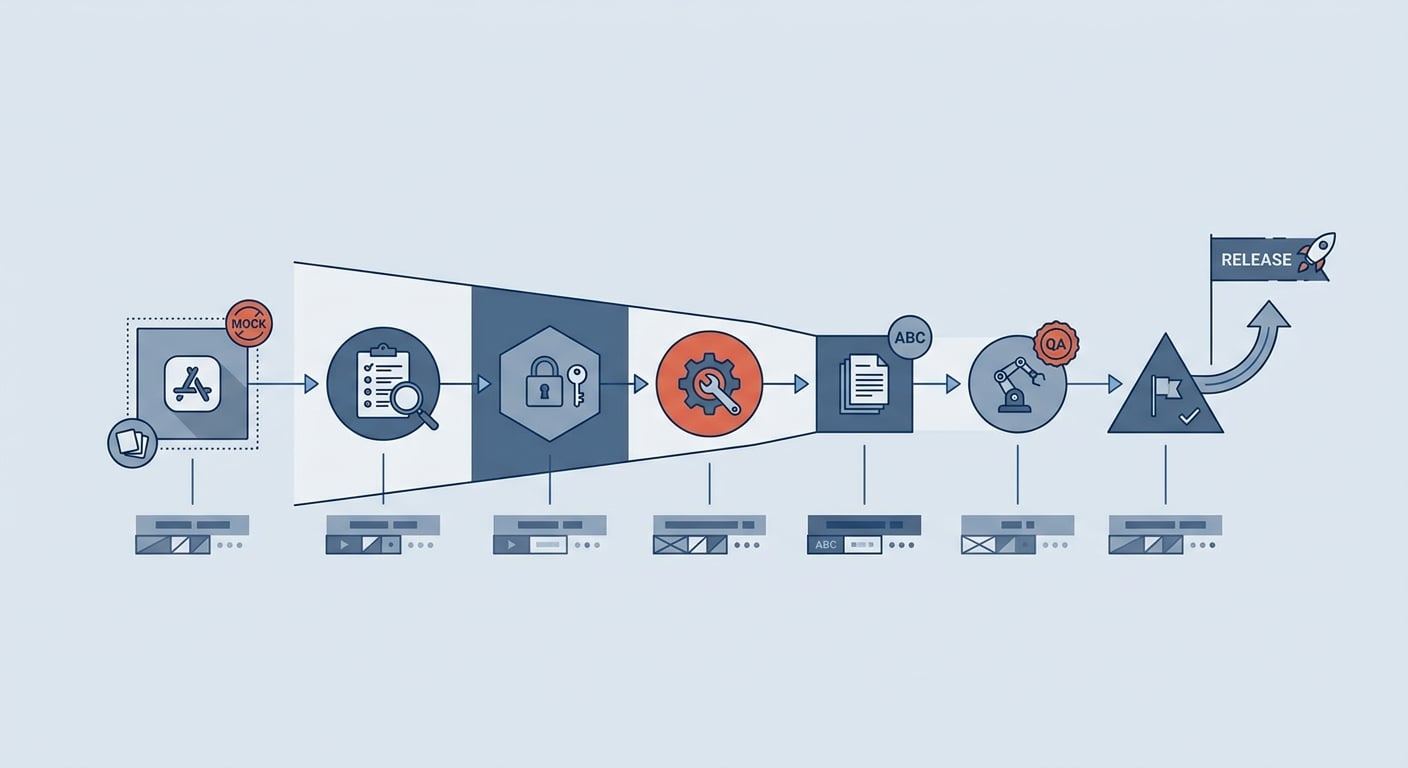
A process diagram showing how mobile teams move from mocked endpoints to testing, documentation, and release validation faster when API tools are wired into the sprint workflow.
This is the shortlist view. Use it to jump to the tool that matches your current bottleneck. Note: Mockoon, Postman, Firebase, and Swagger/OpenAPI are common industry tools; claims here are based on typical usage patterns rather than provided source benchmarking. intercept.rest, RestForge, API Tester, and Bitrise are included because they align with the referenced tool set.
| Rank | Tool | Best for (mobile use case) | Practical strength | Caveat |
|---|---|---|---|---|
| 1 | Mockoon | Mock APIs while building UI | Keeps iOS and Android moving without backend | Must validate against real API before release |
| 2 | API Tester (TestDevTools) | Quick endpoint checks on a dev machine | Fast sanity checks while reproducing mobile bugs | Not a full replacement for CI automation |
| 3 | Postman | Debugging REST calls and auth | Quick replay of login and data flows | Needs shared collections to avoid sprawl |
| 4 | intercept.rest | Debugging plus monitoring across envs | Speeds "what changed?" diagnosis | Setup effort and data-handling rules required |
| 5 | Swagger (OpenAPI) | Contracts and documentation | Aligns payload expectations | Requires spec maintenance and review |
| 6 | RestForge | Mobile-oriented API testing | Useful for device-near validation | Requires a real test strategy |
| 7 | Bitrise | Mobile CI and release pipeline | Automates build, test, deploy gates | CI maintenance and occasional flake triage |
For tradeoffs, checklists, and edge cases, Top 7 Vibe Coding Tools for Building iOS Apps Fast rounds out this section.
The 7 tools, with realistic use notes
Notes reflect common usage patterns. Results vary with environment stability, team discipline, and how much test and tooling ownership you can afford.
Mockoon (API mocking)
Best for parallelizing UI and backend work when endpoints are incomplete or unstable. Plan for mock drift and schedule validation against a real environment before release; otherwise you risk shipping a UI that only works against the mock.
API Tester (TestDevTools) (quick API testing)
Best for a fast "is the API behaving?" check while you are debugging a mobile issue (for example, verifying that refresh token rotation works before you touch app code). The tradeoff is depth: it is typically a lightweight tester, so you may still need CI smoke tests and a spec for long-term coverage.
Postman (request testing and debugging)
Best for replaying requests, inspecting auth headers, and isolating backend vs app issues. The tradeoff is sprawl: shared collections, consistent environments, and careful credential handling take ongoing effort, especially as teams grow.
intercept.rest (debugging, monitoring, mocking)
Best for shortening investigations across dev, staging, and production-like environments. Value depends on setup and adoption, and you need clear rules for sensitive data, access control, and retention to avoid creating compliance or privacy risk.
Swagger (OpenAPI) (contracts and documentation)
Best for reducing integration surprises across iOS, Android, and backend. It saves time when it is treated like a product artifact with an owner; it wastes time when it becomes stale and creates false confidence.
RestForge (mobile-oriented API testing)
Best for validating mobile flows closer to how devices behave (environment switching and device-near context). It does not replace a test strategy; plan for ongoing maintenance as APIs change and prioritize only the flows that break releases.
Bitrise (mobile CI and release automation)
Best for pushing failures earlier with repeatable build and test gates. Expect initial setup to take half a day to a few days, and plan a small ongoing budget for pipeline updates, flaky tests, and dependency changes so CI stays fast.
10 Best No-Code Mobile App Builders This Year reframes the same problem with a slightly different lens - useful before you finalize.
Which API tool should your mobile team choose?
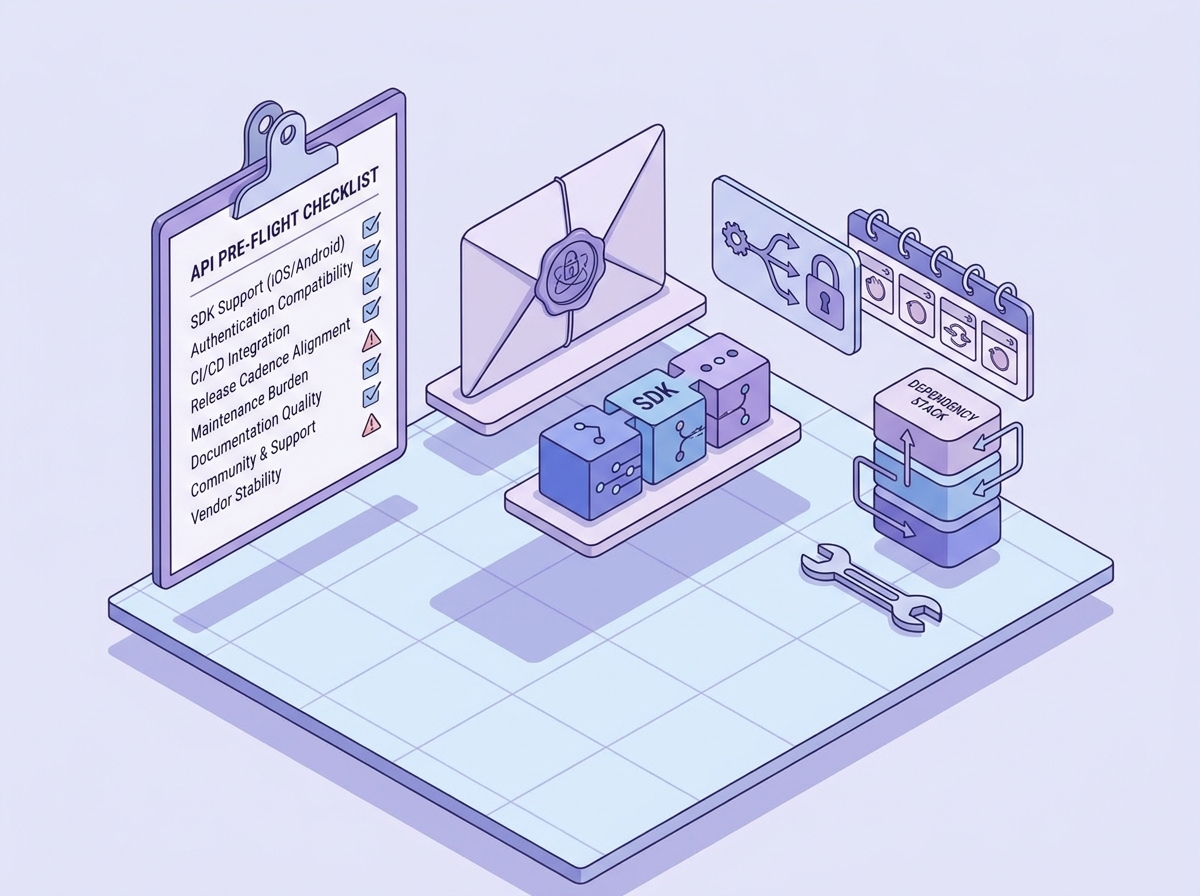
A pre-flight checklist for selecting an API tool in a mobile app project, covering SDK support, authentication compatibility, CI integration, release cadence, and maintenance burden.
The goal is not to collect tools. It is to remove the one bottleneck stretching your cycle time, then add the next layer once the first is stable.
Match the tool to your bottleneck
Name the bottleneck, not the category
Identify what is actually slowing you down this sprint: waiting on endpoints, debugging auth, unclear contracts, or release instability.
Pick the tool that removes that bottleneck first
If the app team is blocked by backend readiness, mocking tends to beat observability. If QA finds API bugs late, request inspection plus contracts often beats adding another platform dependency.
Confirm cross-platform workflow fit
Make sure iOS and Android can share environments, auth setup, and expectations. If the workflow only works for one platform, adoption usually stalls.
Budget for ownership
Every tool needs upkeep: mocks drift, collections go stale, CI flakes, and specs need review. If you cannot staff ownership, use fewer tools and keep the workflow simple.
Pre-flight checks before adoption
- Ownership: who maintains mocks, collections/specs, and CI pipelines, and how many hours per sprint is realistic?
- Security: how do you prevent credential leakage in shared tools and logs?
- Drift control: what triggers updates, and what blocks a release if drift is detected?
- Stability: will CI or monitoring add noise (flaky tests, inconsistent environments)?
- Exit costs: for platform dependencies (for example Firebase), what is the migration plan if requirements change?
Where Froxi can fit (and where it cannot)
- Consider Froxi when the bottleneck is release coordination and distribution workflow speed, not API correctness itself.
- It can complement API tooling by keeping release readiness aligned with backend timing, but it does not replace mocking, testing, documentation, or CI gates.
- Dependency caveat: it only helps if your org has clear release ownership and a predictable cut process; otherwise it can become another tool to maintain.
What are the most common API tool questions?
What is the fastest way to speed up API integration for a mobile app?
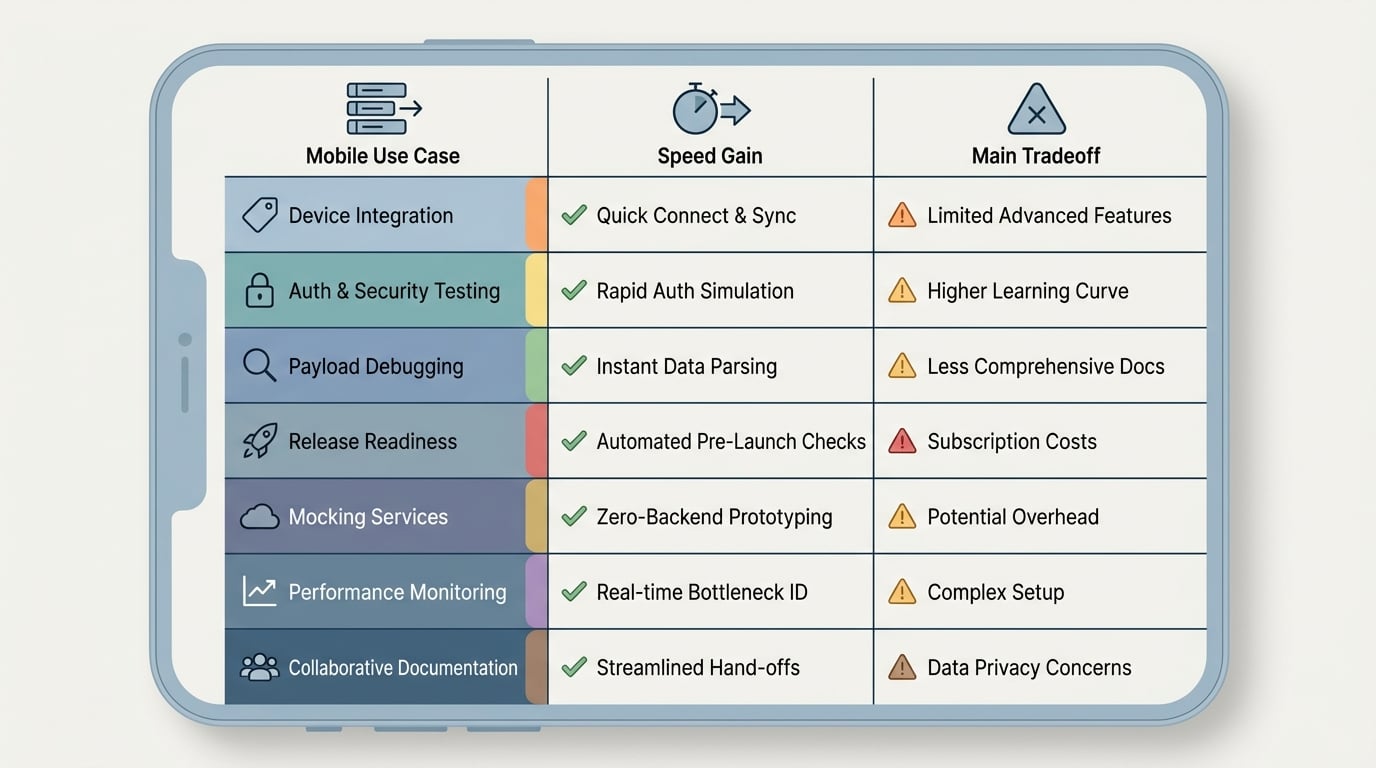
A compact comparison table showing the seven API tools by mobile-development use case, primary speed benefit, and main tradeoff so readers can see the shortlist logic immediately. Mock the critical flow to unblock UI, then validate auth and payloads against a real environment early. Expect hours of setup and 1-3 sprints to see improvement, depending on environment stability and ownership.
Do I need both API mocking and API testing tools?
Often yes: mocking prevents waiting, while testing validates real behavior. If you only pick one, choose based on current pain: blocked UI work vs late-stage integration bugs.
Is backend-as-a-service a good idea for production mobile apps?
It can be, especially when speed matters and requirements fit. The tradeoff is portability and control, so plan for exit costs if you expect heavy customization later.
How do OpenAPI specs actually make teams ship faster?
They reduce rework by aligning request and response expectations across mobile and backend. The benefit depends on process: if the spec is not maintained, it can slow you down by creating false confidence.
When should a mobile team invest in CI like Bitrise?
When releases are frequent or integration issues keep appearing late. CI pays off when it turns surprise failures into early, repeatable checks, but it needs an owner and time for flake triage.


