
Your app’s frontend is only half the picture. Without a backend, you cannot reliably store data, manage users, enforce permissions, or handle sync, notifications, and the operational basics that show up after launch. This ranked roundup compares seven no-code and low-code backend tools that can support a real mobile app launch without you managing servers, with realistic notes on effort, constraints, and where teams often get surprised.
10 Best No-Code Mobile App Builders This Year goes deeper on the ideas above and adds concrete next steps.
Early proof: the 7 no-code backend tools we’re comparing and what each is best at
Top picks at a glance

A compact comparison table showing all 7 ranked no-code backend tools, their best-fit use case, setup effort, scaling comfort, and integration friendliness with popular app builders.
| Rank | Tool | Best for | Setup speed | Scaling fit | Pricing posture (directional) | App-builder integration notes |
|---|---|---|---|---|---|---|
| 1 | Firebase | Fastest path to auth + database + push for mobile | Fast | Strong | Can start small, can get complex at scale | Excellent for mobile, widely supported via SDKs and APIs |
| 2 | Supabase | Postgres-first apps that want SQL power without ops | Medium-fast | Strong | Developer-friendly tiers, costs depend on usage | Works well via REST, GraphQL, and community connectors |
| 3 | Xano | No-code API backend with logic and workflows | Medium | Strong | Paid plans common for production workloads | Great when your app builder needs a clean API layer |
| 4 | Backendless | Visual backend building with DB, logic, and realtime options | Medium | Medium-strong | Often better for teams than hobby apps | Broad features; integration depends on your builder’s API comfort |
| 5 | Airtable | Database-first MVPs and internal tools with structured records | Fast | Medium | Pricing rises with seats and automation usage | Easy to connect via tools and APIs, popular in no-code stacks |
| 6 | Nhost | GraphQL-first backends with auth and storage | Medium | Strong | Usage-based considerations | Best if you want GraphQL patterns without building infra |
| 7 | PocketBase | Simple self-hosted backend for prototypes and small apps | Fast (if you can host) | Limited-medium | Low software cost, hosting is on you | Integrates via API, but you own deployment and maintenance |
What this shows: a practical shortlist that covers the launch essentials: auth, data, permissions, and a workable integration path to a no-code frontend.
How to interpret the ranks: higher ranks usually mean fewer operational surprises for first launches. Lower ranks can still be right, but they often trade simplicity for narrower fit or more ownership (for example, self-hosting and maintenance).
Reader impact: a better-fit backend can save several days of rework when you add real roles, error states, and your second app version. The common failure mode is building UI first, then discovering your rules and data model cannot support real user flows.
How this ranking was judged
This list is editorially ranked by fit for typical no-code mobile app needs, not by a synthetic score. Results vary by team skill, workload shape, compliance needs, and your builder’s connector quality.
Criteria used:
- Setup: time-to-first working login, database write, and API call (often 1-3 hours for a basic spike, plus 2-6 hours to tighten rules and edge cases).
- Scaling fit: whether it stays maintainable as you add roles, bigger datasets, and more screens (depends on schema, indexes, and queries).
- Pricing posture: whether costs feel predictable as usage grows (directional, not exact pricing).
- Integration: how cleanly it connects via native connectors, APIs, or SDKs, including auth token and file upload handling.
When you move from outline to execution, Top 10 Mobile App Development Tools You Need in 2026 helps close common gaps teams hit here.
Ranked recommendations: the best no-code backend tools for mobile apps
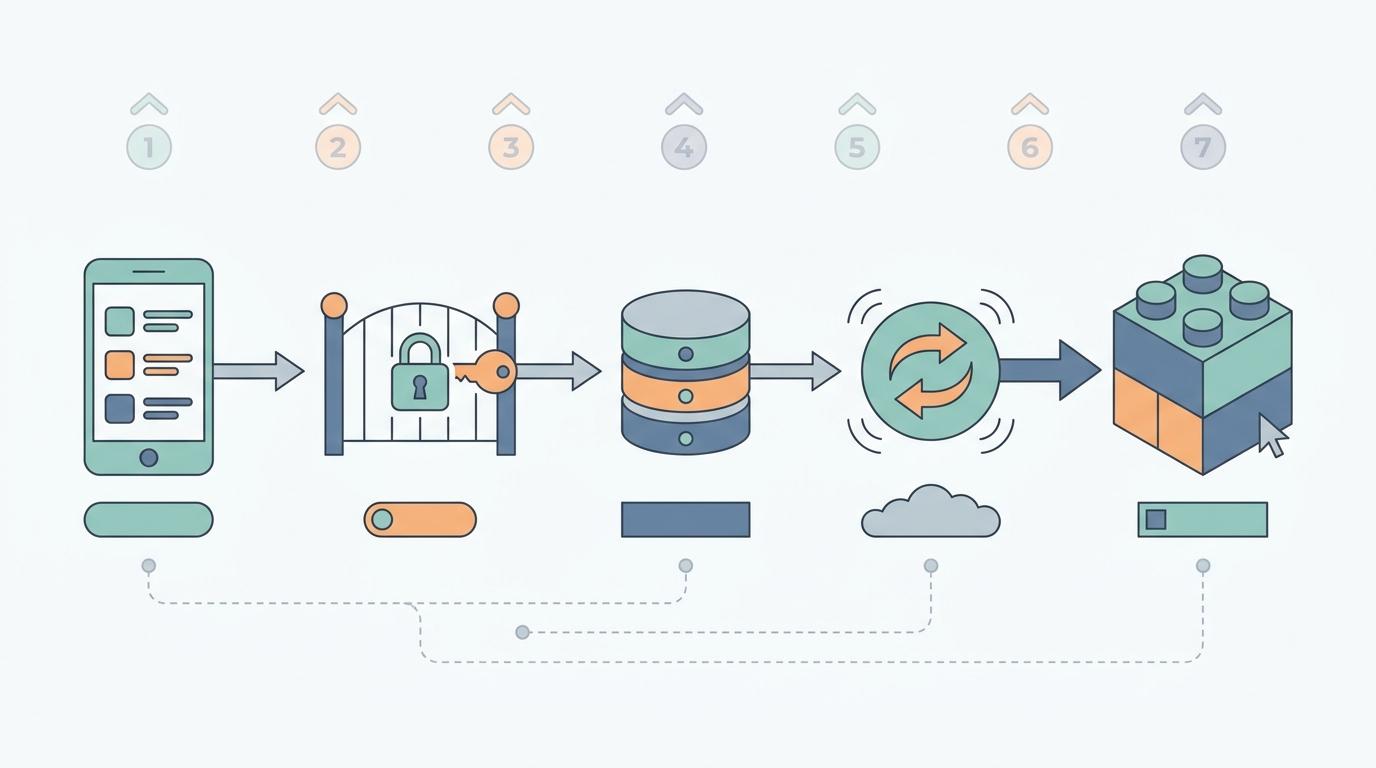
A process diagram showing a no-code mobile app sending user login, data write, and real-time update requests to a backend layer, then syncing back to the frontend builder.
1. Best all-around choice for fast mobile app launches: Firebase
- Best for: mobile apps that need authentication, a database, push notifications, and fast iteration.
- Strengths: strong mobile SDKs, fast prototyping, and lots of community examples.
- Limitations to watch: the work shows up later in security rules, indexes, and cost controls. Plan 1-2 focused sessions after the demo to validate roles, tighten rules, and sanity-check reads on real device networks.
- When it is a fit: solo builders and small teams who accept Google-centric tooling and want a broadly proven default.
2. Best for structured, relational data and reporting: Supabase
- Best for: CRUD-heavy products like marketplaces, booking flows, and directories where data integrity matters.
- Strengths: Postgres foundation, explicit schemas, and a clear path to Row Level Security (RLS).
- Limitations to watch: you will make more schema decisions upfront, and some SQL literacy helps. Expect a half day to model tables and write your first RLS policies for real roles, longer if you have admin views or multi-tenant data.
- When it is a fit: teams optimizing for maintainability and relational reporting rather than the fastest possible demo.
3. Best no-code API layer with logic: Xano
- Best for: apps that need a clean API between your frontend builder and data sources, with server-side validation and workflows.
- Strengths: centralizes business logic, reduces frontend duplication, and can support multiple clients.
- Limitations to watch: it is a real backend layer, so expect more setup than a spreadsheet-style tool. Testing endpoints and edge cases often takes a couple of afternoons once you add auth, plus time to version changes safely.
- When it is a fit: you want API control without running infrastructure, and you are willing to invest in backend discipline.
4. Worth considering for visual backend composition: Backendless
- Best for: teams that want visual tooling across database, logic, and realtime-style features.
- Strengths: broad feature set and a visual approach that can help collaboration.
- Limitations to watch: integration quality depends on your frontend builder’s API capabilities, and feature breadth can increase decision overhead. Budget time to standardize patterns (naming, environments, releases) so the project stays maintainable.
- When it is a fit: small teams that value visual workflows and can invest in conventions.
5. Fast for MVP records and internal workflows: Airtable
- Best for: early MVPs, admin panels, and internal tools where structured records are the main requirement.
- Strengths: fast setup, easy iteration, and many integration options.
- Limitations to watch: scaling is often constrained by seats, automation usage, and consumer-grade patterns (complex permissions, heavy writes). Treat it as a strong starting point, with migration risk if the app becomes user-facing at scale.
- When it is a fit: you need to validate demand quickly and can accept future backend refactoring.
6. GraphQL-first backend patterns: Nhost
- Best for: teams that specifically want GraphQL-driven data access with auth and storage.
- Strengths: consistent data access patterns and fewer custom endpoints in some stacks.
- Limitations to watch: GraphQL helps most when your team and tools are comfortable with it. If your builder is REST-first, plan adapter time and a learning curve before you see speed gains.
- When it is a fit: you have a clear reason to standardize on GraphQL.
7. Simple self-hosted option for prototypes: PocketBase
- Best for: prototypes, demos, and small apps where you are comfortable hosting.
- Strengths: low software cost and quick local setup.
- Limitations to watch: you own deployment, backups, monitoring, and patching. That overhead is manageable, but it is real, and it often shows up right before launch (when time is tight).
- When it is a fit: you want maximum control and can accept ongoing ops responsibility.
A complementary angle worth comparing lives in Top 5 Tools to Localize Your App for Global Markets.
How do you choose the right no-code backend tool?
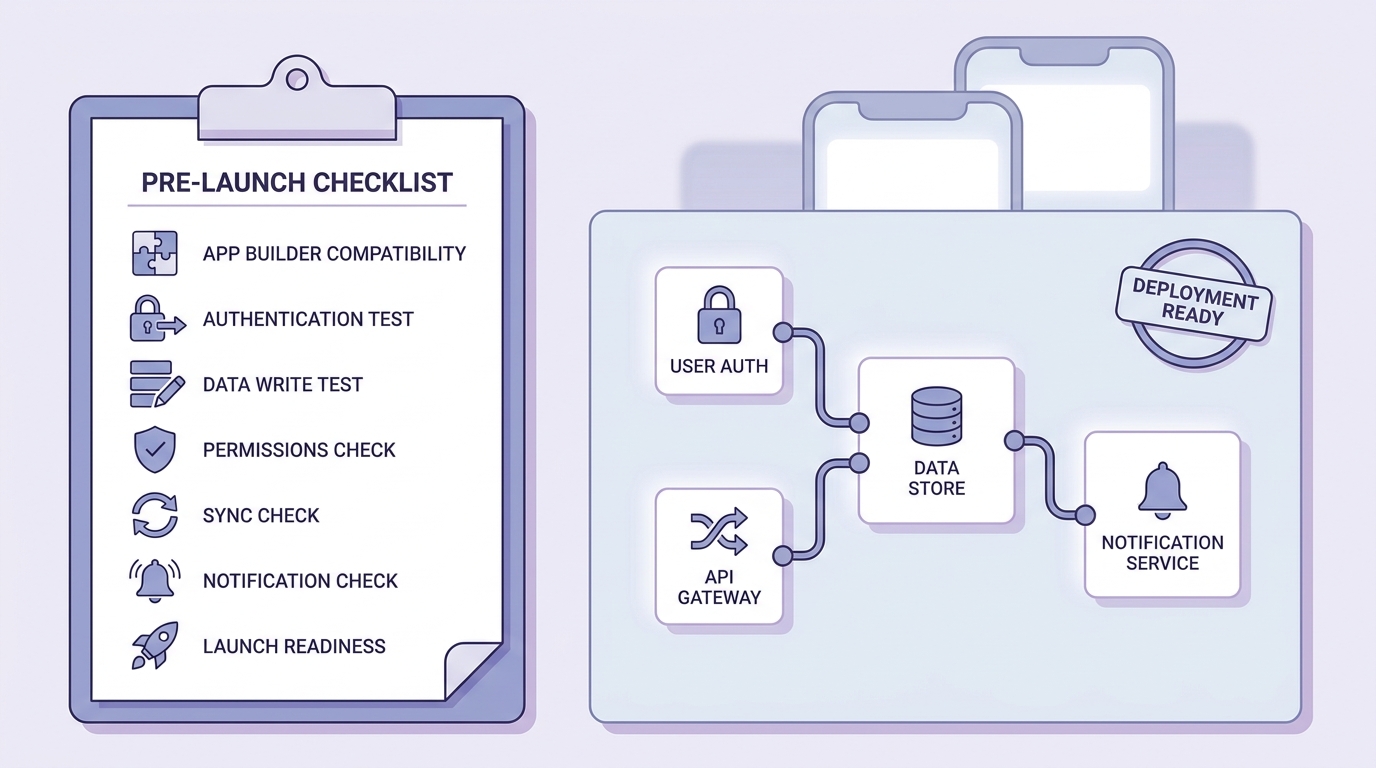
A practical pre-launch checklist for validating builder compatibility, login flow, data writes, and release readiness before shipping a no-code app to App Store or Google Play.
Match the backend to your app type
Simple MVP with a narrow scope
Optimize for speed to validate the idea. A realistic target is 1-2 evenings to get auth, one core table, and a basic role model working end to end.
CRUD-heavy product with repeat users
Optimize for data structure and permissions. Expect upfront work on schema and roles, then fewer painful workarounds later.
Realtime or multi-user workflows
Only pay the realtime complexity tax if freshness is part of the value. Realtime increases testing surface area (race conditions, offline behavior, rule conflicts), so plan a deeper QA pass and time on real devices.
Check the integration path before you commit
Treat integration as a dependency, not an assumption. Your backend can be excellent and still fail in practice if your builder cannot handle auth tokens, file uploads, pagination, or query filters cleanly.
Minimum fit test (time-boxed, but real):
- Happy path: signup - login - create - read.
- One edge case: confirm an unauthorized user is blocked.
- One operational check: set a basic performance expectation for your primary list screen. A p95 under ~500 ms is a useful illustrative target for a small dataset, but it depends on region, payload size, caching, auth checks, and your builder’s networking. Also note that many no-code stacks cannot measure p95 without added logging or an APM tool.
- One tooling step: use Postman or Insomnia (or your builder’s API tester) to verify the same request works outside the app builder, so you can isolate connector issues.
Implementation detail mini-checklist (45-90 minutes per tool once you have credentials):
Create a test user and a restricted dataset
Add 10-50 rows with clear ownership fields (for example,
user_id) so you can quickly spot leaks and filter bugs.Enforce a deny-by-default rule
Add one concrete policy like "users can only read rows where user_id = auth.uid()" (Supabase RLS) or the equivalent in Firebase Security Rules.
Log failures where you will actually look
Turn on provider logs (where available) and add one client-side error log in your builder for API errors and auth refresh failures. This is often the difference between a 10-minute fix and a half-day chase.
Retest in the builder and in Postman
Run the same request in both. If they differ, the issue is usually token handling, headers, CORS, or the connector’s pagination shape.
Build your stack before you build too much frontend
Shortlist 2-3 tools, then prototype the riskiest flow first (login, permissions, and one real data write). Expect 2-4 hours per tool for a meaningful spike, longer if roles are complex or connectors are finicky.
Prototype your backend flows now
For tradeoffs, checklists, and edge cases, Web App or Mobile App? The Real Tradeoffs Founders Face in 2026 rounds out this section.
Final takeaway
Choose based on your highest-risk constraint: speed to launch, relational integrity, API logic needs, or realtime behavior. In many teams, the time loss is not the tool choice, it is underestimating permissions, edge cases, and integration quirks between the backend and the app builder.
A practical workflow is to pick two finalists, run the same end-to-end test in both, and choose the one with fewer surprises and clearer rules. You are optimizing for stability and iteration speed, not theoretical completeness.
Run a 60-minute backend fit test
Connect your builder, implement signup/login, then complete one end-to-end flow (create, read, and deny access for the wrong user). Commit only after it works consistently across a couple of devices or network conditions.
Compare and test your top two options


