
Building your first mobile app used to mean choosing a programming language, buying a course, and hoping you stayed motivated long enough to ship. Today, a more practical route is to define a small problem, build a testable version with lightweight tools, and let real users teach you what to learn next. This article walks you from zero experience to a first release you can actually test, with realistic time and constraint expectations.
| Early proof: what a zero-experience path actually looks like | |||
|---|---|---|---|
| Step | What you do | Typical effort | Why it matters for a first-time builder |
| 1 | Write the one-sentence idea and the core user action | 30-60 minutes | Removes ambiguity and prevents building a vague "platform" |
| 2 | Turn it into a clickable flow and a basic data model | 4-10 hours across a few evenings | Gets you to something testable without weeks of setup (tool fit varies: Power Apps, Mendix, Newly, or similar) |
| 3 | Ship privately to a small tester group | 2-6 hours, plus 1-3 days waiting if accounts are new | Creates real feedback fast (TestFlight or Google Play internal testing, subject to account and review requirements) |
Explanation: This replaces upfront coding with an immediate feedback loop. You still do real work (screens, data, edge cases), but you delay deep engineering until you know what matters.
Interpretation: The first meaningful milestone is not "I learned mobile development." It is "a user completed the core task unassisted."
Reader impact: You can track this with simple metrics like core-task completion rate and time-to-complete, so you spend your time fixing what actually blocks users.
10 Best No-Code Mobile App Builders This Year goes deeper on the ideas above and adds concrete next steps.
Can you start building mobile apps without coding experience?
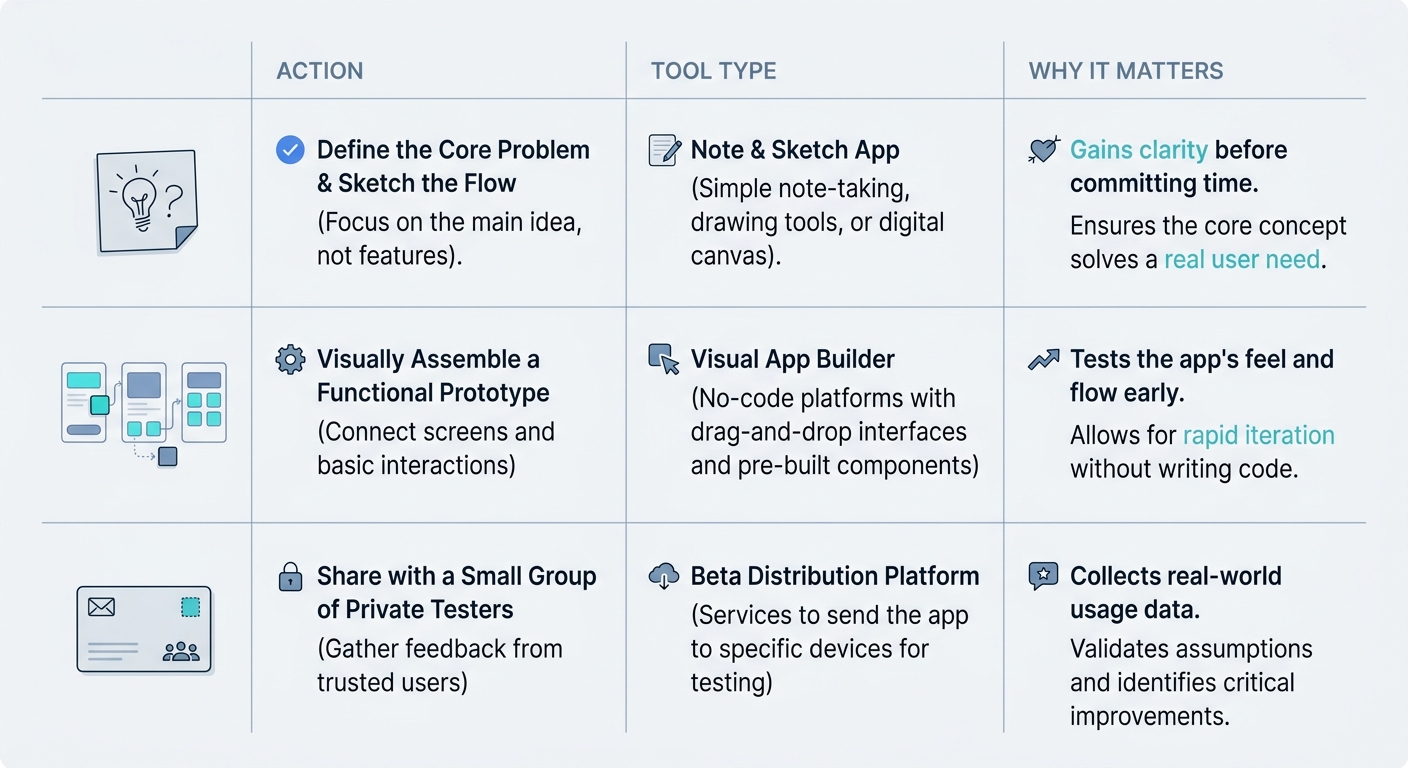
A compact comparison table showing the beginner path from idea note to prototype to private test distribution, with columns for action, tool type, and why it matters for a first-time app builder.
The bottleneck moved. For most first-time builders, the hard part is not writing Swift or Kotlin, it is choosing a focused first problem and getting something testable into real hands. Low-code, no-code, and AI-assisted tools can make the first iteration more of a product exercise than an academic one.
One thing worth noting: these tools do not remove work, they move it. You spend less time on setup and more time on scoping, UX clarity, data design, and debugging the awkward corners.
Also, "mobile app" can mean different distribution paths: private testing, a public store listing, or a web app that behaves like a mobile app. Store submission and "native packaging" depend on the platform, your architecture, and the app's behavior, so treat any platform promise as "possible" rather than guaranteed.
When you move from outline to execution, Step-by-Step Guide to Publishing Your First Mobile App helps close common gaps teams hit here.
What should you build first when starting a mobile app?
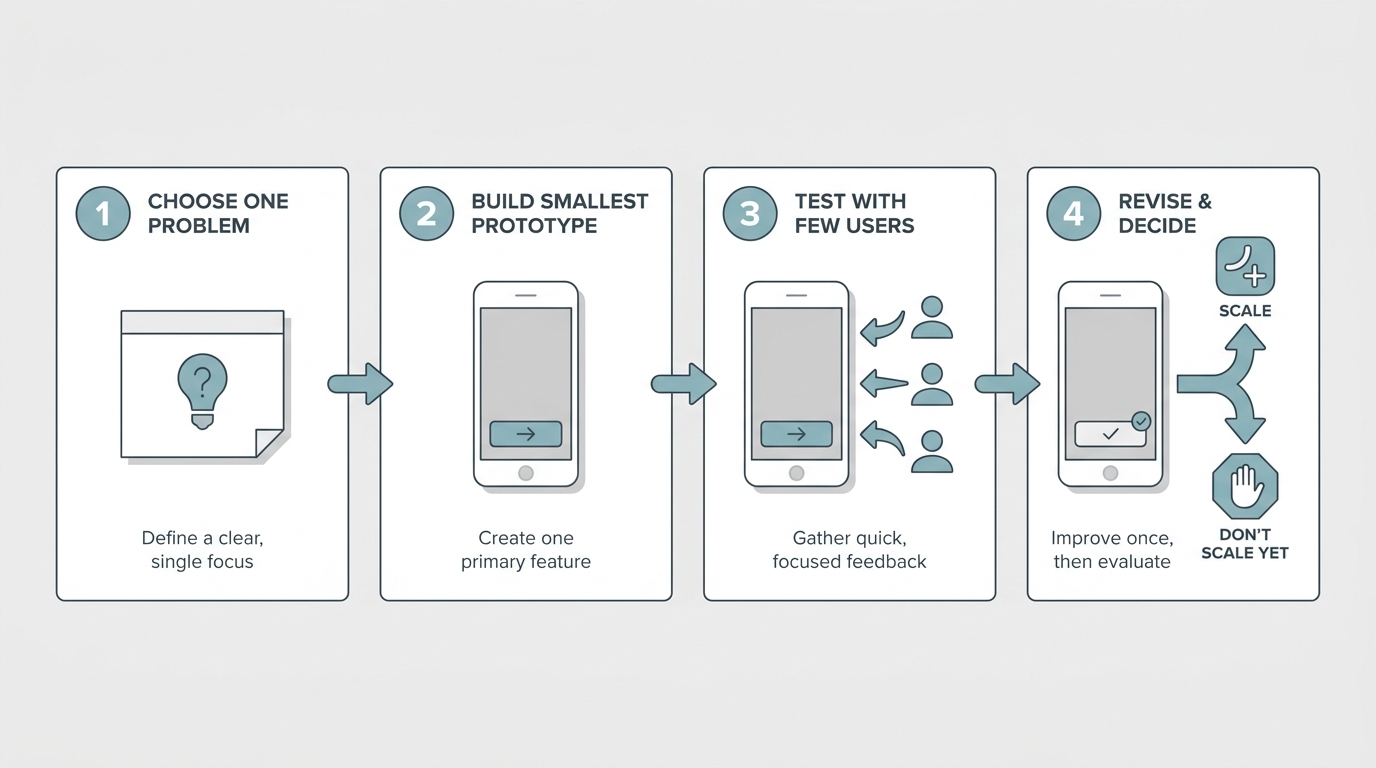
A simple four-step process diagram for a beginner app sprint: choose one problem, build the smallest prototype, test with a few users, revise once, then decide whether to scale.
Most beginner app plans fail because they start at month six. They include accounts, roles, feeds, messaging, monetization, and settings before the builder has shipped one working flow. The practical takeaway: the first version is a learning asset, so scope is your leverage.
Pick one problem, one user, one screen flow
One user
Name the user like you would in a customer interview. "Freelance designer invoicing clients" beats "small businesses" because it tells you what the first screen needs to do.
One job
Define the single job the app does. If it has "and" in the sentence, you are already drifting into feature creep.
One action
Identify the first action that creates value, like "log a meal" or "scan a receipt." Your first release should make that action easy and reliable.
Aim for a minimal flow: start screen, one core action screen, and a confirmation or results screen. Avoid multi-role marketplaces, social feeds, or chat-heavy products at the start because they multiply complexity before you have proof of demand.
Choose the fastest path to a working prototype
| Option | Best for | Tradeoffs to expect | Optimize for |
|---|---|---|---|
| No-code app builders | First prototypes, internal tools, simple workflows | Limits on custom UI, background tasks, offline sync, and complex integrations | Speed to a testable build |
| AI-assisted builders | Faster scaffolding from plain-English specs | Needs product judgment and testing; AI can misread flows | Reducing blank-page time |
| Prototyping tools (clickable mockups) | Testing navigation and messaging early | Not a real app; limited device behavior and data | Validating flow before logic |
If your goal is learning, pick the tool that removes the most friction between idea and user feedback. When you see repeatable usage, then decide whether to rebuild natively or keep iterating where you are.
A simple, named workflow you can run this week
Here is a concrete path that works for many first-time builders, assuming your app is mostly forms, lists, and simple logic:
- Build the first three screens in Microsoft Power Apps (or Mendix, Newly, or a similar builder that supports your data and auth needs).
- Keep the data model to 1-2 tables to start (you can always normalize later).
- Instrument one event: CoreActionCompleted. If analytics setup is friction, track completions manually (a shared sheet is fine for an MVP).
In testing, measure two things: completion rate (how many testers finish the core task) and time-to-complete (how long it takes from open to done). If completion is low, the next iteration is usually UI clarity and copy, not more features.
Set a build-and-test loop (realistic version)
A 14-day sprint is doable for a simple app if you can recruit testers and your workflow does not depend on tricky mobile behaviors. It often stretches to 3-6 weeks if you are learning the tool, dealing with store or account friction, or building beyond the basics.
Days 1-2: Define the scope
Write the one-sentence promise, the one core action, and the smallest flow that delivers it. List only the data you must store to make the action work.
Days 3-7: Build the prototype
Build the screens and connect the basic logic. Budget extra time for empty states, validation, and "what happens when the network fails."
Days 8-10: Private testing setup
Set up TestFlight or Google Play internal testing, add testers, and write a 2-3 question feedback prompt. New developer accounts, tax forms, or org-managed Apple IDs can add waiting time.
Days 11-14: One revision cycle
Fix the top blockers, simplify confusing steps, and cut anything unused. Plan time for bug triage, because reproducing issues often takes longer than the fix.
Target: 5-10 testers who match your user. Outcome: a small shipped version you can keep testing, not a half-finished rewrite.
A complementary angle worth comparing lives in The Last Step AI App Builders Don't Solve: Publishing.
What mistakes do first-time app builders make?
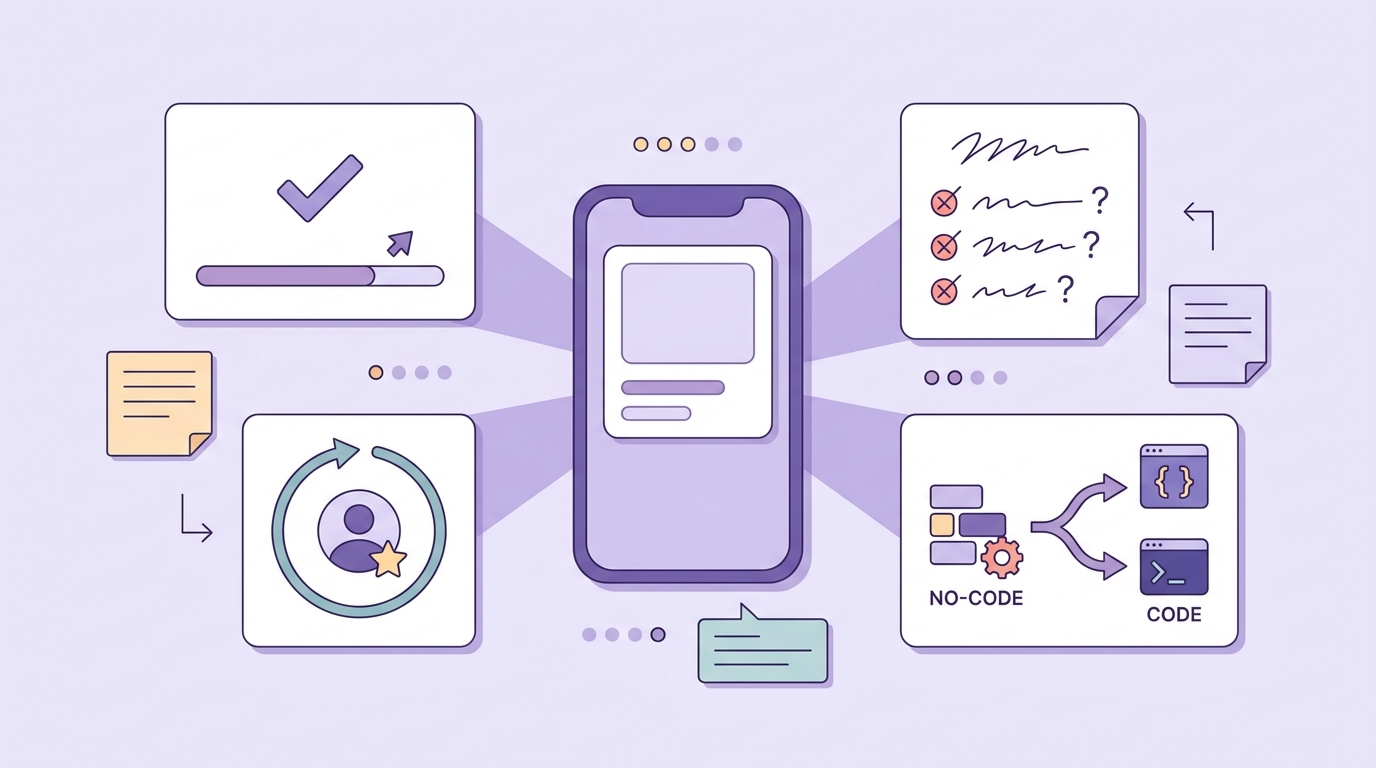
A concise checklist block for post-launch evaluation: completion rate for the core task, tester return rate, feedback on confusion points, and whether to keep iterating in no-code or level up technically.
The strongest counter-argument to "anyone can build now" is not that tools are weak. It is that first-time builders make operational mistakes that burn their limited time and motivation. Most apps die from lack of iteration, not lack of features.
Failure modes you should plan around
| Risk | Why it happens | Practical mitigation |
|---|---|---|
| Feature creep | The app becomes a wish list, so nothing ships | Freeze scope around one core action; keep a "later" list and do not touch it for 2 weeks |
| Tool hopping | Switching feels like progress but resets learning and constraints | Pick one tool for one sprint; only switch after you hit a specific blocker you cannot work around |
| Store and policy friction | Privacy disclosures, sign-in issues, permission prompts, metadata gaps | Budget a couple evenings for policy reading, screenshots, and fixes; expect at least one review cycle |
| Mobile-specific complexity | Push, offline sync, background tasks, and permissions add sharp edges | Avoid relying on these in v1, or plan for extra time and possibly outside help |
| Weak tester signal | Hard to find the right testers; feedback becomes noise | Recruit from the target group; ask task-based questions ("where did you get stuck?") |
Use the first launch to decide what happens next
If testers complete the core task quickly, keep iterating where you built it. If they get confused or drop off, simplify the flow before adding features.
If usage is weak and feedback is lukewarm, pause or pivot. That is not failure, it is a normal outcome of testing, and it saves you months.
For tradeoffs, checklists, and edge cases, How to Get Your First 1,000 Users for Your iOS App rounds out this section.


