
Building your first app is less about knowing every framework and more about making a few high-leverage decisions before you write a single line of code. Skip them and you can burn weeks on the wrong thing, then hit App Store or Google Play friction when you finally try to ship. This guide walks you from idea to a store-ready MVP with a workflow you can actually follow, including the tradeoffs, time costs, and common dependencies that show up in real builds.
| Early proof (directional) | Feature-first planning | Problem-first planning |
|---|---|---|
| What it looks like in week 1 | List of screens, unclear priority, "we can add this too" | One user, one job-to-be-done, one success metric |
| Typical failure mode | Scope expands, core flow stays fuzzy | Smaller scope, clearer end-to-end flow |
| What it changes for you | More rework, longer path to a usable build, more store review surprises | Faster path to a stable v1, easier onboarding, simpler submission |
Explanation: this is directional (not a hard statistic), based on repeat failure modes I have seen in first-time founder MVPs and what consistently shows up in planning writeups.
Interpretation: the practical metric to watch is time from idea to first usable build (a real user completes the core workflow end-to-end). When you optimize for that, you usually reduce dead-end work.
Reader impact: you trade "lots of features" for a tighter release you can actually test, instrument, and submit without a month of cleanup. It is not a guarantee: problem-first can still fail if distribution is unclear, the category is regulated, or your MVP depends on brittle backend or third-party integrations.
Step-by-Step Guide to Publishing Your First Mobile App goes deeper on the ideas above and adds concrete next steps.
Why do first-time app projects fail before the first build?
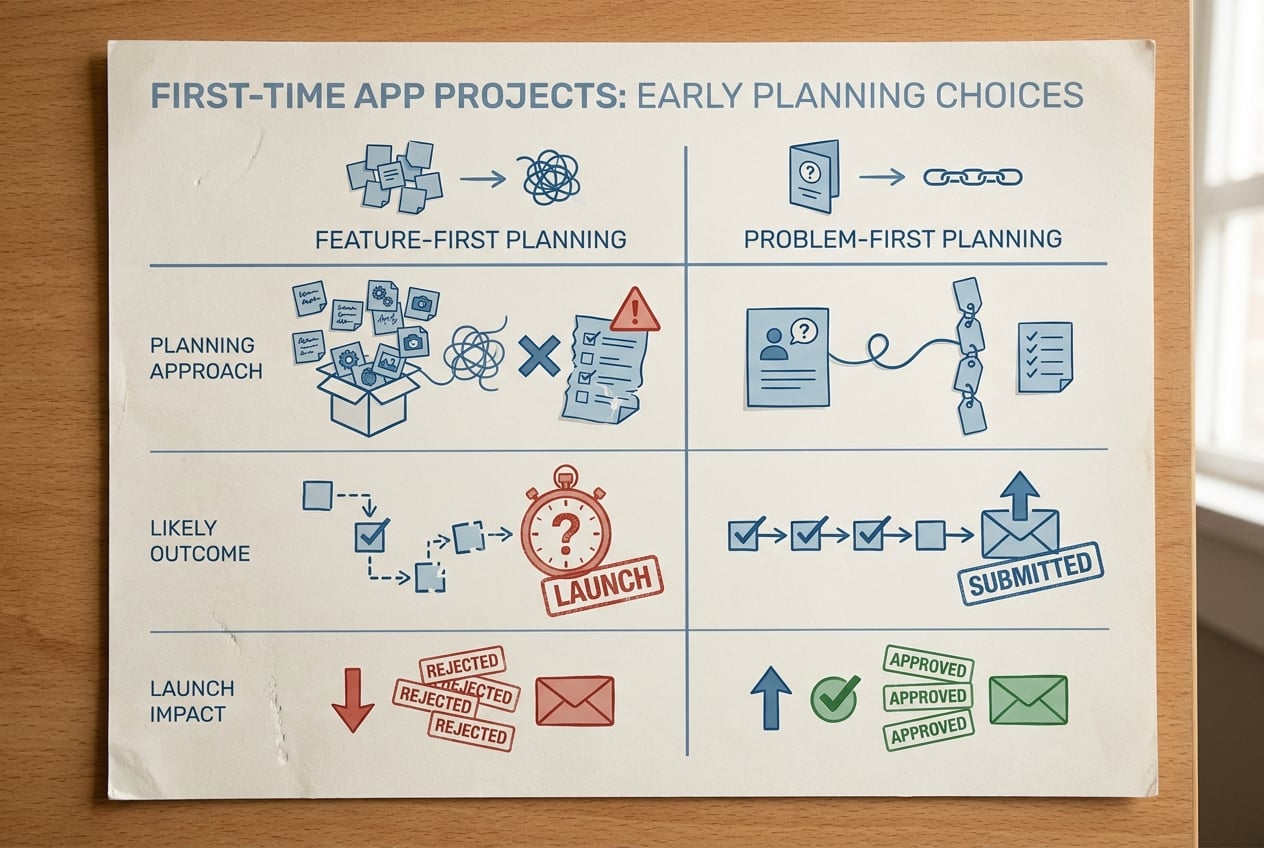
A compact before/after table comparing feature-first app planning versus problem-first planning, with columns for planning approach, likely outcome, and launch impact for a first app.
Most first apps do not fail because the builder cannot code. They fail because the project starts with a feature list instead of a user problem, and every later decision inherits that confusion. The patterns are familiar: unvalidated assumptions, unclear scope, and missing pre-development steps that create rework and budget burn long before launch (Idea2App, Stellar Code).
The hidden cost of starting with code
When you begin with implementation, you tend to build what is easiest to specify, not what is most valuable. That often means auth, profiles, dashboards, and settings because they feel like "real app" components.
In practice, this creates a trap: you get a nice shell, but you have not proven the core outcome. Then you rewrite onboarding, change navigation, and retrofit the real workflow later, which is where weeks disappear.
What a first app actually needs first
Before development, write down three decisions:
- Target user: who exactly is this for, and when will they use it?
- Core job-to-be-done: what is the one outcome the app helps them achieve faster or more reliably?
- First platform choice: iOS, Android, or cross-platform, and why that fits your constraints.
Aim for one primary workflow, not a product suite. If you cannot describe v1 as "When a user opens the app, they can do X and get Y," it is hard to test in a single release cycle, which is the point of an MVP (Appfyl, Swarm Digital).
When you move from outline to execution, Top 7 Tools to Build Your App Backend Without Code helps close common gaps teams hit here.
How do you go from idea to a store-ready MVP?
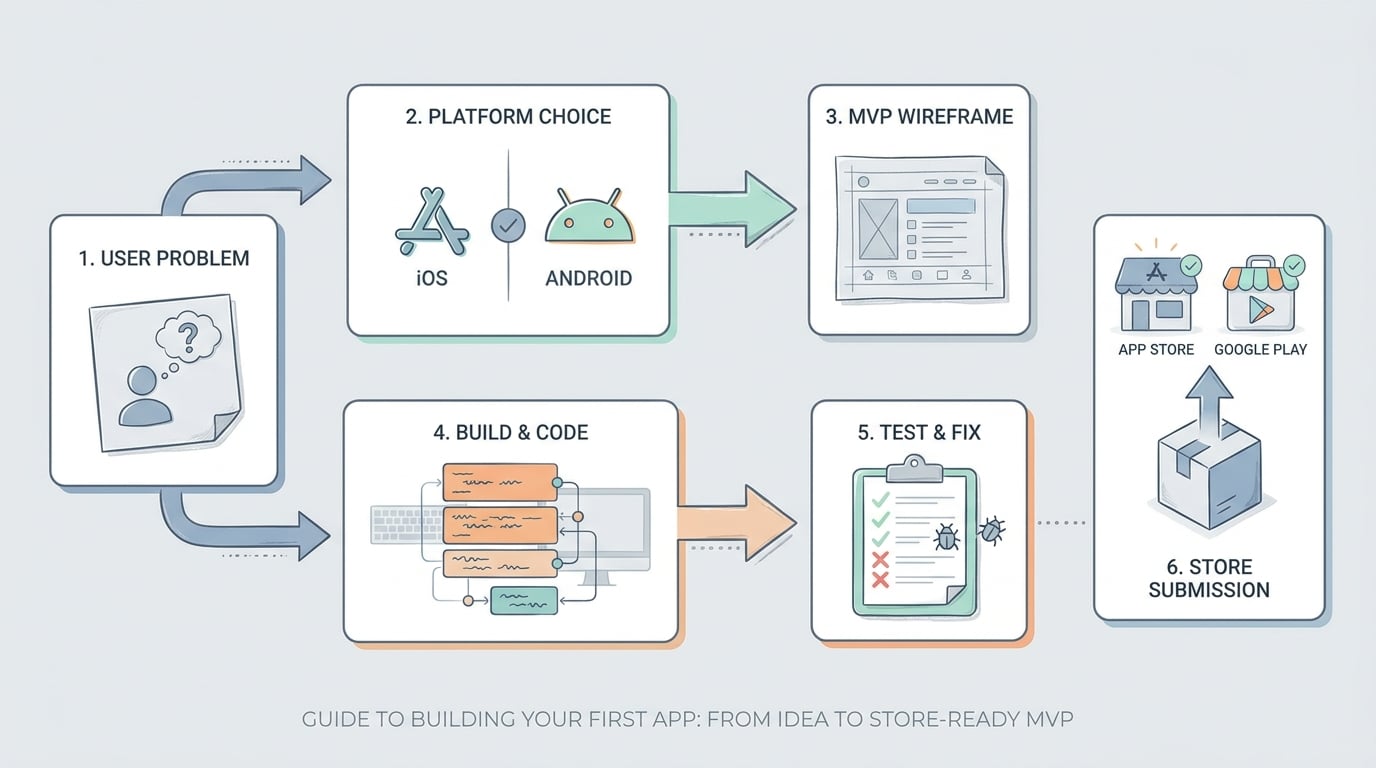
A simple step-by-step flow diagram showing how a first app moves from user problem and platform choice to wireframe, build, test, and App Store or Google Play submission.
Here is the sequence that tends to work: define the problem, pick the platform, plan the MVP flow, then build, test, and prepare submission. Expect iteration: even a clean MVP usually takes a couple rounds of build-test-adjust before it feels solid enough for strangers.
Timing is dependency-heavy. Integrations, approvals, part-time schedules, and team experience swing this a lot, so treat ranges as planning aids, not promises.
1. Define one user problem and one success metric
Pick the one outcome
Ask: "What is the one outcome this app helps a user achieve faster or more reliably?" Example: "Log meals in under 60 seconds" is clearer than "track health."
Choose one metric you can observe in the first week
Good defaults: activation rate (users complete the core action once), completion rate of the main flow, or retained beta testers. Avoid "someday" metrics you cannot measure yet.
Use the metric to block scope creep
When a new feature appears, ask: "Does this improve the chosen metric for the chosen user in the next release?" If not, it goes to the backlog.
One thing worth noting: downloads alone are a noisy signal. They can rise while the core flow fails, especially if your distribution is driven by curiosity or one-time promos.
2. Choose the first platform and set honest constraints
Pick the option that matches your timeline, skills, and testing capacity, not what feels most ambitious.
Start with one platform when:
- You are solo or resource-constrained.
- You want simpler QA and release management.
- Your users cluster on one platform (work devices, region, audience habits).
Consider cross-platform (Flutter, React Native) when:
- Your UI and logic are mostly shared.
- You can accept extra setup, occasional native edge cases, and plugin churn.
- You still plan to launch sequentially, not "both stores same day."
Directional timing ranges (dependency-heavy):
- Solo builder: ~4-10 weeks for a store-ready MVP if scope is tight, plus extra time if you are learning the stack.
- Small team (2-4): ~3-8 weeks for a simple core workflow, but coordination, QA, and store prep still take real time.
Common time sinks: social login, push notifications, backend reliability, and permission flows that need UX copy plus platform-specific configuration. If your MVP depends on HIPAA, payments, kids, location, or enterprise SSO, plan for longer and expect more review questions.
3. Turn the idea into an MVP build plan (one compact example)
Here is an end-to-end mini workflow example for a simple app: "Shift Note" (a lightweight app for nurses to hand off shift notes).
| Stage | Output | What you do (kept small on purpose) |
|---|---|---|
| MVP brief | 5 lines | User: charge nurse. Job: create and share a shift note in under 2 minutes. Metric: % who create one note in first session. Platform: iOS first (hospital iPhones). Risks: privacy copy, offline mode, review questions. |
| Screen list | 5 screens | Welcome - Permissions explainer - Create note - Review - Share/Done. |
| Event instrumentation | 4 events | onboarding_completed, note_started, note_saved, note_shared. |
| Launch checklist | 8 items | Real device tests, offline test, permission prompt explainers, crash reporting, privacy details, store screenshots, support email, beta notes review. |
Practical takeaway: your v1 plan should be small enough to review in 10 minutes with a teammate, and strict enough to prevent "while we are here" features.
Turn your MVP flow into a one-page wireframe Sketch the core flow (open - action - confirmation) and a short list of version-one screens. Use it to get faster feedback before you commit to build work. Create a simple MVP plan
A complementary angle worth comparing lives in Publishing Apps Built With Flutter, React Native, or Native.
What mistakes slow first apps down?
Most schedule slips come from predictable places: expanding scope, under-testing on real devices, and launching without a way to learn (Stellar Code, Rocket).
Feature creep disguised as "just in case"
If you add it "just in case," you will pay for it in bugs, QA time, and delayed submission. The usual suspects are profiles, chat, payments, admin dashboards, and advanced analytics.
What tends to work: freeze the v1 feature list before design starts, and keep a backlog called "After v1." Tradeoff: you may ship something that feels small, and that can be uncomfortable, but it is often the fastest path to real feedback.
Skipping device testing and store review prep
Simulators catch layout issues, but real devices catch the stuff users complain about: keyboard behavior, permissions, camera flows, and flaky networks. Plan a few focused test sessions (2-4 hours each) on real devices before you submit, plus time to fix what you find.
Store review is variable. Even if you do things right, plan for a few days of review time and possible back-and-forth, especially if your app touches accounts, payments, health, kids, or location.
Launching without a feedback loop (keep instrumentation light)
Version one should be instrumented to teach you what to do next. A lightweight default is Firebase Analytics + Crashlytics, or an equivalent stack if you already have one.
Expect 0.5-2 days for instrumentation, dashboards, and verifying events on real devices. Pitfalls: events firing twice, missing properties, and forgetting to test on release builds.
For tradeoffs, checklists, and edge cases, How to Get Your First 1,000 Users for Your iOS App rounds out this section.
Your first-app launch checklist and next steps
Use this twice: once before you build, and again before you submit. Keep it short so you will actually follow it.
Pre-build checklist
- Target user and core problem are written in one sentence.
- One success metric is chosen and measurable in the first week.
- First platform is chosen with clear constraints (including what you are not doing yet).
- MVP feature set is frozen, with an "After v1" backlog.
- Top 3 risks are listed (auth, permissions, backend, review category, etc.).
Pre-launch checklist
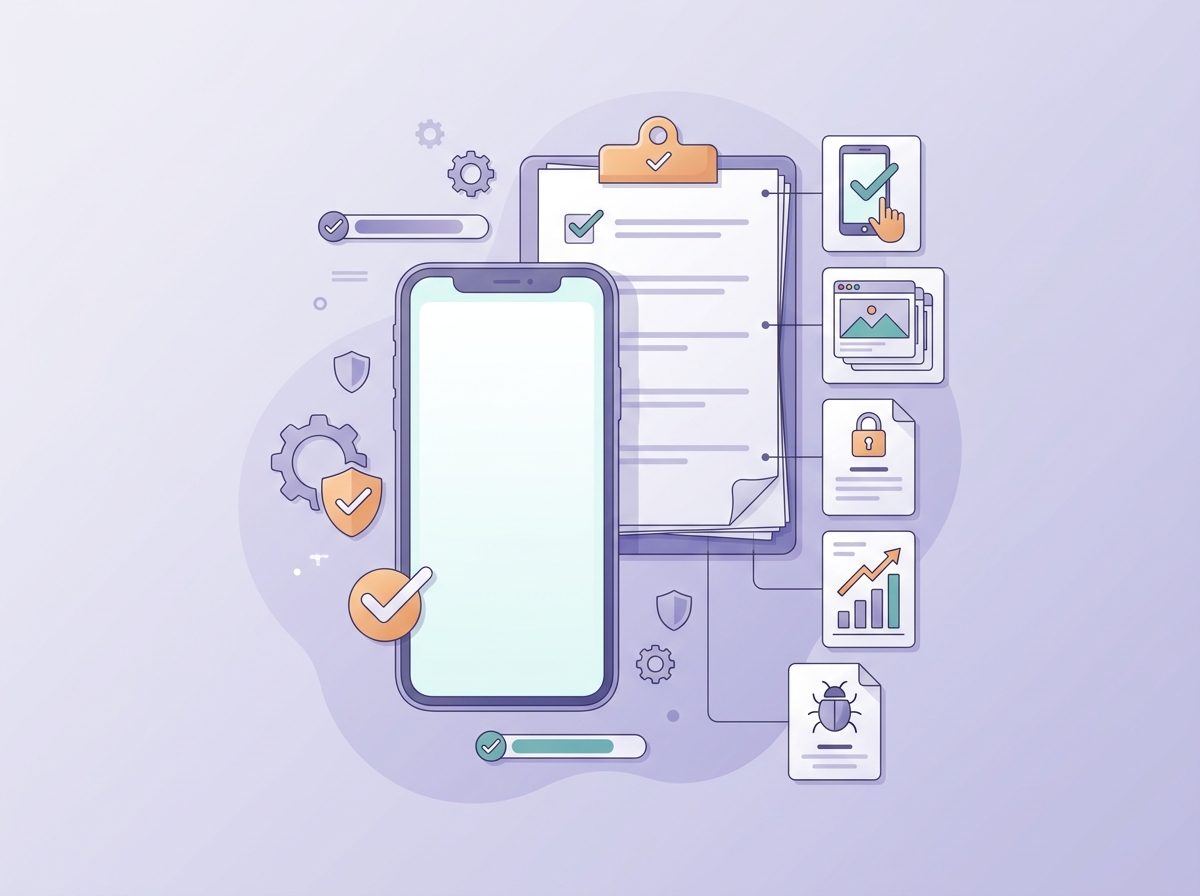
A concise mobile-friendly checklist covering device testing, store assets, privacy details, analytics, and crash reporting before a first app is submitted.
- Main flow works end-to-end on real devices (not just a simulator).
- Store assets are ready: name, description, screenshots, support contact.
- Privacy details are complete and accurate for what the app actually does.
- Analytics and crash reporting are in place and verified on-device.
- Beta feedback is reviewed and you have a short v1.1 fix list.
Write a one-page build brief before you build Document the user, problem, platform choice, MVP flow, success metric, and top launch risks. It is a fast way to align collaborators and reduce expensive rework. Start your one-page brief
What Founders Should Know Before Their First Submission reframes the same problem with a slightly different lens - useful before you finalize.


