
Submitting an app is not just a technical upload. In the final 72 hours, the work is proving that the release build, store listing, reviewer access, privacy disclosures, and support paths all describe the same product. This checklist helps teams reduce avoidable review friction without pretending any checklist can guarantee approval.
The Invisible Rules That Determine Whether Your App Goes Live goes deeper on the ideas above and adds concrete next steps.
What creates app review risk before submission?
Public launch guidance from Froxi, App Lander, Prodix Solutions, ChannelScout, and DField Solutions points to the same practical issue: many late submission problems come from mismatch, access failure, or unfinished edge states. This is directional evidence, not a universal rejection benchmark.
| Risk area | Reviewer-visible signal | Practical 72-hour action | Business impact |
|---|---|---|---|
| Clean install | App opens and reaches the first useful action | Install the release candidate fresh and complete the main workflow | Reduces first-session confusion and obvious blockers |
| Access | Reviewer can use gated features | Test sign-up, login, reset, guest mode, and demo credentials | Lowers the risk of review stalls from inaccessible features |
| Listing accuracy | Screenshots and claims match the build | Compare screenshots, pricing, claims, and release notes against the binary | Reduces metadata friction and protects trust |
| Privacy alignment | Data forms reflect real SDK behavior | Check analytics, crash reporting, auth, payments, push, and third-party SDKs | Reduces compliance questions and rework |
| Support paths | Required URLs load on mobile | Open privacy, terms, support, deletion, and subscription links on a phone | Helps avoid policy gaps and broken support flows |
The interpretation is simple: a stable app can still create review friction if the public package tells a different story from the build. Reviewers need to understand, access, and evaluate the product without guessing.
For launch teams, the final 72 hours should be treated as a risk-reduction pass, not a feature sprint. In practice, expect several focused hours across product, engineering, QA, and marketing, plus extra time if payments, subscriptions, or regulated data are involved. If one group owns the whole pass alone, details such as SDK disclosures, screenshots, or reviewer credentials are easier to miss.
When you move from outline to execution, App Store and Google Play Submission Checklist: How to Avoid Rejection Before Review helps close common gaps teams hit here.
What should you verify in the first 48 hours?
Start with the exact release candidate on real devices. Delete cached data, install fresh, and confirm a new user can understand the value proposition and complete the first meaningful action.
Then test degraded conditions. Use weak Wi-Fi, cellular, or throttled network settings to expose silent spinners, blocked states, unclear retries, and onboarding paths that only work on fast connections. The app does not need to handle every poor network scenario perfectly, but it should explain what is happening and give the user a reasonable next step.
Use the next pass to inspect hidden-state areas:
- Onboarding completion
- Empty states
- Permission prompts
- Account creation and verification
- Password reset
- First core workflow
- Demo or reviewer account access
The 48-hour mark is also when the store listing should be reconciled with the build. Replace screenshots that show removed features, old navigation, placeholder data, or flows not present in the submitted version.
Rewrite claims that overstate AI functionality, personalization, payments, integrations, social features, or availability. Verify pricing, subscription language, in-app purchase setup, release notes, and platform-specific metadata.
The practical takeaway: the listing is not just marketing. It is evidence the reviewer uses to understand the product. If the build and listing conflict, the team may need to revise, resubmit, and wait.
A complementary angle worth comparing lives in Everything You Need to Know About Apple and Google Developer Accounts.
What should you check in the final 24 hours?
The final day is about the artifact App Store and Google Play will inspect, not the debug build the team has used all week. Debug builds can hide signing issues, staging endpoints, entitlement gaps, and SDK configuration mistakes.
Check the release package against these gates:
| Area | What to verify | Why it matters |
|---|---|---|
| Build identity | Certificate, bundle ID, package name, version, build number | Reduces upload, install, and track mismatch risk |
| Production services | API URLs, auth, feature flags, SDK keys | Helps avoid submitting a build connected to staging |
| Commerce | In-app purchases, subscriptions, payment products | Lets reviewers test purchase paths correctly |
| Routing | Deep links, universal links, app links, QR flows | Reduces broken onboarding and campaign paths |
| Notifications | Push certificates, permissions, messaging behavior | Can catch silent engagement failures |
| Reviewer access | Demo credentials, guest mode, test data, reviewer notes | Allows gated functionality to be evaluated |
| Required URLs | Privacy, terms, support, deletion, subscription management | Reduces policy and support-link friction |
One constraint matters here: fixes are more expensive in the last 24 hours. A wrong environment variable or build number can force a rebuild, retest, and resubmission. Minor UI polish may need to wait if it does not affect review, safety, access, payments, privacy, or first use.
Before upload, remove anything that signals unfinished work: placeholder text, dead settings pages, lorem ipsum, blank profile screens, empty FAQ links, and broken support routes. These details may look small internally, but they can create doubt when a reviewer is evaluating the app quickly.
Also open every external URL on a phone. Privacy policy, terms, support, account deletion, and subscription management links should not depend on desktop layouts, failed redirects, or permission-restricted pages.
For tradeoffs, checklists, and edge cases, The Founder's Complete App Publishing Checklist rounds out this section.
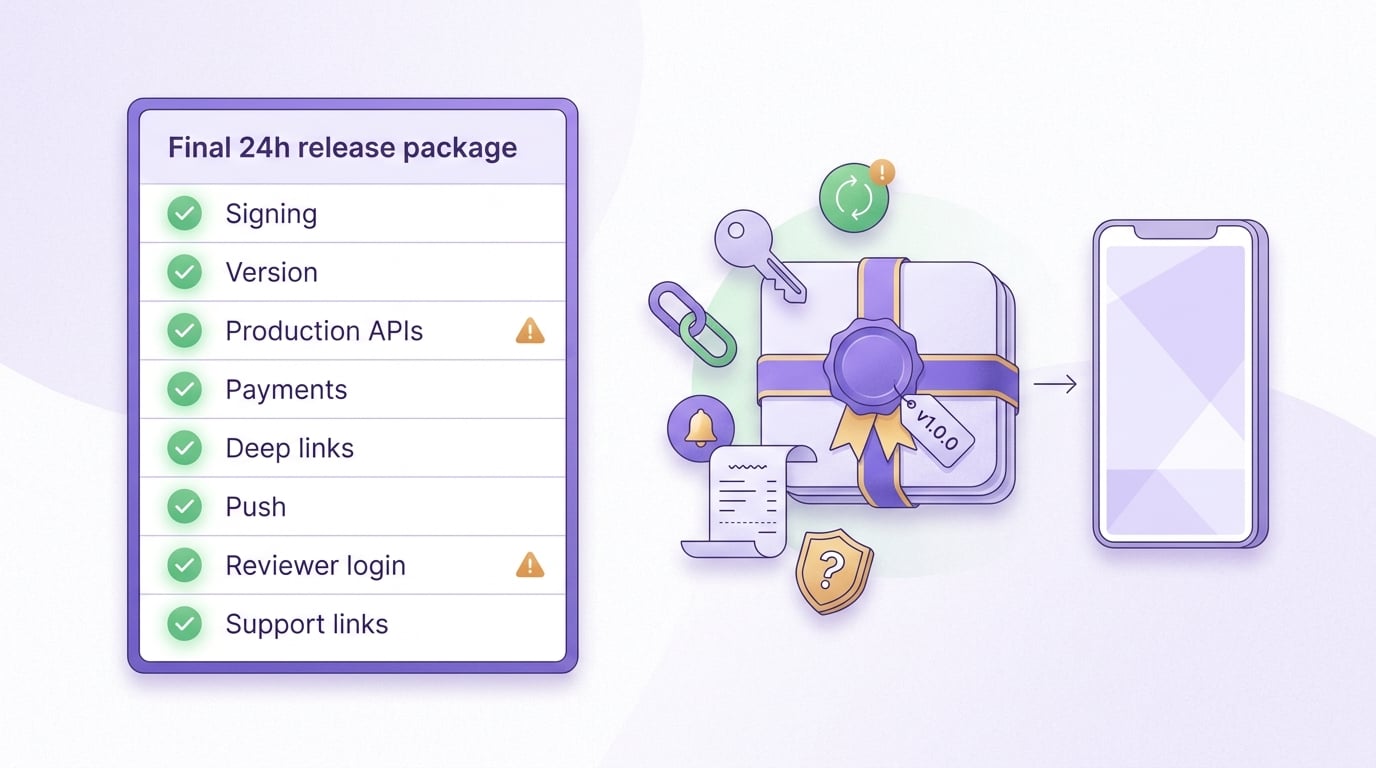
A final-day checklist block for the exact release artifact, covering signing, version number, production API URLs, payment products, deep links, push notifications, reviewer credentials and required support links.


