
Free Figma templates can save time on a mobile app, but the wrong file can quietly cost you days in rework, from broken Auto Layout to missing error states and off-pattern iOS or Material components. This roundup ranks a few solid free starting points and shows how to sanity-check them so you can get to a usable prototype faster without inheriting messy components.
Top 5 AI Tools to Generate App UI Without a Designer goes deeper on the ideas above and adds concrete next steps.
Early proof
Proof block: what I check before trusting a free mobile kit
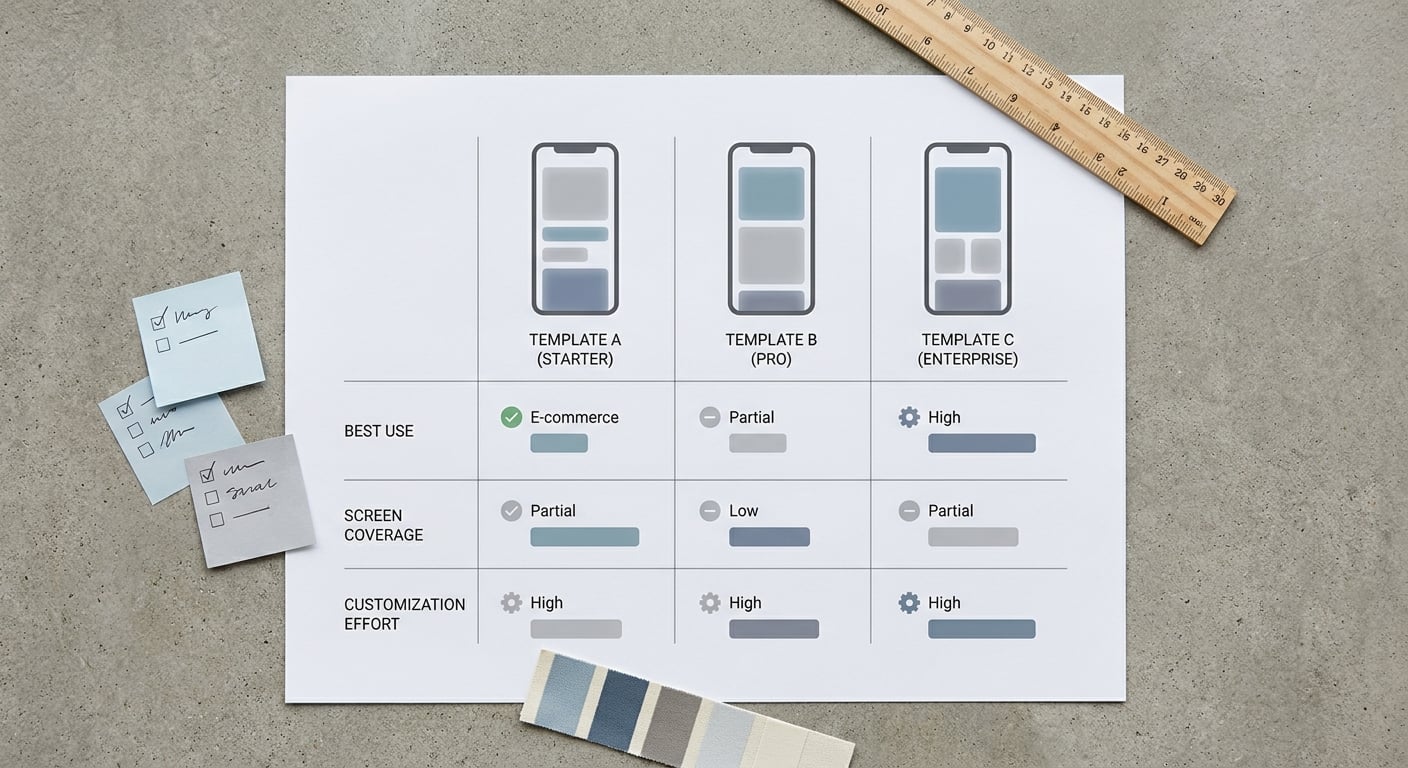
A compact comparison table of free Figma mobile app templates showing best use case, primary screen coverage, and expected customization effort so readers can shortlist the right file fast.
| Check (what I looked for) | What "good" looks like | Why it matters in real work |
|---|---|---|
| Auto Layout on core blocks (headers, list rows, cards, forms) | Adding content does not break spacing or alignment | Less layout babysitting when copy changes |
| Variant-driven components (buttons, inputs, nav, list items) | States are variants, not duplicated frames | Fewer inconsistencies during iteration |
| Basic states included | Empty, loading, error, disabled, pressed | Prevents late churn when testing real scenarios |
| Platform alignment | iOS patterns or Material 3 patterns are consistent | Fewer debates about defaults and touch targets |
| Styles or Variables hygiene | Clear text styles and color roles (Variables optional) | Branding and themes are easier to apply |
Explanation: This is a quick "will this file fight me?" audit, not a benchmark. For most kits, you can get a reliable signal in 15 to 30 minutes if you test a handful of components.
Interpretation: A kit is usable when longer labels do not break layout, list rows duplicate cleanly, and state changes happen via variants (not one-off frames).
Reader impact: Doing this up front usually prevents slow drip rework later. The exact time saved depends on your team and how hard you customize, but it can easily mean fewer small fixes across a sprint.
When you move from outline to execution, 10 Best No-Code Mobile App Builders This Year helps close common gaps teams hit here.
Selection criteria for the best free Figma mobile app templates
What made a template rank here
- Includes a real mobile screen set you can stitch into a flow: onboarding, home, list or search, detail, profile, and settings (at minimum).
- Uses reusable Figma components with clean Auto Layout so edits do not cascade into manual resizing and re-alignment.
- Is practical to adapt for App Store or Google Play prototypes, with device-ready frames and patterns that match how teams ship.
Why free files still need a quality check
Free templates are often optimized for the preview, not for reuse. Many skip dark mode, responsive variants, or edge states like errors and empty screens, which only shows up once you start wiring real flows.
Licensing also varies by source, so confirm commercial-use rights and any attribution requirements before you commit. If you are designing for a client, a 5 to 10 minute license check now can prevent awkward backtracking later.
How the ranking is ordered
This list is editorially ranked by fit for real mobile app design work, not by popularity. I prioritize templates that reduce first-draft friction in Figma, then reward coverage of the screens most teams need early.
One thing worth noting: "best" depends on constraints. A heavier Material-style kit can reduce design decisions but increase theming and token work, while a minimal kit can move fast but pushes missing states onto you later.
A complementary angle worth comparing lives in How to Make Your App Look Professional Without Hiring a Designer.
Which free Figma mobile app templates are best at a glance?
Quick comparison grid
| Best for | Free Figma template | Why it wins | Watch-outs |
|---|---|---|---|
| Best overall broad app flows | Free Mobile UI Kit (Joey Banks) | Balanced screen coverage with mobile-first structure | You will still map to your IA and add edge states |
| Best onboarding and auth (method) | UIThings "curation approach" from free kits | Faster way to find focused auth and onboarding screens | Quality varies, so audit before adopting (UIThings) |
| Best dashboard-style foundation | Material 3 mobile patterns (Google, via Figma Community search) | Strong structure for data-dense layouts | Can feel heavy for MVPs; theming takes time |
If you shortlist first, you avoid "template debt." The tradeoff is upfront time, typically 30 to 90 minutes to duplicate, audit, and do a first pass on styles, but that is often cheaper than rebuilding core components after stakeholders are reacting to the prototype.
Checklist download
A quick pre-duplication checklist you can share with your team (layers, Auto Layout tests, variants, licensing).
Download the checklist
For tradeoffs, checklists, and edge cases, Best 5 App Analytics Tools for Mobile Founders rounds out this section.
Ranked recommendations: the best free Figma templates for mobile app design
1. Best overall free mobile app UI kit
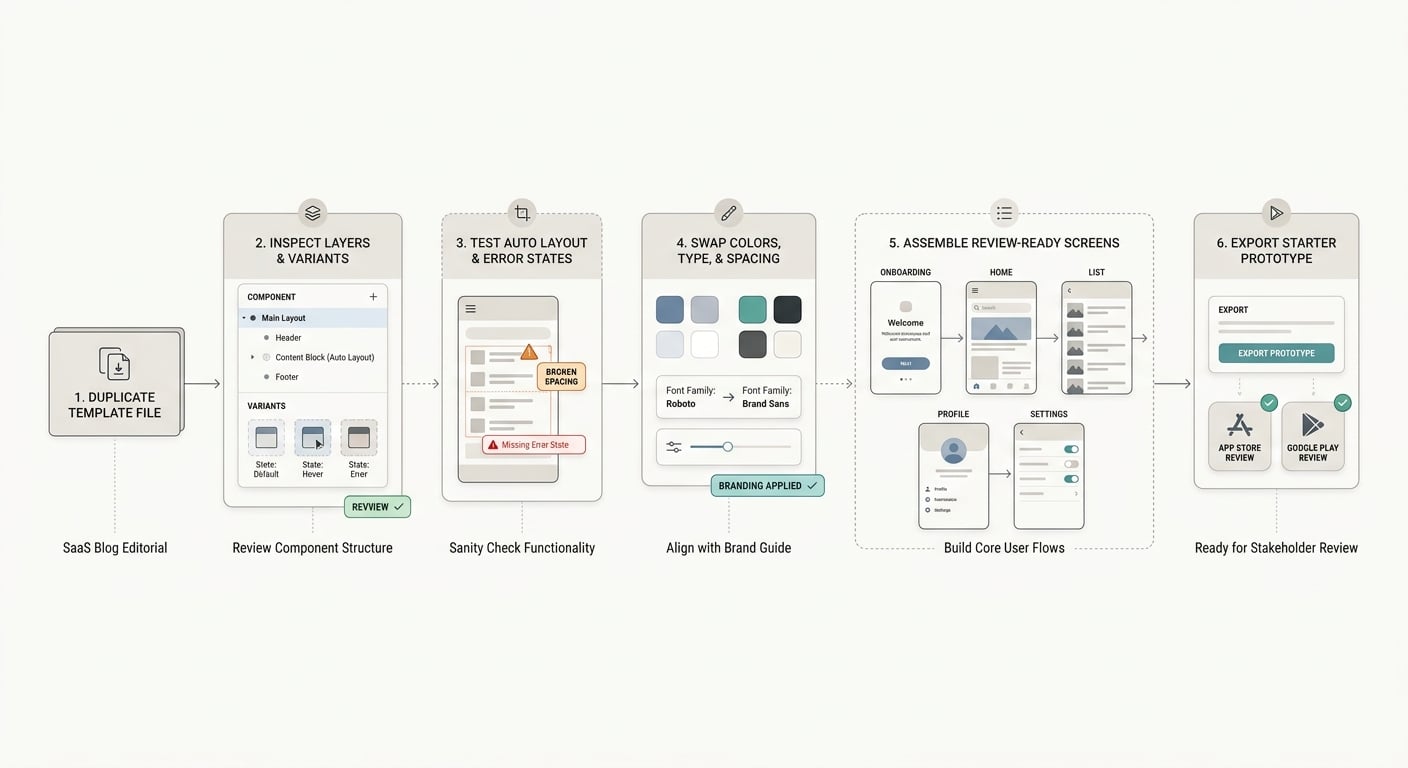
A simple workflow diagram showing how to duplicate a free Figma mobile app kit, inspect component structure, swap brand styles, and prepare the first prototype for App Store or Google Play review screens.
- Best for: first-pass layouts that need core coverage quickly (onboarding, home, list or feed, profile, settings).
- Why it ranks #1: it is a flexible baseline without forcing you into a full design system on day one. Start with the Free Mobile UI Kit by Joey Banks if you want credible structure you can brand without a big setup phase.
- Limitations: you will likely add niche screens (subscriptions, permissions) and verify basics like empty and error states.
Realistic setup expectation: budget 45 to 120 minutes to map text styles, swap color roles, and test a few components with real content lengths. If you need Variables for theming, plan extra time to reconcile naming with your team and any existing engineering tokens.
2. Best for clean onboarding and sign-up flows (use a curated file, not a random kit)
- Best for: login, registration, OTP, password reset, and onboarding where clarity beats visual complexity.
- Why it helps: these flows benefit from fast copy iteration and state coverage (errors, disabled submit, loading). A clean auth file can reduce early thrash if the components are actually components (not flattened frames).
- How to use it: use UIThings as a starting list, pick one file, then run the audit above before you adopt it (UIThings).
- Limitations: many auth-focused files stop after onboarding, so plan to pair with a broader kit once navigation and content screens appear.
Dependency note: if you need accessibility or localization early, test longer strings and larger text sizes immediately. Common failure modes are truncated labels, broken hug or fill behavior, and missing error messaging patterns.
3. Best for dashboards or content-heavy mobile apps
- Best for: finance, fitness, productivity, marketplace, and admin-lite apps with lists, cards, and metrics.
- Why it works: Material-style components give you a consistent baseline and can reduce decision overhead when time is tight.
- Limitations: customization is not free. Expect a few hours to make it feel like your product (type, spacing, iconography), and watch for token mismatches if engineering already uses a different naming system.
How do you choose the right free Figma template before you build?
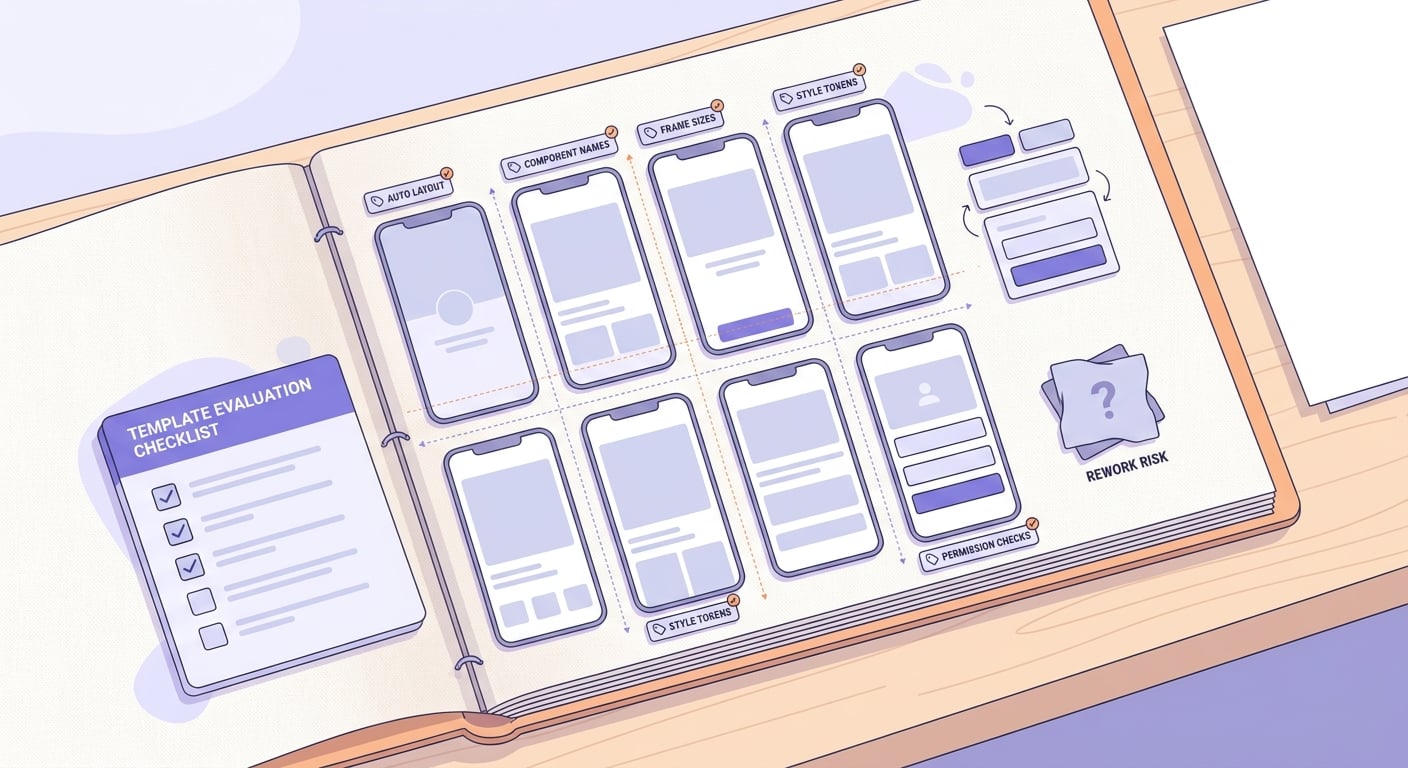
A practical Figma file quality checklist for mobile app templates, covering auto layout, component naming, frame sizes, style tokens, and permission checks before a designer commits to the file.
Pick based on stage and team reality:
Early concept validation
Use a minimal starter file for investor mockups, usability smoke tests, and storyboarding. You will move faster if you are not untangling someone else’s component architecture.
Known core flows
Choose a broader UI kit when navigation and primary journeys are stable (browse, checkout, settings). The extra variants pay off when changes come mid-sprint.
Team handoff and scale
If engineers will build from your components, optimize for maintainability. That means clean variants, predictable naming, and state coverage, even if the visuals are less flashy.
Before you commit, run a repeatable test (15 to 30 minutes is usually enough):
- Auto Layout hug or fill check: change a label from 8 to 24 characters and verify padding stays correct.
- List check: duplicate a list row 5 times and confirm spacing stays consistent.
- State check: confirm error, disabled, and loading are variants, not separate one-off frames.
- Frame check: confirm safe areas and baseline sizes match your target iPhone and a typical Android device.
Tradeoff to be honest about: adopting any kit creates maintenance work. If you heavily customize components, you own that complexity, and it can slow you down later when requirements change or when you add dark mode and accessibility.
Template audit help
If you want, I can audit a template file (Auto Layout, variants, Variables, states, licensing risk) and flag what is likely to break before you invest.
Request an audit


