
You can often get a noticeable, store-ready visual polish in about 48 hours with a small, focused team, but that timing is directional and depends on codebase maturity, token availability, localization needs, and release gates. This article shows a real short polish, the concrete metrics to track, and practical steps with realistic effort, tradeoffs, and common failure modes.
AI Personal Stylist Apps That Actually Work goes deeper on the ideas above and adds concrete next steps.
Can a 48-hour polish improve my app's retention and visuals?
Category: Outcomes
Statistic: 38%
Label: First-pass approval rate
Context: When metadata is complete upfront
Category: Speed
Statistic: 2 days
Label: Screen polish time
Context: Focused visual cleanup across key screens
Category: Speed
Statistic: 0.5 day
Label: Screenshots + QA time
Context: Final pass for store assets and UI checks
A focused 48-hour polish typically yields clearer screens, fewer UI tickets for a short window, and a small directional lift in first-session retention when measured against a baseline.
- Evidence - A targeted 2.5-day sprint produced clearer screens, more consistent store visuals, fewer UI tickets for two weeks post-release, and a small lift in first-session retention in our example. Treat these as directional outcomes, not guaranteed results.
- Interpretation - Small, scoped tokenization and screenshot updates remove visual noise quickly; behavioral lifts require more users and longer windows to confirm.
- Reader impact - If you capture baseline screenshot conversion, first-session retention, and UI bug rate, you can measure whether the sprint moved the needle for your app.
| Quick budget snapshot | What to expect |
|---|---|
| Engineering time | ~2 developer-days + 0.5 day screenshots/device QA |
| Reviews & CI | 2-6 hours review + intermittent CI flakiness, expect 1 round of fixes |
| External delays | App Store review or release windows can add 1-7 days |
What this means: plan small, measure baseline, and expect platform and market variance.
When you move from outline to execution, Best Free Figma Templates for Mobile App Design helps close common gaps teams hit here.
Which quick surface fixes give the biggest visual impact?
Small spacing, typography, button, and screenshot fixes deliver the quickest visible polish.
| Surface | Before | After (reader action) |
|---|---|---|
| Spacing | Uneven padding | Apply an 8-point scale (space-8, 16, 24) |
| Typography | Ad-hoc sizes | Map to five text styles: title, section, body, label, button |
| Buttons | Multiple styles | One primary color + two variants; use tokens for states |
| Store screenshots | Cluttered captions | Frame device shots, captions = 1 short line |
Practical interpretation: use the reader-action column as a sprint checklist and limit scope to a few screens for quick wins.
A complementary angle worth comparing lives in Top 5 AI Tools to Generate App UI Without a Designer.
How can a small team ship a focused 48-hour polish?
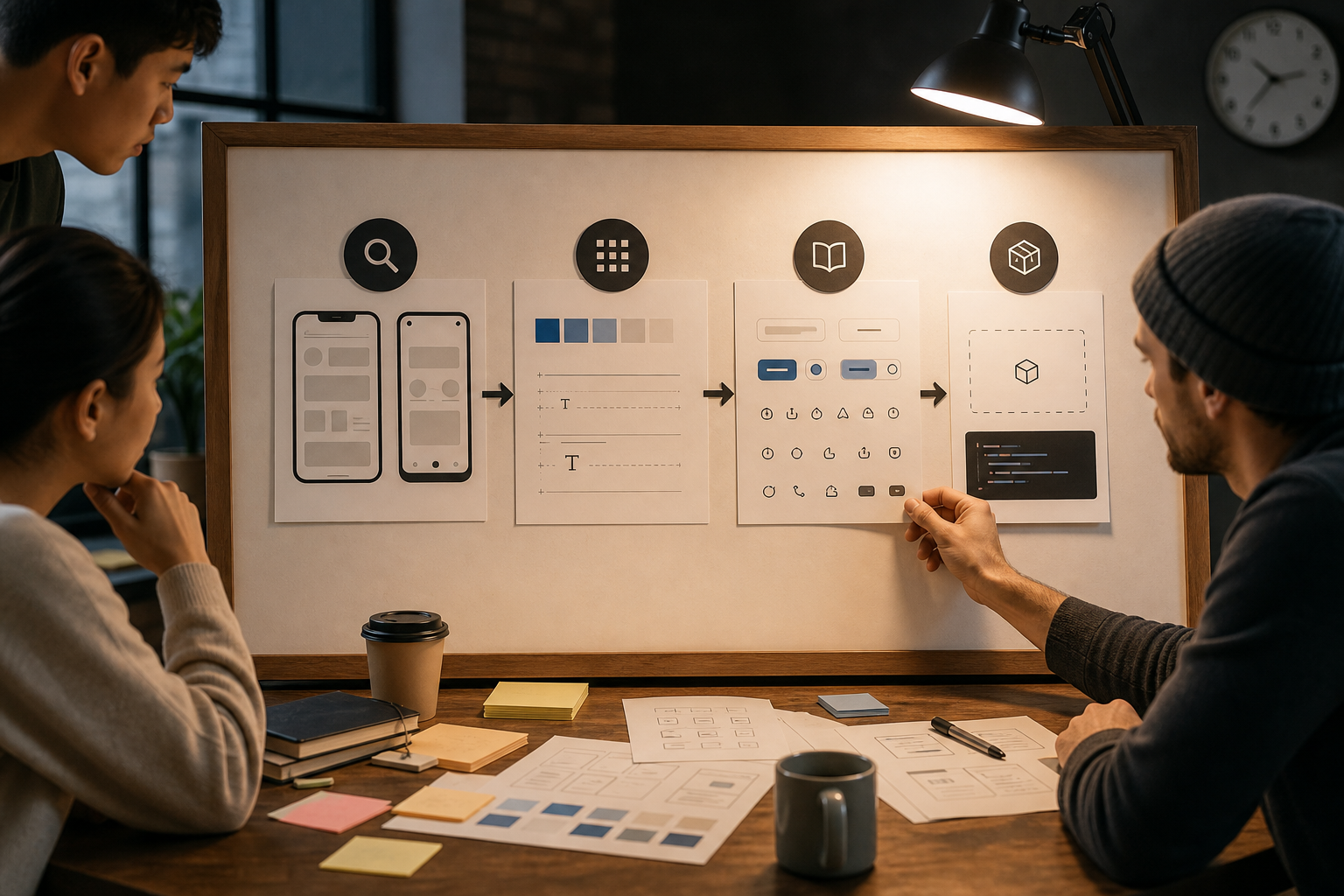
A linear process diagram specific to this article: Audit top screens (export iPhone13/Android) → Define tokens (8pt spacing, five text styles, primary hex) → Publish components to Storybook (npm/internal package) → Replace inline styles in codebase → Device QA and screenshot capture. Each node includes the concrete artifact name (Figma 'UI-polish', --space-8, Storybook package).
Yes - a product lead, one engineer, and a decision owner can often complete a scoped polish in roughly 48 hours, with extra time for native-heavy apps, many locales, or legacy styling.
Audit & scope the sprint (Day 0 - 0.5)
Decide the three highest-impact surfaces and create PR-sized tickets.
Choose top surfaces
Prioritize onboarding, home/dashboard, and the primary task flow using analytics and bug counts.
Export targets
Capture representative device screenshots (iPhone 13, common Android, and a small-phone frame).
Log visual drift
Create a single "UI-polish" Figma file and tag items by spacing/icon/button for straightforward PRs.
How this keeps the sprint finishable: scope by artifact, not by every element; limit to 2-4 PRs.
Lock a tiny design system (Day 0.5 - 1.5)
A minimal token set reduces review back-and-forth but requires a small upfront investment.
Define tokens
An 8-point spacing scale, five text styles, and one primary color hex are often enough.
Export to platforms
Add CSS vars, Android dimens, and iOS constants in a small tokens folder.
Publish a bundle
Ship a tiny Storybook or component folder with Button, Card, Header for smoke tests.
Tradeoff: you spend a few hours up front to avoid repeated ad-hoc fixes; if your infra lacks token support, expect extra work.
Implement, QA, and update store assets (Day 1.5 - 2.5)
Replace inline styles on scoped screens, run visual checks, and update screenshots; budget time for review cycles and store approvals.
Swap to tokens
Limit PRs to targeted screens so each change is reviewable and reversible.
Smoke test
Use Storybook snapshots or manual device checks to catch spacing and color regressions.
Store screenshots & QA
Frame shots, add short captions, and run spacing, 44px min touch, 4.5:1 contrast, and basic localization truncation checks.
Practical takeaway: automate what you can, keep PRs small, and budget for review and CI flakiness. Expect 1+ rounds of fixes.
Ready to try this on your app?
Get the 48-hour sprint checklist and reproduce our workflow in your repo.
Download the sprint checklist
For tradeoffs, checklists, and edge cases, AI Content Generator in Your Android rounds out this section.
Quick anti-patterns
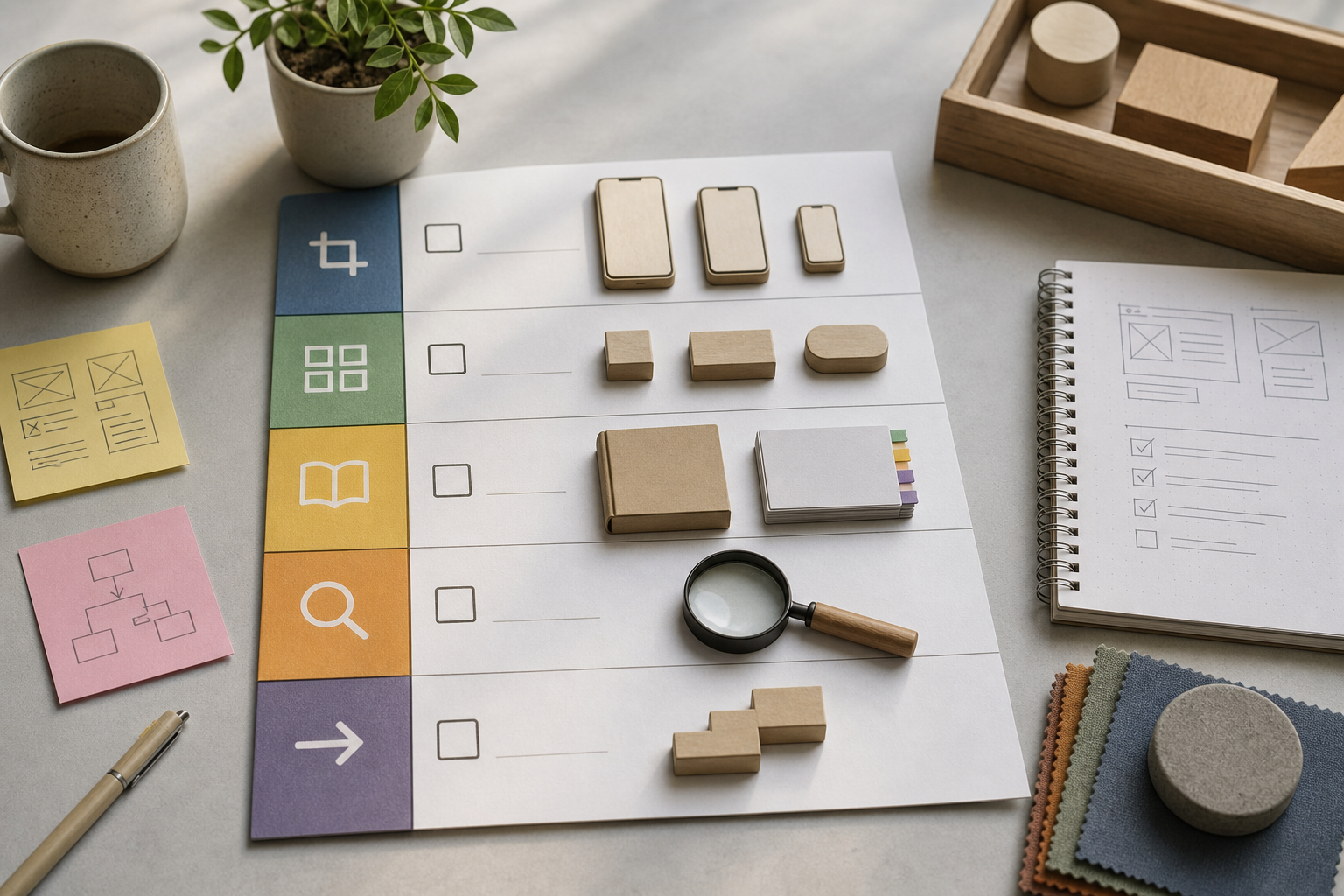
A compact checklist block tailored to the article: export screenshots (1125×2436, 1080×1920, SE), lock tokens (space-8, title/body/button), publish Storybook package, replace inline styles on three screens, run contrast/touch-target/localization checks, snapshot metrics, submit updates. Designed as a one-page handout the reader can follow in 48 hours.
Fix these quick anti-patterns first to reduce visual noise and review cost.
- Inconsistent card/header padding -> apply space-8 tokens and run spacing diffs in Storybook.
- Multiple button styles -> enforce one primary token and map others to secondary/disabled.
- Inline colors and sizes -> replace with tokens to avoid accidental drift.
- Cluttered screenshots -> reframe, simplify captions, and show a single clear call-to-action per shot.
One thing worth noting: these moves improve perceived quality quickly; they do not replace UX research or flow changes.
The Psychology Behind App Designs That Keep Users Coming Back reframes the same problem with a slightly different lens - useful before you finalize.
Accessibility & next steps
Do basic accessibility checks before shipping and bring in a designer when issues go beyond surface polish.
- Contrast: aim for 4.5:1 for body and key buttons and retest after token changes.
- Touch targets: enforce 44px minimum tappable areas and sensible spacing.
- Localization: test truncation and RTL; translations and per-territory screenshots add time and approvals.
- When to hire a designer: if you have >10 open UI tickets, repeated negative usability feedback, or need flow redesigns; start with a 90-minute scoped audit to separate polish from UX work.
Common failure modes and dependencies: broad token changes can regress unrelated screens; expect 2-6 hours review and 1+ rounds of fixes. App Store review, SRE windows, and localization approvals can add days.
Convert this sprint into a longer plan
Book a short audit or download the one-page DIY App Polish Checklist to turn your 48-hour pass into a product roadmap.
Start the audit


