Most apps lose users faster than teams expect, even when acquisition looks healthy, because the product delivers a one-time experience instead of a repeatable loop. This research-informed write-up reviews interface cues that often precede retention gains and where they can backfire into fatigue, anxiety, or trust loss. You will leave with a practical way to diagnose what pulls users back in and a short list of levers to test for repeat opens, not just installs.
How to Make Your App Look Professional Without Hiring a Designer goes deeper on the ideas above and adds concrete next steps.
Early proof: engagement patterns that often show up before retention lifts
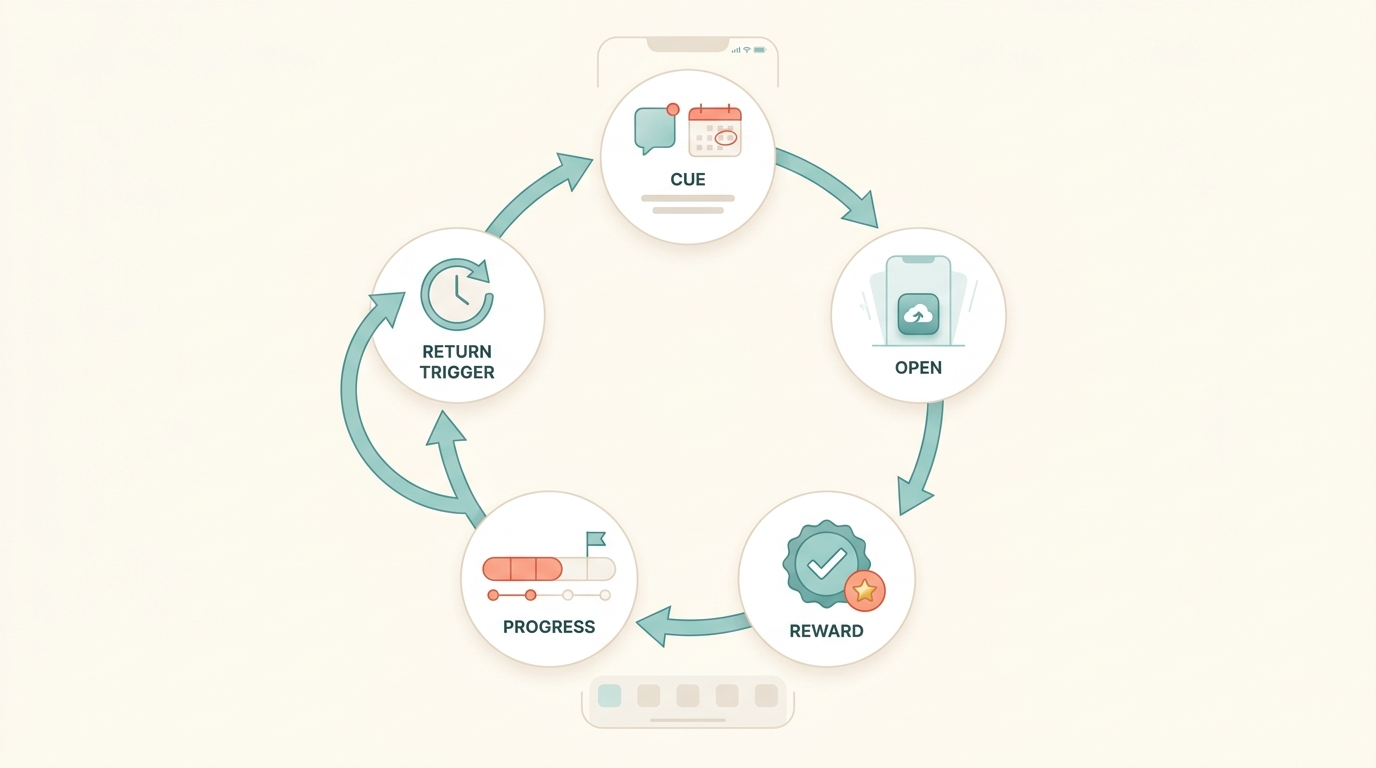
A simple process diagram showing a repeat-use loop for mobile apps: cue, open, reward, progress, and return trigger, illustrating how notification timing, saved state, and visible momentum bring users back.
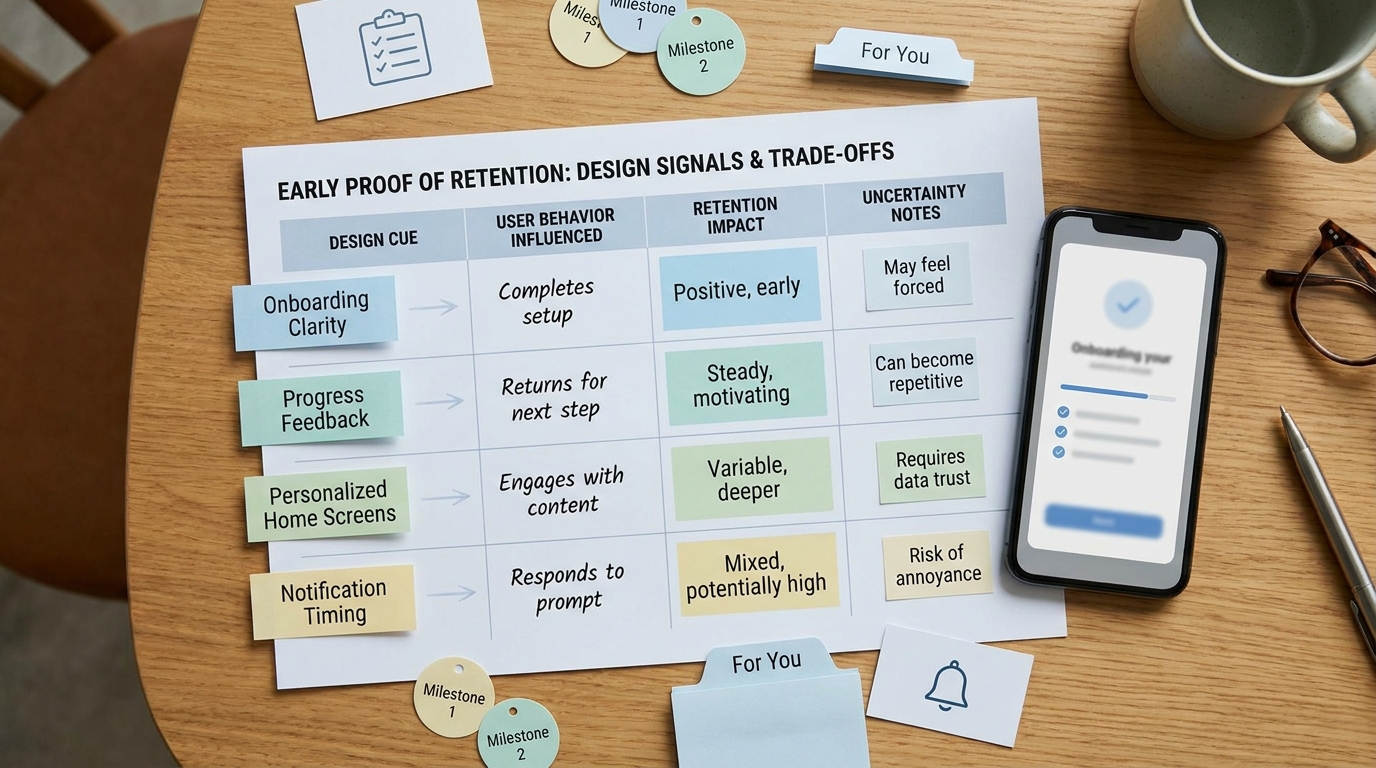
A compact table comparing app design signals such as onboarding clarity, progress feedback, personalized home screens, and notification timing against the user behaviors they typically influence, with notes on retention impact and uncertainty.
| Design cue (typical lever) | Leading behavior signal (moves first) | Guardrail to watch (often overlooked) |
|---|---|---|
| Onboarding clarity (fewer steps, earlier value) | Higher first-task completion, fewer early exits | Support tickets, drop-offs at permissions |
| Progress feedback (streaks, % complete, milestones) | More consecutive-day returns, more repeat actions | Anxiety signals: opt-outs, negative reviews |
| Habit prompts (timed nudges, contextual reminders) | Higher re-open rate within 24 to 72 hours | Push opt-out, uninstall proxy, complaints |
| Personalization (relevant home, saved prefs) | Faster "time to value" on return, less browsing | Privacy concerns, cold-start misfires |
Explanation: These are common leading indicators teams observe before D7 or D30 retention moves. You can usually see shifts in a few days, while retention metrics need more time and enough volume to stabilize.
Interpretation (how to use this):
- Pick 1 lever where you can plausibly ship in the next 1 to 2 sprints.
- Pair it with 1 leading indicator and 1 guardrail, then pre-register what "good" looks like.
- Treat results as directional: category, seasonality, and measurement quality can flip the outcome.
Reader impact (decision use): If your baseline reopen_72h is 18%, a realistic near-term goal might be 19% to 20% while keeping push opt-out under 0.6% and complaints flat. If opt-outs or negative reviews move, assume the lift may not be worth scaling.
Mini guardrail rule of thumb (adjust to your app):
| If this happens... | Consider doing this next |
|---|---|
| Leading indicator improves but opt-outs jump | Reduce frequency, tighten targeting, add controls |
| Leading indicator improves only in one platform | Check deliverability, OS rules, event parity |
| Lift appears in week 1 then fades | Hold rollout, wait for a second cohort, re-check instrumentation |
When you move from outline to execution, Screenshot Storytelling: Turn 8 Screens into a Conversion Funnel helps close common gaps teams hit here.
What does app retention psychology actually measure?
This article treats "coming back" as measurable return behavior, not an install spike or a one-time viral loop. The retention lens here is repeat opens, session frequency, and sustained use across consumer mobile apps in the App Store and Google Play ecosystem, typically tracked via D1, D7, and D30 return rate plus post-onboarding stability.
The evidence is directional, not a promise of numeric outcomes. Results vary by category (games vs. finance), audience motivation, and platform norms, and methods differ across labs, surveys, and product analytics (McLean, 2018; Renfree et al., 2016). Correlation is a real risk because cues like streaks, reminders, and progress feedback often ship together, and acquisition mix can explain more variance than a UI tweak (Journal of Consumer Research, 2022).
A complementary angle worth comparing lives in Best Way to Get Your First App Downloads for Free.
Why do users come back to an app?
Cue-based re-entry (habit loops)
Repeat opens often track with cues like time routines (morning check-in), context triggers (commute), and persistent entry points like widgets. It usually works best when the cue maps to a specific next action (resume, review, log) instead of a generic "come back".
Progress feedback (visible momentum)
Streaks, milestones, and completion states can make effort feel cumulative and increase persistence (Journal of Consumer Research, 2022). A common failure mode is all-or-nothing progress: missing a day can create stress or a sense of failure unless you add recovery mechanics.
Perceived relevance (personalization that reduces effort)
Personalization helps when it reduces cognitive load on each visit: ranked content, saved preferences, and defaults that put likely actions first. Tradeoff: over-targeting can feel intrusive, raise opt-outs, and trigger privacy or compliance review in sensitive categories.
For tradeoffs, checklists, and edge cases, Build an AI Recommendation Engine for Mobile rounds out this section.
Implementation reality: effort, dependencies, and the ways teams get surprised
Most retention work succeeds or fails on plumbing, QA, and waiting long enough to separate novelty from durable behavior. A typical small-team cycle is 1 to 2 sprints to ship the test plus 2 to 6 weeks to read cohorts, depending on traffic and usage frequency.
- Instrumentation and event hygiene (0.5 to 3 days if mature; 1 to 2 sprints if not): Verifying existing events can be quick. Adding missing events, updating schemas, and validating across iOS/Android, consent states, and app versions often takes longer than expected, especially with app review timelines and QA matrices.
- Experiment runtime (2 to 4 weeks common; 6+ weeks for low-frequency): If users naturally return weekly or monthly, short tests can produce false confidence. Delayed cohort maturation is a frequent failure mode.
- Cross-platform constraints: iOS permission prompts, Focus modes, and OS throttling can blunt notification strategies; Android delivery varies by OEM and battery settings. Plan for platform splits in analysis.
- Governance and brand risk: Caps, quiet hours, and clear controls reduce fatigue but can limit upside. You are often choosing sustainable gains over maximum short-term opens.
- Data drift risk: Event naming drift across releases can make charts lie. Freeze key event definitions for the duration of a test.
Metric definitions to keep teams aligned (example):
reopen_72h = users who open the app within 72h of first_value_eventfeature_return_7d = users who trigger key_feature_used >= 2 times within 7 days after onboarding_completepush_opt_out_7d = users who disable push within 7 days after first_push_received
How to Get Your First 1,000 Users for Your iOS App reframes the same problem with a slightly different lens - useful before you finalize.
What to change first: a realistic test plan (without a redesign)
Focus on changes that can move repeat use while limiting user harm and engineering risk. If your release cadence is weekly, assume at least 2 releases: one to ship and one to patch what you missed.
-
Compress onboarding to the first value moment
- Outcome you can reasonably expect: more users reach the core loop in session 1.
- Effort and constraints: 1 to 2 weeks including copy, UX, analytics updates, and QA; risk of breaking funnels if events change mid-test.
-
Make progress visible on the key loop
- Outcome you can reasonably expect: more repeat key actions per user or more consecutive-day returns for a subset.
- Effort and pitfalls: a few days to 2 weeks; edge cases include time zones, offline use, and missed-day handling; risk of streak anxiety and gaming behavior.
-
Personalize the returning-user home state (start rules-based)
- Outcome you can reasonably expect: faster time to value on return.
- Dependencies: clean segmentation data and content availability; 1 sprint is typical for rules plus QA; risk of cold-start misfires and perceived creepiness.
-
Test notifications with tight caps
- Outcome you can reasonably expect: higher re-open within 24 to 72 hours for specific segments, not necessarily for everyone.
- Dependencies and risks: iOS permission rates, deliverability, messaging quality; a few days to 1 sprint; risk of opt-outs and rating hits if value is unclear.
- Control to implement early: max 2 pushes per user per week, quiet hours, and a preference screen.
Decision point: if you must choose, remove friction before adding rewards. Speed and clarity tend to help broad segments, while rewards and streaks often overfit to power users.
What can go wrong with retention-focused design?
- Novelty spikes: A fresh UI can lift week-one engagement and then regress. Treat early wins as provisional until at least two cohorts show stability.
- Channel-mix shifts: If campaigns change during the test, retention can move for reasons unrelated to product. Hold acquisition steady when possible or analyze by source.
- Low-frequency and event-driven apps: Travel, tax, insurance, and many B2B utilities are not daily habits. Forcing streaks or daily prompts can damage trust; measure success on task completion and timely return.
- Regulated and sensitive domains: Health, finance, and youth-focused apps often need privacy review lead time and conservative defaults, which can extend timelines.
A practical workflow for diagnosing "why users return"
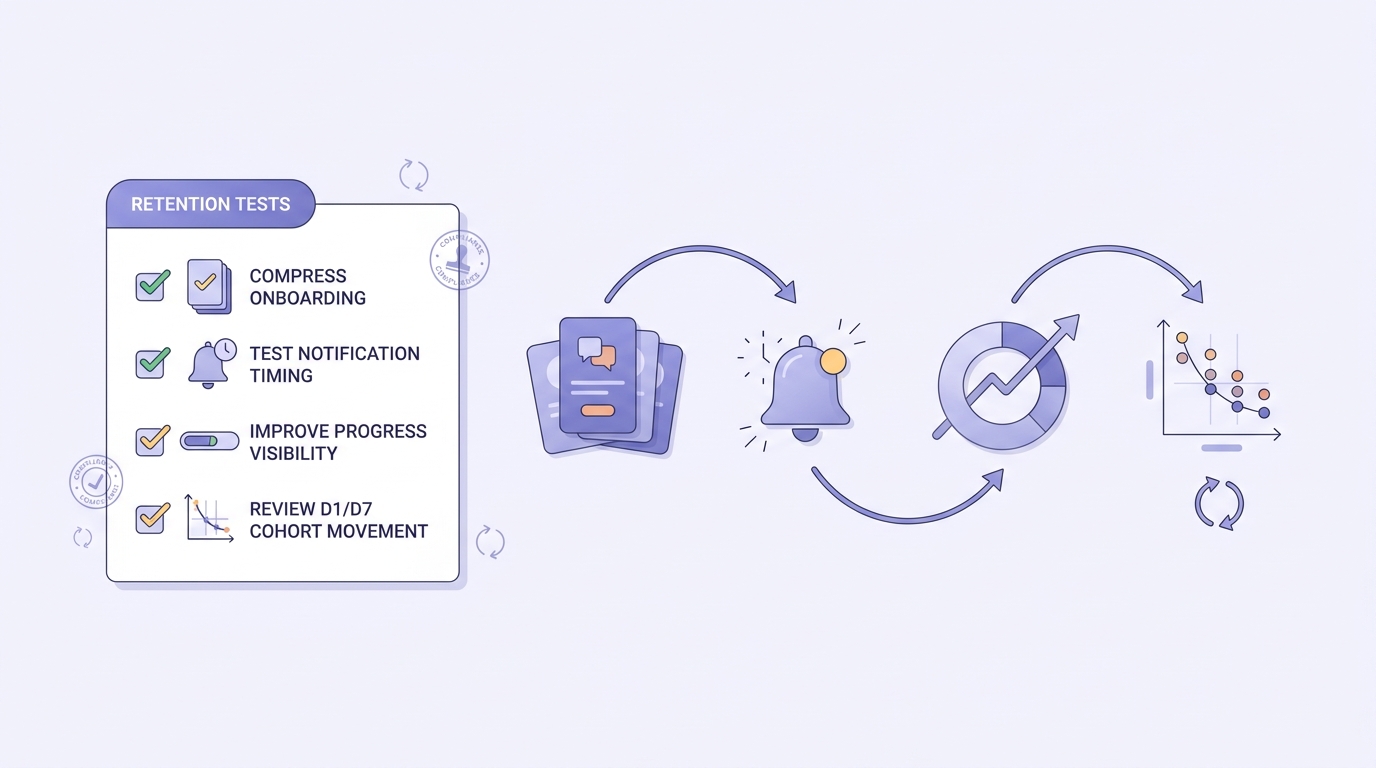
A compact checklist of the first retention experiments for app teams: compress onboarding, test notification timing, improve progress visibility, and review D1/D7 cohort movement before scaling changes.
Map one core loop from cue to reward
Write the smallest repeatable loop in one sentence (cue - action - reward - saved state). If you cannot name the reward, users likely cannot either.
Pick one leading indicator and one guardrail
Choose one metric that moves faster than D30 (for example
reopen_72horfeature_return_7d) and one harm signal (push opt-out, complaints, or uninstall proxy). This reduces the odds of optimizing a single number into a trust problem.Run one change at a time using feature flags
Ship behind a feature flag, define the eligible cohort, and hold a clean control group. This is slower than bundling changes, but it is how you avoid debating confounds for weeks.
Decide with cohort stability, not one chart
A lift that vanishes after a week may be novelty or measurement drift. Look for directional improvement across at least two cohorts and check platform splits before rolling out broadly.