
Mobile UX is shifting from a single-input world of taps and swipes into a stacked model where touch, voice, and gesture each do different jobs. Many teams still ship experiences optimized for only one mode, then wonder why certain tasks feel slow, awkward, or support-heavy. The practical question is where voice and gestures reliably outperform touch, where they fail, and how to test them without creating new failure paths.
What Are Agentic AI Apps and How Do You Build One goes deeper on the ideas above and adds concrete next steps.
Early proof: what signals suggest the stacked model is already here?
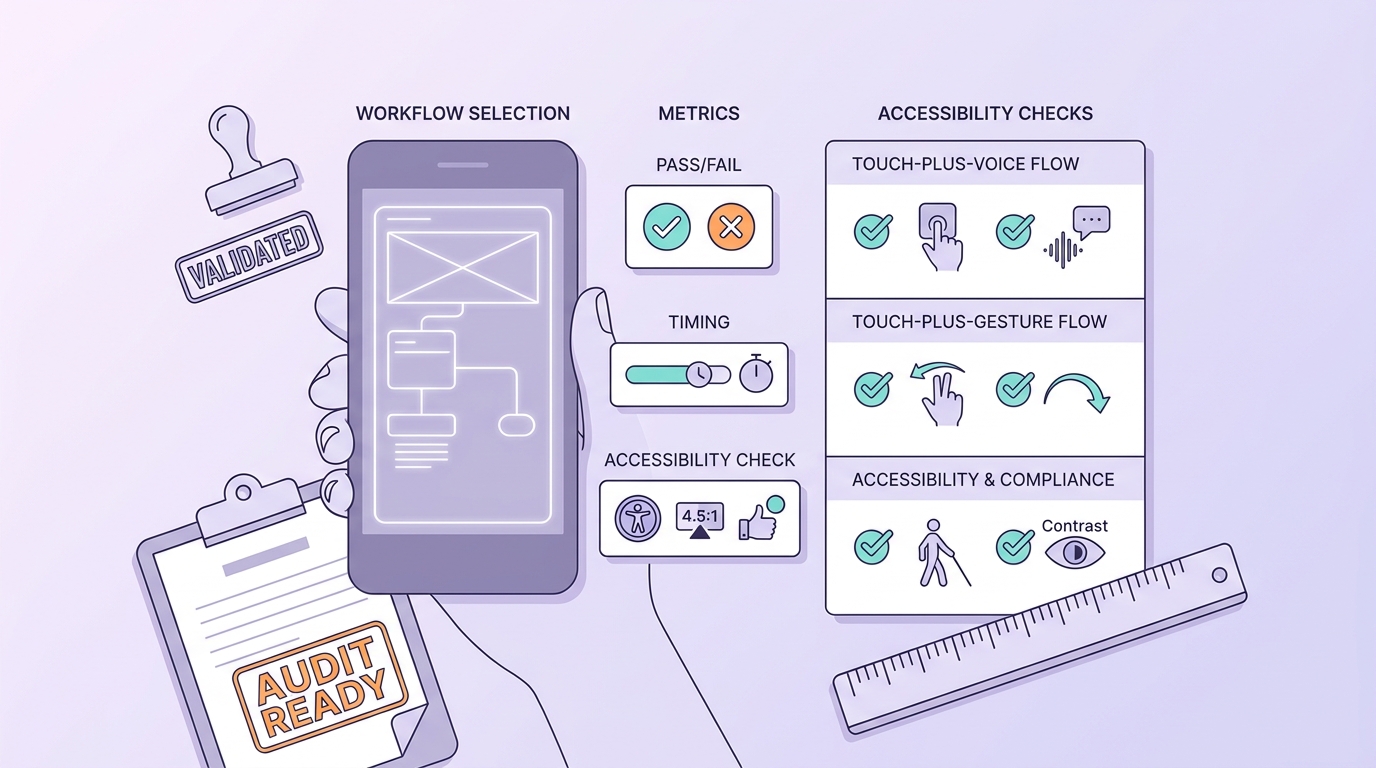
A concise rollout checklist for testing touch-plus-voice or touch-plus-gesture in one mobile flow, with steps for selecting the workflow, defining metrics, and checking accessibility.
Category: Outcomes
Statistic: 38%
Label: First-pass approval rate
Context: When metadata is complete upfront
Category: Speed
Statistic: 4 hrs
Label: Median fix time
Context: After a store rejection notice
Category: Efficiency
Statistic: 2.1x
Label: Faster resubmission
Context: With a structured pre-review checklist
| Signal you can verify | What to look for in your product | How to measure (no new tools required) | Why it matters |
|---|---|---|---|
| OS-level multimodality is default | Dictation, assistant entry points, system gestures are present on most devices | Count key tasks that can be started via OS affordances today | Lowers learning friction, but raises expectations your app cannot break |
| Touch remains the recovery baseline | Users fall back to taps when unsure | Track mode switches (voice to touch, gesture to touch) plus back/undo | Shows where ambiguity is costing time and trust |
| Voice and gesture are situational accelerators | Usage clusters by context | Segment by proxies (headphones connected, time of day, session length) | Helps you target the right flows instead of forcing a mode everywhere |
| Risk rises with new modes | Misfires, misrecognition, confusion | Monitor time-to-task, error rate, back/undo, support contacts per 1,000 sessions | Prevents "faster in demos, worse in production" rollouts |
Explanation: iOS and Android already ship gestures, dictation, and assistant entry points by default, so users bring those behaviors into your app whether you designed for them or not.
Interpretation: The shift is not "touch is dying" - touch stays the baseline, with voice and gesture as optional fast paths when the context and task fit.
Impact (business): Teams that treat voice and gesture as additive shortcuts often reduce steps on high-frequency tasks, but results vary by audience and implementation quality. The tradeoff is real overhead: instrumentation, QA across devices, accessibility checks, privacy review, and a support plan for misfires and opt-outs.
Mini artifact: example event taxonomy for stacked-input measurement (illustrative)
| Event name | When it fires | Primary metric it supports |
|---|---|---|
voice_entry | User taps mic or triggers in-app voice start | Voice adoption rate |
asr_result | Speech recognition returns text (include confidence band if available) | Recognition yield |
asr_error | No speech, timeout, or vendor error | Voice failure rate |
mode_switch_to_touch | User abandons voice/gesture and taps | Mode-switch rate (recovery load) |
gesture_back | User uses an in-app gesture shortcut | Gesture usage and learnability |
task_complete | Success state reached for the target flow | Completion and time-to-task |
When you move from outline to execution, Build an AI Recommendation Engine for Mobile helps close common gaps teams hit here.
What does touch to talk to gesture mean in mobile UX?
Define the interaction model shift in plain English
"Touch to talk to gesture" describes a stacked input model on mobile. Touch handles precise, visual work; voice handles intent and command-like shortcuts; gestures handle quick navigation and one-handed use. The outcome is fewer screen-dependent steps for common tasks like search, playback control, and view switching, if reliability holds up in real environments.
This is not a prediction that touch disappears. It is a reframing of mobile UX as multimodal by default, consistent with mainstream multimodal guidance and widely adopted gesture patterns (Voice and Multimodal UX, Gesture Navigation Guide).
State the research scope and limits
This synthesizes observable product patterns, platform capabilities, and published interaction research rather than one proprietary dataset. Evidence is drawn from current iOS and Android behaviors, along with peer-reviewed work on novel gesture inputs like back-of-device word gestures (BackSwipe) and sensor-enabled around-device interaction (Geomagnetic sensor interaction).
Adoption varies by geography, age group, accessibility needs, device class, and privacy norms. Treat any "market shift" framing as directional, not a guarantee for your audience or your metrics.
Why publishers and app teams should care
- Fewer steps on repetitive tasks (search, reorder, control, confirm) when the mode fits the moment
- Better accessibility posture when users are not forced into small targets or precision-only flows (Microsoft touch input guidance)
- Potential retention lift when high-frequency actions feel faster, but only if errors and support load do not rise
- Clearer product differentiation when voice and gesture are treated as supported surfaces, not hidden hacks
A complementary angle worth comparing lives in Adding Image Recognition to Your iOS App Guide.
Which tasks are best for touch, voice, and gesture?
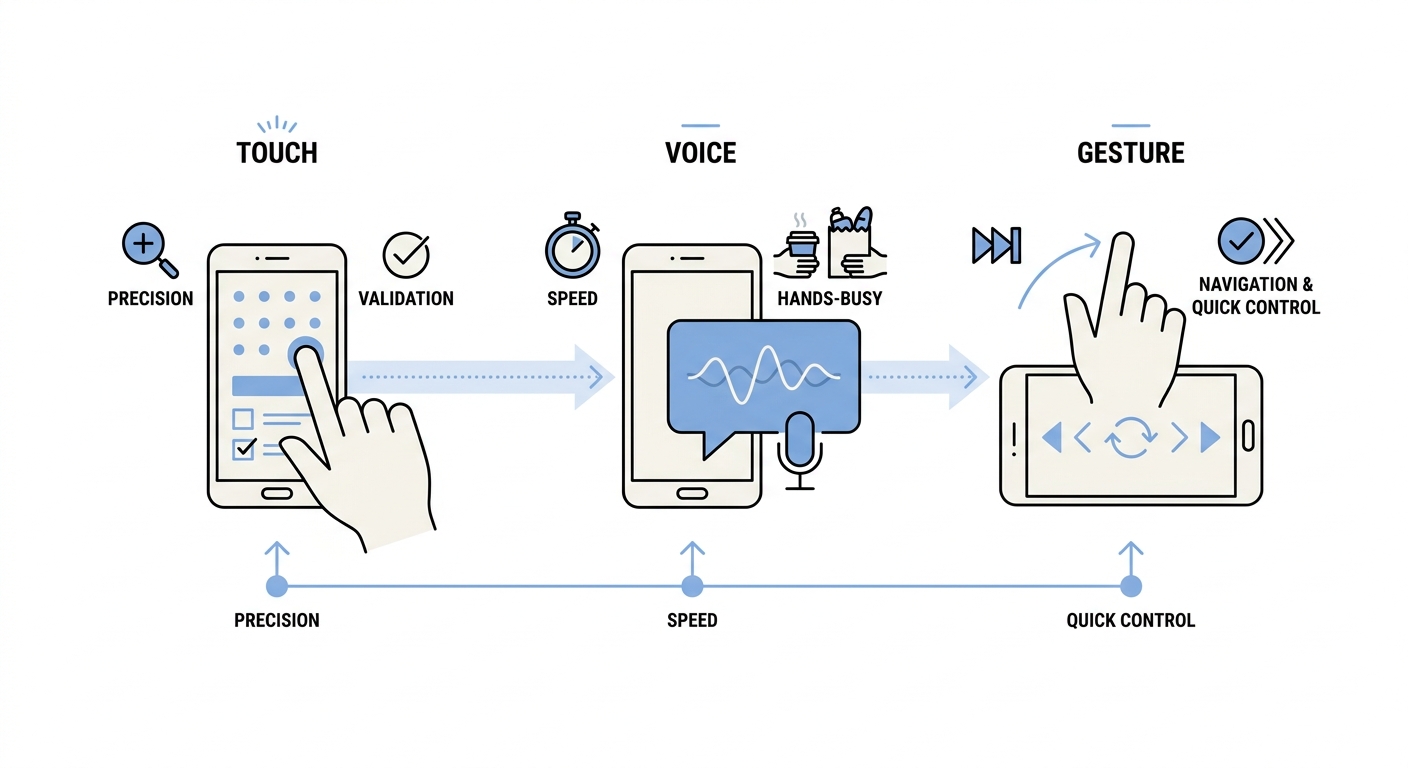
A simple flow diagram showing a mobile task moving from touch input to voice input to gesture navigation depending on context such as precision, speed, and hands-busy conditions.
Where each mode tends to win (and where it usually loses)
- Touch wins on precision: dense forms, parameter tuning, strict validation, and explicit confirmations (Microsoft guidance).
- Voice wins on intent speed: quick search, command-style actions, and hands-busy moments when a "good enough" result is acceptable (multimodal patterns).
- Gesture wins on navigation shortcuts: back, dismiss, switch, and one-handed browsing when mappings are consistent and learnable (gesture patterns).
- Reality check: ambiguity sends users back to touch. That is fine if recovery is fast, and harmful if users feel forced into a failing mode.
Constraints and failure modes teams should plan for
- ASR and intent quality are dependencies: vendor/model choice, locale and accent coverage, and domain vocabulary matter. Plan for iteration; a meaningful voice feature commonly takes 2-6 weeks end-to-end once you include tuning, QA, and review cycles.
- OS gesture conflicts are real: edge swipes and system navigation can collide with app gestures, especially near back gesture areas.
- Discoverability is a tax: shortcuts are invisible; without cues, many users will never learn them, while others trigger them accidentally.
- Privacy and social comfort suppress voice: public, noisy, shared, or regulated contexts reduce speaking. Plan for opt-outs and quiet alternatives.
- Operational risks: false activations, misrecognition, accidental navigation, and "it keeps triggering" complaints require debuggability (logs, replayable steps, clear toggles).
What this means: multimodal improves outcomes only when you budget for the work behind it: instrumentation, a device matrix QA plan (handedness, cases, screen sizes), localization where relevant, accessibility regression testing, and support readiness.
For tradeoffs, checklists, and edge cases, SwiftUI vs UIKit - Which Should You Use in 2026? rounds out this section.
How can product teams design for multimodal mobile UX?
Start with a narrow, high-frequency workflow
Prioritize flows where intent is clear and repetition is high:
- Search and browse ("find X")
- Navigation shortcuts (back, dismiss, switch)
- Utility actions (reorder, track, control playback, save)
- Lightweight capture (note, expense, quick message)
Tradeoff: most gains come from shaving steps, but every added mode increases surface area to build, test, and maintain. Treat voice and gesture as augmentation, not replacement, especially in high-stakes or high-precision tasks.
Build a small test plan with realistic effort and dependencies
Pick one measurable flow
Choose a repeatable task with clear success criteria. Example targets (not guarantees): reduce median time-to-task by 10-20% or reduce back/undo events by 5-10%, while holding support contacts per 1,000 sessions flat or down.
Instrument before you ship
Log mode entry, abandon points, recognition errors, back/undo, and opt-out usage. If your analytics schema is mature, this is often 2-5 engineering days; if not, expect 1-2 weeks to get clean, trustworthy events and dashboards.
Run a controlled variant
Compare touch-only vs touch-plus-voice or touch-plus-gesture while keeping the core UI consistent. Plan at least 1-2 weeks to get past novelty effects and stabilize obvious bugs, and longer if you need localization, privacy review, or model tuning.
Decide with downside awareness
If completion improves but errors or support contacts rise, you are not done. Tighten activation rules, constrain accepted intents, add cues, or keep the mode behind an explicit entry point until reliability improves.
Plan a multimodal pilot
Audit one high-frequency mobile flow for voice or gesture readiness, then map iOS and Android constraints, analytics events, and accessibility checks before you build.
audit your flow
How to Convert Your Web App Into a Mobile App reframes the same problem with a slightly different lens - useful before you finalize.
What mistakes most often sink multimodal UX efforts?
Mistaking novelty for usability
Voice and gestures can look modern but reduce clarity when affordances are implicit. Practical multimodal design usually requires visible cues, predictable states, and a touch fallback so users can recover when speech fails or a gesture is forgotten. The commercial test is whether metrics improve after the learning period without creating a support burden.
Ignoring context, QA burden, and accessibility
- Do not gate core tasks behind voice; usage drops in noisy, shared, or privacy-sensitive settings.
- Avoid gesture-only critical paths; they can exclude users who need explicit controls and often conflict with system navigation.
- Budget for regression testing: screen readers, motor constraints, touch target sizing, and gesture conflicts across devices.
- Prepare mitigations: settings toggles, clear undo states, and help content that explains how to stop misfires.
De-risk gestures and voice before rollout
Review your top failure modes (false positives, edge-swipe collisions, recognition errors) and define what you will change if key metrics worsen.
avoid the trap


