
If your app generates answers with AI, the hardest part is usually not the model. It is deciding what to tell users and where to tell them so you build trust without adding App Store or Google Play review friction. Reviewers and users generally expect clear, user-facing disclosure that content is AI-generated, and labels that are missing or buried can turn into rejection risk or support headaches. This guide gives you a practical workflow for shipping the right in-app copy, store metadata, and guardrails without overbuilding.
Early proof: disclosure elements reviewers and users tend to look for (directional)
| Disclosure element | What users need to understand | Where it usually appears |
|---|---|---|
| AI use | "This answer was generated by AI." | Answer UI, onboarding, store listing |
| Human oversight | "Reviewed by humans" vs "Not reviewed." | Settings, help center, listing notes |
| Limitations | Accuracy, timeliness, citations, uncertainty | Answer UI, FAQ, support page |
| Safety boundaries | What not to use it for, how to report issues | Answer UI, reporting flow |
Explanation: this is based on patterns from reviewer feedback loops and user trust complaints, not official policy text.
Interpretation: if one element is missing on the answer screen, it can be easy to miss in screenshots, A/B variants, or edge states.
Reader impact: shipping these early can reduce last-minute copy rewrites under review deadlines, but outcomes can still vary by reviewer and category.
How to Publish an AI-Powered App on App Store in 2026 goes deeper on the ideas above and adds concrete next steps.
What should you disclose when your app uses AI to generate answers?
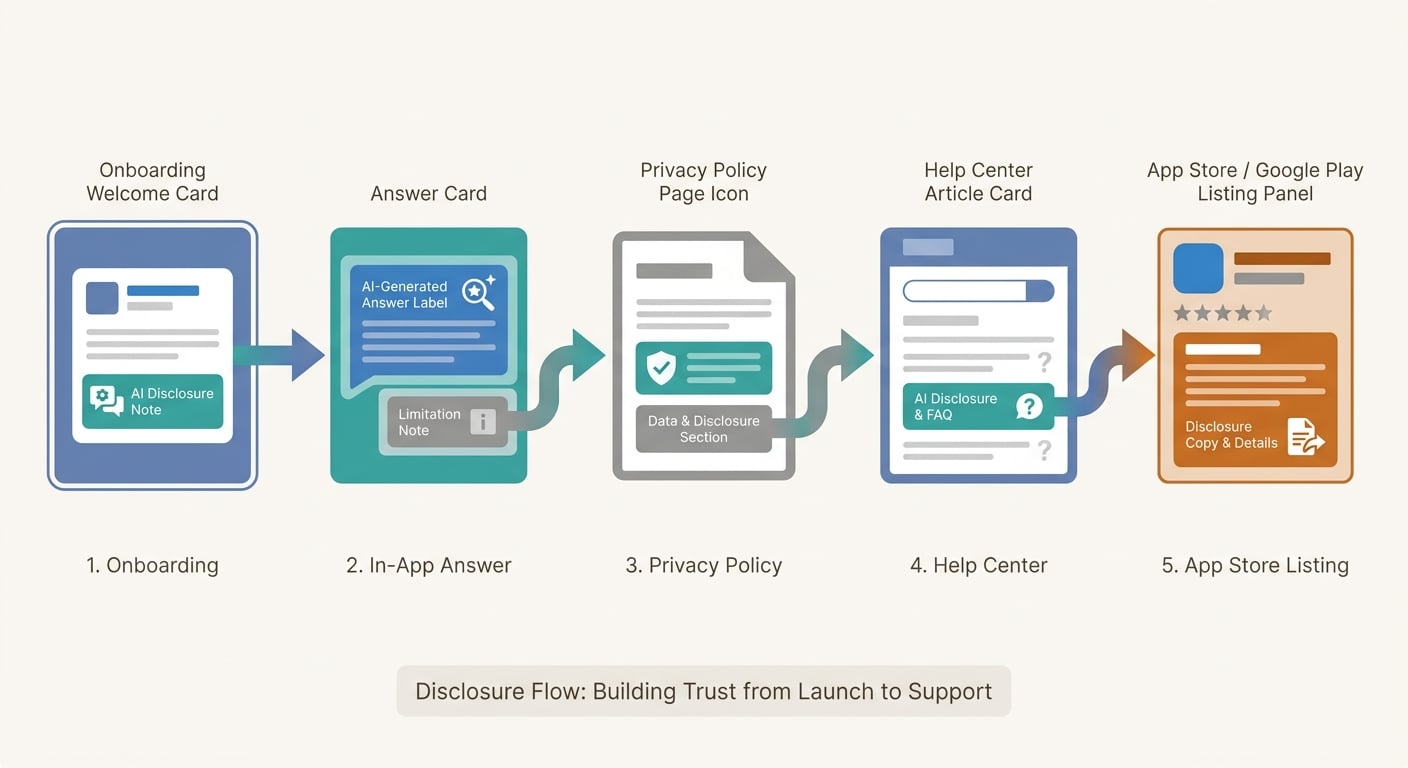
A simple workflow diagram showing how AI answer disclosure should move from onboarding to in-app answer cards, then to privacy policy, help center, and App Store or Google Play listing text.
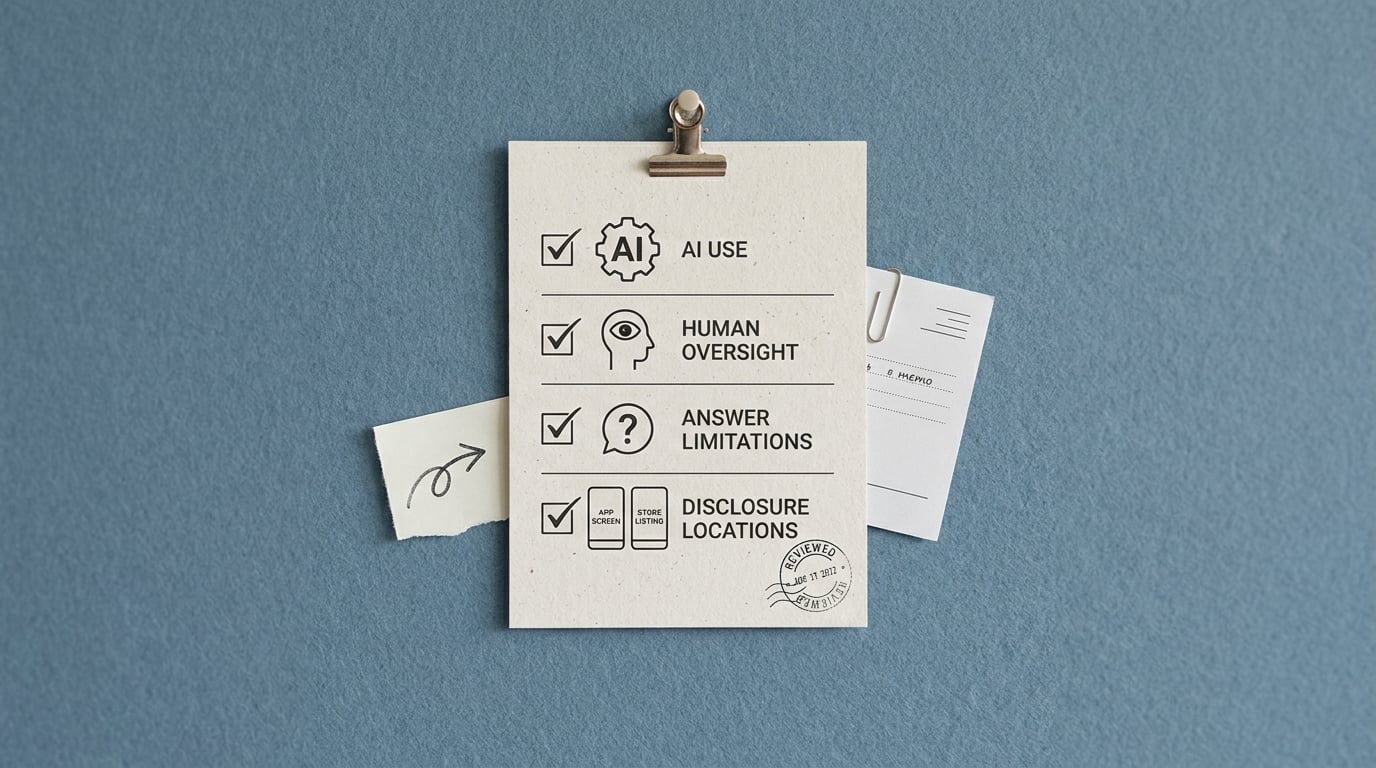
A compact proof card summarizing the disclosure dimensions for AI answer apps: AI use, human oversight, answer limitations, and where the disclosure appears across the app and store listing.
Vague disclosure is a launch risk for both trust and store review. Users want to know when they are reading machine-generated text, especially in health, finance, education, or support flows where a confident mistake can cause real harm.
Apple and Google Play have published guidance that pushes toward clear disclosure and user reporting for generative experiences, but review outcomes can still vary by reviewer, app category, and UI presentation (Apple, Google Play). This is not legal advice, just practical ops guidance for reducing avoidable churn.
You are not choosing one disclosure. You are choosing consistent disclosure across three layers:
- Store metadata (listing description, screenshots, reviewer-facing context)
- In-app UI (where the answer is read, copied, or shared)
- Backstops (help center, privacy, terms, safety docs)
Tradeoff to acknowledge: every extra warning can hurt conversion and clutter the UI. The goal is proportional transparency that shows up where users actually rely on the answer, not a wall of text nobody reads.
When you move from outline to execution, How to Publish an Emergent-Built Mobile App Successfully helps close common gaps teams hit here.
How do you decide what to disclose in an AI app?
For most teams, this is a focused half-day to draft and align, plus 1-2 design iterations to make it look intentional. If you involve legal/privacy review, localization, or you have multiple experiment variants, plan for a few extra days since small wording changes tend to bounce and labels can disappear in one layout.
Classify the output and its risk level
Name what users believe they are getting: general chat, personalized recommendations, or domain guidance (health, legal, financial, kids). If a wrong answer could change a real-world decision, default to stronger warnings and clearer boundaries.
Document refusals and escalation paths up front. If you cannot offer a human handoff, say so and point to trusted resources instead.
Map disclosure to the surfaces where reliance happens
Put a plain label near the answer UI (header, footer, or under the response). Add a brief first-run disclosure so users see it before they form the wrong mental model, and back it up in settings or a help center page with details on limitations and data use.
Dependency caveat: if your UI is dynamic (feature flags, device-specific layouts, different entry points), capture screenshots or short screen recordings from each variant. A common failure mode is "the label exists" but disappears in one experiment cell or small-screen layout, and that can be the version reviewers see.
Write plain copy, then test edge states
Start with two sentences you can stand behind, like: "AI-generated. May be inaccurate or incomplete." Then state oversight honestly: "Not reviewed by a human" or "Reviewed for X, not for Y."
Test it where it breaks: regenerated answers, share/copy views, saved/exported content, offline/error states, and anywhere a user might confuse AI text for a human agent.
Risk caveat: localization drift is real. If you ship multiple languages, budget a quick translation QA pass so the disclosure does not get softened, mistranslated, or pushed off-screen.
CTA: Get a disclosure pack you can ship I will share copy-and-paste UI labels, store listing notes, and help center text you can adapt in 1-2 hours, then expect some design tweaks to fit your screens. Get the pack
A complementary angle worth comparing lives in The Privacy Policy URL Trap: What It Must Include to Pass Review.
What disclosure mistakes should you avoid?
Mistake: saying "powered by AI" without explaining the output
"It uses AI" does not tell users whether answers are automated, personalized, or reviewed. It also hides the key limitation: models can sound confident while being wrong.
Use direct capability and limits, like: "We generate draft answers using AI. We do not guarantee accuracy, and we do not review every response." If you do review some content, define what and when, or it can read as misleading.
Mistake: treating a policy page as the only disclosure
A privacy policy is rarely the moment someone decides to trust an answer. The decision point is when they read it, act on it, or share it.
Put disclosure where the user looks: on the answer surface, on first run, and on share/export views. Keep the policy as backup, not the only surface.
Mistake: missing high-risk edge cases and operational mismatch
High-risk zones (medical, financial, legal, child-facing) often need stronger wording, tighter refusals, and a reporting or escalation path. If your product may expand into those domains later, write disclosure that can scale without a full rewrite.
Also watch operational mismatches: reviewer accounts landing in a different UX path, A/B tests hiding labels, and store screenshots that do not show disclosure. If you use third-party data or make training claims, align copy with what you can actually verify internally.
For tradeoffs, checklists, and edge cases, Can You Publish an AI-Built App to Google Play? rounds out this section.
Final disclosure checklist before you submit the app
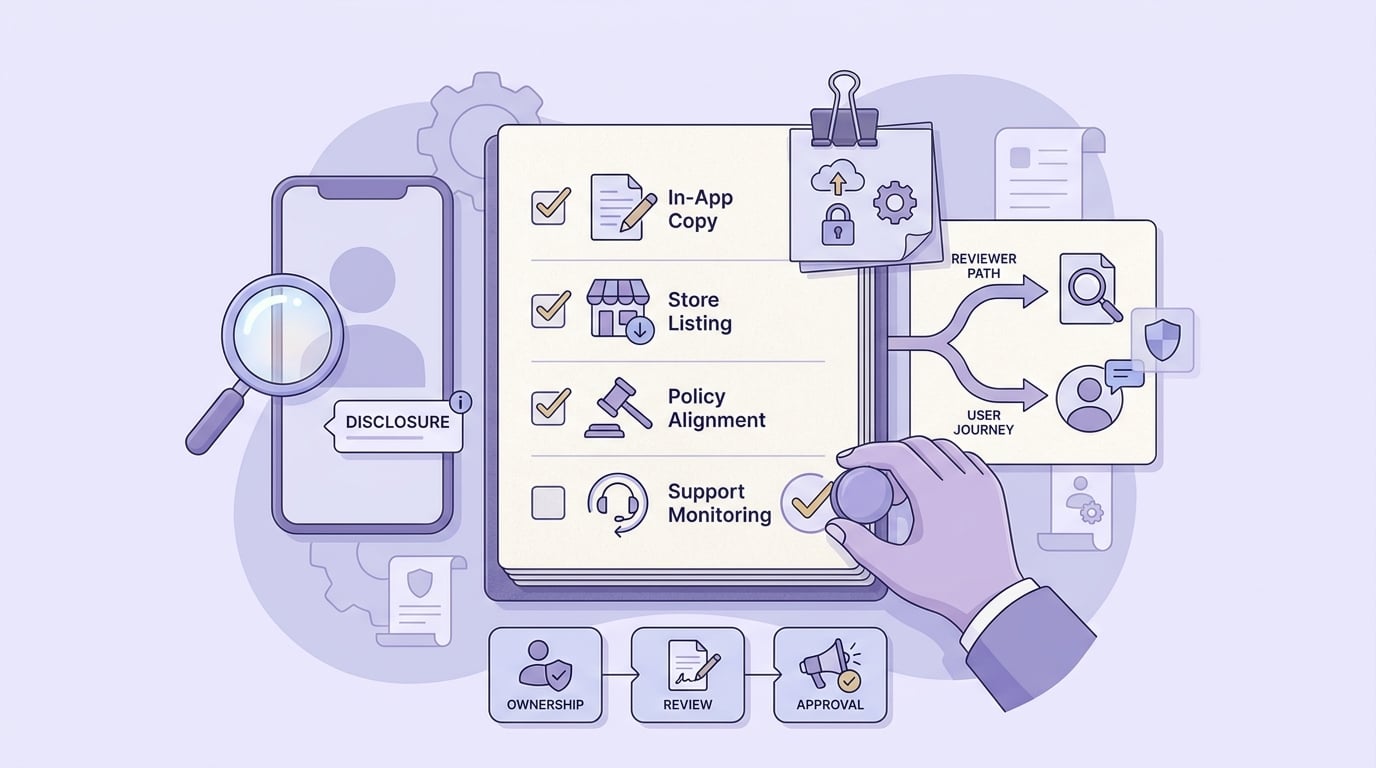
A launch checklist block for AI-generated answer apps covering in-app wording, policy alignment, store listing consistency, and post-launch monitoring for support or review issues.
Assign an owner for disclosure copy (often product with design) and a reviewer (legal/privacy if you have them). Budget 30-60 minutes for a final in-app sweep on real devices right before submission, because last-minute UI tweaks are where labels quietly disappear.
| Surface | What to check | Sample copy |
|---|---|---|
| Onboarding or first run | Disclosure is visible without scrolling; not gated behind a link | "This app uses AI to generate answers." |
| Answer card / response header | Every generated answer is labeled, including regenerated responses | "AI-generated" |
| Share / copy / export view | Label stays attached when users share content | "AI-generated content. Verify before using." |
| Settings or help center | Plain explanation of oversight, limitations, and data use | "Not reviewed by a human. May be inaccurate." |
| Report flow | Users can report unsafe or wrong outputs in 2-3 taps | "Report an issue with this answer" |
| Store listing (notes/description) | Matches in-app wording; no inflated claims | "Includes AI-generated responses." |
Post-launch, expect some iteration. Copy fixes can be quick, but you still have to ship a build and sometimes wait on a re-review cycle, so track disclosure-related review notes and support tickets early.
CTA: Run a fast pre-submit review If you want a second set of eyes, I can do a 30-minute disclosure walk-through and leave a punch list for your next build, but it cannot eliminate reviewer variance. Request a review
Where Founders Make Mistakes Before Launch reframes the same problem with a slightly different lens - useful before you finalize.


