
Publishing an AI-powered iOS app in 2026 is less about whether you use AI and more about whether Apple can quickly verify what your app does, how it handles user data, and how you prevent harm from generated content. This guide turns Apple’s public guidance into a practical approval workflow so you can reduce avoidable review loops. It is not legal advice, and you should plan for at least one review iteration for most AI apps.
The Future of App Publishing: Where AI Agents Are Taking It goes deeper on the ideas above and adds concrete next steps.
What are the biggest App Store AI approval risks?
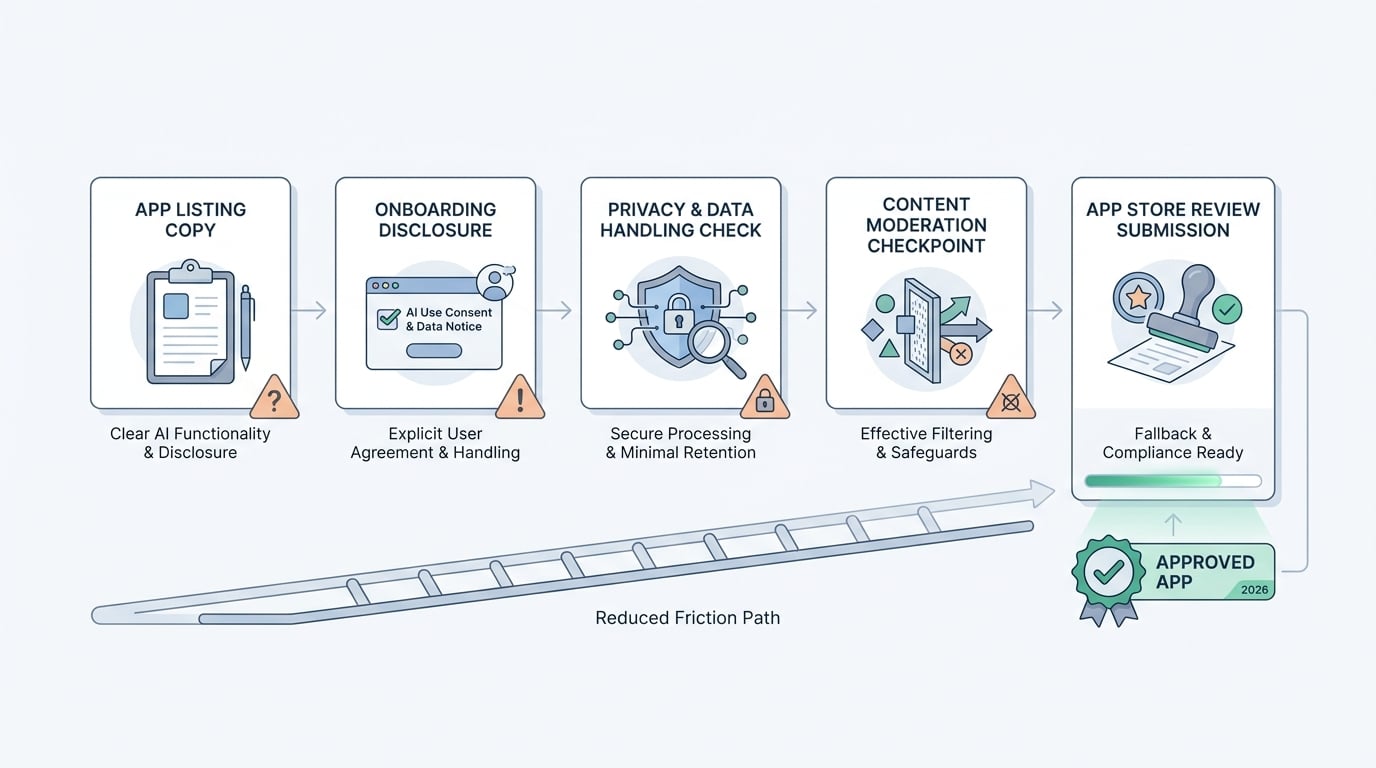
The biggest approval risks rise when AI features lack clear disclosure, strong privacy handling, moderation controls, and App Review-friendly fallback behavior.
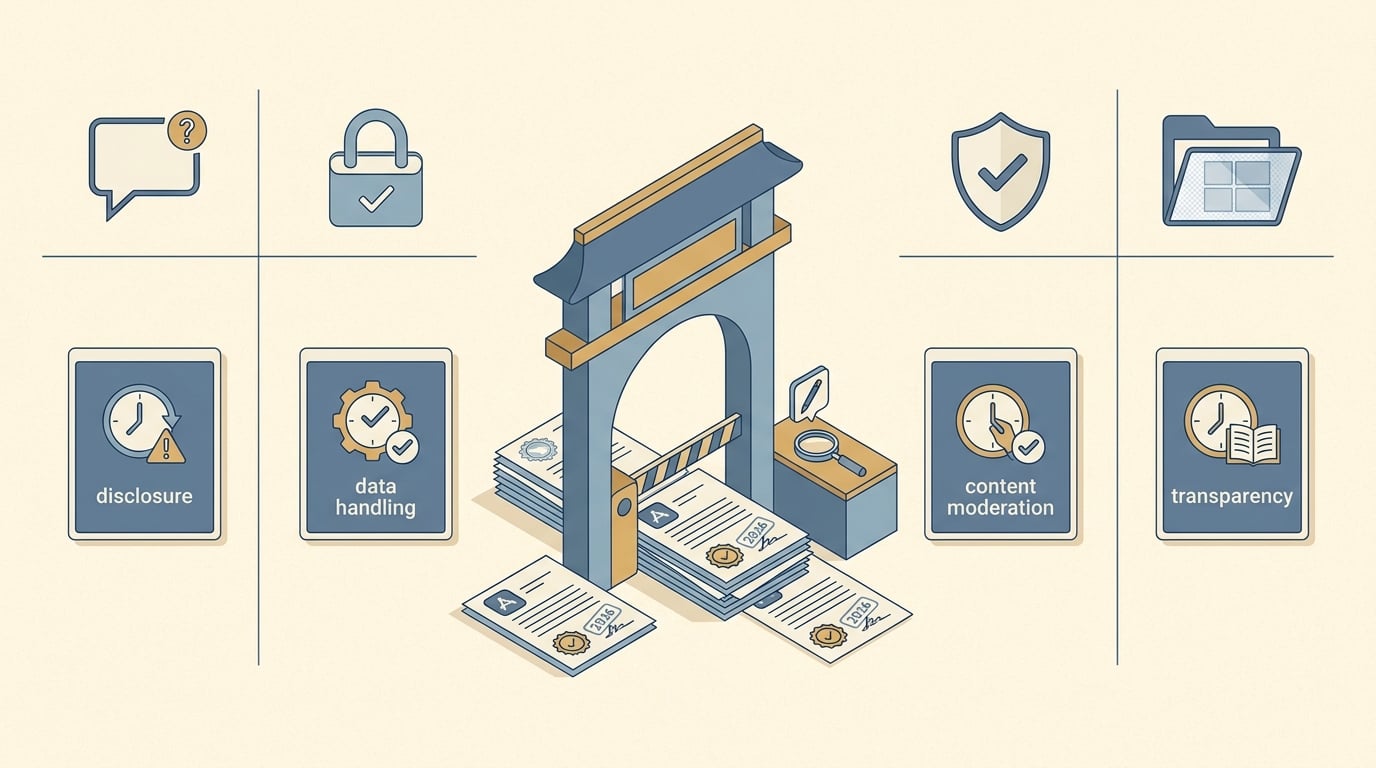
A compact comparison table showing the main AI App Store review checkpoints: disclosure, data handling, content moderation, and transparency, with a short note on how each can affect approval timing.
Below is a compact map of where AI app submissions typically run into friction. It is not a claim about rejection rates, it is a practical prioritization based on Apple’s published guidance and recurring reviewer questions.
| Review checkpoint | What App Review is implicitly asking | What you should ship (founder action) | If you miss it, what happens |
|---|---|---|---|
| AI disclosure (listing and in-app) | "Does the user understand what is AI-generated vs not?" | Label AI outputs in the UI, keep store claims accurate, avoid overstated screenshots | Metadata rejection, "misleading" concerns, follow-up questions |
| Data handling and consent | "Where does user content go, who processes it, and did the user consent?" | Accurate privacy policy and labels, just-in-time consent before sending prompts/uploads | Escalation, rejection, or a required resubmission |
| Content safety and moderation | "Can this generate harmful, illegal, or unsafe content?" | Basic filters, a report mechanism, and refusal patterns for risky topics | Higher rejection risk, especially for open-ended generation |
| Transparency of limitations | "Could the app mislead users about accuracy or capabilities?" | In-context uncertainty notes, verification prompts, clear boundaries | Requests for clarification, skepticism, possible rejection |
Explanation: these checkpoints help a reviewer decide if your app is understandable and safe without digging through long docs.
Interpretation: Apple’s pressure concentrates around user understanding and protection, not whether you use AI.
Reader impact: shipping these pieces up front often prevents rework later. It does not guarantee a clean review because reviewer variance, category sensitivity, and intermittent AI failures can still trigger questions.
When you move from outline to execution, The Last Step AI App Builders Don't Solve: Publishing helps close common gaps teams hit here.
What does Apple evaluate in AI apps?
Apple’s AI expectations keep evolving, and outcomes can vary by reviewer, region, and category. The stable theme is verification: can a reviewer quickly confirm what is generated, what data leaves the device, and what happens when users try risky prompts?
The most common mismatch is timing. Teams ship AI features quickly, then bolt on disclosure and privacy wording at the end. In practice, accurate privacy labels, just-in-time consent UI, App Review notes, and basic safety controls usually take 1-3 focused days for a simple app, and longer if you have accounts, paywalls, uploads, or multiple model providers.
Sources referenced: Apple’s App Review Guidelines, Apple’s Generative AI Human Interface Guidelines, and reporting on guideline tightening around third-party AI data sharing such as TechCrunch. Where this guide goes beyond explicit policy language, treat it as directional and validate against your exact build.
A complementary angle worth comparing lives in How to Publish an Emergent-Built Mobile App Successfully.
Approval workflow
1) Make AI disclosure easy to spot (without killing onboarding)
Audit your App Store description, subtitle, and screenshots for claims you cannot reliably demonstrate in the submitted build. If an output could be mistaken as authoritative (medical, legal, financial, identity, safety), label it clearly and add a short limitation note near the output.
Tradeoff: too much warning text can hurt conversion and trust. A practical compromise is short, specific copy where it matters (first use and next to output), plus a skimmable summary in App Review notes.
2) Align privacy policy, privacy labels, and network behavior
Map the full flow: what you collect, what you transmit, where it is processed (on-device vs server), and how long you retain it. Then align three surfaces:
- App Store privacy labels
- Your privacy policy
- What the app actually sends over the network
Expect at least one pass to remove accidental logging (prompts in analytics events, crash reports, or server logs). If you rely on third-party models, assume extra scrutiny and be explicit about what is shared, for what purpose, and under what retention terms.
Failure mode to watch: a privacy label that says "not collected" while prompts show up in event payloads or error logs can lead to re-review questions or a rejection.
3) Ship content safety reviewers can see (and you can operate)
If your app generates open-ended text or images, assume some safety controls are expected. For a first release, keep it simple and visible:
- A short "we refuse certain requests" line near the input
- Basic category filters (self-harm, hate, sexual content, illegal activity) with clear refusal messages
- A report mechanism for problematic outputs
Risk caveat: filters produce false positives and false negatives. Plan time post-launch to tune prompts and thresholds, and decide what you do operationally when something slips through (triage, blocklists, provider escalation, and response time).
Also plan for ongoing ops cost: someone needs to handle moderation queues and abuse reports, tune filters as your model changes, and maintain a change log when retention or safety settings change.
For tradeoffs, checklists, and edge cases, Why Publishing Certainty Is More Valuable Than Faster Builds rounds out this section.
How do you pre-submit test an AI app for App Store review?
If you only do one "prove it" pass before submission, do this. Budget 60-90 minutes if your plumbing is clean, or half a day if you discover prompts leaking into logs and need to change instrumentation.
Verify what leaves the device (proxy check)
Use Proxyman or Charles Proxy on a review device to capture traffic during a typical AI interaction. Confirm prompts and uploads only go to the endpoints you expect, over TLS, with no duplicate destinations (analytics, crash reporting, unexpected third parties).
Check analytics and crash logs for prompt leakage
Search your analytics event payloads (for example, Amplitude, Firebase, or Segment) and crash tooling (for example, Crashlytics, Sentry) for raw prompt text, file names, or extracted content. A simple measurable check: "No prompts appear in event properties or breadcrumbs."
Document retention in plain English
Write down retention in days for: prompts, uploads, outputs, and logs. If it varies by provider, note that. If you cannot honestly state a retention window, you probably cannot make your privacy disclosures consistent.
Do the reviewer run-through
On a clean device: install the TestFlight build, follow the fastest path to the AI feature, generate an output, report an output, and find your disclosure and privacy explanation. If any step takes longer than 60 seconds or requires guesswork, add App Review notes or simplify the path.
Dependencies to call out in review notes: third-party model uptime, region availability, rate limits, and any account requirement. Reviewers have different network conditions, and AI features that fail intermittently can look like broken functionality.
One more failure mode: if you change privacy labels, retention defaults, or the meaning of "data used for tracking" between versions, you can trigger extra scrutiny and a re-review even if your feature set is unchanged.
AI App Positioning Without Policy Risk reframes the same problem with a slightly different lens - useful before you finalize.
Handling follow-up questions without digging a deeper hole
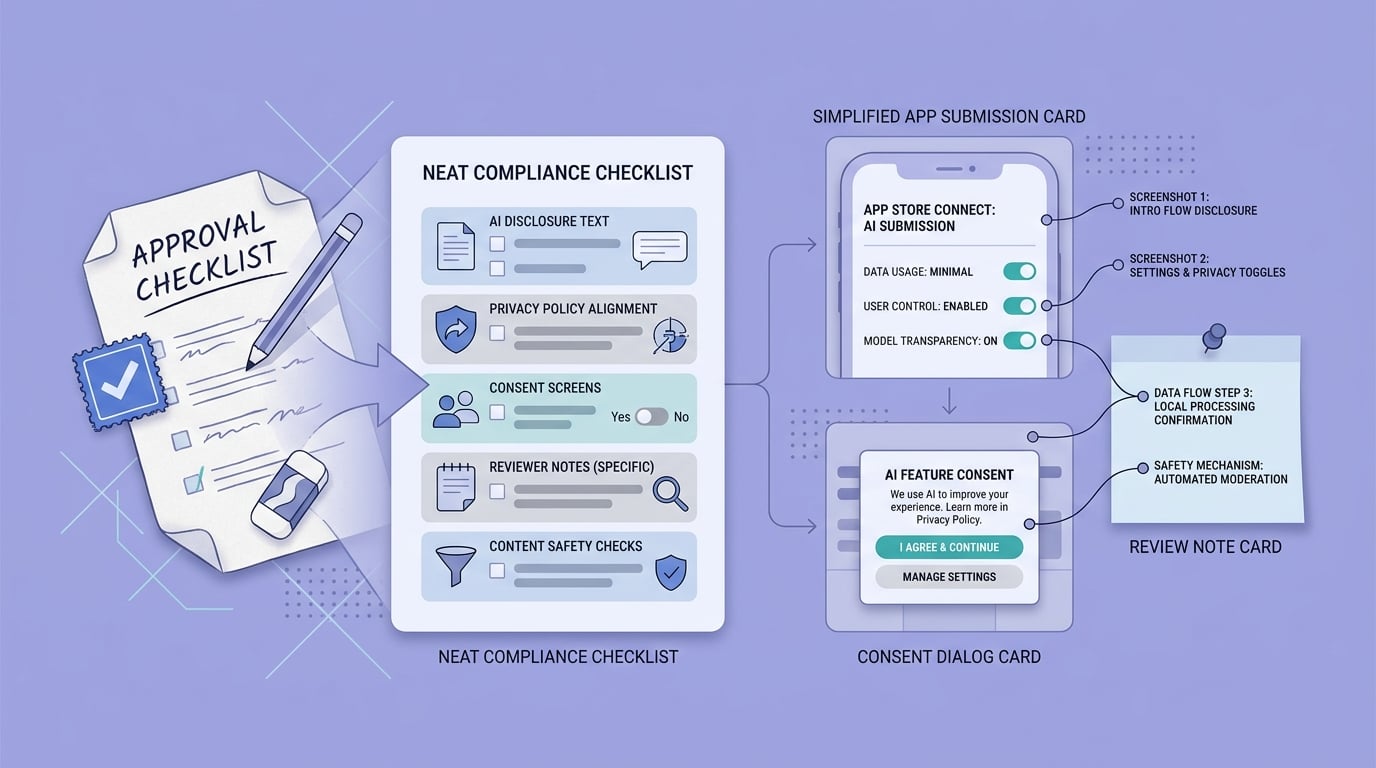
A launch checklist block tailored to AI-powered App Store submissions, highlighting disclosure text, privacy policy alignment, consent screens, reviewer notes, and content safety checks.
If Apple asks questions, respond like a debugger, not a marketer. Point to exact screens, exact copy, and the exact data flow (what is sent, to whom, and when). If the reviewer cannot access a feature due to login, paywall, or region gating, fix that first or provide a working test path.
One thing worth noting: changing model providers, safety settings, or retention defaults after approval can trigger new questions in your next update. Keep a simple internal change log so you can explain what changed without scrambling, and consider a quick regression test to ensure the AI path still works under poor connectivity.


