
Converting a responsive web app into a mobile app is about choosing the right path and shipping the core workflow fast; this guide helps indie developers and small teams pick between a PWA, a WebView wrapper, or a hybrid/native port, run a focused readiness audit, package the minimal native layer, and get an internal build to testers quickly.
| Route | Time to first shippable | Immediate gain | Top constraint |
|---|---|---|---|
| PWA | 1 - 5 days | Installability and faster re-entry from home screen | iOS feature gaps and limited store visibility |
| WebView wrapper (Capacitor) | 3 - 10 days | App store presence and simple native bridges | WebView auth quirks and store-review variability |
| Hybrid / Native (React Native, Flutter) | 3 - 8+ weeks | Access to sensors, background work, better performance | More dev and QA time to reach parity across platforms |
Explanation and impact: these ranges are directional; expect small fixes and review cycles to add a few extra days. The practical takeaway is to secure the single core workflow that delivers value on-device before expanding features.
Best Cross-Platform App Development Tools Ranked 2026 goes deeper on the ideas above and adds concrete next steps.
Which route should I choose - PWA, wrapper, or native?
PWA gives the fastest distribution and lowest engineering cost if you can accept platform limitations; wrappers add store discoverability quickly when the web UX is solid; hybrid/native is only worth it when you must access hardware or need offline-first reliability and can invest weeks in development and QA.
What this means in practice: choose the simplest route that reliably supports your core journey, and budget for at least one unexpected review cycle or platform bug. If you need push, background location, BLE, or high-performance rendering, budget extra development and testing time upfront.
When you move from outline to execution, RevenueCat Subscription Review helps close common gaps teams hit here.
How do I convert my web app into a mobile app - step by step?
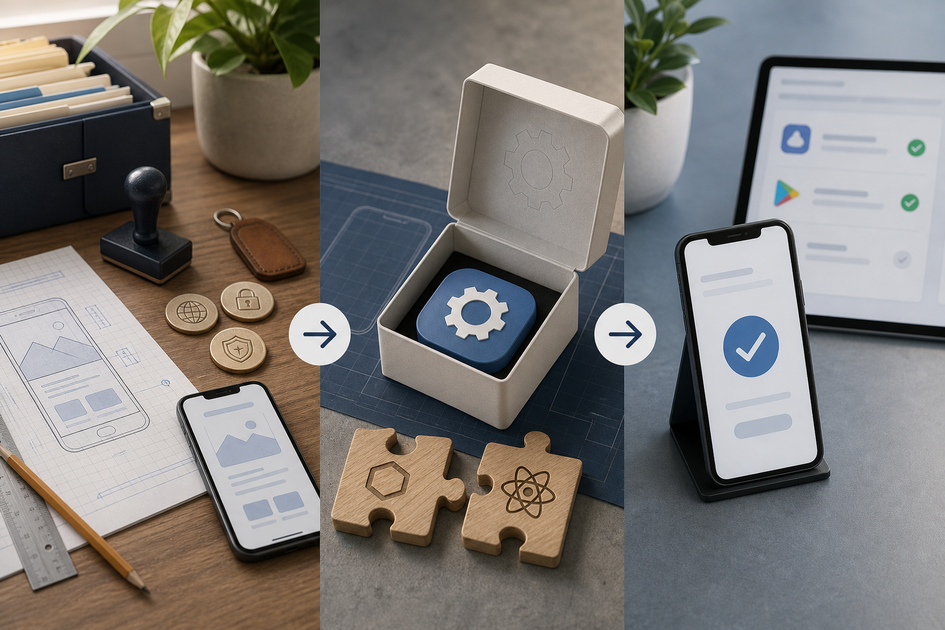
A three-stage process diagram specific to this article: (1) prepare assets & signing, (2) package (Capacitor wrapper or Flutter/React Native build), (3) deploy to TestFlight/Play internal track and run the core workflow smoke tests.
Follow this compact workflow to get an internal build into testers' hands quickly while limiting scope creep.
Decide by your one core workflow
Define the single non-negotiable journey (example: install - sign up - complete first order) and list which device APIs are required. If no deep APIs are needed - PWA; if store listing matters but not hardware - wrapper; if sensors or offline persistence are required - native.
Run a mobile readiness audit on real devices
Spend 1 - 2 hours each on an iPhone and an Android device checking tap targets, keyboard overlap, safe area spacing, auth flows, and service worker behavior. Classify issues as blocker, workaround, or post-launch and be realistic: WebViews can differ from browsers and may require small code changes.
Package a minimal native layer and test internally
For a wrapper, prefer Capacitor for modern plugin support and configure WebView settings, icons, and bundle IDs. For native, extract API and business logic, then implement only the native modules you need. Implement system browser OAuth or universal links to avoid WebView-rejection risks. Create signing assets, upload to TestFlight and Google Play internal testing, and run smoke tests for the core workflow.
Process summary: decide - audit on real devices - package minimal native bits - distribute internally and iterate. Expect at least one build-rebuild loop after internal feedback.
A complementary angle worth comparing lives in How to Publish an Expo App to App Store and Google Play.
What common mistakes cause store rejections and delays?
Fix predictable anti-patterns early to save days of rework or a store rejection.
Wrapping without fixing navigation and auth
Embedded WebViews can break OAuth and redirect flows; implement system browser auth and deep links as a standard precaution.
Skipping real-device performance checks
Keyboard overlap, safe-area issues, and jank show up quickly on device; allocate 1 - 3 hours for focused fixes before packaging.
Ignoring store policies and metadata
Prepare privacy text, permission justifications, screenshots, and Data Safety entries before submission to avoid avoidable rejections.
Edge cases that change route or timeline: continuous background location, BLE, or enterprise SSO often force a native approach and can add 2 - 6 weeks for development and QA. Plan fallbacks for notifications if APNs or Web Push are insufficient.
For tradeoffs, checklists, and edge cases, How to publish Replit app on Play Store rounds out this section.
Execution checklist and next steps
Clear these items before you build signed binaries and before you submit to stores.
Pre-flight checklist
- Confirm bundle ID / package name, app icon sets, and splash images for both platforms.
- Ensure Service Worker registration for PWA or that WebView allows required cookies and storage.
- Create and securely store signing keys (keystore.jks, Apple signing assets) and invite the account owner who will submit builds.
- Prepare three device screenshots showing the core workflow and a short store description focused on the primary user outcome.
Store submission checklist
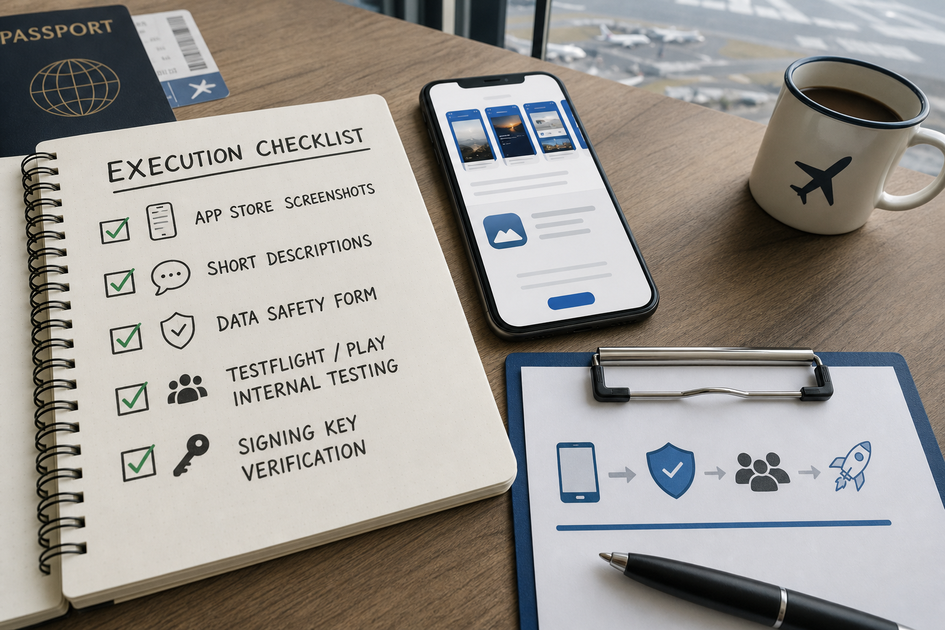
A checklist block tailored to this article listing the exact store submission tasks: screenshots, short descriptions, Data Safety form, TestFlight/Play internal testing, and signing key verification.
- Produce screenshots sized for iPhone and Android and write concise, action-oriented store copy.
- Complete Google Play Data Safety and Apple privacy permission explanations with honest, specific use cases.
- Set up TestFlight internal testers and Google Play internal testing; collect crash logs and prioritize fixes.
- Fix any priority-1 crash before public release; expect 1 - 2 review cycles for simple wrappers and more for native builds.
PWA vs App Store App: What Founders Should Know Before Publishing reframes the same problem with a slightly different lens - useful before you finalize.


