
Most founders treat permissions as a compliance checkbox, but Google Maps shows they can be a trust and conversion lever. If permission opt-ins are weak, it is usually not what you ask for - it is when and how you ask. By the end of this piece, you will have a practical model for timing prompts around real intent, keeping the product usable when users say no, and measuring whether trust improvements translate into activation and retention.
Early proof: the Maps pattern you can copy (without pretending it ports 1:1)
| What you often see in Maps (observational) | Why it matters | What to borrow (adapt for your app) |
|---|---|---|
| The location prompt often appears when a user tries to navigate, find nearby places, or improve accuracy - not always on first launch | Users have already expressed intent, so the request feels like help, not a data grab | Trigger prompts from a high-intent action, not a generic onboarding step |
| A decline path often still lets you browse, search, and plan routes | Refusal does not become a dead end, which protects activation and trust | Build a "works without it" baseline with manual inputs or a limited mode |
| The UI frames the request around a specific job to be done | Specificity reduces permission fatigue and knee-jerk denial | One permission, one payoff, one screen |
Concrete detail you can measure (not a promise): Track your funnel around the trigger, not just the allow rate. A minimal event chain looks like: feature_intent_started -> preprompt_viewed -> os_permission_shown -> os_permission_result_allowed/denied -> activation_completed.
Explanation: This is product behavior observed across many sessions and devices, not a universal rule and not a lab statistic. Platform, OS version, region, and policy changes can alter when prompts appear and what options are available.
Interpretation: Moving a sensitive prompt closer to the moment a feature depends on it often increases permission acceptance and reduces rage quits because the tradeoff is clearer. It can also backfire if you delay too long and users never reach the trigger, or if they hit it in a stressful moment (for example, during checkout) with no fallback.
Reader impact: You can often improve trust and conversion without net-new features by changing timing, copy, and the "Not now" path. Plan 2-6 hours for a first-pass sequencing and copy edit, 1-3 days if you need new screens or states, and 1-2 weeks to measure (longer with low traffic, seasonality, app store review delays, or privacy review).
Why Publishing Certainty Is More Valuable Than Faster Builds goes deeper on the ideas above and adds concrete next steps.
Permission prompts are a product strategy decision
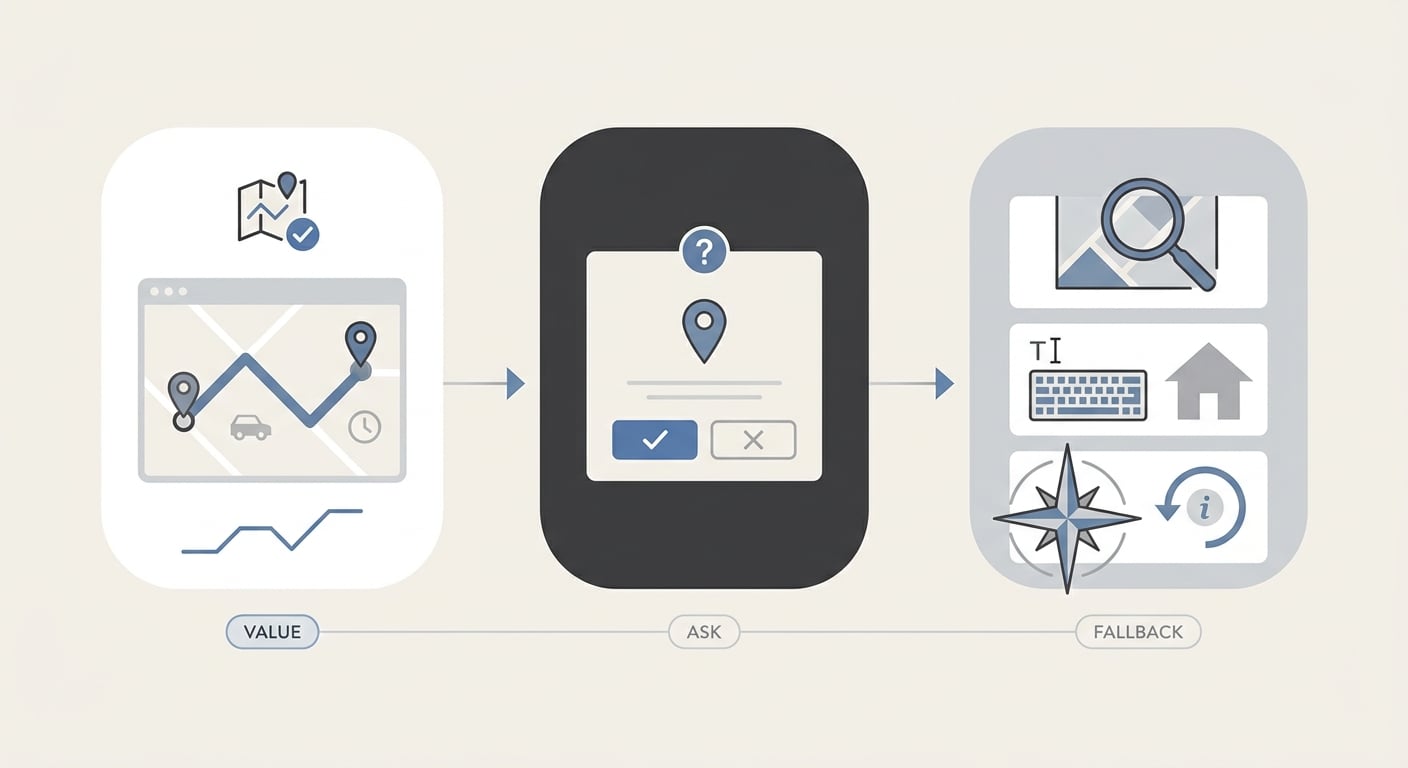
A simple three-step process diagram mapping the Google Maps pattern: show route value, request location, then provide a fallback path if the user declines.
The permission prompt is part of the product, not a legal speed bump. When you ask at the wrong time, you do not just lose opt-ins - you leak trust, which shows up later as lower activation, weaker reviews, and higher churn.
One thing worth noting: Maps patterns do not translate perfectly. OS dialogs, policy constraints, and category norms can limit pre-prompts, wording, and how often you can re-ask, and those rules can change.
When you move from outline to execution, How to Prepare Your App for Google Play Review helps close common gaps teams hit here.
How should founders time permission prompts?
The timing rule: ask after value is visible (but not so late it hides the feature)
Show the outcome first
Let the user preview the win: a route stub, an ETA range, nearby results (even if approximate), or a filled pickup field. This is often 0.5-2 days of UI work because you are rearranging screens and states, not just moving a prompt.
Trigger the ask at the moment of dependency
Ask for access when the feature actually needs it. If the feature works with approximate location or manual entry, treat precise or background access as an upgrade you earn later (and accept that some users will never upgrade).
Tie the permission to one clear payoff
Keep the rationale to one benefit per prompt. If you stack benefits, users often assume the worst and deny.
The context rule: make the request feel specific, not extractive
There is a meaningful difference between requesting always-on location and requesting access "to navigate right now." Specific context lowers friction because the user can predict the outcome and evaluate the tradeoff.
In practice, this is cross-functional: product and design for the flow, engineering for states and edge cases, and sometimes legal/privacy for wording. Budget at least one review cycle if you are in health, finance, kids, ads-heavy flows, or enterprise procurement.
The fallback rule: a refusal should not break the product
- Offer manual inputs: enter an address, drop a pin, pick a city
- Design degraded modes, not dead ends (reduced accuracy, fewer shortcuts)
- Keep a visible re-entry point later (settings link or an in-flow "Enable for better results" prompt)
Tradeoff: fallback paths add engineering and QA burden, and they can create more support cases ("Why is my accuracy worse?"). The upside is you keep activation moving and can earn permission after the first win.
A complementary angle worth comparing lives in iOS Location Permission Review Checklist.
What permission test should you run next sprint?
Use this when you want a plan, not a debate about "best practices." The goal is to improve activation and retention without spiking tickets or breaking core flows.
Instrument the moments around the prompt
Add events like
feature_intent_started,preprompt_viewed,os_permission_shown,os_permission_result_allowed,os_permission_result_denied, andfallback_used. Plan 2-6 hours to add, QA, and verify dashboards if your analytics setup is healthy; longer if event governance is strict or releases are slow.Define variants that change only one thing
Example test definition:
- Control: prompt on first launch
- Variant A: prompt on first high-intent action (
feature_intent_started) - Variant B: same as A, plus a pre-permission screen that explains one payoff and the decline path
Constraint: you may need a larger sample than expected because permission behavior is noisy and sensitive to traffic source, device mix, and seasonality.
Set a decision rule before you look at results
Ship the winner only if:
- Activation up (your metric) and D1 retention flat or up
- Support tickets about "location/notifications broken" flat (or within a threshold you can staff)
- No meaningful drop in downstream conversion that depends on the permission (for example, successful pickup creation)
Plan for the failure mode
If delaying the prompt reduces discovery or creates late-stage friction, add one of these:
- an educational nudge earlier (not the OS prompt)
- a lightweight "try with manual entry" first-run
- a clearer in-flow CTA at the moment of intent
Pitfalls to expect (so you do not misread results):
- OS prompt cooldowns and "Do not ask again" behavior can cap repeat attempts and skew experiments.
- Attribution and policy constraints can limit what you can say in pre-prompts and how you present choices.
- App store review delays can desync variants, and low traffic can stretch a "1-2 week test" into 3-4 weeks.
For tradeoffs, checklists, and edge cases, The Privacy Policy Page That Prevents Rejections rounds out this section.
When should an app ask for permissions early?
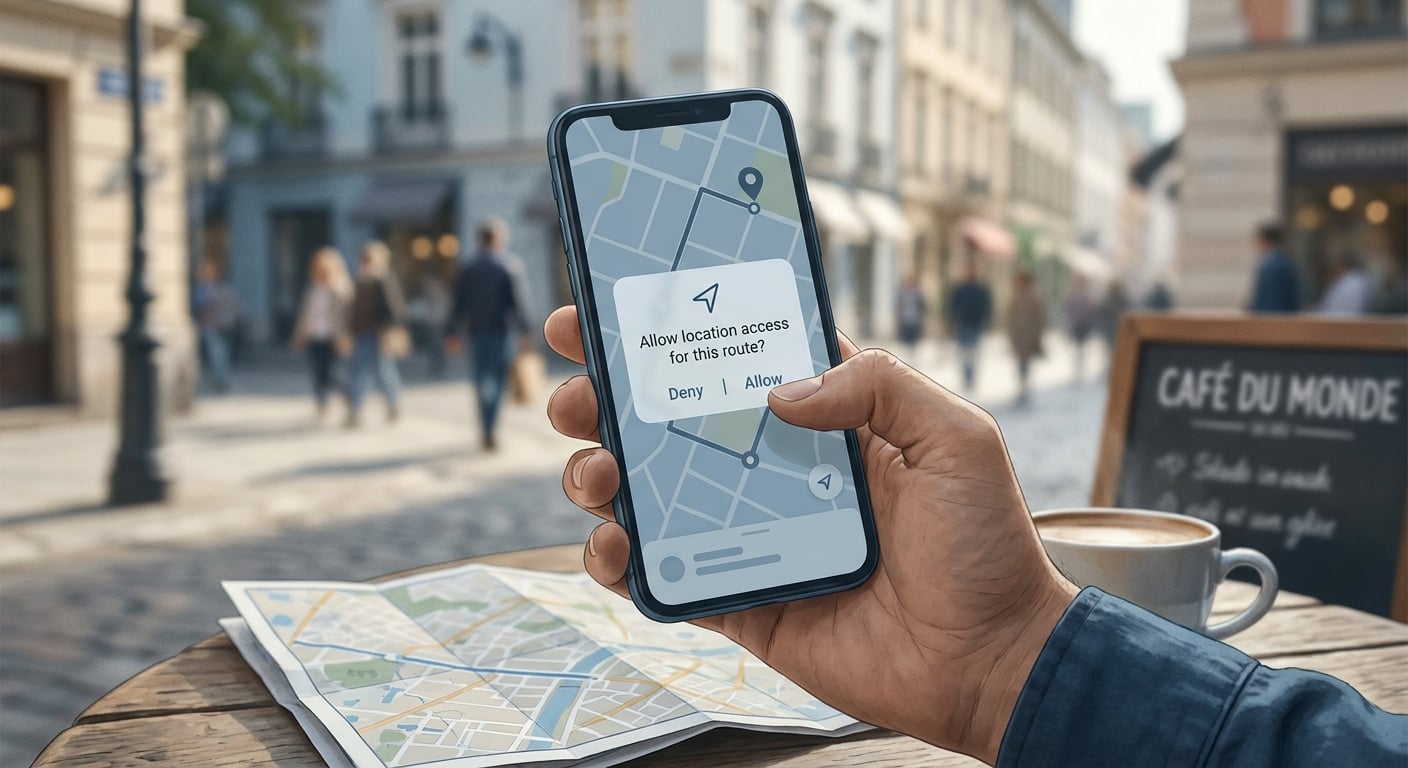
A concise proof card showing how Google Maps asks for location only when the user is actively trying to navigate or find nearby places, reinforcing the article’s thesis about timing and trust.
Some products genuinely need a permission early. The mistake is treating every permission as essential, or asking for the strongest level of access by default.
| Permission | When asking early is defensible | Fallback if user says no |
|---|---|---|
| Location (precise) | Real-time pickup, delivery routing, emergency and safety flows | Let users type an address, pick on a map, or use approximate location |
| Notifications | Time-sensitive alerts (2FA, delivery status, safety checks) | In-app inbox, banners, email or SMS (with consent) |
| Camera | Scanning workflows that are the core feature | Upload photo, manual entry, sample mode |
Dependency caveat: permission states differ across iOS and Android (approximate vs precise, one-time vs while-in-use, background restrictions). Budget time for device testing, state resets, QA across permission changes, and help center updates, or you will ship a flow that works only on the founder's phone.
Camera Permission Rejection: App Store and Google Play Fix Guide reframes the same problem with a slightly different lens - useful before you finalize.
What to change in the next release (realistic scope)
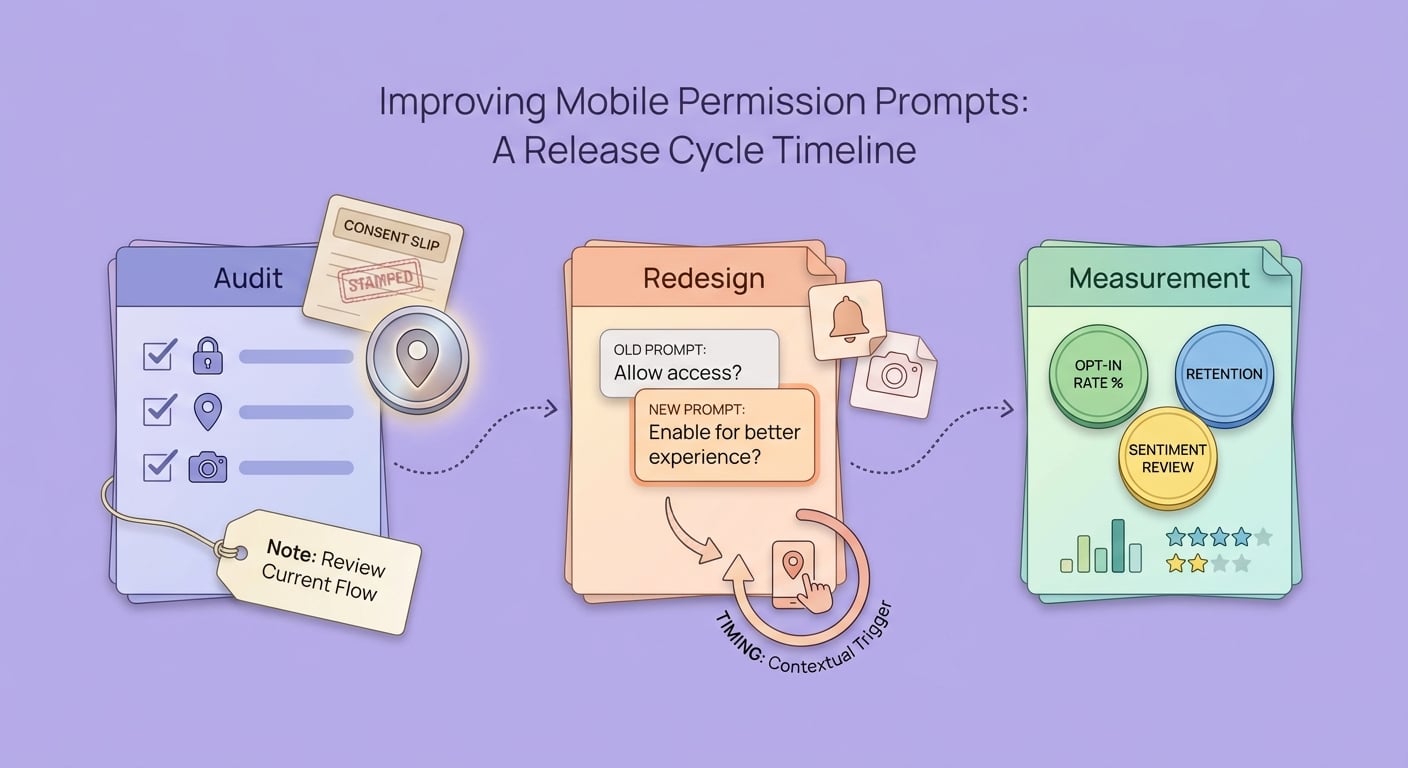
A short rollout timeline for founders: audit permission prompts, redesign copy and timing, then measure opt-in, retention, and review impact over the next release cycle.
Move the first sensitive prompt to a real trigger
Start with one permission and one trigger. This is usually 2-8 hours if it is just sequencing, and 1-3 days if it touches navigation, empty states, and "returning user" logic.
Rewrite the pre-permission copy in one line
Replace technical language with a payoff: "Enable location to auto-fill pickup" beats "Allow GPS access." Expect at least one round of copy and privacy review if your category is sensitive.
Build a clean "Not now" path
Make sure decline does not create a dead end. This is often the highest leverage change, and it can take longer than the prompt itself because you need to support extra states and QA them across OS versions.
Permission timing experiment
Run a 1-2 week test that moves your first sensitive prompt to the first high-intent action, with a clean fallback path and a pre-set ship rule.
permission-audit
Want help rewriting your permission flow?
Share your current onboarding screens, your must-have permissions, and your activation metric, and I will suggest a lower-friction sequence with fallbacks and an experiment plan.
request-a-review


