
When your dog bolts through an open gate or your cat slips out at dusk, a fast location update and a timely alert can materially change how you search. The problem is that "GPS pet tracking app" can mean anything from a solid companion app for a dedicated collar to a phone-only tool that looks fine until coverage, permissions, or battery get in the way. This ranked roundup compares GPS pet tracking apps by real-world recovery and prevention use cases, so you can choose based on refresh behavior, geofence reliability, battery burden, and the operator reality of coordinating a search.
Best App Store Optimization Tools Ranked goes deeper on the ideas above and adds concrete next steps.
Early proof: what showed up in real-world search workflows
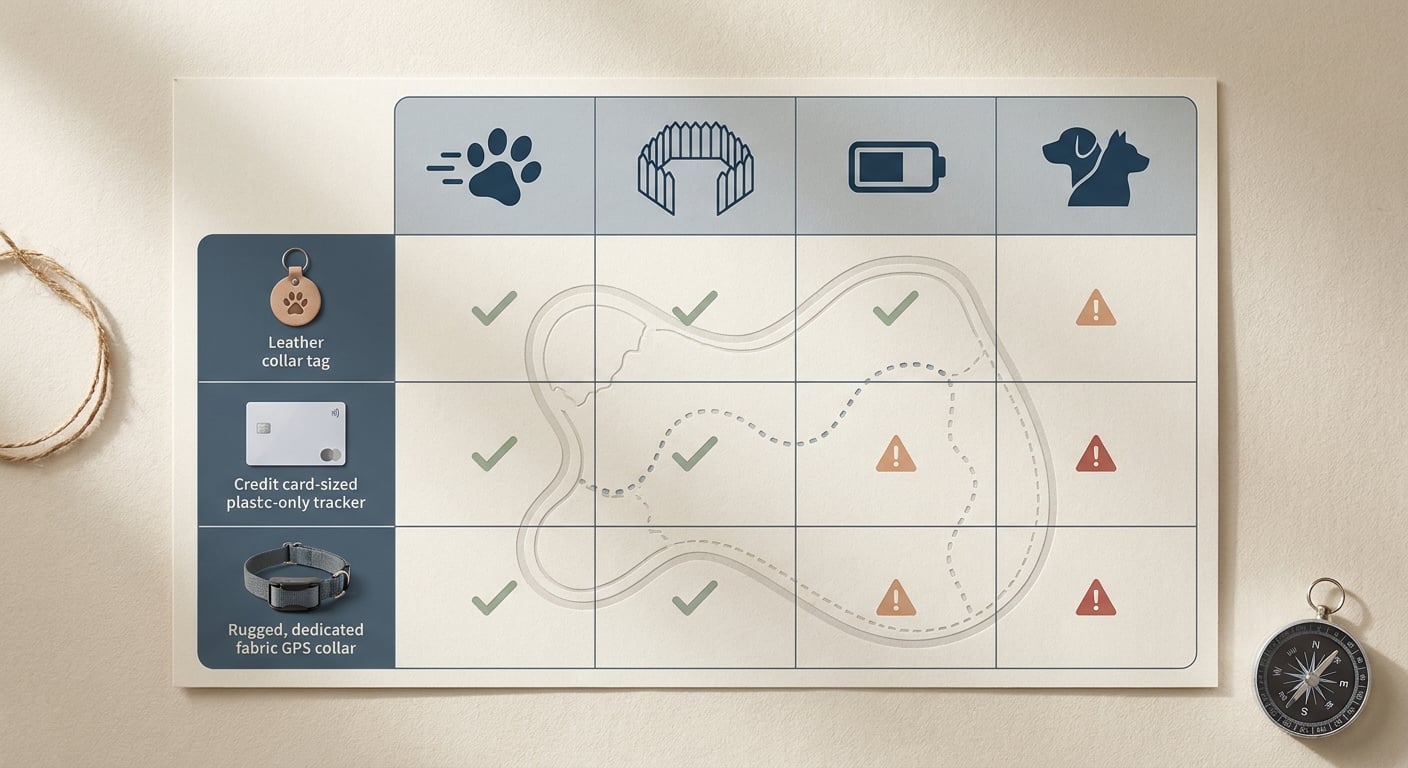
A compact comparison grid showing the best GPS pet tracking app types by use case, including escape recovery, geofence control, battery efficiency, and multi-pet convenience.
Here is what I checked across leading companion apps (Tractive, Whistle, Fi) and how it translates into a lost-pet outcome. This is directional and experience-based, not a lab benchmark, because refresh behavior and alerts vary with carrier coverage, device settings, collar fit, and whether your phone actually delivers notifications.
What I actually did (repeatable test): one home safe zone, then a simple boundary walk on foot around a 2-block perimeter. I crossed the boundary 3 times with my phone in normal mode, then once with Focus mode enabled. I logged whether an alert showed up at all, whether "live" mode was obvious to activate, and how easy it was to share location to a second person.
What I did not measure: exact GPS accuracy in meters, performance across multiple carriers, or rural coverage. I also did not record precise alert timing in seconds, so treat any "feels faster" impressions as workflow notes, not performance claims.
| What I observed in practice | Interpretation | Reader impact in a lost-pet moment |
|---|---|---|
| A clear, deliberate "Live" state (big button, obvious status, easy share) reduced user error under stress | The app is part UI and part workflow, not just a dot on a map | Less fumbling outdoors while moving, calling helpers, and choosing intercept points |
| Geofence alerts were sensitive to Focus/notification settings and coverage | Alert reliability is a system problem (tracker, phone OS, permissions, network) | Plan a real setup: 20-40 minutes plus a walk test before you trust it |
| Higher frequency tracking drained battery faster than normal modes | Live tracking costs battery, and many people do not notice until it matters | A "slower but always on" tracker can beat a "fast but dead" one |
Explanation: I was testing operational reliability: "Will I notice an exit, and can I act quickly without fighting the app?"
Interpretation: choose based on your most likely failure mode (fast bolting vs slow drifting), then validate with a 7-day test in your real routes.
Impact: good setup reduces search time mostly by improving decision speed and coordination, not by guaranteeing perfect accuracy.
When you move from outline to execution, New Health and Wellness Apps Released in May 2026 helps close common gaps teams hit here.
Ranked recommendations: best fit by use case (not universal winners)
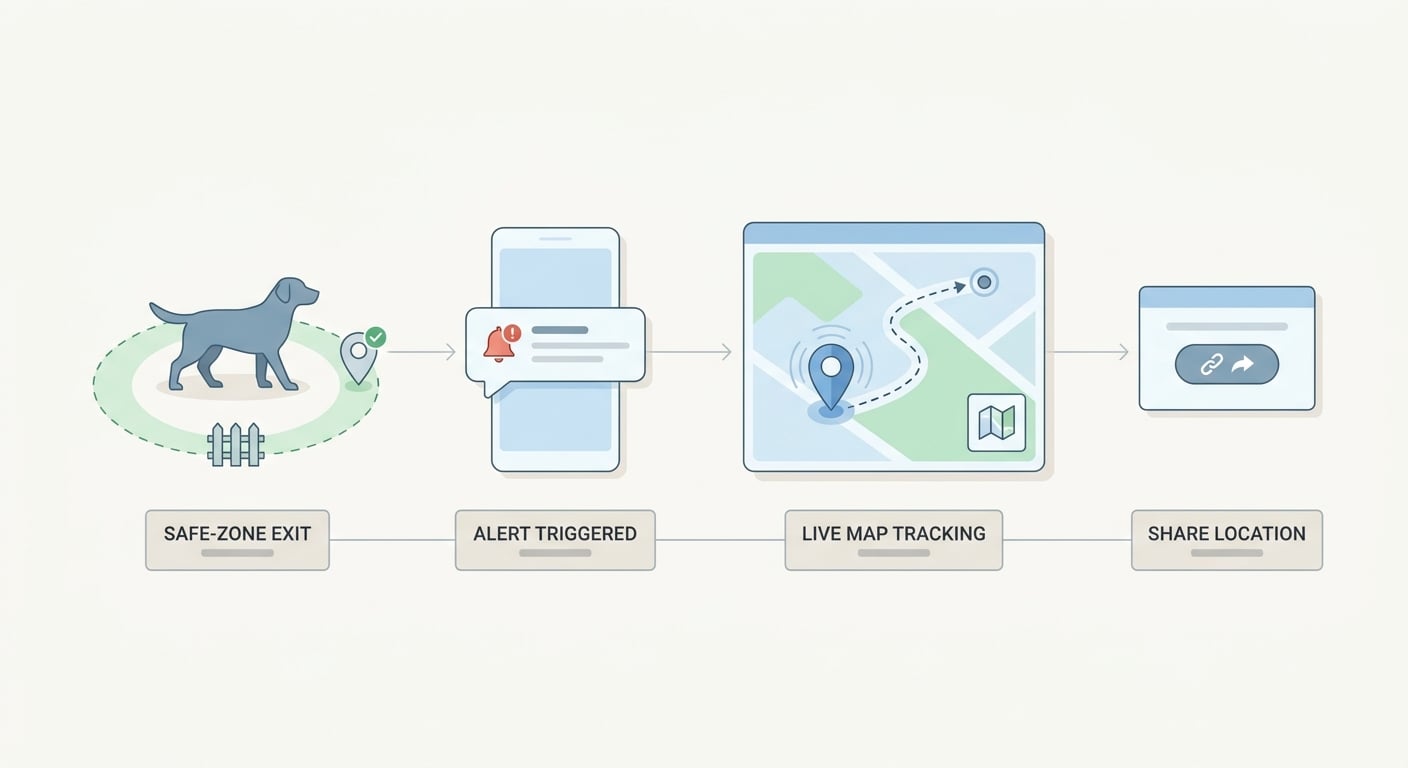
A simple process diagram showing how a pet crosses a safe-zone boundary, triggers an app alert, and prompts the owner to check the live map and share the location if needed.
Use these as starting points. Your results can flip based on carrier coverage where your pet runs, the specific tracker hardware, and your phone settings.
| App | Best for | Live-mode workflow (directional) | Geofence workflow (directional) | Battery and maintenance (directional) | Key constraint to plan for |
|---|---|---|---|---|---|
| Tractive | Recovery-first escapes and coordination | Often map-forward with a clear live state (varies by coverage) | Solid when notifications are configured | More charging if you use live often | In weak service, "live" can degrade to periodic updates |
| Whistle | Home boundary control and prevention | Adequate for check-ins and follow-up | Often a strong fit for zone-first owners | Mid; depends on how often you track live | Tight zones in dense areas can create noisy alerts |
| Fi | Lower-maintenance ownership and longer cadence | Can feel less aggressive unless you actively switch modes | Good for zones, varies by environment | Often battery-forward | In a true chase, the refresh cadence may feel slow |
If you want long-form reviews and spec comparisons, these are reasonable starting points (still worth validating with your own walk test): PetsRadar, PawBench, SmartHomeExplorer, Hushku.
A complementary angle worth comparing lives in Top 7 Mobile App Analytics Tools Ranked for 2026.
How do you choose the right GPS pet tracking app?
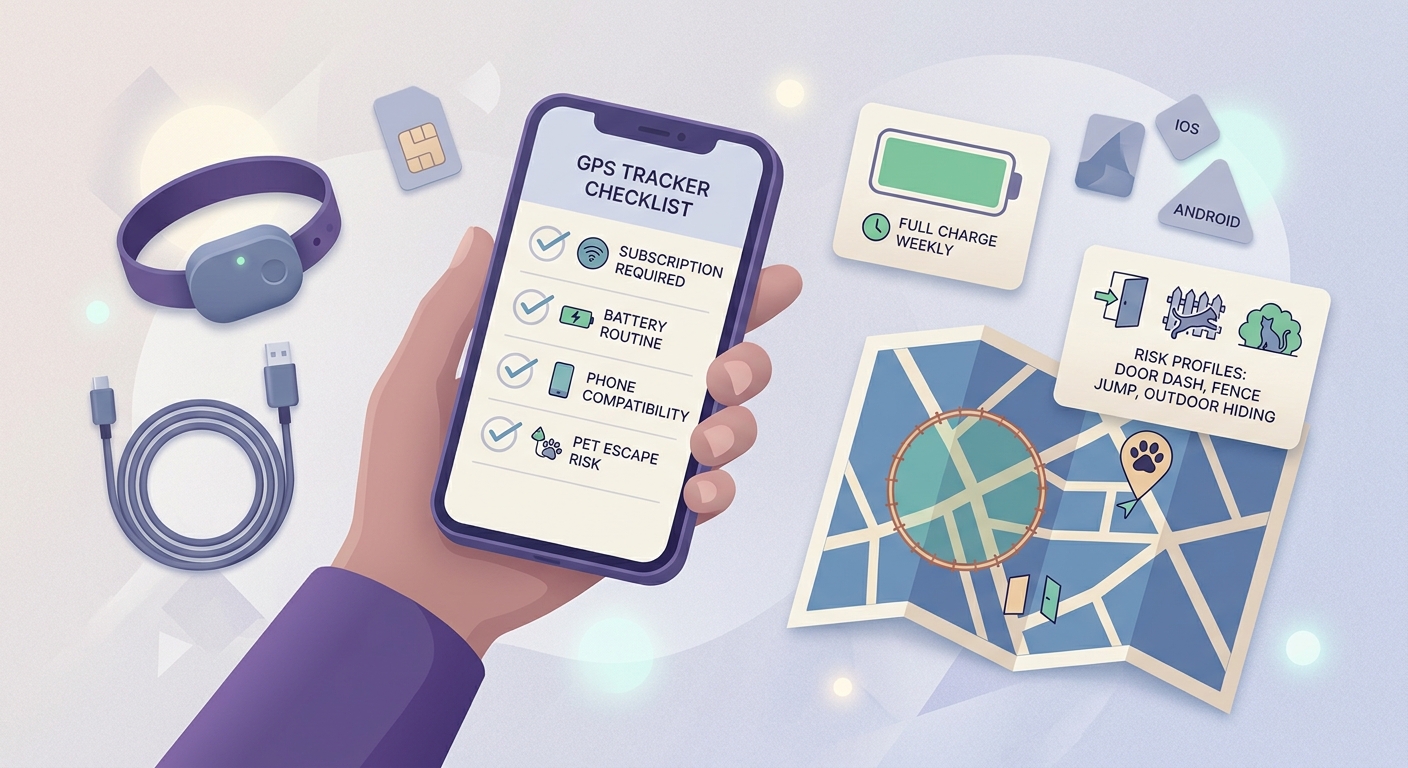
A mobile-friendly checklist covering subscription requirement, tracker battery routine, phone compatibility, and whether the app supports the pet's real escape risk.
Match the tracker to your pet's risk profile
Define the escape you are actually buying for
Door dash, slipped harness, fence jump, trailhead spook, travel mishap, or an outdoor cat that hides under decks. This determines whether you optimize for fast pursuit (live tracking) or early warning (geofence alerts).
Prioritize live tracking when minutes and movement matter
If your pet bolts and keeps moving, you want a true live mode plus a map UI you can operate one-handed outside. Marketing terms vary, so verify in your own neighborhood; one good test is whether you can switch to live and share location in under 30 seconds without digging through menus.
Prioritize geofencing when early warning matters
If the typical issue is drifting out of range near home, favor safe-zone alerts that reliably reach your phone. One tradeoff: tighter geofences can warn earlier, but they also increase false exits in GPS-drifty areas (tall buildings, tree cover, narrow yards).
Set expectations for setup, testing, and failure modes
Plan for a small setup project, not a 2-minute install. Realistically, you are configuring hardware, your phone OS, and your routines.
Effort and time (typical):
- Initial setup: 20-40 minutes to pair hardware, enable "always" location where required, turn on notifications, create zones, and run a boundary walk test.
- Week-one tuning: 30-60 minutes total to adjust geofence radius, confirm alert behavior, and practice switching to live mode.
- Ongoing operator time: 2-5 minutes per week to check battery, wipe charging contacts if needed, and confirm collar fit.
Common failure modes (and why they matter):
- Subscription lapse or plan issue: cellular positioning may stop or degrade, and you may not notice until the next escape.
- Coverage mismatch (LTE-M or carrier gaps): updates can lag, which can send you searching the wrong block first.
- iOS/Android Focus modes and battery savers: alerts can be delayed or silenced, so you miss the exit window.
- Cold weather battery drop: shorter runtime can leave you with a dead tracker on the one day you need it.
- Fit and comfort issues: a loose collar can flip the tracker, degrade signal, and increase the chance your pet slips it.
For tradeoffs, checklists, and edge cases, 7 Breakout Android Apps Making Waves in June 2026 rounds out this section.
Week-one setup checklist (so the app works when you are stressed)
Use this as a minimum viable rollout. It is faster than learning during an actual chase.
| Task | How to do it | Realistic time |
|---|---|---|
| Set safe zones | Start with home, then add daycare, sitter, and frequent parks | 5-10 minutes |
| Pick a starting geofence radius | Start larger than you think (common starting point: 150-300 ft), then tighten if alerts are clean | 5 minutes |
| Confirm phone permissions | Location set correctly, notifications on, and Focus mode rules allow alerts | 5-10 minutes |
| Run a boundary walk test | Cross the boundary 2-3 times at different points; note if alerts arrive and whether they are noisy | 10-15 minutes |
| Practice a share workflow | Decide what you will send helpers: live link (if available) plus a screenshot of last-known location and timestamp | 3-5 minutes |
One thing worth noting: smaller zones are not automatically "better." If your zone is too tight, GPS drift can create frequent exits and you will start ignoring alerts.
What recovery workflow should you use if your pet gets out?
Rehearse this once on a calm day. The first time you open live mode should not be during an emergency.
| Scenario | Best mode | What you do in the app | Realistic time cost |
|---|---|---|---|
| Pet just exited home zone | Geofence alert + open map | Tap alert, confirm direction, share link or screenshot to helper | 1-3 minutes |
| Pet is moving fast (dog chase) | Live tracking | Switch to live, watch direction changes, pick intercept points | 5-20 minutes depending on terrain and help |
| Pet is likely hiding (cat, scared dog) | History + slow sweep | Use last known + history, reduce noise, check cover and quiet spots | 30-90 minutes |
| You are traveling (new area) | Coverage check + live as needed | Confirm service, keep tracker charged, use live only when needed | 10 minutes upfront, then ongoing |
CTA: Want a quick recommendation for your exact scenario?
Tell me your pet, your area (city, suburb, rural), and the escape scenario you fear most. I will suggest the best app type and what to test in week one.
Get a recommendation
What does a GPS pet tracking app really cost?
Most good options are not "just an app." Budget and friction matter because the best tracker is the one your pet actually wears and you actually keep charged.
- Hardware plus subscription: many GPS collars require both, and pricing varies by plan length and region.
- Charging cadence: live tracking shortens battery life; pick a routine you will actually follow (weekly calendar reminder works better than good intentions).
- Comfort and safety: cats generally need lightweight, breakaway collars; some dogs hate bulky tags or chew them.
- Helper access: pick an app that makes sharing location simple, especially if you rely on neighbors, family, or a dog walker.
- Dependency reality: performance depends on carrier coverage and on your phone receiving notifications, not just the tracker.
CTA: If you already have a tracker, do a 7-day reliability test.
Run one boundary walk test per zone, confirm notification settings, and note how often location updates lag in your usual routes. Small fixes here prevent big surprises later.
Start the 7-day test


